
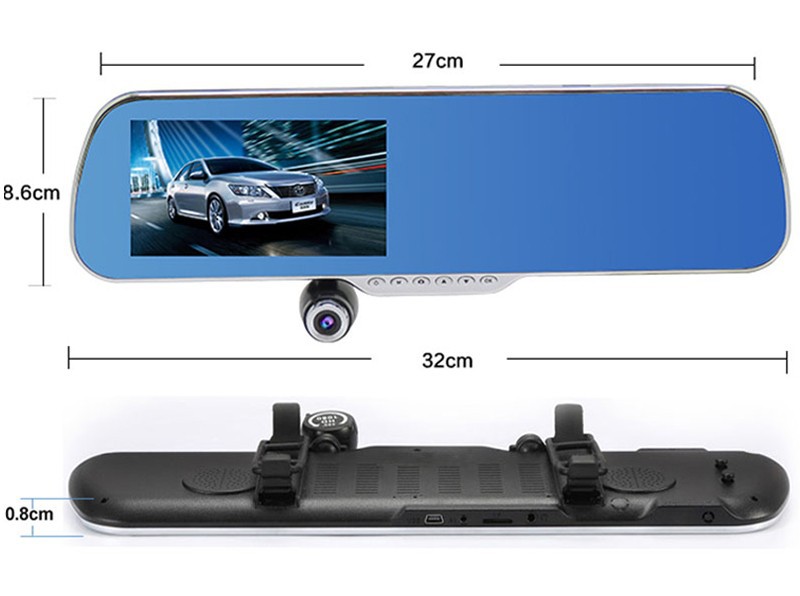
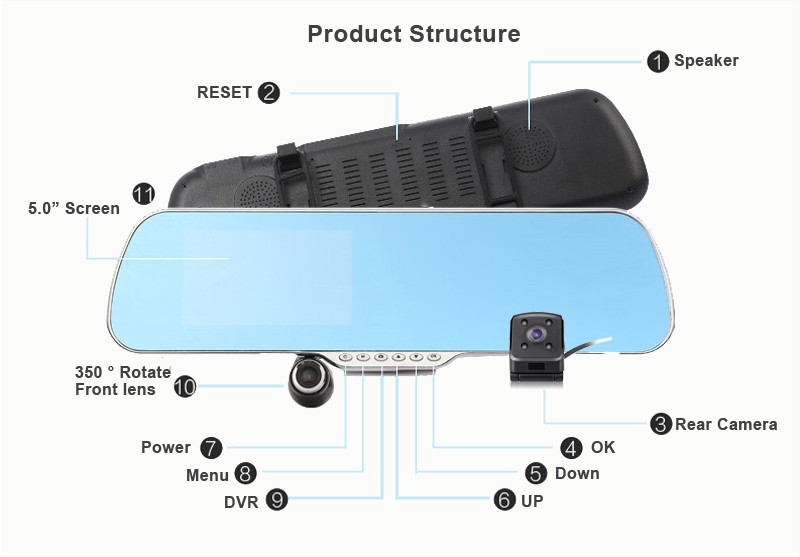
Notice:
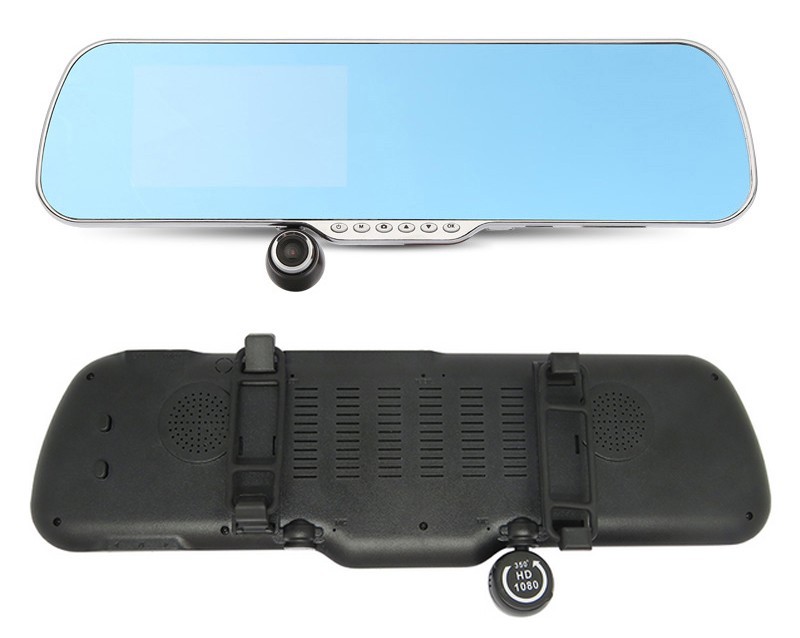
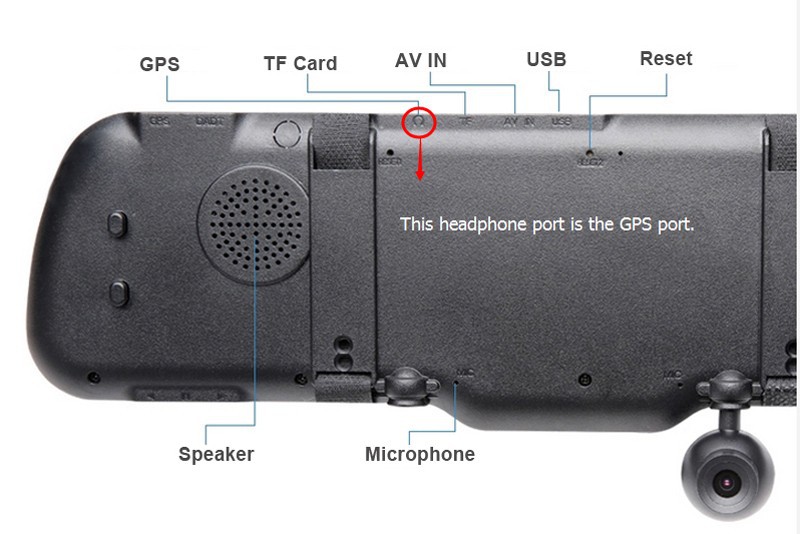
From some of our dear clients feedback, they don't know which is the GPS plug position. Actually, the headphone port is the GPS port, please kindly noted.
Thanks again the suggestions and feedback from our clients, we will offer better product and sales services for you.

| Features |
| Android systems |
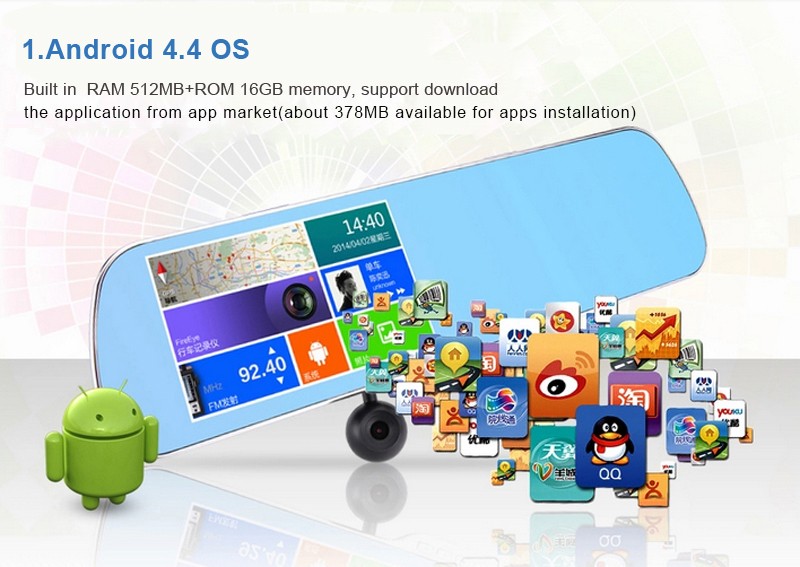
Android 4.4.2 OS , support download multiple applications |
| Touch screend |
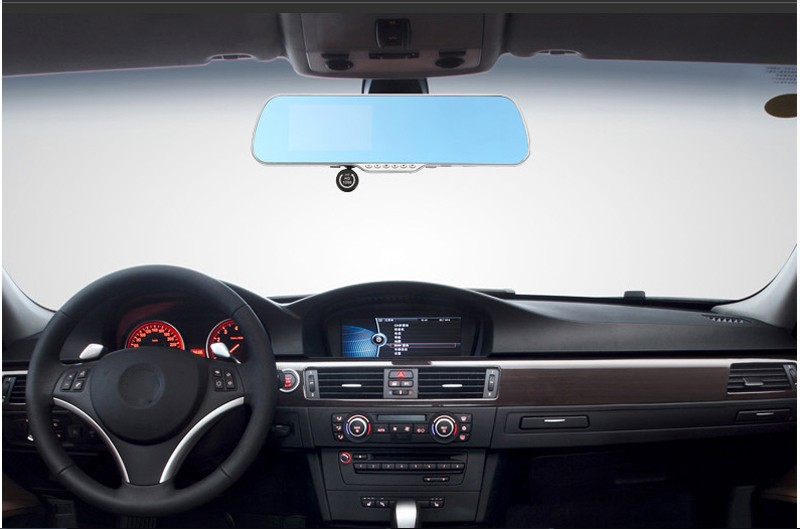
5.0"Capacitive IPS Touch screen rearview mirror |
| GPS navigation |
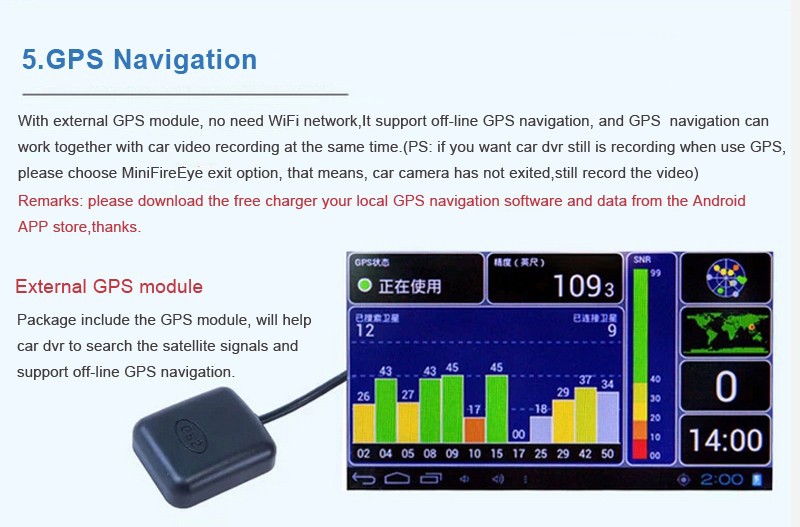
Include external GPS module, support off-line GPS navigation |
| Dual lens |
Front lens: 350 degree rotate |
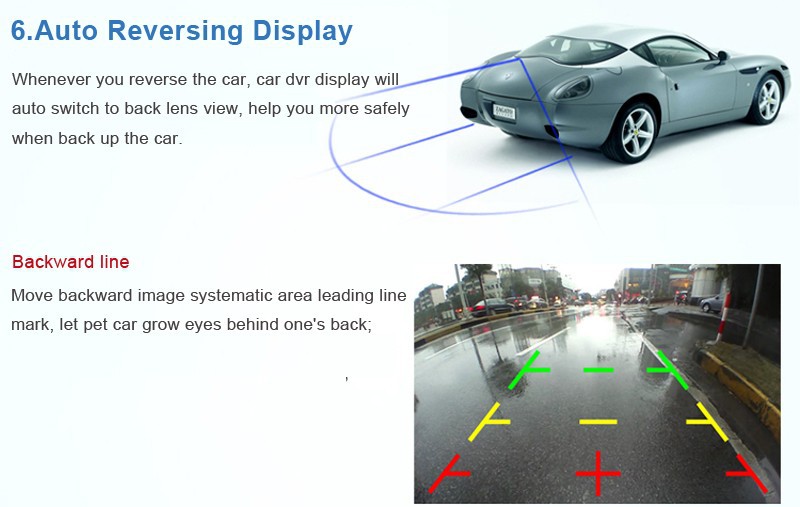
| When reverse the vehicle, car camera display will auto show up the rear lens view |
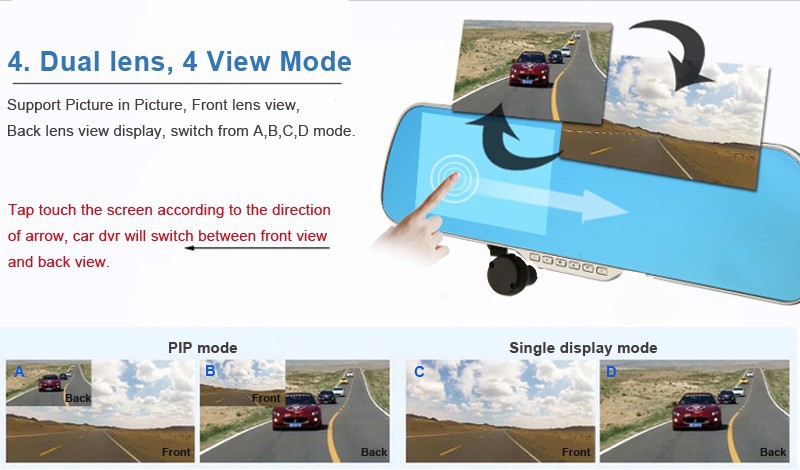
| Support Picture in Picture, Front lens view, Rear lens view switch |
| Metal frame |
Fashion metal frame ultra thin design |
| WiFi |
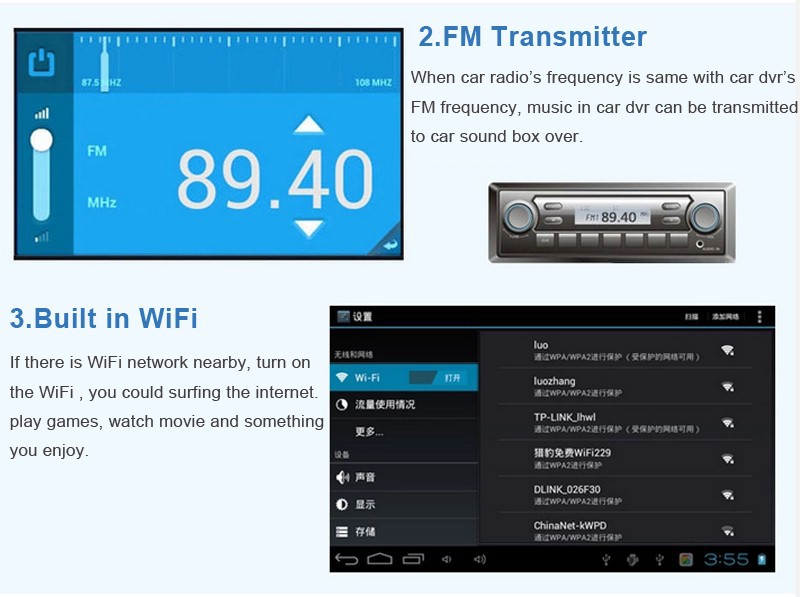
Built in |
| FM transmitter |
Built in |
| G-Sensor |
Yes |
| Loop recording |
Yes |
| MP3/MP4 player |
Yes |
| Video Playback |
Yes |
| Delay shutdown |
Yes,DVR will automatically turn off within 10 seconds after car engine OFF |
| Voice recording |
Yes |
|
DVR recording menu
Language
|
English/Chinese |
|
Multiple Language
(Android menu)
|
Afrikaans, Amharic, BahasaIndonesia, Catala, Cestina, Dansk,
Deutsch(Deutschland), Deutsch(Liechtenstein), Deutsch(Osterrech),
Deutsch(Schweiz), English(Australia), English(Canada), English(New Zealand),
English(Singapore), English(United Kingdom), English(United States),
Espanol(Espana), Espanol(Estados Unidos), Francais(Belgique),
Francais(Canada), Francais(France), Francais(Suisse), Hrvatski,
Italiano(Italia), Italiano(Svizzera), Latviesu, Lietuviu,
Malay, Nederlands(Belgle), Nederlands(Nederland), Norskbokmal,
Polski, Portugues(Brasil), Portugues(Portugal), Romana, Rumantsch, Slovencina,
Suomi, Svenska, Swahili, Tagalog, Tieng Viet, Turkce, Zulu, Korean,
Japanese, Russian, Simplified Chinese, Traditional Chinese
|
| Specifications |
| Processor |
Allwinner A33 Quad Core |
| Smart systems |
Android 4.4 OS |
| Screen |
5.0 inch HD 5 point touch screen |
| Diplay resolution |
800X480 pixels |
| RAM |
Built in 512MB |
| ROM |
Built in 16GB (systems will occupy3GB; About 378MB for apps installation; 13GB memory for GPS data, music, movie files storage) |
| External storage |
Support Maximum 32GB TF card(Optional) |
| Image Sensor |
5.0 million pixel HD camera, 350 degree rotate front lens |
| Lens angle view |
Front 140 degree angle view |
| Video Resolution |
Front: 1920*1080(30f/s)/HD1280x720(30f/s) |
| |
Rear: 640*480P 25f/s |
| Video format |
MP4 |
| Picture format |
JPEG |
| Compression |
H.264 |
| Speaker |
Built in |
| MIC |
Built in |
| External I/O port |
1*USB 2.0 |
| 1*TF card port: |
| 1* GPS port (the headphone port is the GPS port) |
| 1*AV IN (support auto reverse function) |
| Power Supply |
DC 5V IN |
---------------------------------------------------------------------------------------------------------------------------------------------------------------
FAQ about Q7 Android Car DVR:
Q1:What's the DVR DC INPUT?
A: The car dvr only support DC 5V IN, please don’t connect with 12/24V Power directly, otherwise will burn the dvr’s mainboard. So, Please use car charger to plug into cigar lighter to power supply the car dvr. If you want to connect with 12/24V car battery directly, please buy the 5V convert adapter. Thank you.
Q2, After disconnect with Power, the DVR will automatically turn off?
A: Yes, DVR will automatically Turn ON / OFF accordingly when Power ON/OFF. And DVR main power supply is from car charger, not from built in battery, so DVR battery standby time is about 5 minutes.
Q3: Why the rear camera image direction is opposite side?
A: Because we used the Mirrored Type Rear Camera. If for normal rear camera display, the direction is opposite, but as long as when you get the car in Reverse Gear, the DVR will display correct rear camera image with parking line. We use the mirrored type rear camera just to make sure you could get the correct direction when car parking.
Q4, Does the DVR support Parking reverse function?
A: Yes, if your car dvr support dual lens, when you get your car in reverse gear, the DVR will automatically switch to the rear camera image with parking line.
Q5: How to connect the Rear Camera?
A: Please connect the rear camera’s Red Wire with your car Reverse Lamp Power’s Positive Pole (+). And other side connector , please plug into DVR AV IN port.
Q6: The GPS Navigation no need network support?
A: Yes, the car dvr is with external GPS module, support OFF-LINE GPS navigation, no need any network support.
Q7: Why could not find the GPS port?
A: The headphone port is the GPS port, please plug the GPS connector into this port.
Q8: Why sometimes GPS satellites search slowly?
A: Weather, High building, outdoor or not will influence the GPS satellites searching, please go outdoor and open space to search satellites. And the first time GPS searching will take a bit long time than the second time, please kindly wait. Thank you.
Q9:If want to turn off the Screen background light, how to do?
A: Please press “Power” button one second, you could turn on/off the screen background light.
Q10:Why DVR application installation is limited?
A: Because this DVR is also Android device, as like android smartphone/tablet pc, it’s firmware only set up about 378MB available for application installation. But DVR also built in storage about 13GB available for GPS data and files storage, it just not for application install.
Q11:Why the Android DVR don’t have sound out?
A: Please kindly check whether you turn on the FM transmit function or not, if FM transmit turn on, then Car DVR speaker will be closed.
Q12:Why the battery life is so short?
A: Because DVR main power supply is from Car Charger plug into the Cigar Lighter, not from built battery. DVR built battery just assit the DVR normal working.
If you have any other questions, please feel free to contact us. ^_^
----------------------------------------------------------------------------------------------------------------------------------------------------------------

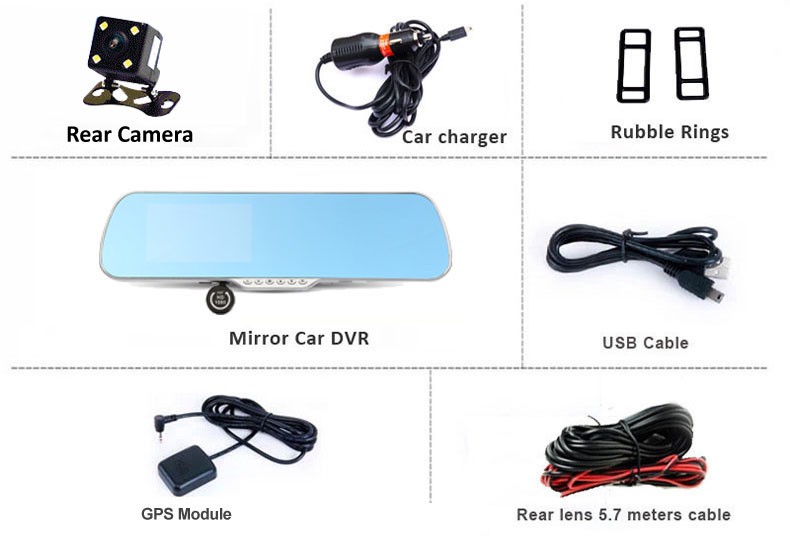
1* 5.0"Touch rearview mirror car camera;
1* Rear Camera
1* External GPS logger Module
1* USB cable
1* User Manual
1* Car Charger