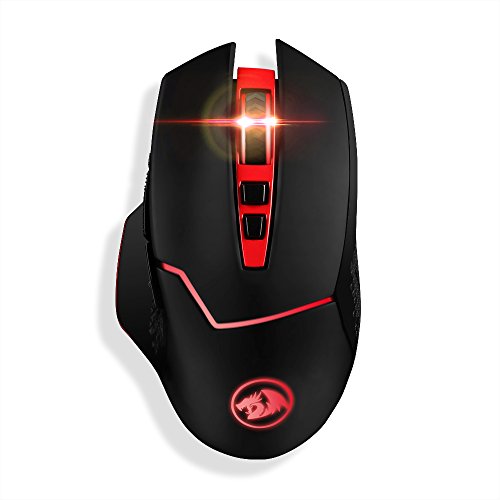
Redragon 4800DPI 2.4GHz Wireless Adjustable Gaming Mouse with 8 Buttons for Notebook, PC, Laptop, Computer (Black)


Product Description
Instruction:
After inserted the USB receiver, there is a circling icon in the lower-right corner of the window and it starts to install device drivers.
Some users may preset "Windows Update" priority search to install drive. If yes, please skip the step of "Windows Update".
Three options will be (√) automatically before installed successful.
Calibration needs be done with "ON" mode.
And user can choose "ON" or "Eco", and make the setting base on personal preference.
Specifications:
FPS: Max. 4000
IPS: 30
Actuation force: 10G
Type: 2.4Ghz wireless
Voltage: 1.5 V
Current:15mA
USB : USB 2.0 & 3.0
Power Supply:1 x AA(Not included)
Buttons: 7 programmable buttons
Polling rate: 125HZ~500HZ
Tracking System: Optical
6 DPI level : 800/1200/1600/2400/3200/4800 DPI adjustable
Compatible: Windows XP/Vista/Win7/Win8/Win10/2000, etc.
Size: 4.94*1.61*2.9inches
Weight:120g(excluding battery)
Package List:
1x Redragon 4800DPI Wireless Gaming Mouse
1X USB receiver
1x CD
1x User manual
FAQ:
The pointer does not move or the mouse lags ------- Please replace the battery first to try. Or reset the mouse setting with the CD software by press RESET first and click APPLY to get the RESET successful. And you can download the cd software in this link:https://www.dropbox.com/s/m7w715jodpl8ytx/M690.zip?dl=0
Feature
6 DPI OPTIONS & CUSTOMIZED FUNCTION - 6 adjustable DPI levels (800, 1200, 1600, 2400, 3200,4800) meet your multiple needs, either for daily work or gaming. Besides, the Mouse Point Speed setting in the software also allows you to mildly change the movement speed of the mouse to achieve the best fit mode for yourself.