


Product Description
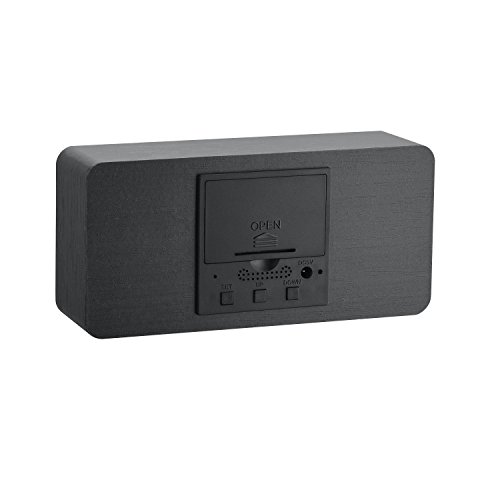
INSTRUCTION DOWN KEY(VOICE CONTROL SETTING) 2 Modes of Use: 1. Voice Control Mode: Press DOWN key when display ON: sd,that means Voice Control Mode ,Clap noice up to 50-60dB to start this mode. Click DOWN key to exit that is set successfully. 2. Regular Mode : Press DOWN key when display --:sd, that means Regular Mode,display screen keep bright , press DOWN key to exist that set successfully. DAILY SETTING: Note: Including Year,Month,Day,24H/12H,Time,three sets of work alarm clock(--:A1 /--:A2/ --:A3),Weekend Alarm Clock(--:E) Press SET botton to switch to DP-2,long press SET key to enter the setting (the digital flashing indicates that it has entered the setting);Press the UP key (plus) DOWN key (minus)to carry on the up and down adjustment; Determine when the SET key to enter the next round,the year, month , day, 24H/12H,time,the same operation. 1. The first set of alarm clock -:A1 is closed, ON:A1 is open, and then click to enter the alarm clock time settings, Press DOWN/UP key for up and down regulation, to determine when the SET key to enter the next round of operation , the following operation is the same. 2. Second groups of alarm clock -:A2 is closed, ON:A1 is to open,Click to enter the alarm clock time setting , press the DOWN/UP key for up and down adjustment. 3. Third groups of alarm clock -:A3 is closed, ON:A1 is to open,Click to enter the alarm clock time settings, press the DOWN/UP key for up and down adjustment. Weekend alarm clock -:E closed, ON:E is open, That is , at the same time to close / open A1/A2/A3 three groups of alarm clock.Feature
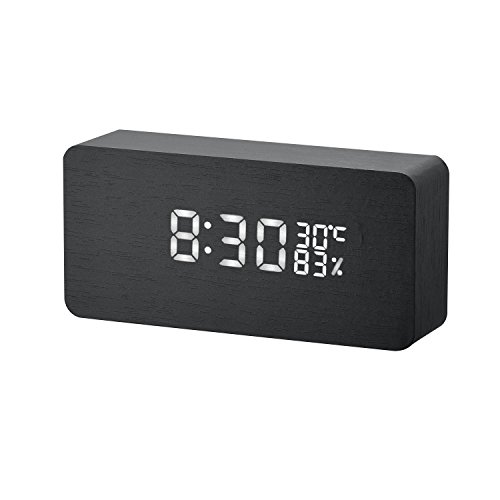
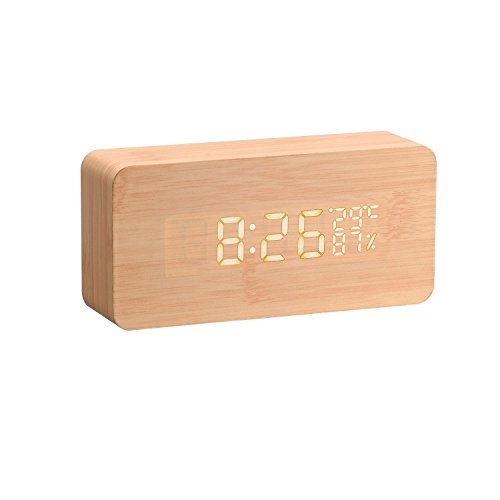
Display mode: DP-2:Time / Temperature DP-1: Time/ Temperature and Year/Month/Date automatically take turns display. Calender:2000/1/1 - 2099/12/31