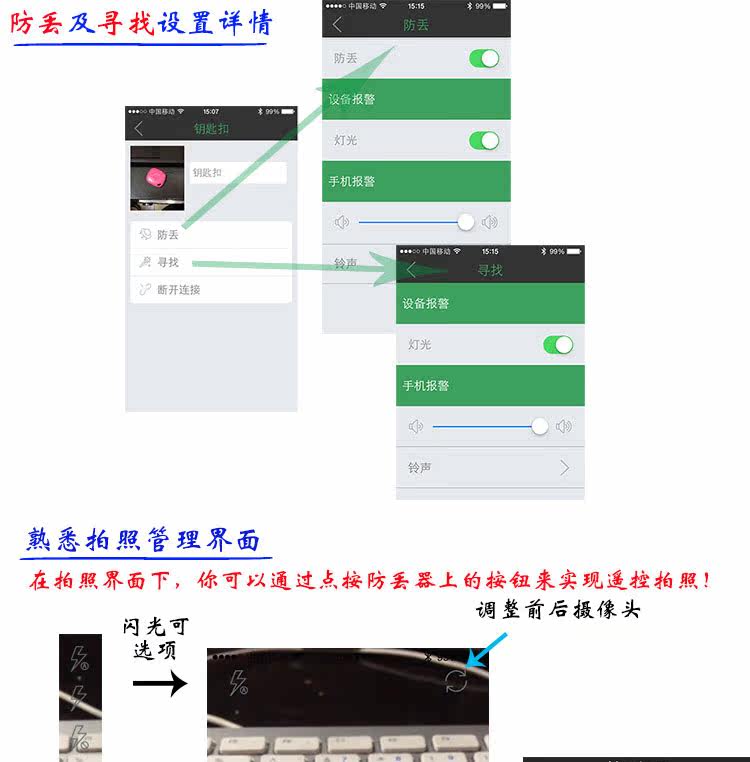
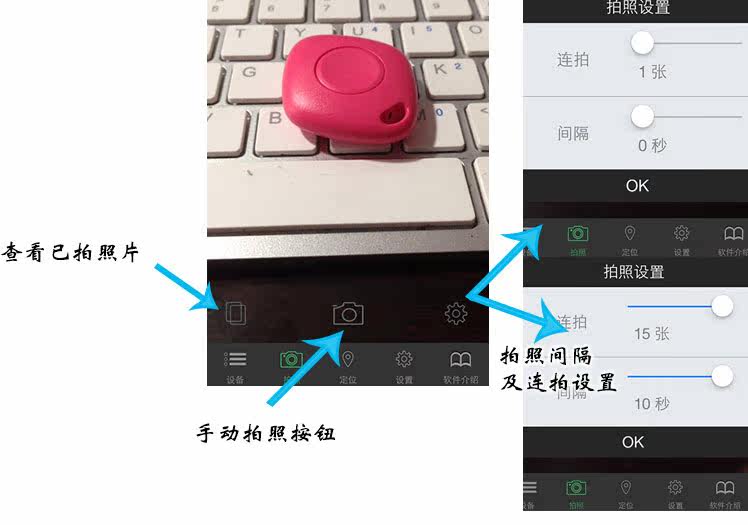
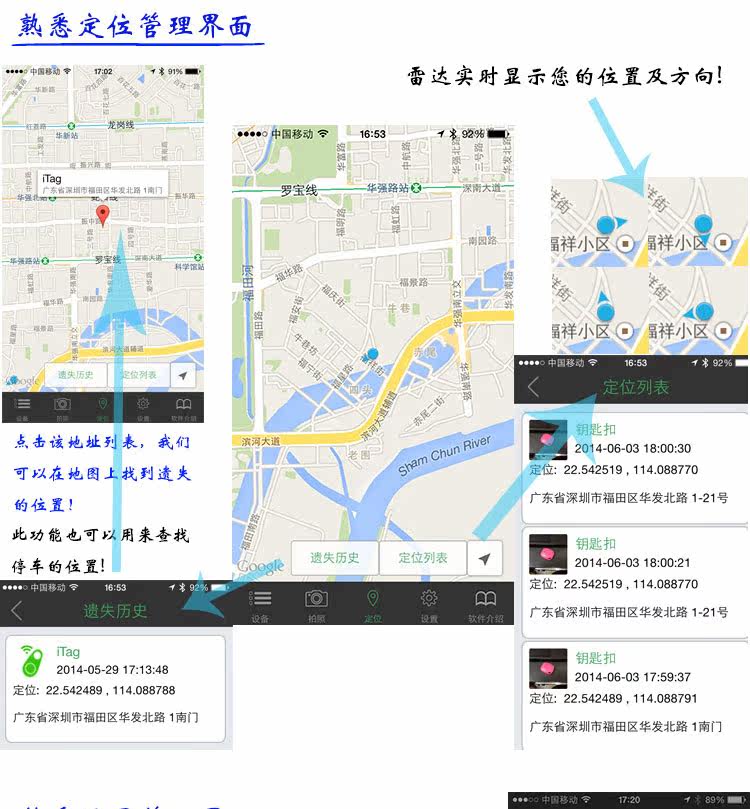
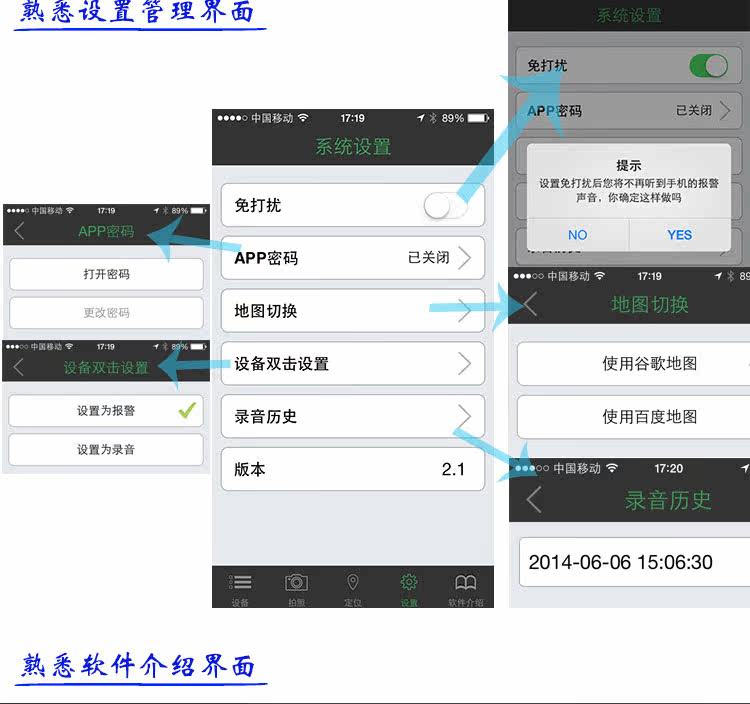
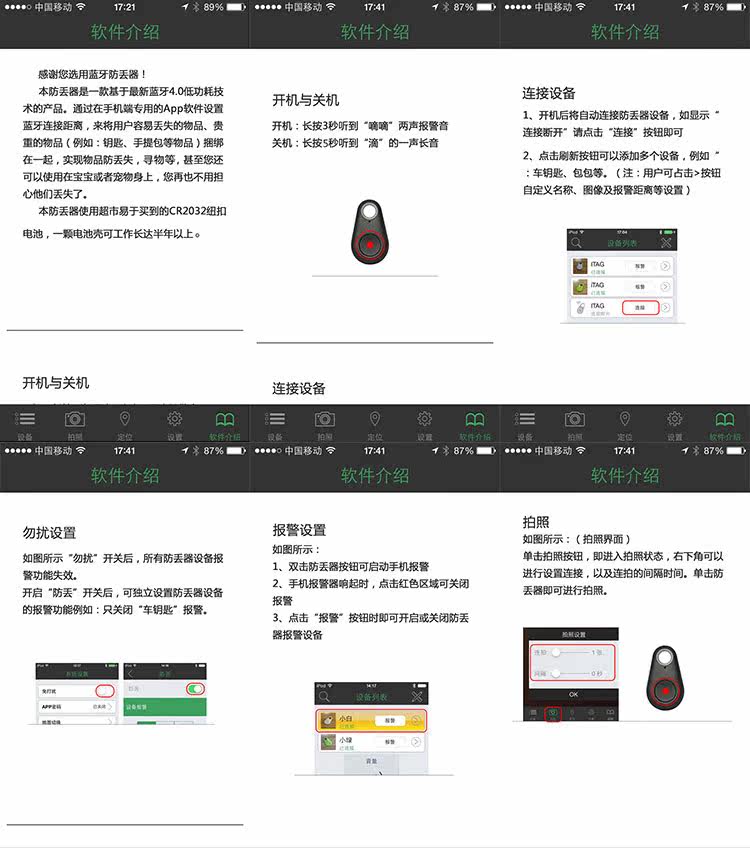
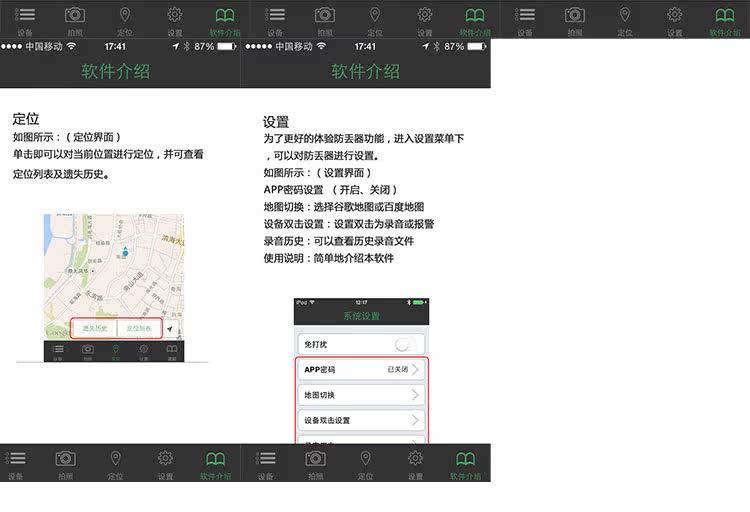
 This anti-lost device is a product based on the latest Bluetooth 4.0 low-power technology. By using the "itracing" APP software, it can easily lose the user's Bluetooth connection by using mobile devices such as mobile phones.
Lost items, valuables (such as keys, handbags, etc.) are bundled together to achieve the function of reminding the loss of items and searching for mobile phones. Remote remote photography, recording, and recording can also be realized.
Functions (for example: party pictures, selfies, etc.).
The anti-lost device can effectively use the distance, in the open range up to 25 meters away, and even you can also use it on the baby or pet, you no longer have to worry about their loss;
The coin cell CR2032 used in this anti-lost device can be easily purchased by major supermarkets and supermarkets. A genuine battery can work for more than six months.
兼容设备列表:
iPhone5S/5C/5/4S,iPad 5th/4th/3rd gen,iPad mini,iPad Air,iPod touch(5th gen)
Andriod system with bluetooth 4.0 Smartphone
(Andriod 4.3 version and up-grade version)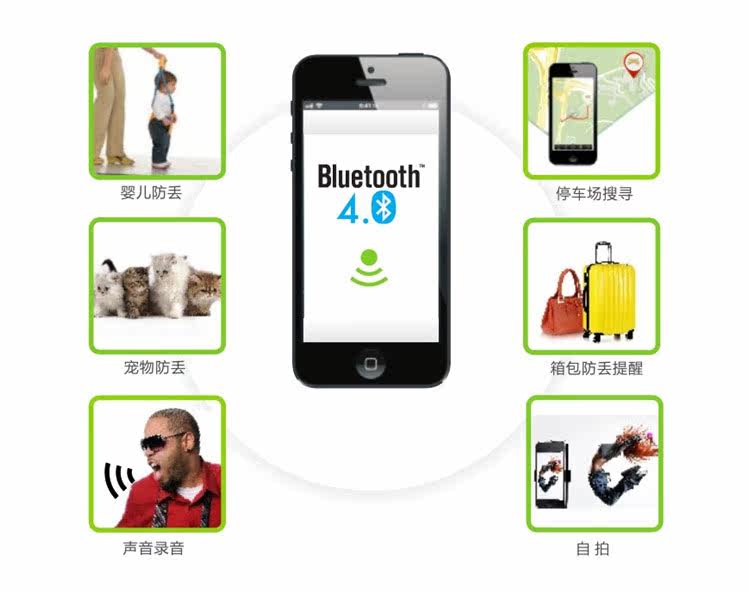
1. The official website downloads the application for free. The address is in the box
2. Automatic alarm beyond the valid range.
3. Control the phone selfie function.
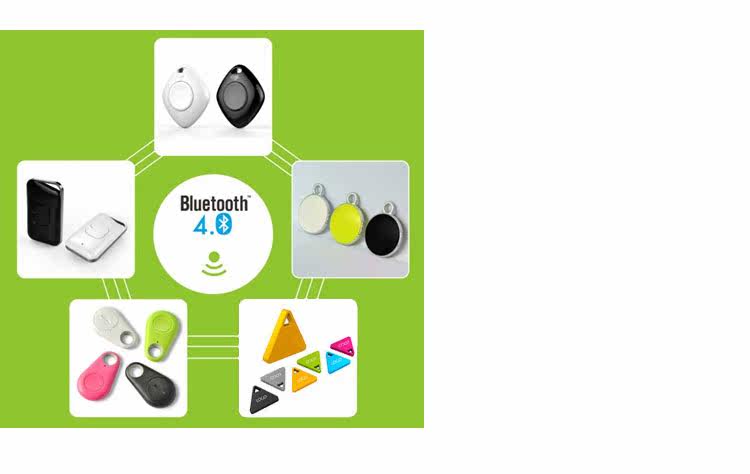
4. Bluetooth version 4.0, slim design, easy to carry.
5. Ring and vibrate alert alarm, adjustable variety of ringtones
6. Compatible with Iphone 4s/5, 5s, 5c, ipad mini.ITouch5, ipad 3/4.
7. Can replace the button battery.
8. Low-power Bluetooth technology, battery life up to one year
9. Positioning function. It is convenient for you to check the last position of the object on the mobile phone.
10. A mobile phone can support up to 8 anti-lost devices at the same time
Product Instructions Quick User Guide:
Use it for the first time!
1. Check if the phone's Bluetooth is turned on, if not, turn on the phone's Bluetooth.
2. The product iTracing has been downloaded and installed correctly on your mobile phone, and open the app. If not, go to the appropriate application market to download and install the necessary application. The application icons are as follows
3. Press and hold for 3 seconds to hear '嘀嘀' two alarm sounds to turn on the product's power switch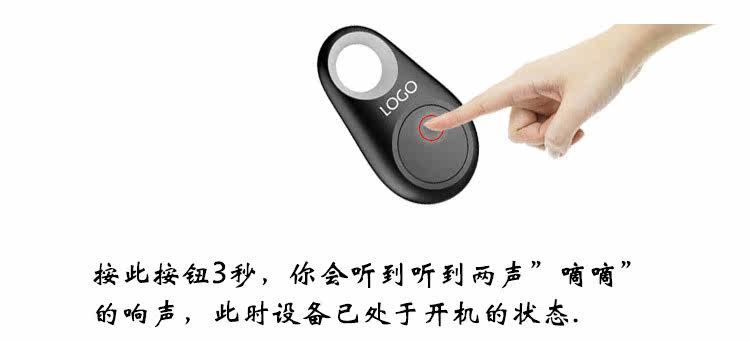
4. Open the app and search for new devices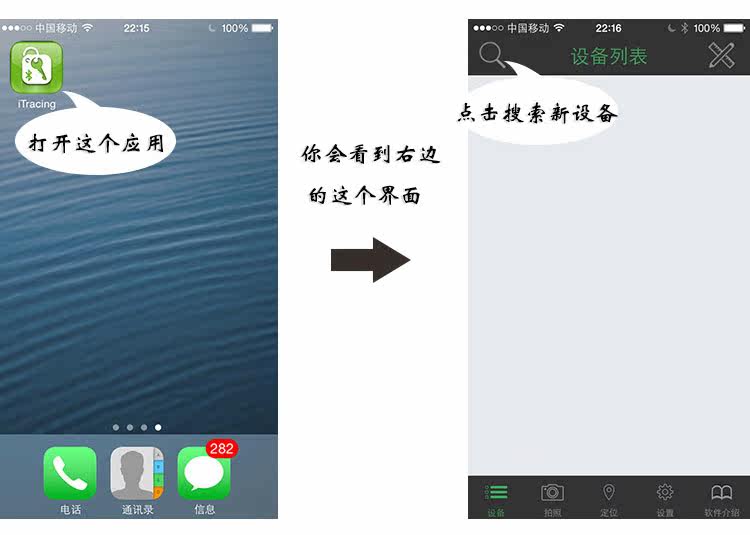 5. Connect new devices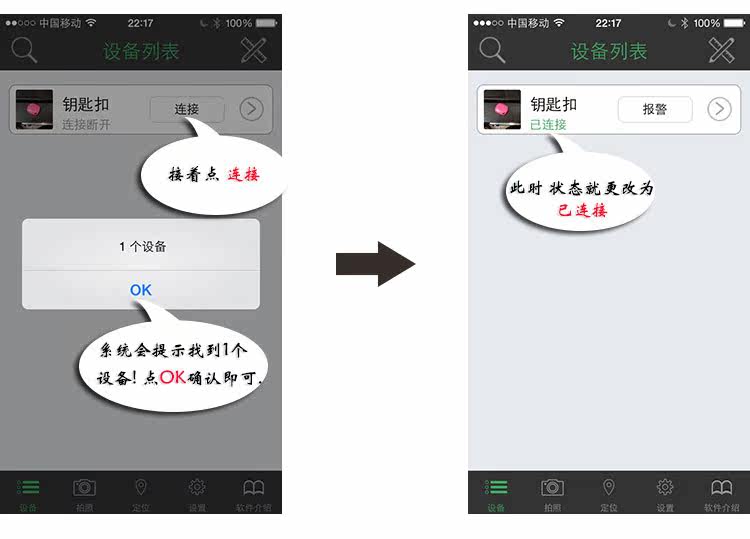
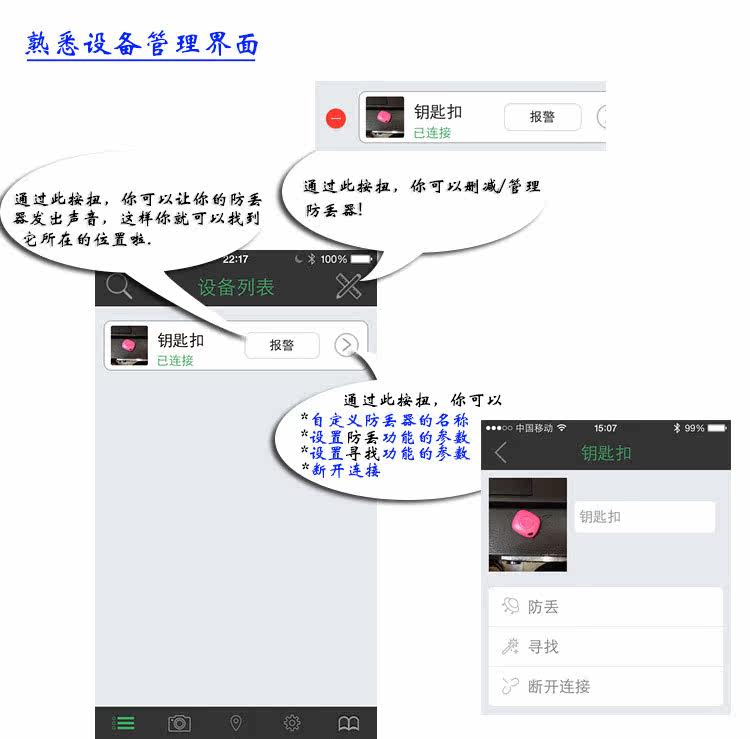 至此,我们已经完成设备的开机与连接。接下来我们就可以尝试产品的各项功能及对产品进行各项设置。