



Product Description
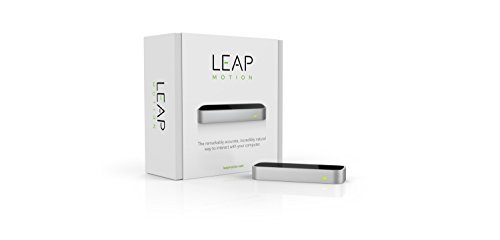
Leap Motion Controller for Mac or PC (Retail Packaging and Updated Software)

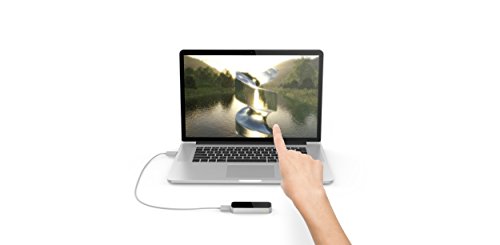
The Leap Motion Controller captures the movement of your hands and fingers so you can interact with your computer in a whole new way. Swipe, pinch or grab in the air and magically see your actions on your screen. With hundreds of apps in the Leap Motion App Store, there is something for everyone. To get you started, the Leap Motion Controller comes with a free set of apps.

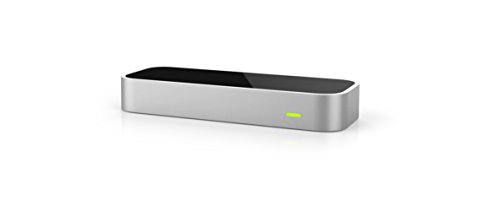
The Leap Motion Controller is sleek, light, and small – just 3 inches long. It takes up hardly any room on your desk, but has a wide 150° field of view, and transforms the space above into a 3D interface for your hands. It works alongside your keyboard, mouse, stylus, or trackpad for a richer and more natural 3D computing experience. With the Leap Motion software running, just plug the device into the USB port on your Mac or PC, and you’re ready to start exploring.
The Leap Motion Controller uses infrared cameras and highly complex mathematical algorithms to translate hand and finger movements into 3D input. This unique approach allows Leap Motion technology to be significantly more accurate than other motion-control technologies -- and it’s constantly improving. With free, automatic software updates, you can always have access to the latest features and enhancements.

Compose a tune or dissect a spider. Soar through the sky like a superhero or flip through slides with a flick of your wrist. Reach out and grab a virtual heart, or sculpt clay with your hands. With just a swipe of your finger or wave of your hand, you’re in control. Over 200 apps in the Leap Motion App Store means there’s always something new to discover.
With the introductory app Shortcuts, your computer becomes a gesture-controlled digital command center. Play your favorite music and videos, scroll through web pages and documents, or switch between apps with the wave of a hand -- and with future upgrades and new features, this is only the beginning.
Feature
The Leap Motion Controller is not a replacement for your mouse or keyboard; it lets you interact with applications using motion control.