Item Descriptions:
Product introduction
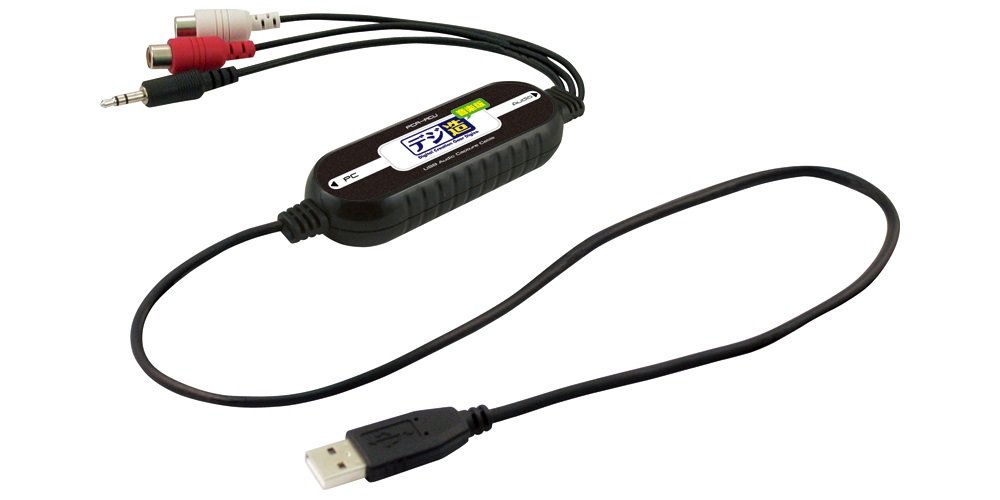
It is an audio capture unit that can capture sound source such as record and cassette to PC by simple operation and convert it to digital format.
USB audio capture unit for connecting analog sound source to PC and PodSound RipperLE version (made by CyberLink) which is software for recording are attached.
From Amazon
An audio capture unit that converts sound sources such as cassette tape, record, MD and listens on iPod
With audio conversion software that can also make radio reservation recording.
Cassette tapes and records asleep at home are resurrected
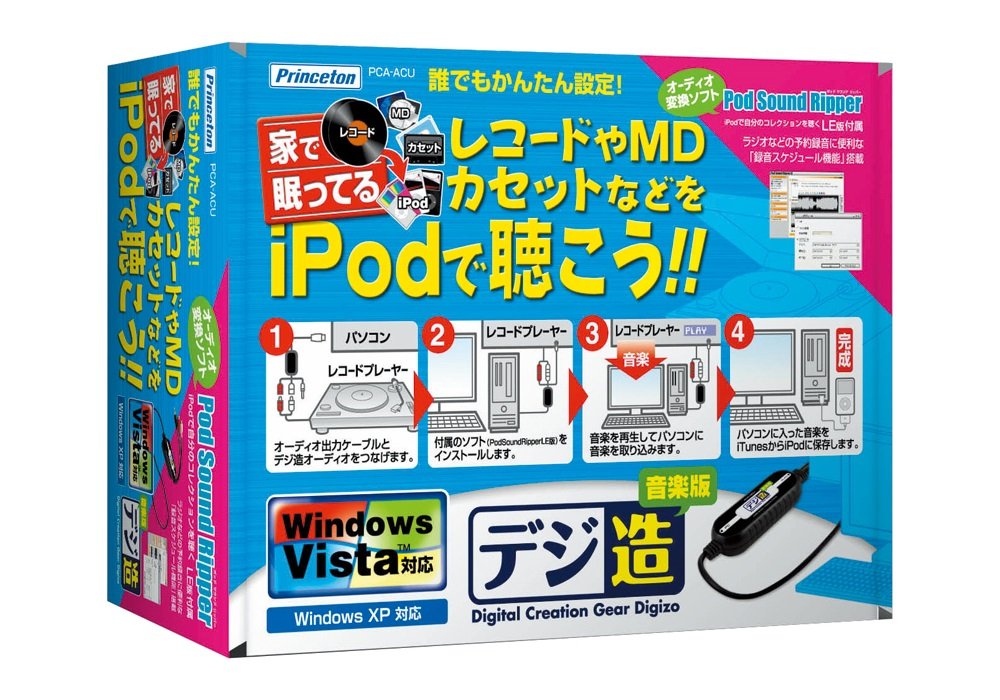
"PCA-ACU" is a USB audio capture unit that makes it possible to record audio data of audio equipment on a personal computer with easy operation and save digital data.
Connect your audio device to "PCA - ACU" and convert your favorite sound source to MP3, WAV, you can enjoy analog sound data with MP3 player such as iPod.
With "PCA - ACU", you can store memorable cassette tapes, records, and important sound sources such as MD with digital data.
Easy setup for PC beginners
For the setup method, simply connect "PCA - ACU" and the personal computer and install the included audio editing software "Pod Sound Ripper (LE)".
After that, you can record by connecting the audio equipment such as a record player, a radio cassette player, MD player etc. with the RCA terminal or 3.5 mm stereo mini plug to play the sound source you want to record.
Installing a troublesome driver automatically installs it when connecting to a PC for the first time, so even beginners of PC can set up easily.
Editing software "Pod Sound Ripper LE" included
Since audio editing software "Pod Sound Ripper" is included, there is no need to purchase editing software elsewhere.
You can enjoy data recorded with "PCA - ACU" immediately after purchase with iPod or MP3 player.
"Pod Sound Ripper LE" has various functions such as editing the recorded sound source, schedule recording the radio, and so on.
* The included "Pod Sound Ripper LE" is a limited function version that can be used only for some functions.
Unlike the retail version, you can not use "Convert from disk", "Create music CD", "Copy function of CD disk", "Create disk function".
When creating a CD, you need a separate CD - ROM writing software and CD - RW drive.
Easy data transfer to iPod Easily added to iTunes library
"Pod Sound Ripper LE" can easily capture audio and transfer it automatically to iTunes, so you can enjoy the sound source recorded on iPod with ease.
[Recording from external device] [Edit audio] You can transfer recorded or edited music data to iTunes simply by marking "Add to iTunes library" on the "Convert from file" screen.
It is also possible to edit the converted sound "sound editing function"
"Pod Sound Ripper LE" has a "sound editing function" that allows you to edit the converted sound source, you can partially cut the recorded sound source, apply effects such as fade in / out and volume adjustment, apply an equalizer
It is possible to change sound quality with.
Radio recording is also possible!
More convenient reservation function "Schedule recording function"
Convenient "schedule recording function" has two functions, "Quick Recording" which allows timer setting of recording time, "Scheduler" which can set the date and time of recording start and end.
Radio recording from external audio is also possible, of course, so you can set up "Scheduler" to pre-record your English conversation program and learn on the way of commuting on iPod, or set up "quick recording" in the middle of recording and go out on the way
· · · Can be used conveniently.
Features:
- Please enter model number Confirm this is compatible:
- Specification: USB audio capture
- Interface: USB 2.0
- Input terminal: Line input x 2
- External dimensions / weight: (width) 90 mm x (depth) 33 mm x (height) 17 mm
Product information:
Shipping Weight: 299 g
Package Dimensions: 6.60 x 16.21 x 21.41 cm
SHIPPING METHOD
Delivered directly from Japan by Japan Post. It will take 3 to 5 business days to prepare the order for shipping. We guarantee careful packing and safe shipping.Please note that in some cases additional import or VAT charges may incur and have to be borne by the client.
1. Japanpost registered mail
Shipment by Japanpost Registered Mail (Standard). Trackable any time with tracking number. Insurance is not available. Delivery time usually is between 1-3 weeks from the date of dispatch. Some items are not eligible for Standard Shipping.
2. Qxpress Standard
Shipment by Qxpress standard service. Trackable at any time with tracking number. Registered and insured up to a value of item price and shipping fees.Delivery time is usually between 5-10 business days from the date of dispatch.
3. EMS
Shipment by Expedited Mail Service. Trackable at any time with tracking number. Registered and insured up to a value of $200 and usually delivered in 2-6 business day from the date of dispatch.

| Japanpost registered mail | Qexpress | EMS | |
|---|---|---|---|
| Shipping Method | Japanpost Registered Mail (Standard) | Standard Qexpress | EMS (Expedited Mail Service) |
| Trackable | Yes | Yes | Yes |
| Insured | N/A | Yes (Up to item price and shipping fees) | Yes (Up to $200.00) |
| Asia | 1-3 weeks | 5-10 days | 2-5 days |
| Oceania; North America; Central America and the Middle East | 2-4 weeks | 6-14 days | 2-6 days |
| Europe | 2-4 weeks | 6-16 days | 3-8 days |
| South America and Africa | 2-4 weeks | 10-18 days | 4-8 days |
NOTICE:
- For overseas delivery, please be aware that damage to the outer box can be seen.
- If you would like to avoid as much damage as possible, please choose the EMS shipping method.
"According to Qoo10 guide line,overseas shipping fees will be charged to you extra if you choose Qxpress standard shipping.We recommend you to compare the total price of your purchase with EMS."
