 [ASUS] RP-AC68U Wireless AC1900 repeater with USB 3.0 and 5 Gigabit Ethernet ports[ASUS] RP-AC68U Wireless AC1900 repeater with USB 3.0 and 5 Gigabit Ethernet ports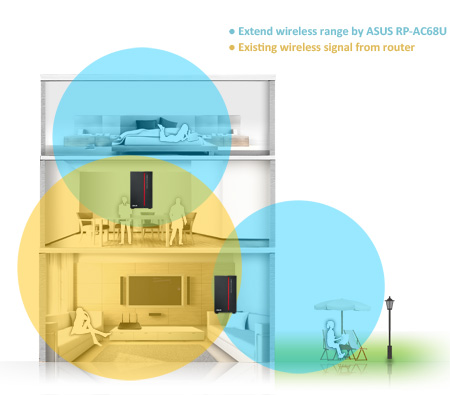

One-press setup and worry-free connectivity
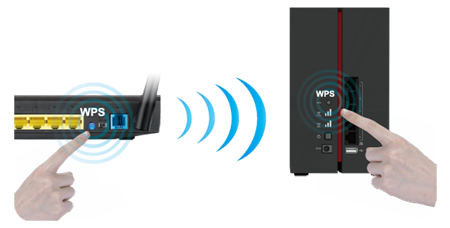
RP-AC68U wireless repeater installation doesn’t require a CD or even a mouse and keyboard. Simply press the WPS buttons on RP-AC68U and your router, and setup is complete. Optimized performance is assured for a seamless and smooth internet experience. For advanced settings, you can connect RP-AC68U to a PC via an Ethernet cable and access the web-based configuration menu directly, with no disc or app needed. You can even set it up wirelessly from a tablet or smartphone.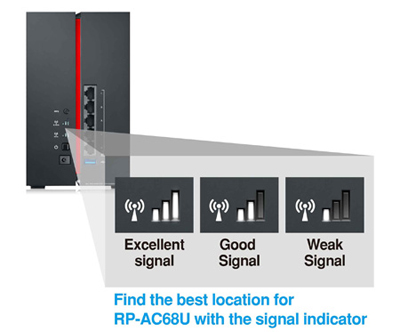
Signal strength indicator for easy installation
For best results, RP-AC68U needs to be within range of a stable router signal, and should be placed between the router and the location where you need better wireless coverage. RP-AC68U works best when it is receiving a strong wireless signal from the router — you can check this by using the signal strength indicator on the back panel.
Media Bridge mode
Faster-than-wired networking for any device.
In Media Bridge mode, RP-AC68U adds Wi-Fi to any Ethernet-enabled device, including smart TVs, multimedia players, game consoles and PCs. Back-panel status LEDs give you an at-a-glance signal-strength indication for both the 2.4GHz and 5GHz frequency bands.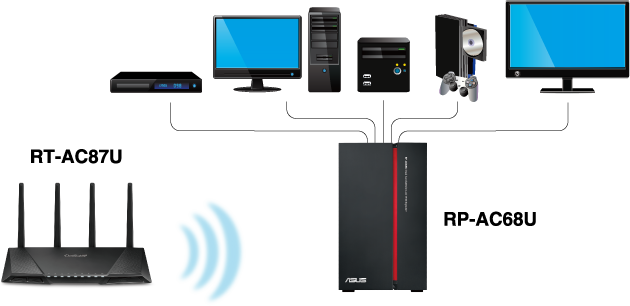
Access Point mode
Upgrade your wireless network to the ultra-fast 5GHz speeds.
RP-AC68U can add a fast and stable 5GHz network to a single band 2.4GHz router, upgrading it to 1300 Mbps speeds for ultra-smooth online gaming, 4K UHD video streaming and speedier downloading. For an existing 5GHz network, RP-AC68U adds an extra 5GHz network so you can connect even more devices for even greater wireless multitasking.
ASUS ExpressWay boosts performance
ASUS ExpressWay uses the dual-band capability of RP-AC68U to create a super-efficient connection with improved performance and reliability. In normal mode, RP-AC68U uses the 2.4GHz and 5GHz bands simultaneously for connecting to devices, giving the widest compatibility with devices and routers. As long as at least one device — or your router — supports 5GHz operation, ExpressWay can dedicate one band for connecting to the router and the other band for connecting to the device. This gives you a great performance boost for data-intensive tasks such as HD video streaming or online gaming, and also reduces the chance of losing the connection due to interference.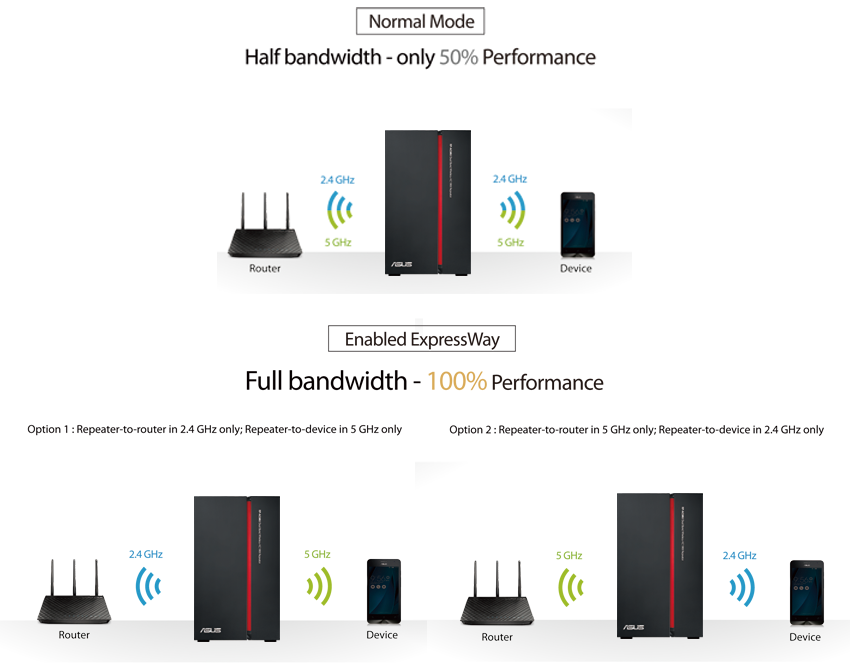
specifications