Galaxy Tab A 9.7 , 32 GB
 
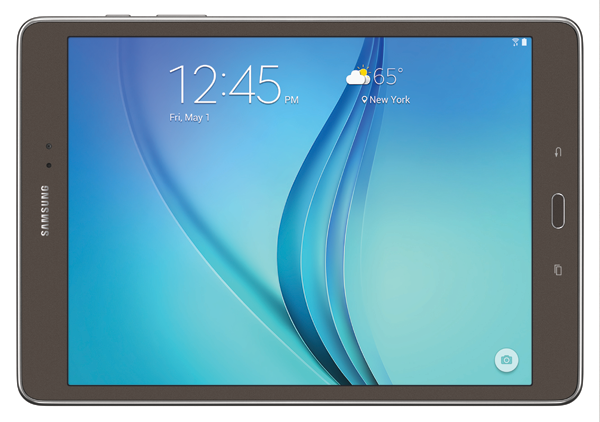
Designed to enhance your mobile life, the Samsung Galaxy Tab A keeps you immersed in what matters most every day.

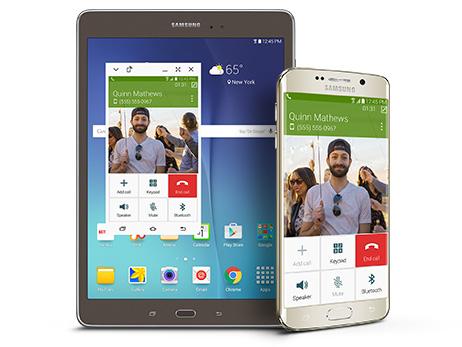
Dive into images, videos and more. Enjoy your favorite content on any screen you own when you connect your Samsung devices with SideSync*. Work and create right from your tablet with Microsoft Office.

And switch to Kids Mode when you want to entertain the kids while keeping all of your personal content secure.

The new Galaxy Tab A connects you to the people and things you love.

*Galaxy Tab A and SideSync 3.0 are compatible with the Samsung Galaxy Note 3 devices and later devices
**Galaxy Tab A and Quick Connect are compatible with the Samsung Galaxy S 4 and later devices
***Multi Window does not support all applications


Connect All Your Devices with SideSync*

Connecting your Samsung devices is easier than ever. With Samsung SideSync 3.0* and Quick Connect**, you can share content and work effortlessly between your Samsung tablet, smartphone and personal computer.


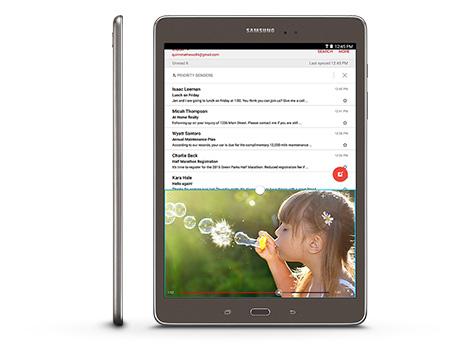
Do Two Things At Once

Make the most out of your tablet time with advanced multitasking tools.
Easily open two apps side by side so you can flip through your photos while browsing online. Check social media and your social calendar at the same time. With Multi Window on the Galaxy Tab A, you can do more, faster.

Multi Window does not support all applications

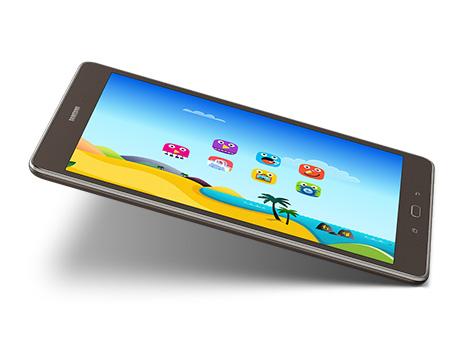
Kids Mode Allows Children to Play Safely

Kids Mode gives parents peace of mind while providing a colorful, engaging place for kids to play. Easily manage what your kids access and how long they spend using it, all while keeping your own documents private. Available for free from Samsung Galaxy Essentials, Kids Mode keeps your content—and more importantly, your kids—safe and secure.

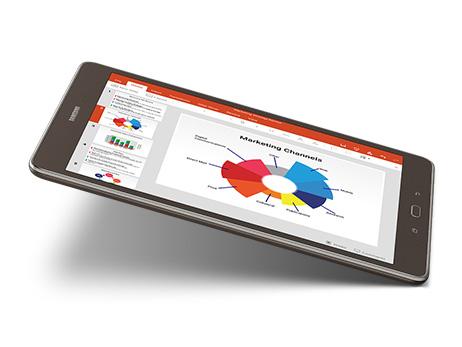
Increase Productivity with Microsoft Office

Microsoft Office works as hard as you do—simply click on each Microsoft Office icon to download for free from Google Play. Review and save changes in Microsoft Word. Make edits in Microsoft PowerPoint and Microsoft Excel. And easily work on the same document across devices, knowing your content and formatting will remain intact. Plus, with an additional 100 GB of storage on Microsoft OneDrive, complimentary for two years, you can keep all of your favorite photos, videos and documents in one place.

Share Your Tablet with Multi-User Mode

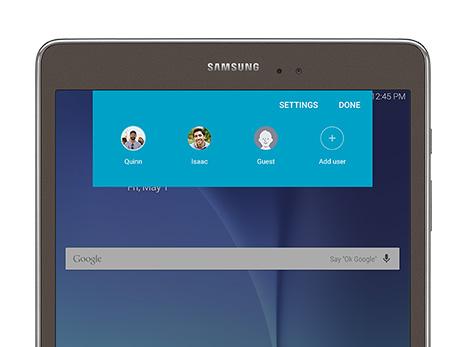
Ideal for sharing your tablet, Multi-User Mode lets you create separate, customized log-ins for family members and friends. This allows you to save your favorite settings and apps, as well as keep your personal information secure when someone else is using your tablet.

Adaptive Display Adjusts to Your Surroundings

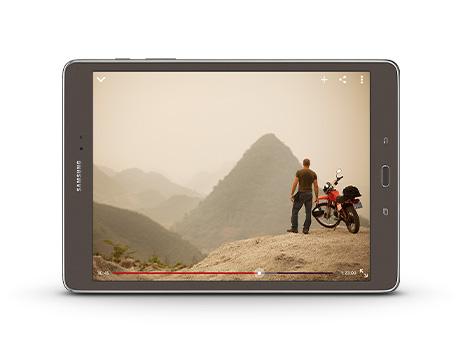
Every viewing experience on your Galaxy Tab A is enhanced through adaptive display technology. Read, watch and play on your tablet as it automatically adjusts settings based on content and lighting. No matter where you are and what you’re viewing, your Galaxy Tab A delivers an optimal picture.


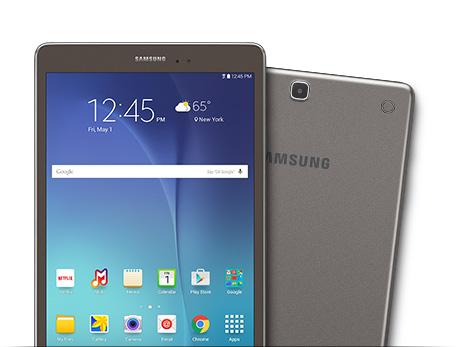
Lightweight, Portable Design

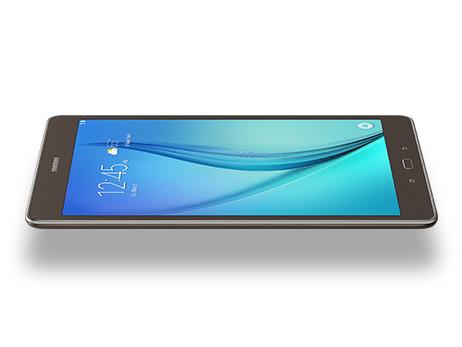
The ultra-thin Galaxy Tab A is comfortable to hold and light in your hand, making it convenient to take with you wherever you go.

Built-in Cameras for Photos and Video

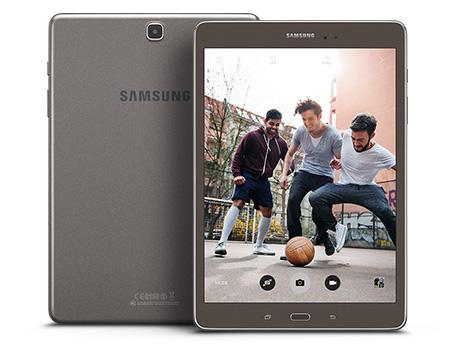
Equipped with a 5-megapixel rear camera and a 2-megapixel front camera, the Galaxy Tab A helps you take better photos and videos with features like continuous shot mode, auto focus, and digital zoom.

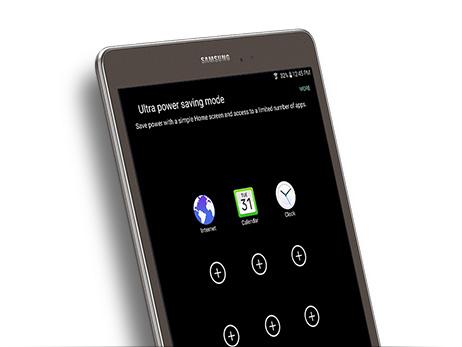
Ultra Power Saving Mode Maximizes Battery Life

Avoid draining your battery with Ultra Power Saving Mode. It shuts off nonessential apps to prolong battery life when you need it most.


Android 5.0 Lollipop for Smooth Operation

Designed to work seamlessly with all of your Google apps, the Galaxy Tab A runs Android 5.0 Lollipop OS. Whether you want to catch up on emails or listen to your favorite playlist, this easy-to-use operating system keeps your apps organized and easy to access.

Expandable Storage to Store Photos, Music, and Videos

The tablet offers 16 GB of onboard memory and includes a microSD card slot that allows you to add up to 128 GB of additional memory, making it easy to store more songs, videos, photos, and games.

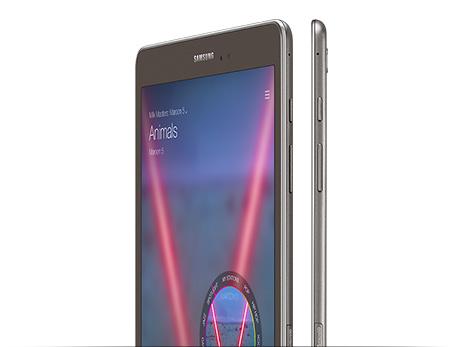
The Next Big Thing In Music.

How fresh do you like your music? Milk Music gives you more of the music you love, curated by DJs and industry pros, all free, exclusive to Samsung Galaxy owners and available on Google Play. Surf stations and genres by turning the interactive dial to navigate with no lag time between songs. Or customize it so your favorites will always be on hand.


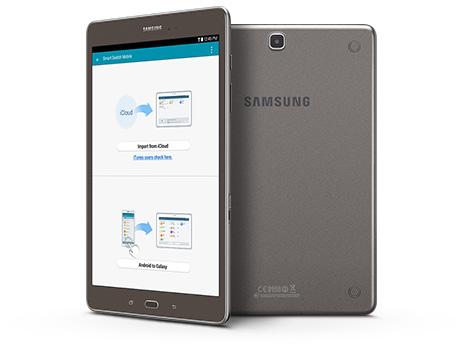
Transfer Content Easily with Smart Switch

Switching to the new Galaxy Tab A has never been simpler—or smarter. With Samsung Smart Switch^, you have the freedom to move your contacts, music and other media from iOS and Windows OS to your new Samsung Galaxy device.

What's in the Box

Samsung Galaxy Tab A 9.7 Smoky Titanium 32 GB, USB charging cable, wall adapter, and quick start guide.


Specifications
Samsung Galaxy Tab ® A 9.7" 16GB (Wi-Fi)

Category

Type

Galaxy Tab

Carrier

Type

Provides who the cell phone carrier is for this model of phone.

Wi-Fi

Color

Color

Choice of colors (exterior design) that a cellphone model is currently available in.

Smoky Titanium

OS

OS

Android™ 5.0, Lollipop

Size

Weight

0.99 lb.


Product Dimensions (inches)

Height, width and depth of the phone, measured in inches (in.).

9.55" x 6.57" x 0.29"

Camera

Camera resolution (Front)

2.0MP


Camera resolution (Rear)

Number of pixels across and down that are used to capture an image. More pixels, the sharper the photo.

5.0MP


Digital Optical Zoom

4x Digital


Features

Geo-Tagging, Auto Focus, Online Image Uploading, Photo Editing, Buddy Photo Share, Share via Video, Video Editing


Video Recording Resolution

720p HD Recording

Battery*

Battery Type and Size

6000mAh Li-Ion


Music Play Time

Battery power consumption depends on factors such as network configuration, signal strength, operating temperature, features selected, vibrate mode, backlight settings, browser use, frequency of calls and voice, data and other application usage patterns. 

Up to 160 Hours


Video Play Time

Battery power consumption depends on factors such as network configuration, signal strength, operating temperature, features selected, vibrate mode, backlight settings, browser use, frequency of calls and voice, data and other application usage patterns. 

Up to 12 Hours


Internet Use Time

Battery power consumption depends on factors such as network configuration, signal strength, operating temperature, features selected, vibrate mode, backlight settings, browser use, frequency of calls and voice, data and other application usage patterns. 

Up to 11 Hours


Network

Frequencies and Data Type

802.11 a/b/g/n; 2.4GHz+5GHz, HT40

Connectivity

Features

SideSync™, Microsoft Office®, Downloadable Content, S Voice™, Samsung Widget Gallery, Live Wallpapers, Milk Music™


USB

Universal Serial Bus. Common hardware interface standard for connecting peripherals to a computer.

v2.0


Bluetooth

v4.1


Bluetooth Profiles

A2DP, AVRCP, DI, HID, HOGP, HSP, OPP, PAN


Location Technology

GPS with Glonass, Wi-Fi Location Services


Earjack

3.5mm


Wi-Fi Direct

Yes

CPU

Processor Speed, Type

1.2 GHz Quad-Core, Qualcomm APQ 8016

Display

Main Display Resolution

1024 x 768


Main Display Size

9.7"


Main Display Technology

PLS TFT

Audio

Features

Audio Streaming; Music Player


Audio Playing Format

MP3, M4A, 3GA, AAC, OGG, OGA, WAV, WMA, AMR, AWB, FLAC, MID, MIDI, XMF, MXMF, IMY, RTTTL, RTX, OTA

Video

Features

Video Player; Video Streaming


Video Playing Format

MP4, M4V, 3GP, 3G2, WMV, ASF, AVI ,FLV, MKV, WEBM


Video Playing Resolution

1080p Full HD

Business & Office

Features

Enterprise-Ready;
Corporate E-mail/Calendar/Contacts;
Microsoft Office®-compatible;
Mobile Device Management;
On-Device Encryption (ODE);
SAFE™;
SAFE with Knox™;
Virtual Private Network

Sensor Type

Form of chip that detects light captured by a camcorder lens. CMOS circuitry converts light to voltage.

Type

Accelerometer, RGB Light, TouchWiz®

Package Contents

Included in Box

Charger Head, microUSB Cable, Quick Start Guide