Product Description
Setup Out of the box, plug the unit into house current and wait for a steady blinking WLAN light, Then searching the "Wireless-N" Network, click on 'connect'
scan the QR code or open your browser, on the top place, entering "192.168.10.253" ; Once logged in, (admin admin) the mode is set by clicking in one of the four choices in the upper left corner of the setup page type in what I wished to change and then clicked save then wait a few moments while the bar graph progressed.
To re-access the URANT routerand change modes, make sure the unit is plugged in to house current, and if not already, the lights have settled down to a steady state. Then press the reset switch for 10 seconds then follow aboved .
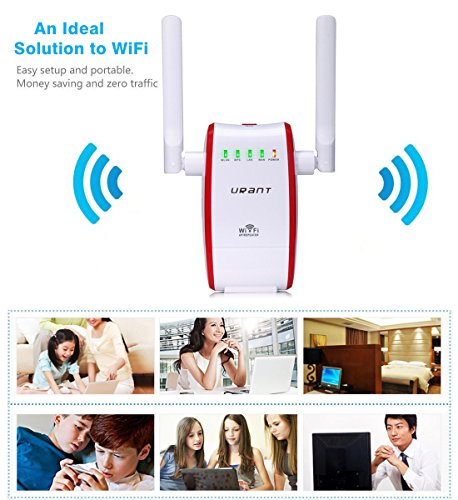
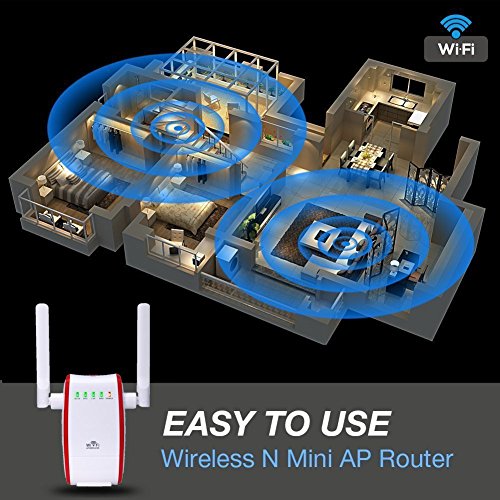
Function: WiFi signal covers your whole house,no matter how it big
Get wifi signal in dead area such as Kitchen, Bathroom ect
Use it as wireless router repreter AP mode ups to you
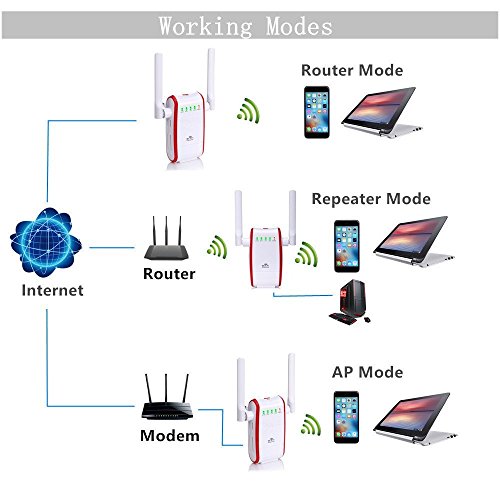
Three main working modes: Wifi router: A safe private wireless network which you can share it with your friends
Repeater: extend wifi range to make you receive wifi signal anywhere around house
AP Mode: Acess Point Mode creates a wireless network for the other Wi-Fi devices
Specifications: Wireless Standard: 802.11n, 802.11b/g
Frequency Band: 2.4 GHz
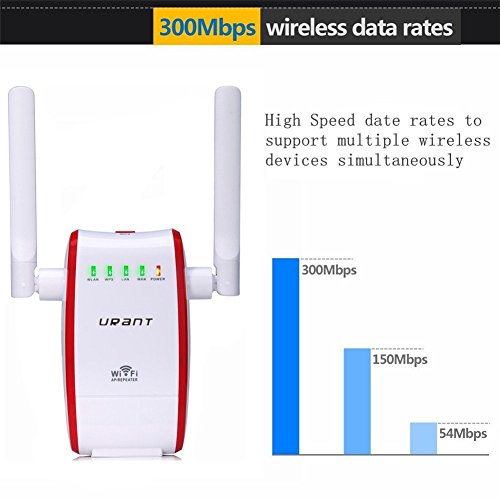
Wireless Speed: up to 300Mbps
Wireless Security: WEP, WPA, WPA2, WPA Mixed, WPS
Wireless Access Scheduling:Specific day and time
Wireless Coverage Control:15% - 100% Output Power
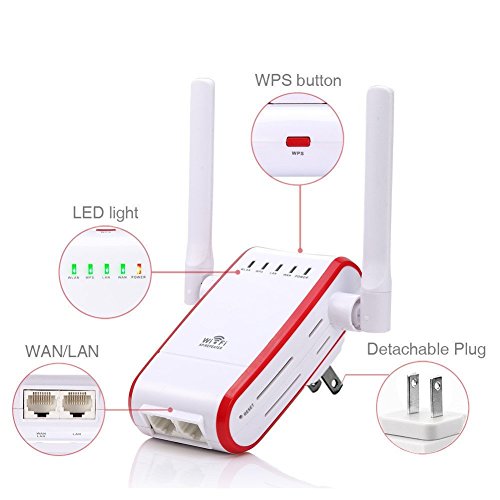
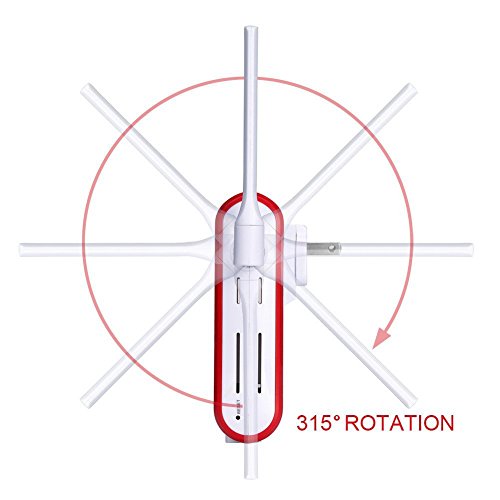
Antennas:2 rotatable external antennas
How can I get strong signal1.Room 1 has strong signal with router in it while room 2 has weak signal. The distance between them is 10 meters. The perfect place should be 4 meters from room 1. So that it can get strong signal from room 1 and extend signal to room 2
2.Avoid obstruction such as wall electronics such as Microwave
3. AP mode is a good choice
Feature
High Speed Network: Extending exist wireless network to hard to reach are with speed up to 300Mbps, creating high speed, long range and stable network, idea for Video Streaming, Web Browsing, Online Chatting, Gaming,Online Shopping and File Downloading
Dual Rotatable External Antennas: Extra two 5dbi antennas to create more broad wireless signal coverage, providing better wireless performance in penetrating walls,transmitting across multi floor house,allowing you to enjoy wireless freedom anywhere,turn dead zone into a fun zone
Three Working Modes: Router Mode, Repeater mode, AP modes. Different mode for different used. AP mode build up most strong and stable wireless network with wired connection. Repeater mode for much convenient use and more strong signal boost
Easy Setup Simple Operation: Plug it in, connect to" Wireless-N" network, enter ip address open setting page. Only 7 steps brings a comfortable network experience. Detachable design and small size for convenient carrier. WPS button for more safe network connection
More Friendly Compatibility: Compatible with any mainstream wireless network devices that comply with the aggrement of 802.11n/b/g under 2.4GHz like iPhone, iPad, ASmartphones, Samsung, Tablet, PC, Computer, Desktop
Brand : URANT
MPN(PartNumber) : UNT-R1
Product Dimensions(LxWxH) : 11x5x11cm ; 227 g
Package Dimensions(LxWxH) : 19x15x5cm ; 227 g