Get $3 Cash Coupon
Exclusively for DreamCloset SMS Update Members Only
Simply SMS Coupon to 88762937
Get $3 Cash Coupon
Exclusively for DreamCloset SMS Update Members Only
Simply SMS Coupon to 88762937
HD Wireless Monitoring IP/Network Camera
Worrying What's Hapenning at Home?
Monitor Home/Office Anywhere Anytime on Any Device
2018 Chinese New Year Sale 80% OFF
 Value for Money - Middle-men are out, saving passed on to YOU Value for Money - Middle-men are out, saving passed on to YOU |
Good Things Sell Fast
Like Hot Cake Get It NOW ! |
|
Best Quality - We care about quality just like YOU |
|
|
Ready Stock - We keep ready stock in Singapore, No pre-order |
|
|
Fast Delivery - Purchased items always sent out within 24 hours |
HD Wireless Monitoring IP/Network Cam (Model: WF01110)
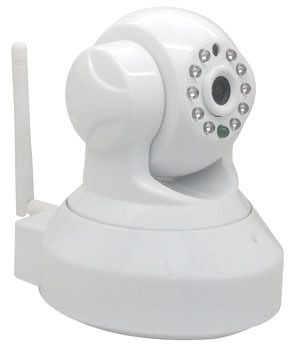
Main Features that Benefit Users
|
Plug & Play
|
Set up in 10 minutes, No network/router configuration required |
|
Smartphone Support
|
View live video from iPhone & Andriod phone, iPad
|
|
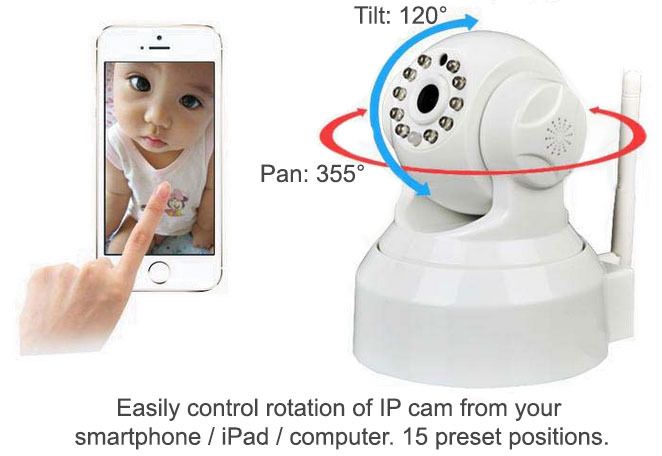
Motor Drive Control
|
Pan 355° / Tilt 120° Remote Control (up, down, left, right, rotation)
|
|
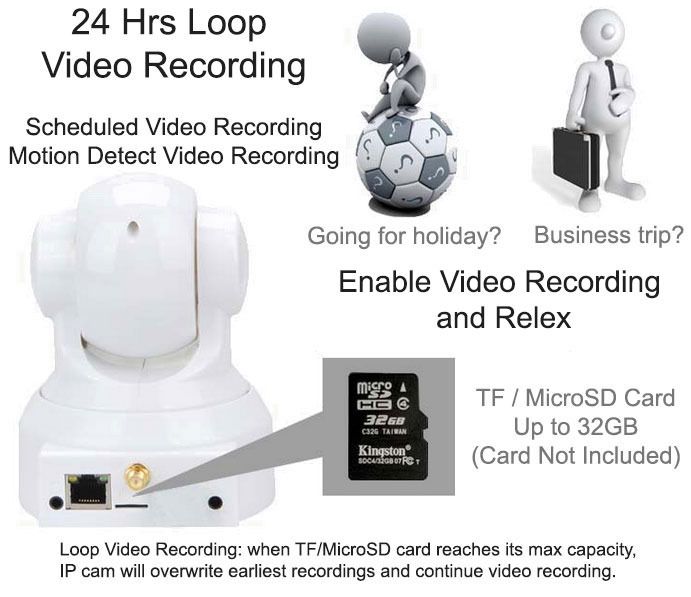
Live Video Recording
|
Record live video on computer/phone or directly to TF memory card
|
|
HD Support
|
High Definition video
|
|
2 Way Audio
|
Hear and Talk via IP cam
|
|
Wi-Fi/802.11/b/g/n
|
Use your normal router to connect to the Internet
|
|
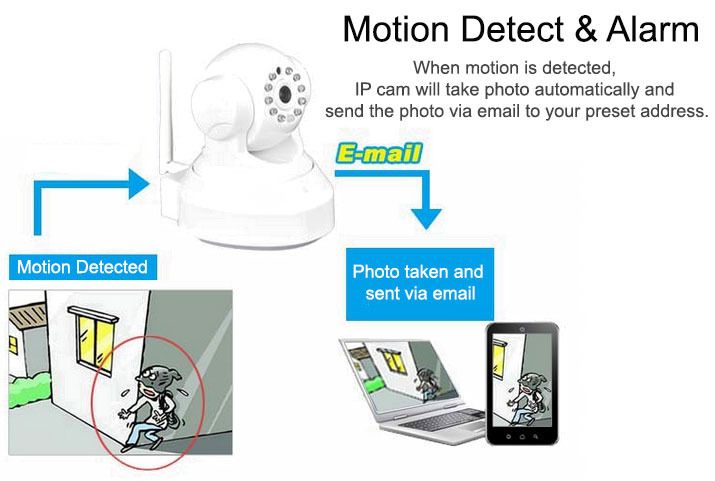
Motion Detection
|
Send alert via email and upload images via FTP automatically
|
|
Browser Support
|
View live video via IE, Firefox, Safari, Chrome
|
|
Night Vision
|
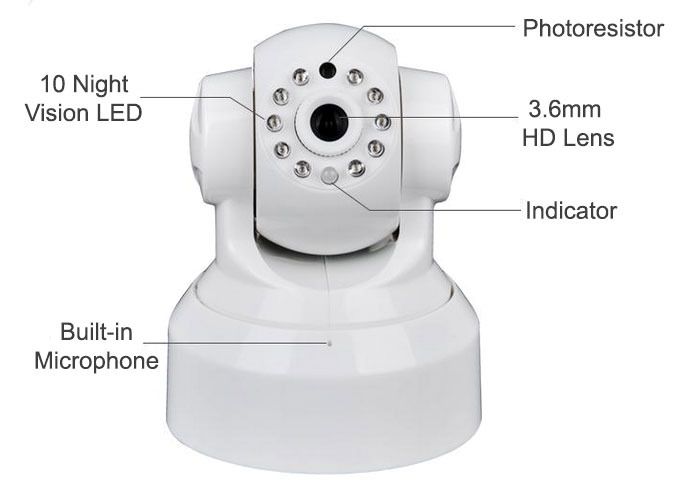
10 LED equipped, night vision auto-on in the dark
|
What's in The Box
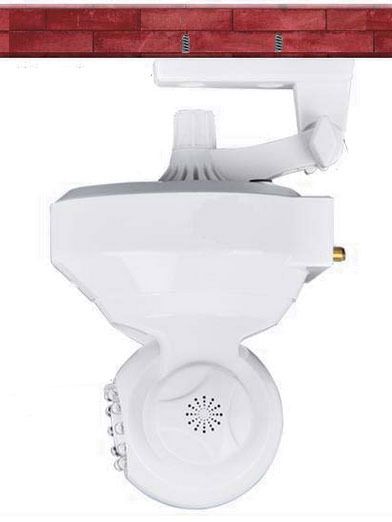
IP Cam, Power Cable, Bracket, Screws
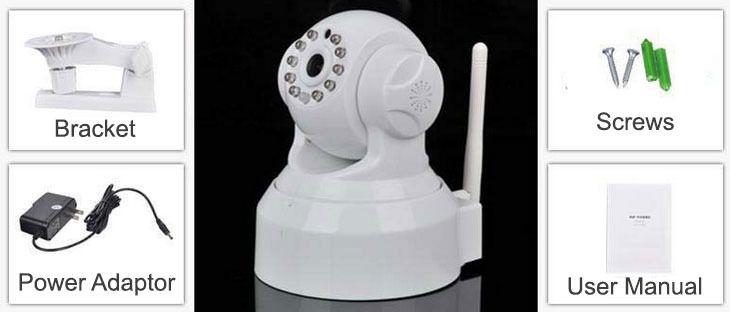
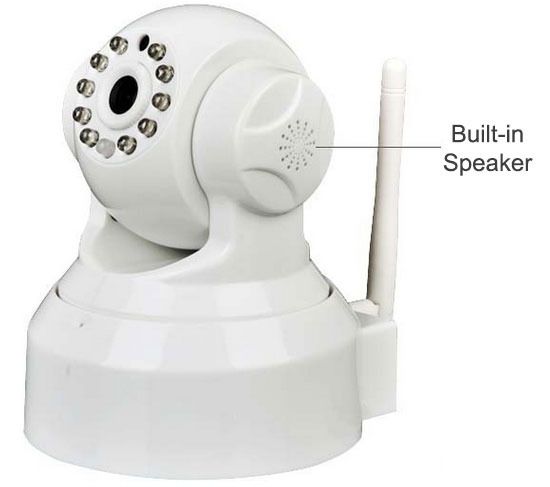
Front View
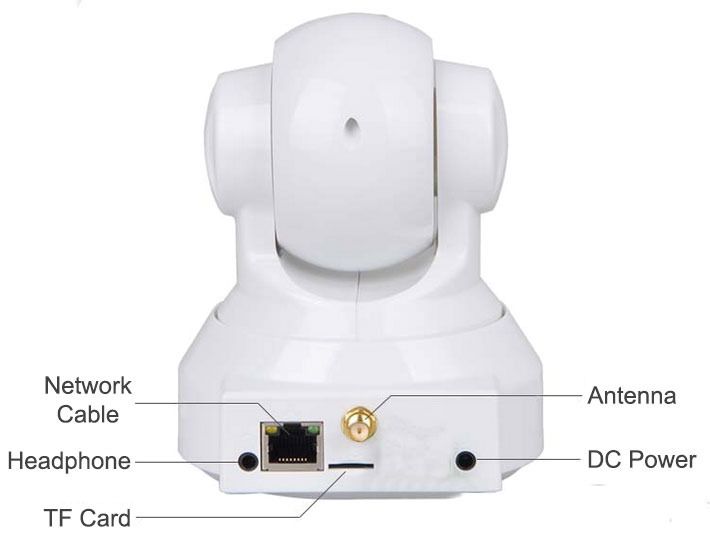
Back View
Left View
Detailed Specs
| Features | System Security |
Supports multiple account, password, user authority management |
| P2P |
Plug & Play, view live video with P2P client software
|
|
| Smartphone Support |
View live video on iPhone & Android phone or iPad directly
|
|
| CPU | Processor |
32Bit RSIC Embedded Dual Processor
|
| Video | Compression Format |
H.264
|
| Signal System | CMOS 1,000,000 pixel | |
| Frame Rate | 25fps | |
| Resolution | HD(1280*720) | |
| Video Adjustment | Brightness and contrast adjustable, Auto White Balance, Auto Backlight Compensation | |
| Lens | Standard : 3.6mm | |
| Nightvision | 10 Φ5 IR LEDs, Night visibility up to 10 meters | |
| Audio | Input / Output | Built-in Microphone/Built-in Speaker |
| Audio Compression | ADPCM | |
| Audio Gain | AGC | |
| Pan/Tilt | Rotation Angle | Pan: 355° Tilt: 120° |
| Rotation Speed | 10 level PT speed optional, speed range 5-50°/ second | |
| Preset | 15 Preset Positions | |
| Network | Network Interface | RJ-45 10/100Mb self-adaptable Ethernet Slot |
| Protocol Support | TCP/IP, HTTP, ICMP, DHCP, FTP, SMTP, PPPoE etc. | |
| Wireless | WI-FI, 802.11 b/g/n | |
| Online Visitor | Supports 4 visitors at the same time | |
| IP Mode | Dynamic IP address, Static IP address, PPPOE | |
| Others | Shape/ Use Environment | Cartoon Robot/ Indoor use |
| Power | DC5V 2A | |
| Working Temperature | -10~50 °C | |
| Working Humidity | 95% RH | |
| Size |
Item size: 112mm x 98mm (HxW) |
|
| Weight | N.W.: 290g G.W.: 600g | |
| Alarm | Motion Detection | Motion Detect Sensibility can be adjusted |
| Alarm Action | Email image, FTP image etc. | |
| System | System Requirement | Microsoft Win98 SE/ME/2000/XP,Vista,Win 7 Browser :IE6.0, IE7.0, IE8.0, FireFox, Google Chrome or other standard browser |
| Features | TF Card / Micro SD Record | Support 32G TF card (the MicroSD card 15.0×11.0×1.0mm used in your digital device such as mobile phone, digital camera, card not included). |
Quick Installation Guide
|
1)Connect the IP Cam to your router using network cable (network cable not included), connect power cable and switch IP cam on.
2)On your mobile phone (iPhone or Android phone), scan the QR code printed on packaging box, download and install the NetCam App that you will be using to control the IP Cam.
3)Launch NetCam App, click on "Add Device". Scan the QR code pinted at bottom of the IP Cam to add it as new WiFi Cam. The device ID will be filled in automatically after scaning. By default, username is admin, password is empty (none). And now you can see the video live on your mobile phone.
4)In NetCam, click on Settings icon, go to WiFi Settings, choose the WiFi connection that you're using and enter WiFi password, then click on Done button. The IP Cam will reboot. Remove the network cable, and you should be still able to view the video on your phone, which means it's now connected through wireless/wi-fi conection.
5)In NetCam, click on Settings icon, go to User Settings, enter your own user password, then click on Done button. The IP Cam will reboot and new password will take effect after reboot.
6)You're done. There're also many other settings that you can play with when you are free, such as motion detect, video recording, email settings, FTP settings, etc. You can also view cam video on your computer/PC.
Note: You can find full instructions, all software and APPs here. If you encounter any technical issue, please email us details at service@3princess.com INSTEAD OF giving negtive review, we will do our best to help. |