Item Descriptions:
standard
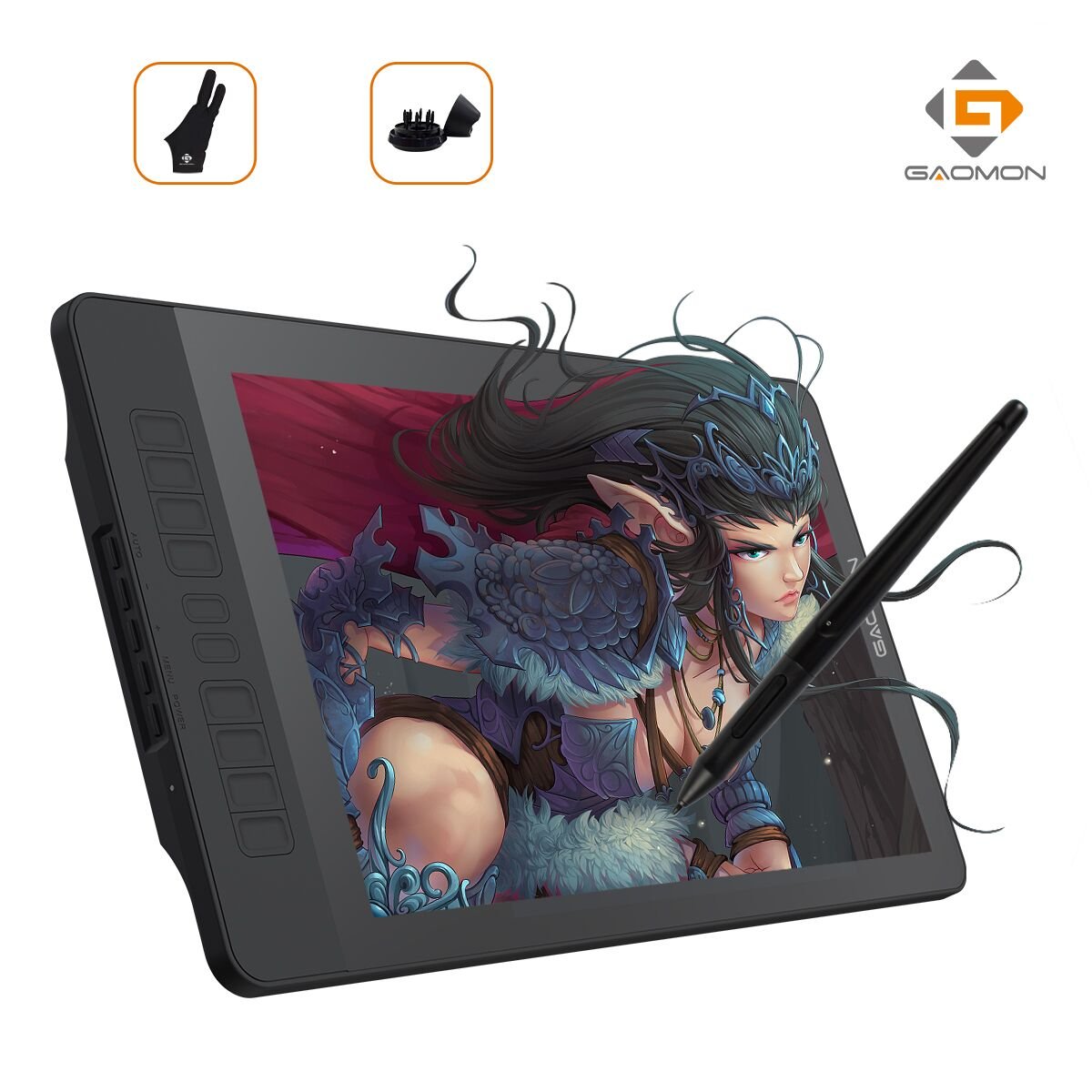
Product model: PD1560 screen size: 15.6 inches
Liquid crystal type: IPS brightness: 250 cd / m 2
Pressure Sensitivity: 8192 Level Resolution: 5080 LPI
Reporting rate: 233 PPS response speed: 25 ms
Readable altitude: 10 mm Color gamut: 72% (NTSC)
Screen resolution: 1920 x 1080 (16: 9)
Dimension: 452.4 x 252 x 19.5 mm
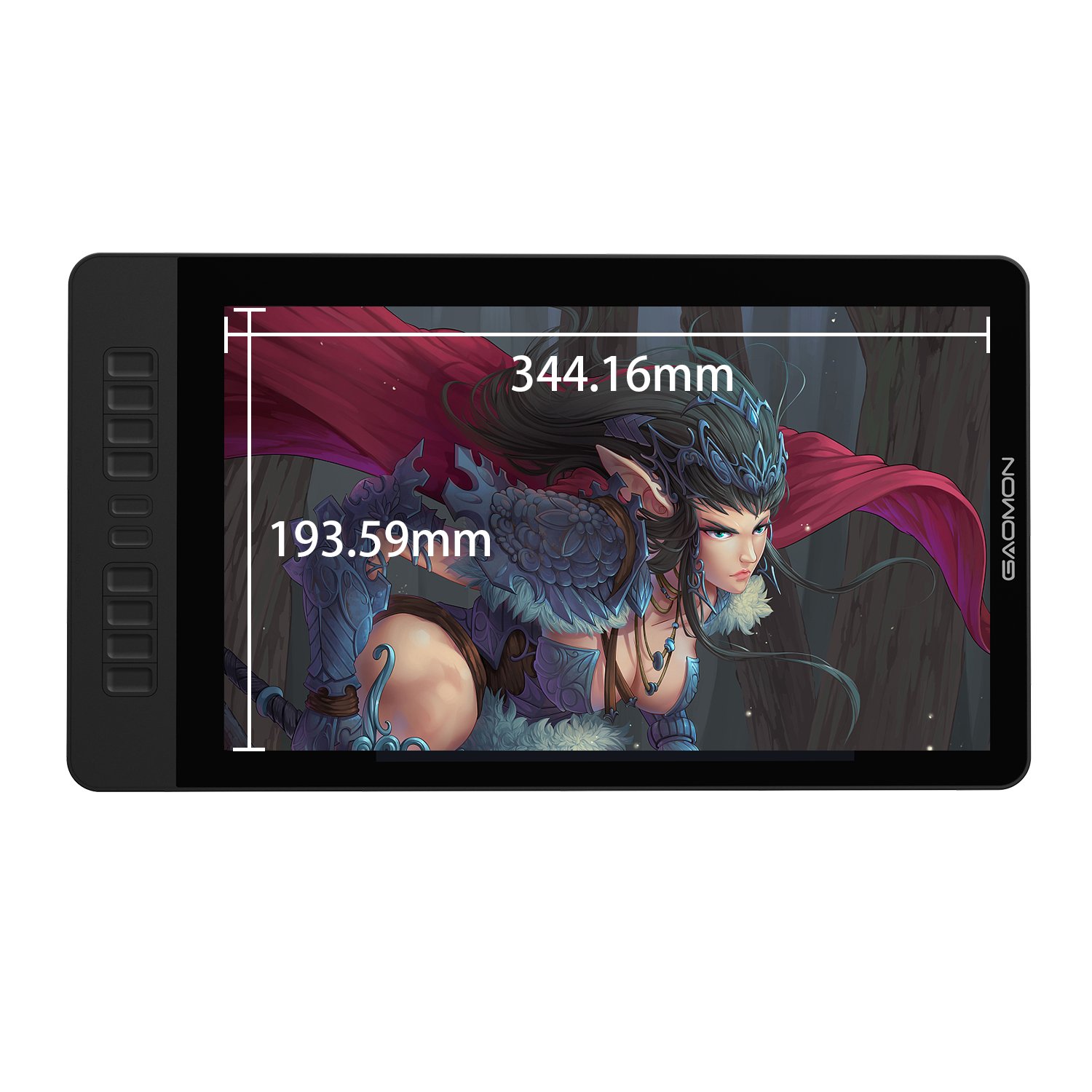
Working range: 344.16 × 193.59 mm
Viewing angle: 89 ° / 89 ° (horizontal), 89 ° / 89 ° (vertical) (Typ.) (CR> 10)
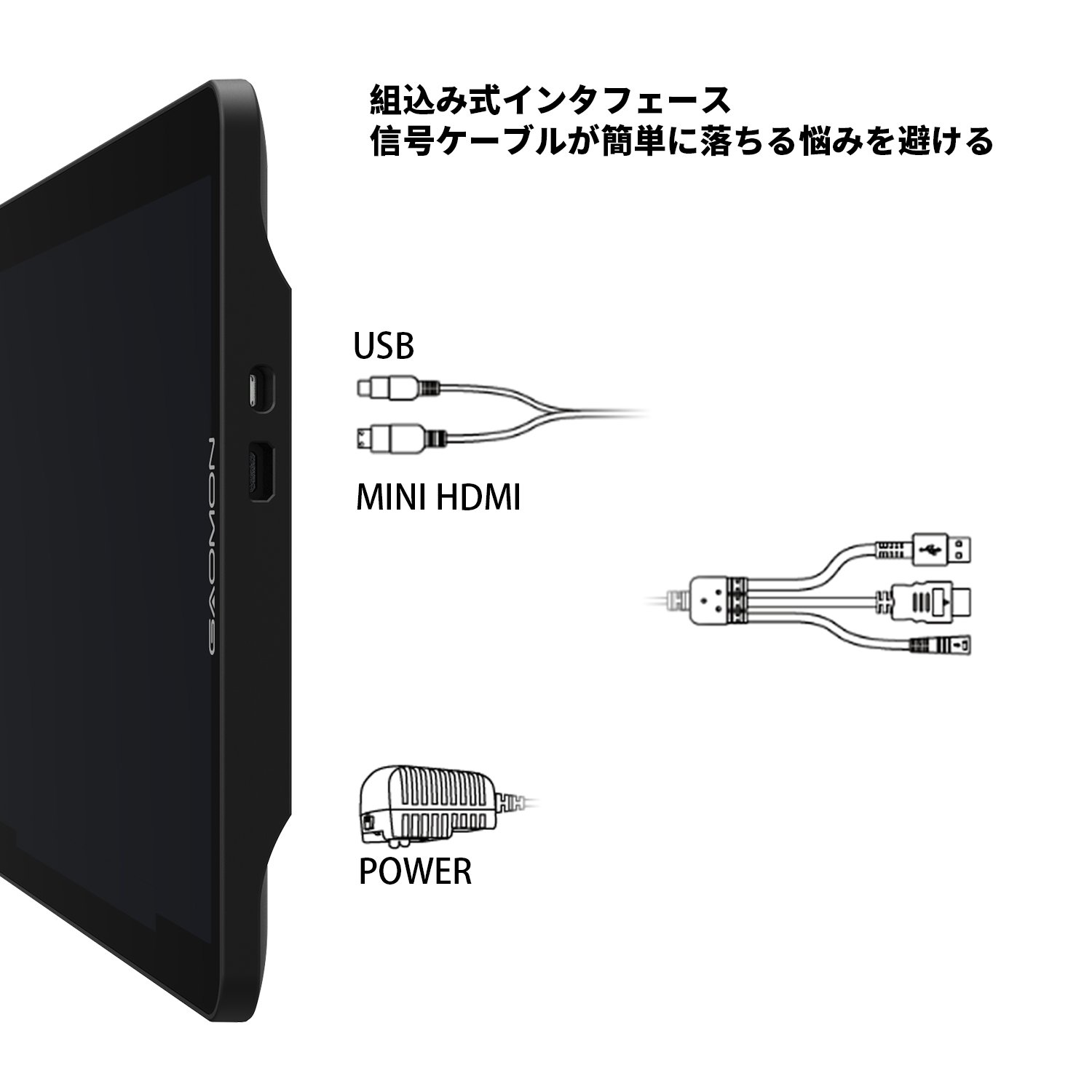
PC terminal: HDMI (Type-A) USB
(If your PC does not have an HDMI port, use a good quality HDMI adapter.)
Supported systems: Windows 7/8 / 8.1 / 10, Mac OS 10.11.0 or later
Note: Please set the screen resolution to 1920 * 1080 and the screen size to 100% --- This is very important.
Setting Export / Import
There is no need to worry about preserving the settings.
If you need to reinstall the driver or use a variety of other painting software, you can save the current settings to a file by clicking [Export Settings].
To use these settings again, click "Import Settings" → Select a file → "Apply", then restore the previously saved settings.
Dual monitor
When working with two monitors, it is better to keep the screen size at 100%.
Set multiple displays to "extended" → enter driver panel → click "work area" → select current screen as "full screen" → confirm
Rotating function
(Taking as an example 180 °)
- When multiple displays are set to "extended"
① "Working area" → "Screen 1" (if screen 1 is a computer screen) → Select "180 °" with "Rotate" → Confirm → Rotate the liquid crystal pen tab PD 1560 by 180 °.
Then, I changed the shortcut key to the right side, and it turned into the left hand mode.
② "Work area" → "Screen 2" (if screen 2 is PD 1560 screen) → Select "180 °" in "Rotation" → Confirm.
Click the right mouse button on the PC screen space → Select "Screen Resolution" → Select "Horizontal (Rotation)" with "Orientation" option in "Change Display Display" → OK → "Maintain Changes
"→ rotate the liquid crystal pen tab PD 1560 by 180 °.
Then, I changed the shortcut key to the right side, and it turned into the left hand mode.
- When multiple displays are set to "Duplicate" (in that case the screen of PC must be rotated)
In the drive setting, select the angle you want to set by "work area" → "rotate".
(Taking as an example 180 °)
Click the right mouse button on the PC screen space → Select "Screen Resolution" → Select "Horizontal (Rotation)" with "Orientation" option in "Change Display Display" → OK → "Maintain Changes
Rotate the LCD pentab PD1560 180 °.
Then, I changed the shortcut key to the right side, and it turned into the left hand mode.
Package Contents
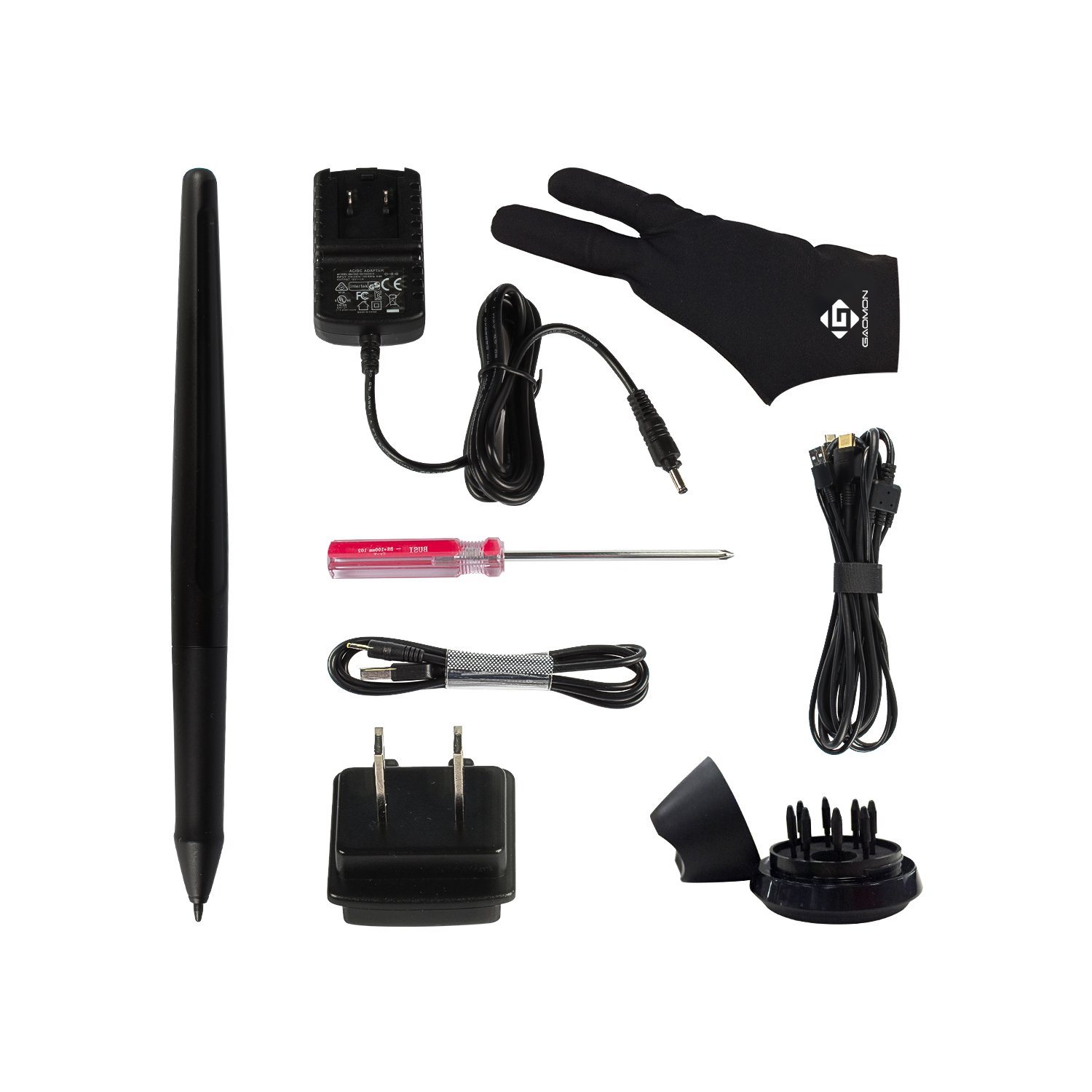
Liquid crystal pen tab x 1
Felt pouch x 1
Rechargeable pen AP40x1
Pen charging USB cable x 1
3-1 Integrated wiring x1
Power adapter x 1 (Japan specification)
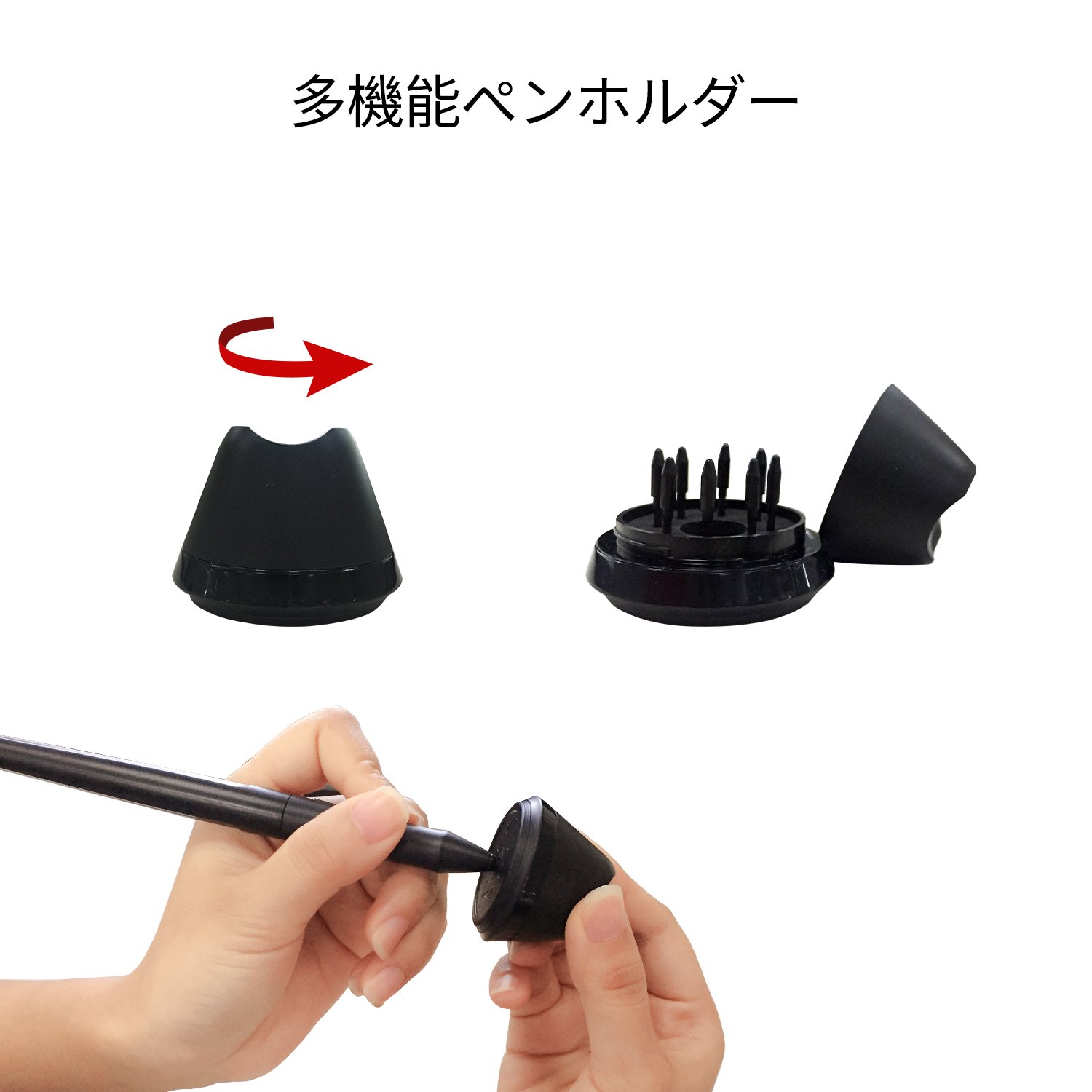
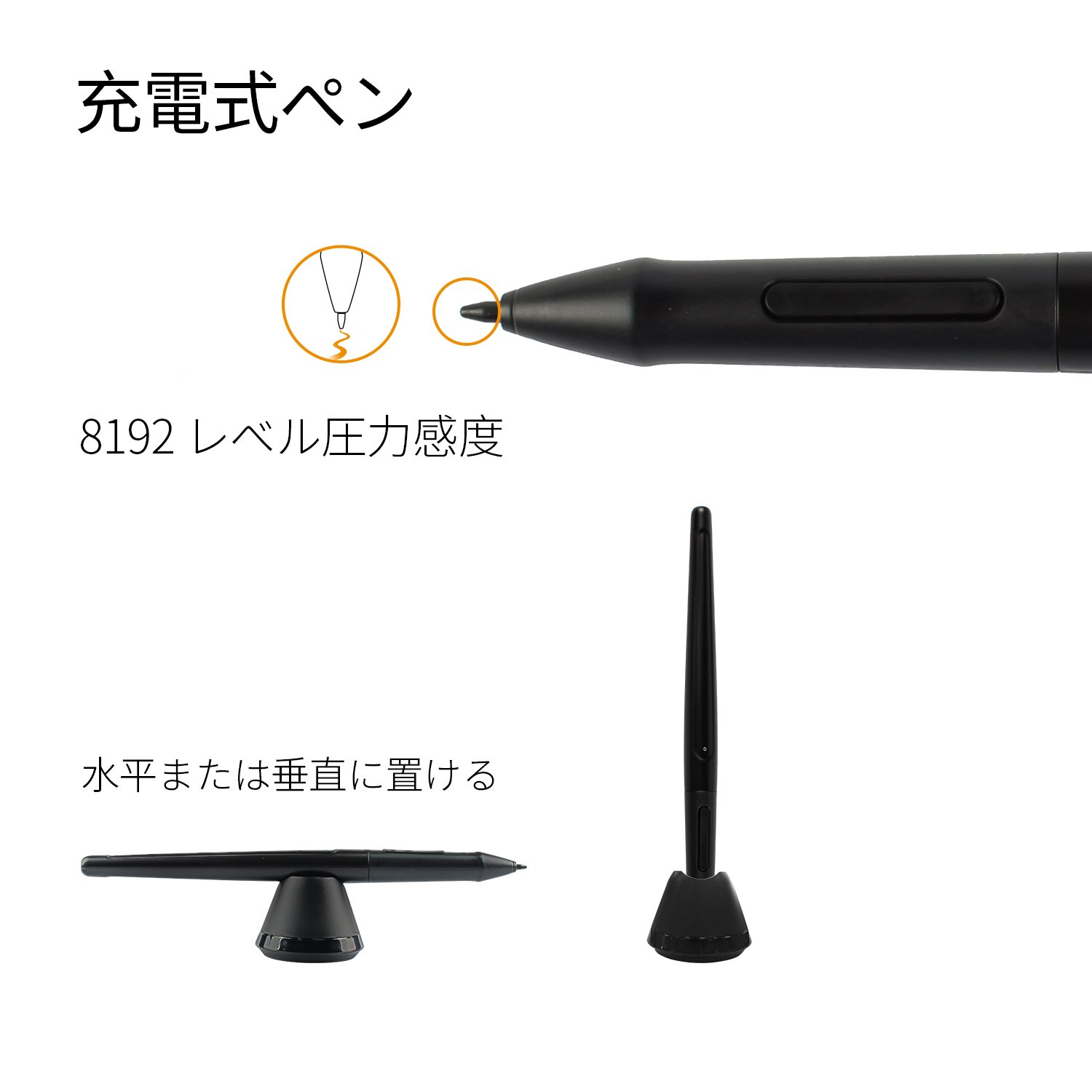
Pen Holder x 1 (Replacement pen tip x 8 built-in)
Two finger glove x1
Multilingual manual x1
Notice:
1) Download drivers and manuals on GAOMON's homepage (gaomon.net).
2) Uninstall all drivers from the computer before installing the driver, and restart the electronic brain.
3) Do not change the installation path.
Features:
- Please enter model number Confirm this is compatible:
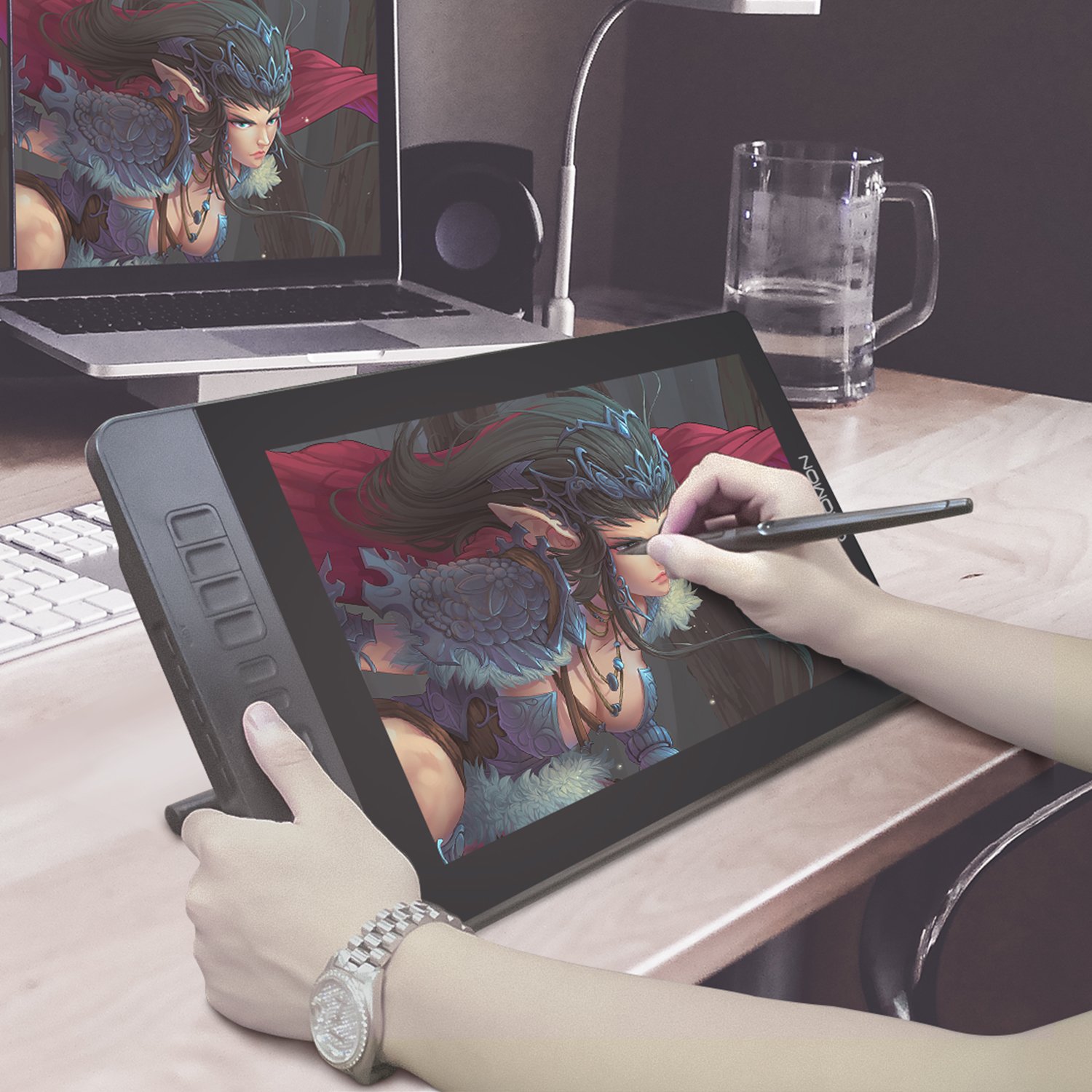
- IPS full HD screen - Resolution: 5080 LPI Reporting Rate: 233 PPS Viewing Angle: 178 ° Screen Resolution: 1920 x 1080 (16: 9) Screen Size: 344.16 x 193.59 mm (13.5 * 7.6 Inch)
- It fulfills the creative space needs.
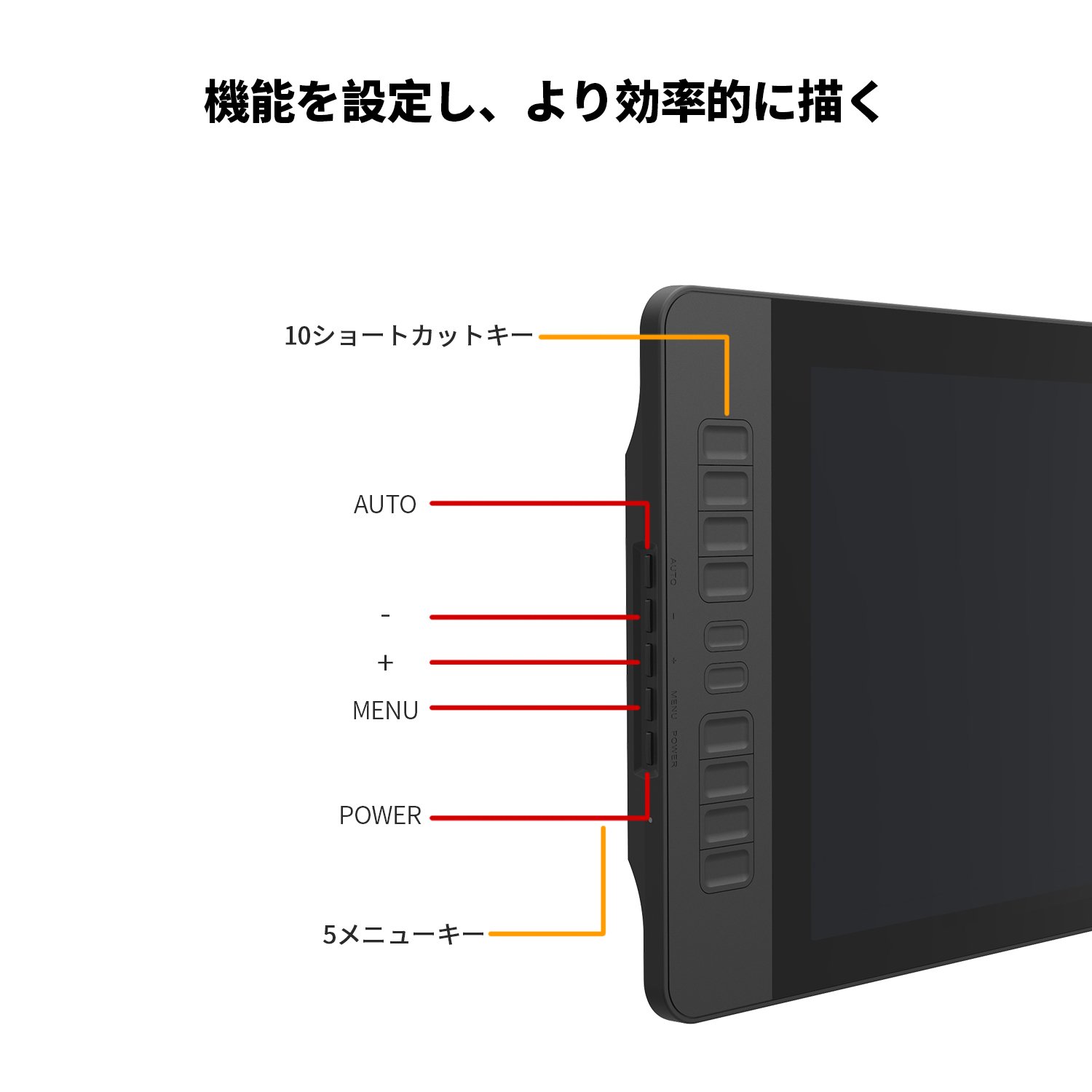
- 10 Shortcut Keys and 5 Menu Keys - You can customize 10 shortcut keys according to your own creative habits.
- Efficient operation, save valuable time.
- 5 Menu key ---- It is placed on the left side of the display: AUTO / + / - / MENU / POWER
- 8192 level rechargeable pen - Since 8192 level pressure sensitivity, more accurate and responsive pen cursor movement is obtained, the line becomes smooth and natural.
- There are eight penpoints inside the penholder, and it can also function as a core removal at the bottom.
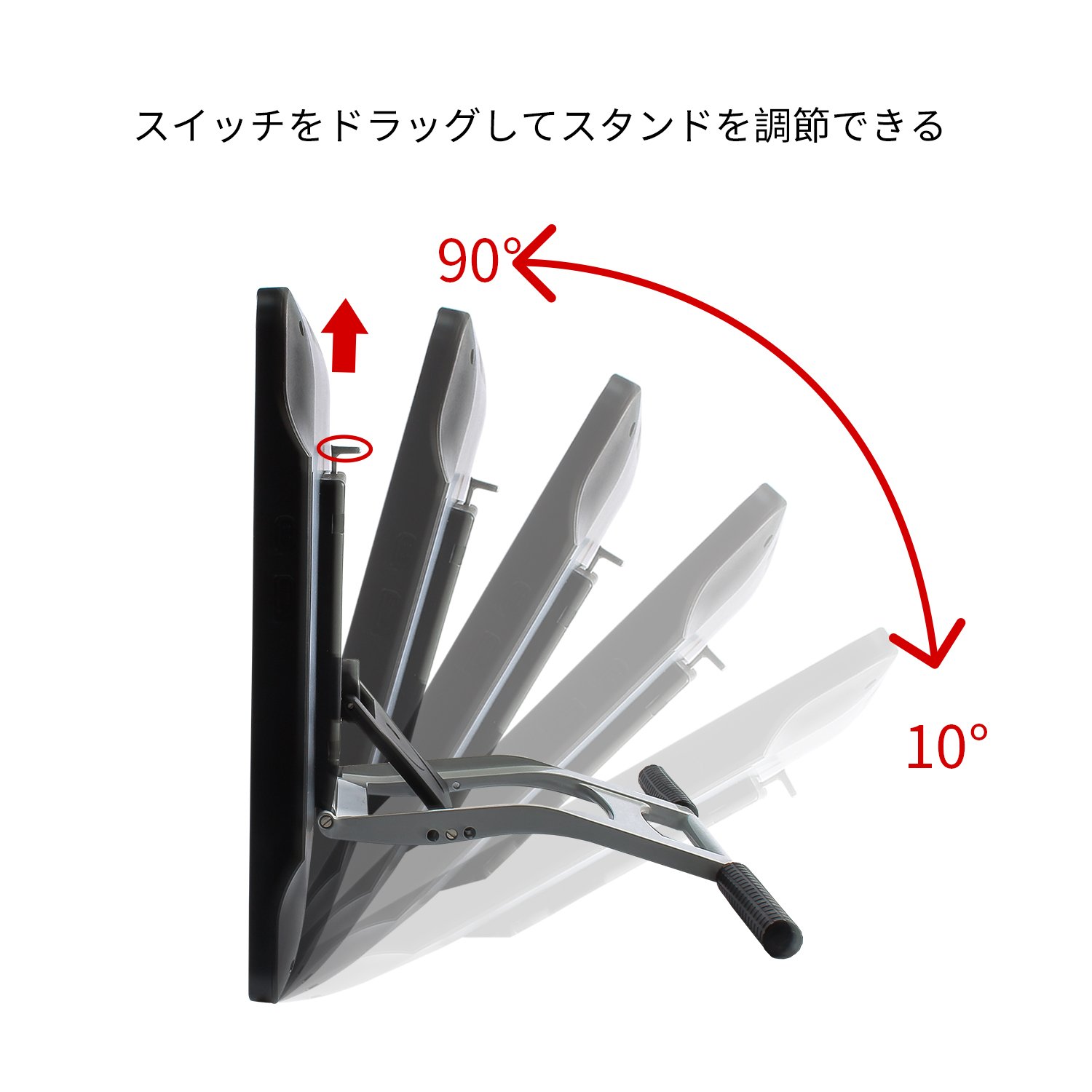
- Ergonomic design - Adjustable stand: For better working, find the most appropriate angle by dragging the switch on the back of the liquid crystal pen tab.
- Built-in interface: Avoid the problem that the signal cable easily falls during the movement process.
- New 3-1 Integrated wiring: Reduce cable disturbance.
- It corresponds to compatible system / paint software - Windows 7/8 / 8.1 / 10, Mac OS 10.11.0 or later.
- It is compatible with major software such as PS, SAI, Illustrator, SketchBook Pro, Zbrush, Clip studio paint, MediBang Paint Pro.
Product information:
Shipping Weight: 2880 g
Package Dimensions: 10.21 x 33.20 x 53.39 cm
SHIPPING METHOD
Delivered directly from Japan by Japan Post. It will take 3 to 5 business days to prepare the order for shipping. We guarantee careful packing and safe shipping.Please note that in some cases additional import or VAT charges may incur and have to be borne by the client.
1. Japanpost registered mail
Shipment by Japanpost Registered Mail (Standard). Trackable any time with tracking number. Insurance is not available. Delivery time usually is between 1-3 weeks from the date of dispatch. Some items are not eligible for Standard Shipping.
2. Qxpress Standard
Shipment by Qxpress standard service. Trackable at any time with tracking number. Registered and insured up to a value of item price and shipping fees.Delivery time is usually between 5-10 business days from the date of dispatch.
3. EMS
Shipment by Expedited Mail Service. Trackable at any time with tracking number. Registered and insured up to a value of $200 and usually delivered in 2-6 business day from the date of dispatch.

| Japanpost registered mail | Qexpress | EMS | |
|---|---|---|---|
| Shipping Method | Japanpost Registered Mail (Standard) | Standard Qexpress | EMS (Expedited Mail Service) |
| Trackable | Yes | Yes | Yes |
| Insured | N/A | Yes (Up to item price and shipping fees) | Yes (Up to $200.00) |
| Asia | 1-3 weeks | 5-10 days | 2-5 days |
| Oceania; North America; Central America and the Middle East | 2-4 weeks | 6-14 days | 2-6 days |
| Europe | 2-4 weeks | 6-16 days | 3-8 days |
| South America and Africa | 2-4 weeks | 10-18 days | 4-8 days |
NOTICE:
- For overseas delivery, please be aware that damage to the outer box can be seen.
- If you would like to avoid as much damage as possible, please choose the EMS shipping method.
"According to Qoo10 guide line,overseas shipping fees will be charged to you extra if you choose Qxpress standard shipping.We recommend you to compare the total price of your purchase with EMS."
