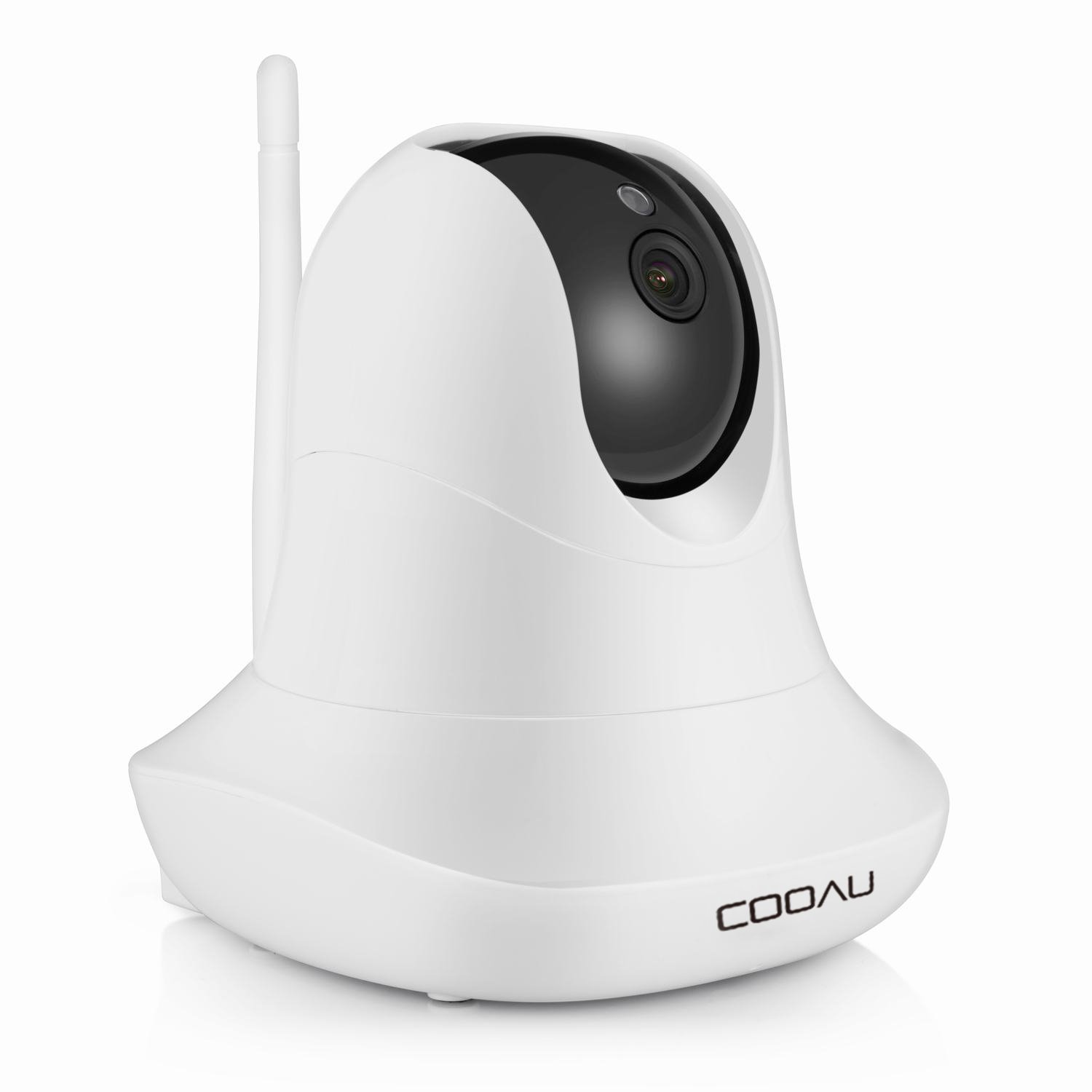
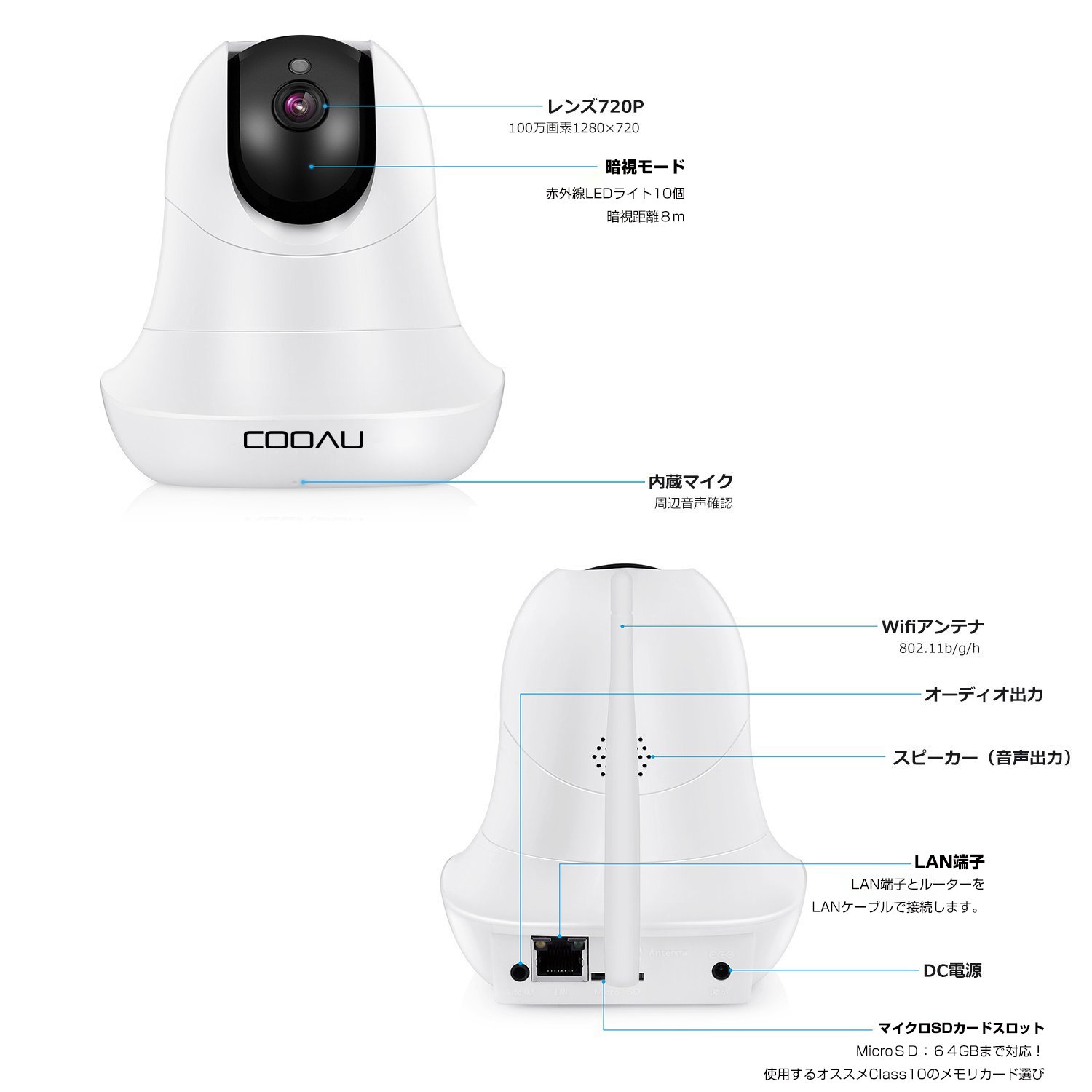
Item Descriptions:
size:
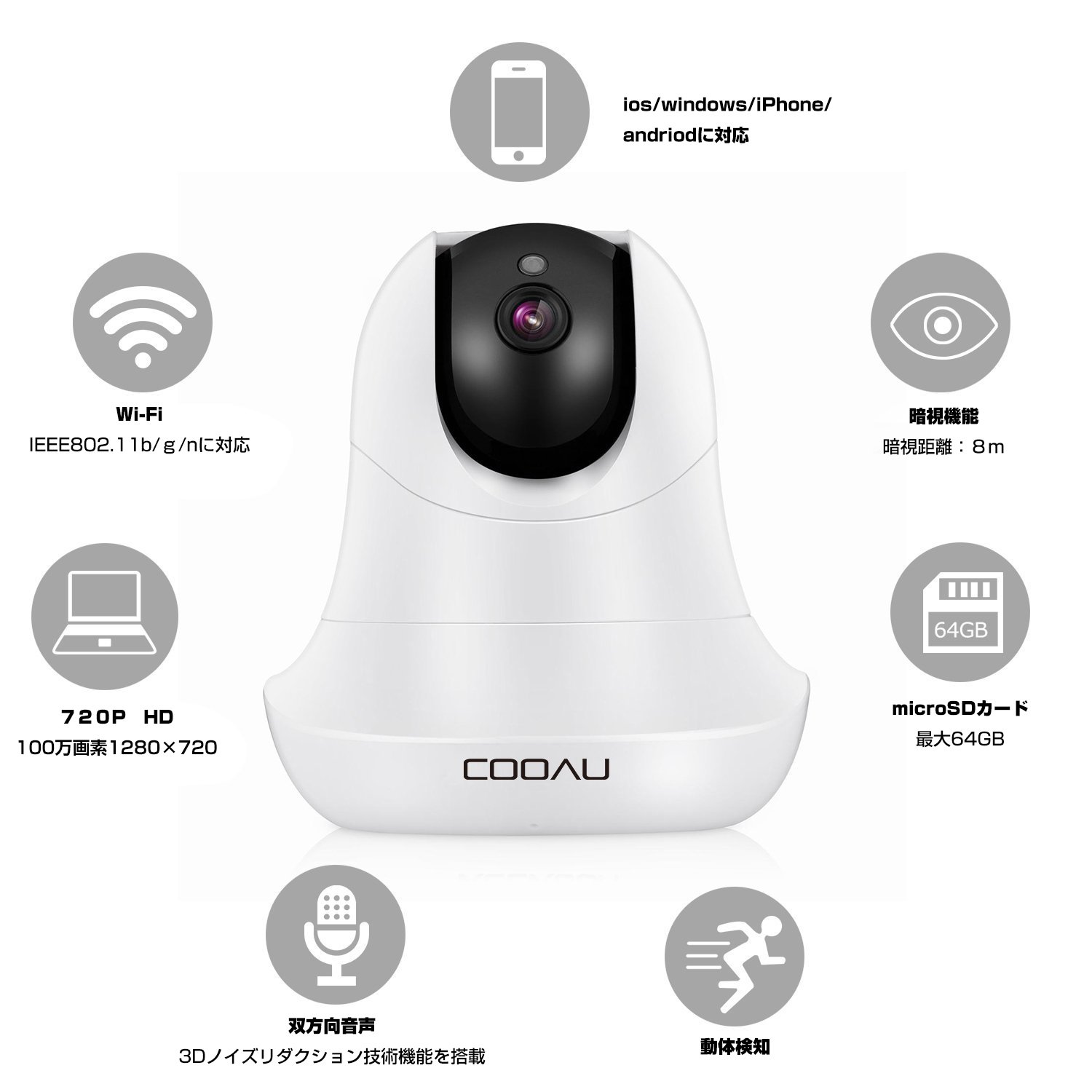
720 P million pixels
| Color:
white
Easy connection
I have an easy-to-understand Japanese instruction manual.
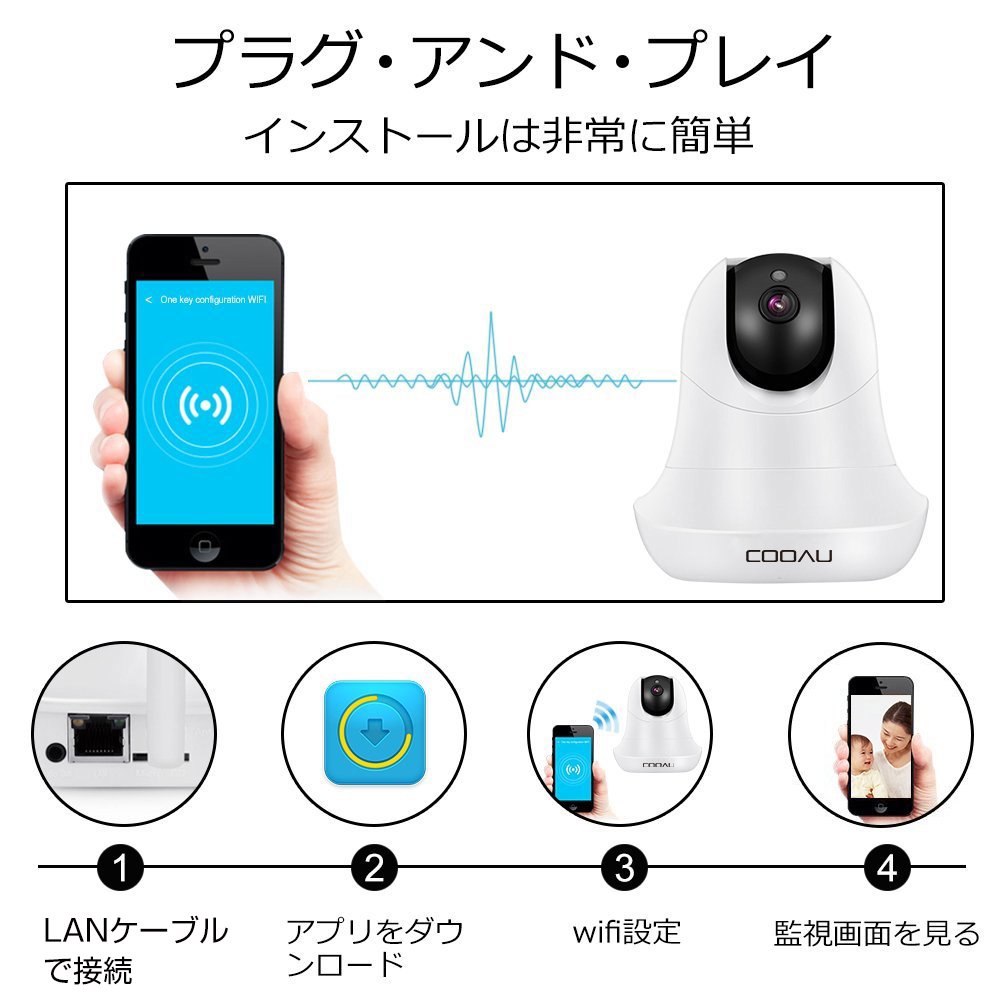
The setting of the camera is easy step 4, everyone is easy setting!
STEP 1: Connect LAN terminal and router with LAN cable.
STEP 2: Download the application on a smartphone or tablet.
STEP 3: Click the application and scan the QR code on the back of the main unit.
STEP 4: The image of the camera appears.
Can be compatible with iPhone / iPad / Android / windows.
Easily perform various operations from the application.
Camera installation
Wifi
Before connecting the camera to Wi-Fi, please note the following:
· The camera supports only 2.4 Ghz Wi-Fi, please use 2.4 Ghz Wi-Fi.
· If the Wi-Fi encryption format of your router is WEP or not encrypted, install the camera's Wi-Fi network on the browser side according to the browser operation manual.
You can find operating instructions on CD or our website.
For security, please also change the Wi-Fi encryption format of the router to WPA or WPA 2.
· If the SSID of Wi-Fi to be used is hidden, please change the installation to display on the router side.
1. Click the gear button in the camera list screen and select "Wi-Fi connection arrangement" in the installation menu.
2. In addition, the camera will scan Wi-Fi.
Please select Wi-Fi to use.
Please enter Wi-Fi password and click OK.
* Tip:
· If you can not find the Wi-Fi signal you use, click the return button and return to the Wi-Fi installation screen.
· Please ensure that the SSID of Wi - Fi you use does not have special characters and non - English alphabets.
3. After setting Wi-Fi settings, the camera will automatically restart.
Please disconnect the LAN cable and wait for automatic restart.
Usually, the camera can connect to Wi-Fi about 1 minute (maximum 3 minutes).
After restarting the camera, return to the camera list screen and check the status of the camera.
When you are viewing online
I have successfully connected.
* * Tip:
If you can not go online, please check the following:
· Please ensure that the SSID of Wi - Fi you use does not have special characters and non - English alphabets.
Please refresh the SSID with a router if it exists.
Please use numbers and English alphabets.
· Please check the accuracy of Wi-Fi password.
Wi - Fi passwords are case - sensitive.
· Please set WPA or WPA 2 for Wi-Fi encryption format.
Please do not use WEP.
· Please ensure that there are no other SSID's Wi-Fi of the same name in the vicinity.
· Place the camera somewhat close to the router.
Notes
Solution that does not come online:
In addition to connecting the camera to the LAN, the PC must also be connected to the same router via LAN.
It is necessary to place it online in a run cable and install it in the same group.
Please restart the router and the network camera.
And please return to the shipping setting.
(initialize)
Wifi connection may be disconnected due to distance, etc. Considering the stability, wired connection is recommended for places where wired connection is possible.
Please acknowledge that it is not treated as a defective product due to insufficient monitoring due to Wifi connection loss.
Question: I could not connect even if wifi did anything.
There is no problem on the router side ......
answer:
· Please make sure that your WIFI SSID and password do not contain special characters or non-English characters.
If you have such characters, please change the letters on the router.
Choose the recommended "number", "English character mother", "-" to use.
· Please ensure the accuracy of the Wi-Fi password.
Uppercase and lowercase letters are distinguished.
· We ask you to secure only one SSID you named.
· Please change to 2.4GHz Wi - Fi net instead of 5GHz Wi - Fi net.
· Please ensure the integrity of Wi-Fi.
Please change WPA or WPA 2 instead of WEP.
PTZ
Night vision function
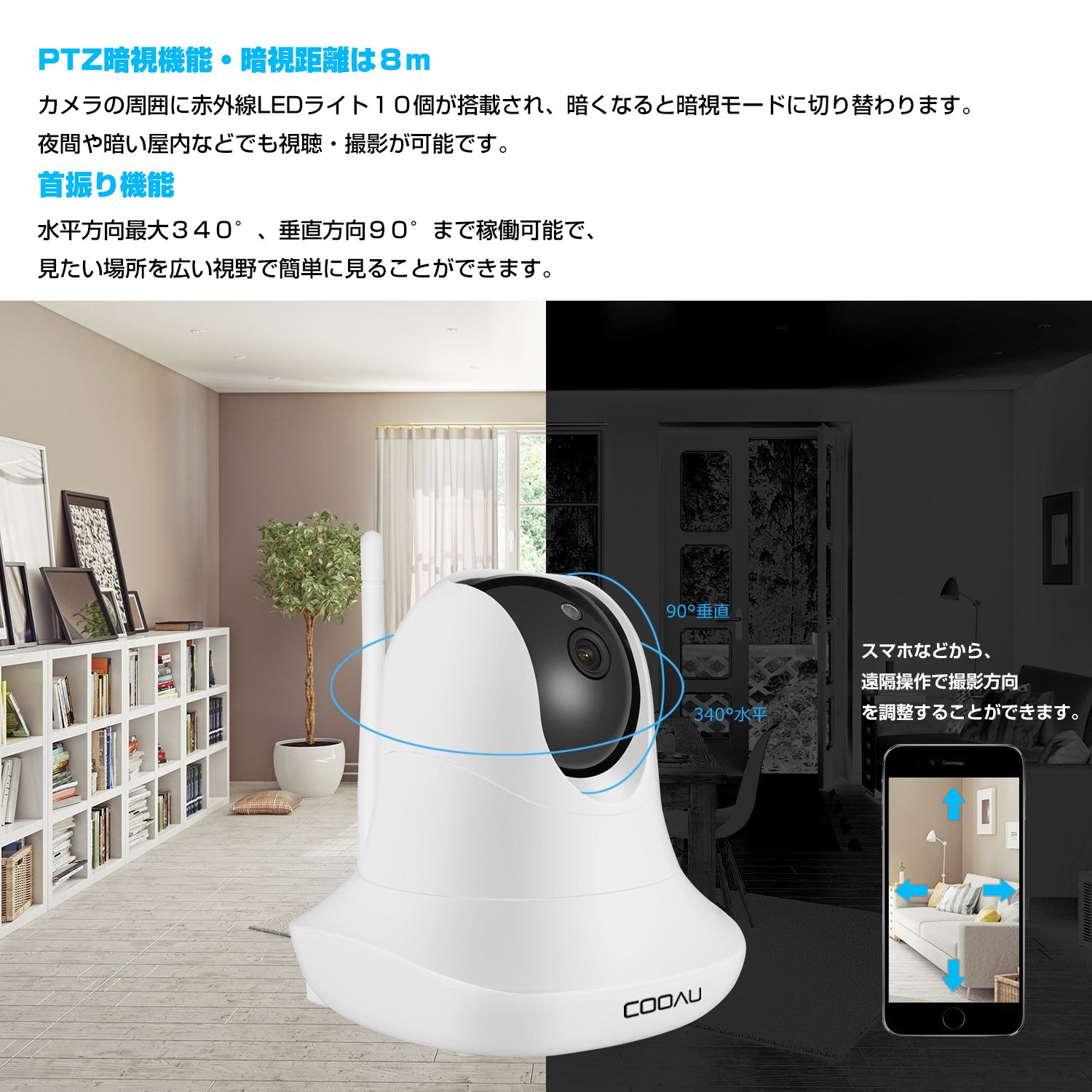
The night vision distance is 8 m
Ten infrared LED lights are mounted around the camera, and when it gets dark it switches to night vision mode.
You can watch and shoot even at night and in dark indoors.
Please note: White one Disadvantages of camera:
When the camera is turned to the bottom, the infrared light is reflected on the white part of the main body and the screen looks pure white.
So, to reduce the reflectance of the infrared, you need to paste a black tape.
microSD
Can be recorded on a card (sold separately)
Not only monitoring but also movies and still images can be stored,
You can shoot movies while moving the camera by yourself.
MicroSD: Up to 64 GB compatible!
Select Memory Card of Recommended Class 10 to use.
※ For compatibility of SD card, recommend the following brand microSD
⑴ Kingston microSD 64gb class 10
⑵ SanDisc microSD 64gb class 10
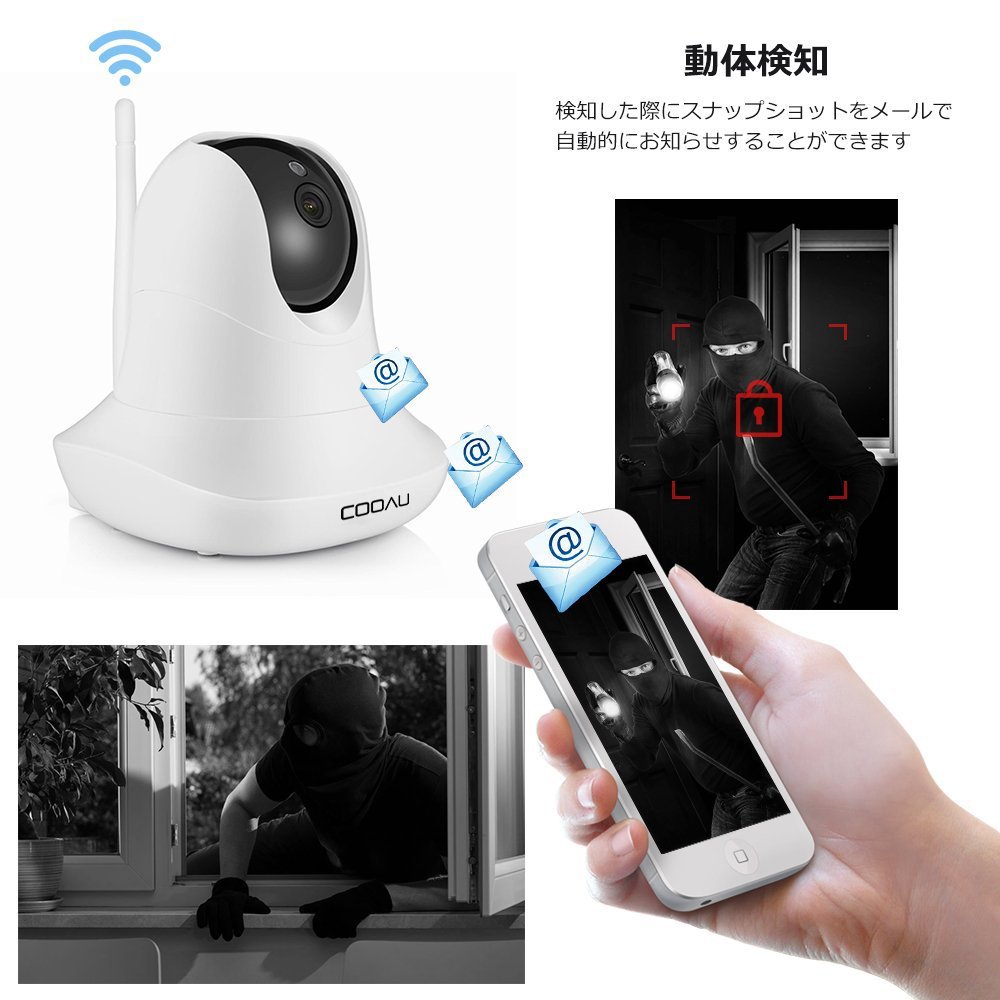
Motion detection
Alarm recording, voice detection, function support, such as sending photos by e-mail after detecting motion.
Usage such as surveillance at an out-of-home home, monitoring of a baby, etc. spreads.
I am watching my home from a remote place for smartphone support.
Please note: Motion detection also senses tremors of trees.
Please be careful in selecting the installation location.
Recording function
Regarding the normal recording mode, the image pickup time is up to 20 minutes.
Just press the record button in the application!
It is optimal for maintenance management because it can easily record.
With a network camera, the Internet, browsing devices, it is possible to create a monitoring system at any place such as office, factory, shop, station, road, hospital, school, housing.
Network cameras are used for various purposes such as disaster prevention, crime prevention, attendance management and watching.
· Recording can not be performed with the SD card Solution
· First of all, please restart the network camera.
If you can not record, please format the SD card.
· If rebooting does not work, even if it is formatted, if it is in the formatting all the time,
It probably broke the SD card.
Generally, it takes just 1 to 10 minutes to format the SD card.
When the time to format the SD card exceeds 10 minutes, restart the network camera and format the SD card again.
If you do not do it again, I will judge that the SD card was destroyed.
How to playback movies saved on SD card with smartphone or PC with fast forward before downloading:
If you advance the progress bar directly, you can fast forward and play it.
Problem saving video
· There is a method of saving the movie saved on the SD card to the computer.
Method 1: If you download with the LAN browser, save it to your computer.
Method 2: Unplug the SD card from the camera and insert it to the computer.
And you can view recorded images of SD card from PC.
Note: Even if you put the application from the CD that came with the camera to your computer, you can not access the movie file saved on the SD card.
Note: There is no "preset function" · "narrowing down function" · "alarm recording function".
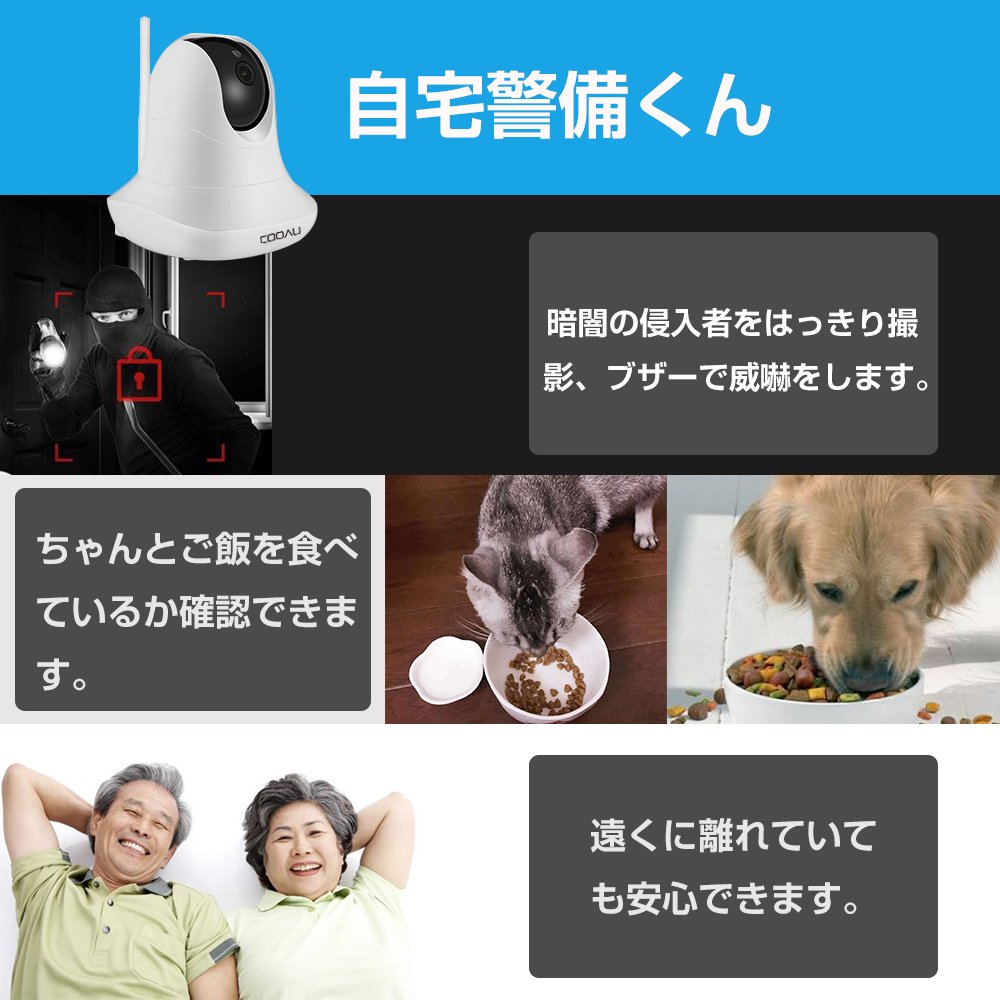
Shoot clearly the intruder in the dark, threaten with a buzzer.
You can check that the pet is eating properly.
You can rest assured that your parents are far away.
From the smartphone etc., you can adjust the shooting direction by remote control.
Head swing function
It can operate up to 340 ° in the horizontal direction and 90 ° in the vertical direction,
You can easily see the place you want to see with a wide field of view.
Compact and lightweight
PTZ
· Weight
Product weight 292 g
Packing weight 654 g
· Size (L × W × H)
Product size 11.50 cm × 11.50 cm × 12.20 cm
Packing size 21.00 cm × 12.00 cm × 15.80 cm
It is a lightweight network camera weighing approximately 292 g.
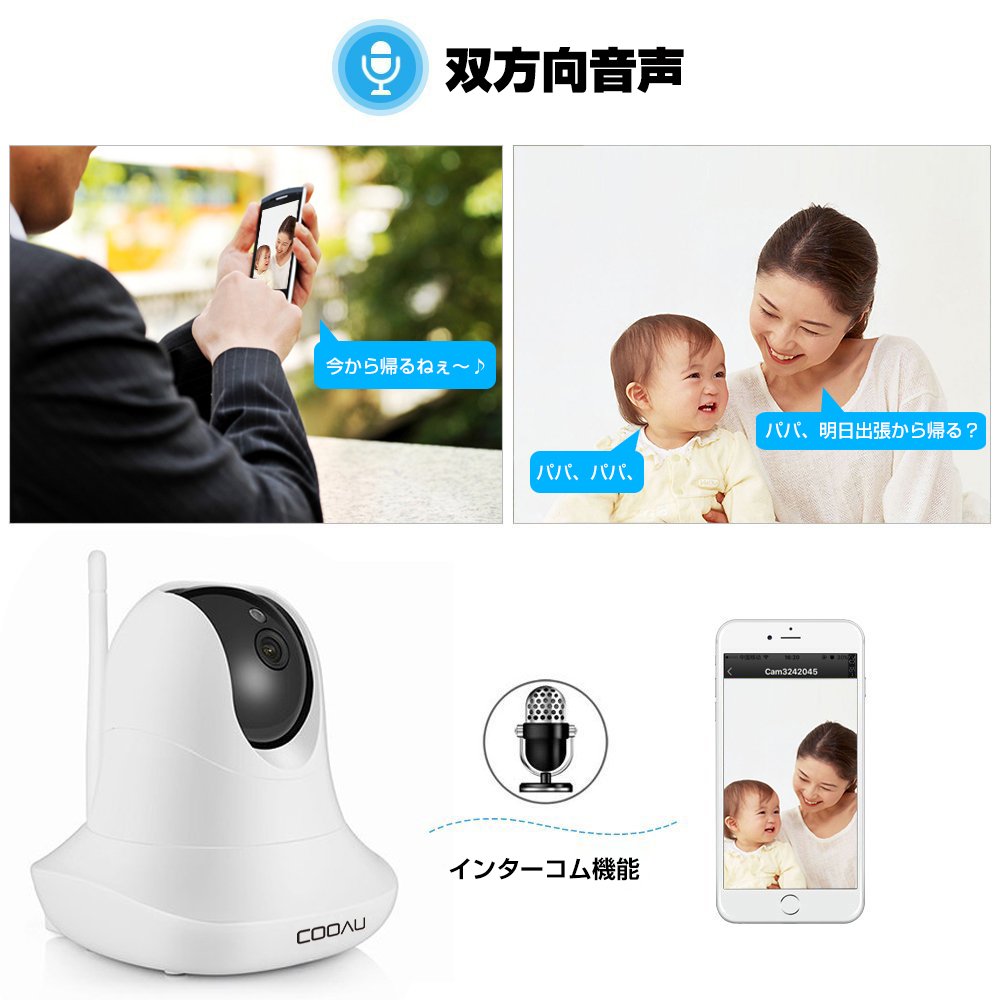
You can talk like two way radio.
Audio bidirectional function built in microphone & speaker
The main body is equipped with a speaker and a microphone so that bidirectional communication is possible.
Communication is not possible at the same time.
There is a time lag and you can talk like two way radio.
For example, even if you are standing in the kitchen, you can also use such as confirming the appearance with a smartphone without missing listening to the baby's sleeping cry.
Conformed to technical standards (Telec) certified!
It is certified as Technical Standards (Telec) necessary for use in Japan.
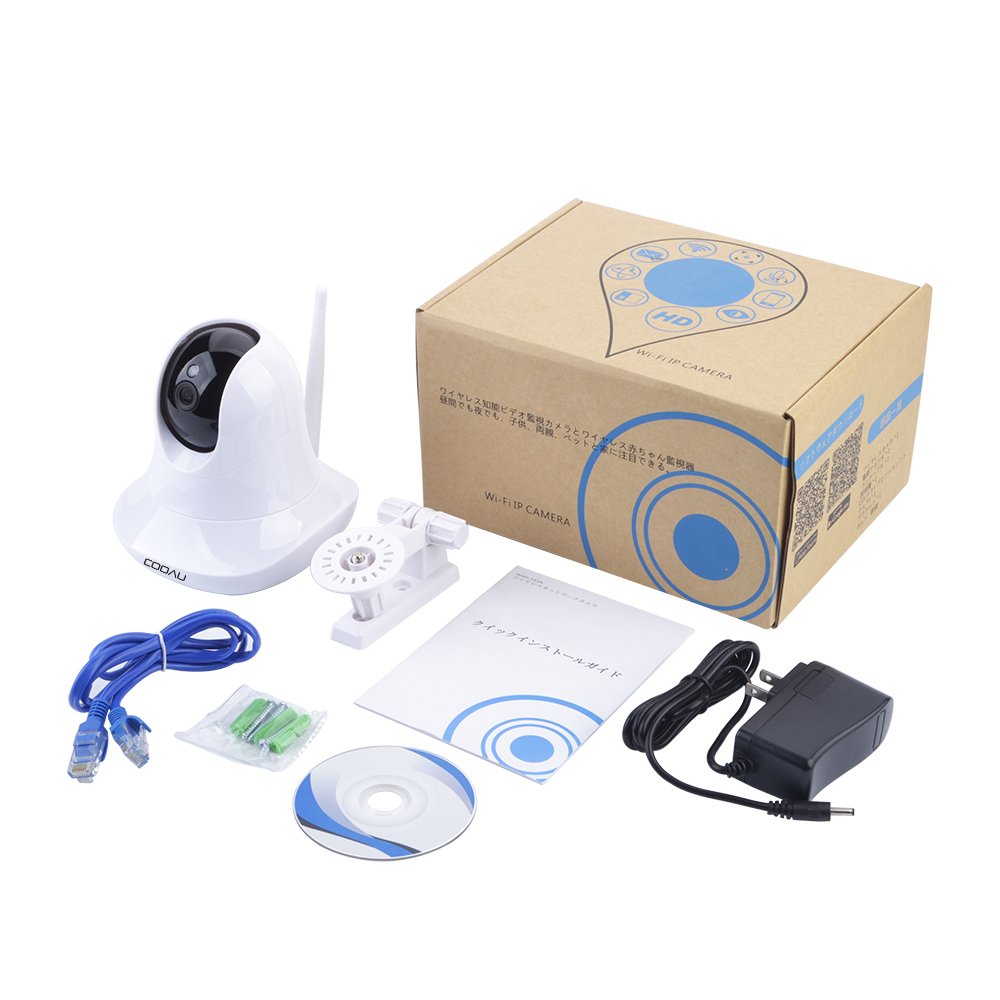
Package
Camera body * 1
AC adapter * 1
LAN cable (length 1 m) * 1
CD ROM * 1
Wall hanging fixing parts * 1
Japanese Owner's Manual * 1
Screw and anchor * 2
2 year quality assurance
Usually we extend manufacturer's warranty period of 1 year plus 2 years!
※ Our network camera provides quality assurance and customer support for 2 years from purchase.
If you have any problems with initial malfunction or anything else, please do not hesitate to contact Fideal-tech anytime ^ ^ ◡ ^
Features:
- Please enter model number Confirm this is compatible:
- 【Easy to set & long time recording correspondence】 Both wired and wireless LAN compatible, connection can be made in 5 minutes in the shortest.
- I am watching my home from a remote place for smartphone support.
- In addition, Micro SD card can support up to 64 GB, you can record for a long time.
- 【High Image & PTZ; Night Vision Function · Night Vision Distance: 8 m】 The 1 Megapixel CMOS sensor is mounted and it is possible to take high resolution images of 720 P.
- Ten infrared lights are mounted and the night vision distance reaches 8 m.
- The shooting from daytime to nighttime is automatically switched, and the image is clearly displayed even in the dark.
- 【Heading Function / Motion Detection / Recording Function】 You can adjust the shooting direction from a smartphone etc. by remote operation.
- Alarm recording, voice detection, function support, such as sending photos by e-mail after detecting motion.
- Just press the record button in the application!
- It is optimal for maintenance management because it can easily record.
- [Bidirectional audio, like two way radio] Built-in microphone, speakers are installed.
- You can talk face to face with your opponent.
- You can call directly from a remote place.
- It can be mounted on both sides of the main unit, you can listen to the local voice with a smartphone, or you can make a voice from the smartphone to the site.
- 【Japan domestic 2 year quality assurance · Japanese APP · Japanese manual】 Our company's network camera provides quality assurance and customer support for 2 years from purchase.
- If you have any problems with initial malfunction or anything else, please do not hesitate to contact us at any time Fideal - tech Please contact the window of our shop ^ ◡ ^
Product information:
Shipping Weight: 639 g
Package Dimensions: 12.19 x 16.61 x 22.40 cm
SHIPPING METHOD
Delivered directly from Japan by Japan Post. It will take 3 to 5 business days to prepare the order for shipping. We guarantee careful packing and safe shipping.Please note that in some cases additional import or VAT charges may incur and have to be borne by the client.
1. Japanpost registered mail
Shipment by Japanpost Registered Mail (Standard). Trackable any time with tracking number. Insurance is not available. Delivery time usually is between 1-3 weeks from the date of dispatch. Some items are not eligible for Standard Shipping.
2. Qxpress Standard
Shipment by Qxpress standard service. Trackable at any time with tracking number. Registered and insured up to a value of item price and shipping fees.Delivery time is usually between 5-10 business days from the date of dispatch.
3. EMS
Shipment by Expedited Mail Service. Trackable at any time with tracking number. Registered and insured up to a value of $200 and usually delivered in 2-6 business day from the date of dispatch.

| Japanpost registered mail | Qexpress | EMS | |
|---|---|---|---|
| Shipping Method | Japanpost Registered Mail (Standard) | Standard Qexpress | EMS (Expedited Mail Service) |
| Trackable | Yes | Yes | Yes |
| Insured | N/A | Yes (Up to item price and shipping fees) | Yes (Up to $200.00) |
| Asia | 1-3 weeks | 5-10 days | 2-5 days |
| Oceania; North America; Central America and the Middle East | 2-4 weeks | 6-14 days | 2-6 days |
| Europe | 2-4 weeks | 6-16 days | 3-8 days |
| South America and Africa | 2-4 weeks | 10-18 days | 4-8 days |
NOTICE:
- For overseas delivery, please be aware that damage to the outer box can be seen.
- If you would like to avoid as much damage as possible, please choose the EMS shipping method.
"According to Qoo10 guide line,overseas shipping fees will be charged to you extra if you choose Qxpress standard shipping.We recommend you to compare the total price of your purchase with EMS."
