Color laser DocuPrint P355d

Quick Facts:
• Print up to 35 ppm • Powerful 533 MHz processor • Resolution up to 1200 x 1200 dpi • Automatic duplex • Gigabit ethernet

docuprint_p355djpg_a72b_banner


1) Paper Handle
Auto 2-sided Printing (Duplex) Standard Media Size Main Tray: A4, B5, A5, Legal (8.5 × 14″), Folio (8.5 × 13″) Letter (8.5 × 11″), Executive Custom: (Width: 139.7 – 215.9mm, Length: 210 – 355.6mm) Multipurpose Tray: A4, B5, A5, Legal (8.5 × 14″), Folio (8.5 × 13″) Letter (8.5 × 11″), Executive, C5, Com-10, DL, Monarch Custom (Width: 76.2 – 215.9mm, Length: 127 – 355.6mm) Optional Tray: A4, B5, A5, Legal (8.5 × 14″), Folio (8.5 × 13″) Letter (8.5 × 11″), Executive, Custom(Width: 139.7 – 215.9mm Length: 210 – 355.6mm)


2) Paper
Input Paper Input Capability 60 – 216gsm Envelope, Labels, Letterhead, Hole Punched, Coloured 2 sided printing: 60 – 163gsm plain paper Media Input Capacity Main Tray and Optional Tray: 250 sheets Multipurpose Tray: 50


3) Connectivity
USB 2.0 ( Hi- Speed ) 10 Base-T /100 Base -T IEEE802.11 b/g/n ( Optional )


4) Features
Toner Save Mode, Manual Duplex, Print Cancel ( from Panel ), N-Up , Poster ,Watermarks , Collate, Image Rotation ( 180 degree ) Auto duplex Printing & Scanning


5) Operation
Window XP (32 bit/64 bit), Server 2003 (32 bit/64 bit), Vista (32 bit/64 bit), Server 2008 (32 bit/64 bit) , Server 2008R2 (64 bit), Window 7 (32 bit/64 bit); Window 8 (32 bit/64 bit) Mac OS 10.4.11 version or later (Power PC 32 bit/Intel 32 bit)


6) Consumable
- CT 201937 Standard Capacity Toner Cartridge ( 4,000 page yield )
- CT 201938 High Capacity Toner Cartridge ( 10,000 page yield )
- CT 350973 Drum Cartridges ( 100,000 pages yield )

*Base on ISO/IEC 19752 standards, actual yield may varies
*Purchased printer comes with a Starter set of toner which can print up to 4000* pages.


7) warranty
3-years* onsite

Purchase with Purchase ( PWP )
- DCS-930L Retail selling Price $49    Now:$35
- DAP-1520 Retail selling Price $75    Now:$49

- DIR-890L Retail selling Price $399      Now:$299


DCS-930L
Wireless N Network Camera


Features

Camera
• High quality VGA CMOS sensor for excellent image quality • Connects directly to your network

Security
• Motion detection with configurable detection windows • Sound level detection • Send notifications and snapshots to your e-mail address

Ease Of Use
• Wireless 802.11n/g/b connection lets you install the camera anywhere • WPS support for easy wireless connection • UPnP & DDNS support mydlink

Functionality
• mydlink enabled so you can check on your camera anytime, anywhere • View and manage your camera through the mydlink website • Supports the mydlink Lite and mydlink+ apps for remote viewing on your mobile device


The DCS-930L
Wireless N Network Camera is a complete surveillance solution for your home or small office. It can connect to your network using Wireless N, so you can place it anywhere n your home, and it even includes motion and sound detection. It’s mydlink enabled too, so you can check on your camera anytime, anywhere from any PC, tablet, or mobile phone.

Keep an Eye on Your Home or Office
The DCS-930L is a standalone surveillance camera that requires no special hardware or software, and can run independently even without a PC. Send e-mail notifications with snapshots whenever motion or sound is detected using just the DCS-930L and an Internet connection. You can customize areas of the video to monitor for motion to keep watch over entryways, and you can set volume limits to detect when a loud sound is picked up by the camera.

Instant Anywhere Access With mydlink Cloud Service
Enhanced with mydlink™ support, the DCS-930L makes it easier and more convenient for you to look after your family and home or office environment. With a mydlink service enabled camera, you can stay connected to everything you love from anywhere, anytime. Access your camera through the mydlink website or the mydlink mobile app that lets you view and manage your camera through your tablet or mobile phone, no matter where you are.

Create a Comprehensive Surveillance System
Included with the DCS-930L is the D-ViewCam software, which adds enhanced features and functionality that helps you create a full surveillance system. D-ViewCam enables centralized management of multiple network cameras, supporting up to 32 network cameras and up to 64 users. With a dedicated computer it offers digital monitoring and recording with a wide array of features, including scheduled, motion and manual recording options for individual needs


schéma d'utilisation de mydlink


System Requirement Chart

System Requirements Operating System: Microsoft Windows XP, Vista, Windows 7
Internet Explorer 6 or above , Firefox 3.5 or above, Safari 4
Networking Protocol ƒƒIPV4, ARP, TCP, UDP, ICMP
ƒDHCP Client
ƒƒNTP Client (D-Link)
ƒƒDNS Client
ƒƒDDNS Client (Dyndns and D-Link)
ƒƒSMTP Client
ƒƒFTP Client
ƒƒHTTP Server
ƒƒPPPoE
ƒƒUPnP Port Forwarding
ƒƒLLT D
ƒƒUPnP-X1
Built-in Network Interface ƒƒ10/100BASE-TX Fast Ethernet
ƒƒ802.11b/g/n WLAN
Wireless Connectivity ƒƒ802.11b/g/n Wireless with WEP/WPA/
WPA2 security
Wireless Transmit output Power ƒƒ16 dbm for 11b, 12 dbm for 11g,
12 dbm for 11n (typical)


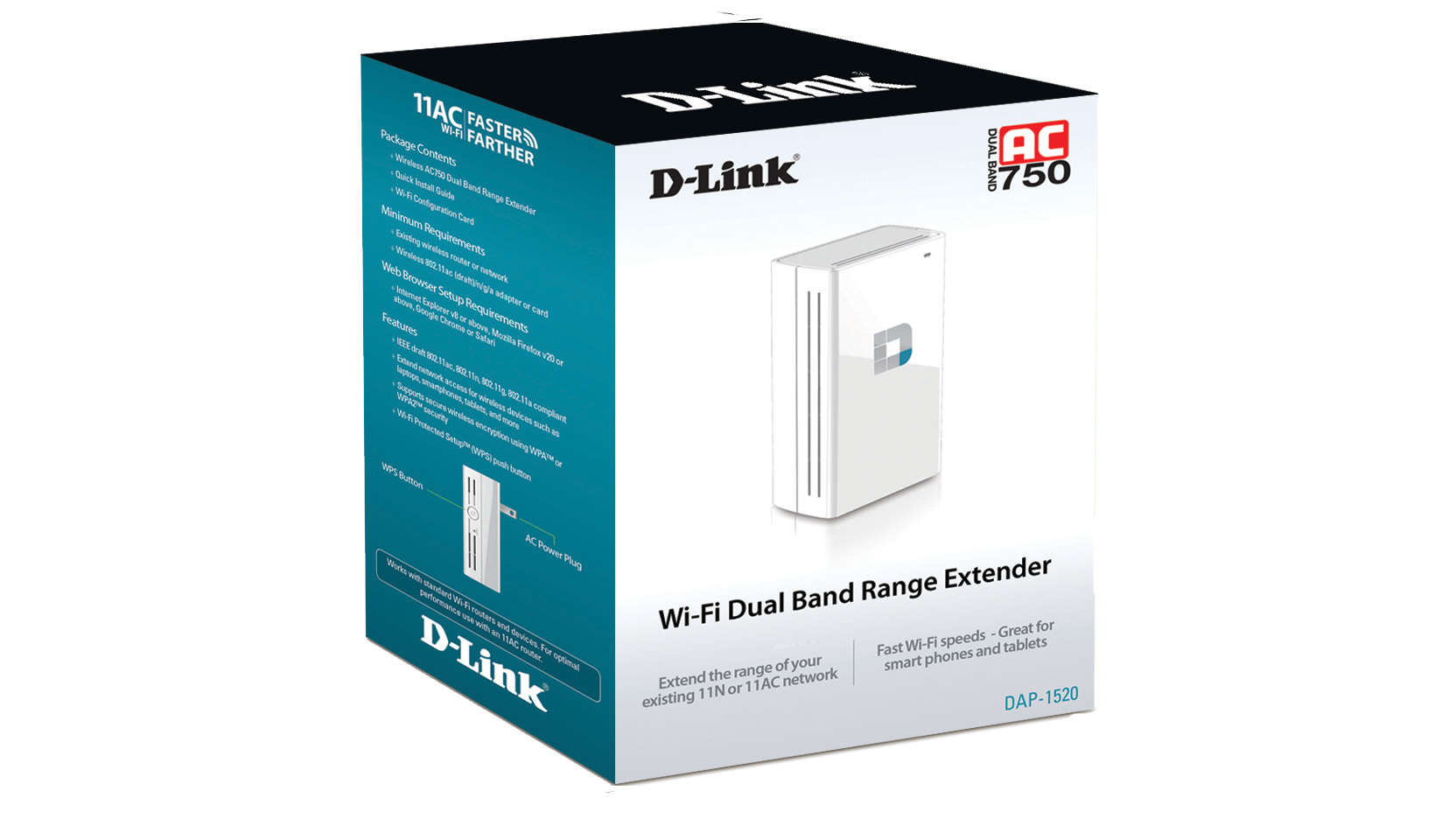
AC750 Wireless DualBand Range Extender
DAP-1520


Features


The DAP-1520 Wireless AC750 Dual Band Range Extender is a portable plug-in repeater that lets you extend an existing wireless network. You can place it anywhere in your home to increase the range of your wireless network. Tiny yet powerful, it supports Wireless AC speeds of up to 750 Mbps,yet fits in the palm of your hand.

Extend Your Wireless Network

Increase the coverage of your home Wireless AC network with the sleek and easy-to-use DAP-1520 Wireless AC750 Dual Band Range Extender. Dual-band technology helps reduce interference from nearby wireless transmitters in the home, and also provides backward compatibility with older wireless devices in your network, allowing you to enjoy a blazing-fast, reliable wireless connection.

Easy to Set Up, Easy to Use

Setting up the Wireless AC750 Dual Band Range Extender is simple. You can use the supported QRS Mobile app on your iOS or Android mobile device to set up the DAP-1520 easily without needing a computer. Alternatively, you can use one-touch configuration by pushing the WPS push-button on the DAP-1520 and on the router or AP you want to extend, and the DAP-1520 will automatically configure itself for you. It even includes a built-in setup wizard that lets you configure it wirelessly with a PC or mobile device.

Compact, Convenient Design

The DAP-1520 is a compact device that is ideal for use at home or a small office, as it does not take up much space and is ready to use by simply plugging it in. Its diminutive wall-plug design easily plugs into a power outlet without blocking other outlets and saves you the hassle of dealing with a power cord. Its sleek, unobtrusive appearance blends easily into the decor of your home or office.


Specifications


Specifications


Office Number: +65 6741 0103

Visit our website at: https://www.pearlbluetech.com.sg