Item Descriptions:
«Features»
● Easy setting of shortcut keys !! Because simultaneous press shortcuts can also be set, troublesome operation with feet one shot is also easy!
● Easy operation ends work even crisply! Foot pedal is perfect for games!
● Programmer · Data entry · Writer · Designer · DTP · Accountant · Tape raising · Dentist · Gamer · Tendosynovitis · Medical site · factory etc.
● Example of use: By setting a line feed key in the foot switch, you can start a line with a foot switch without releasing your hand from the keyboard.
● Accessory: main unit (with USB cable), software 8 cm CD-ROM (English / Chinese display), English manual
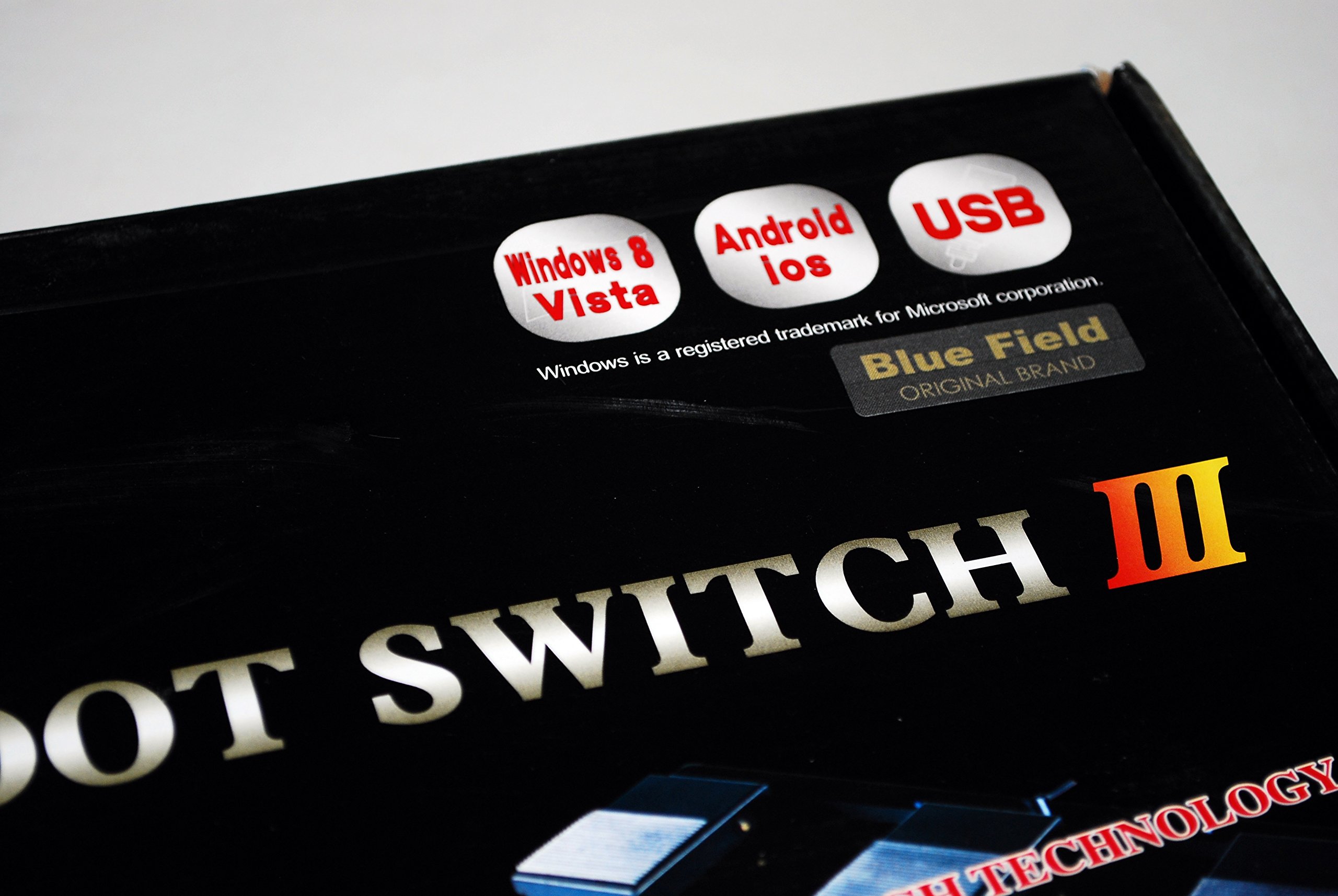
● Supported OS: Windows XP / Vista / 7/8/10
* For Mac, although the software recognizes the foot switch, the software does not correspond.
The left foot switch "1", the middle foot switch "2", and the right foot switch "3" are displayed by default.
«Software Manual»
1 Connect the USB cable of the product to the computer.
2 Insert the included CD-ROM into the drive of the computer and copy the folder to the desired location on the PC.
3 Double-click the application file.
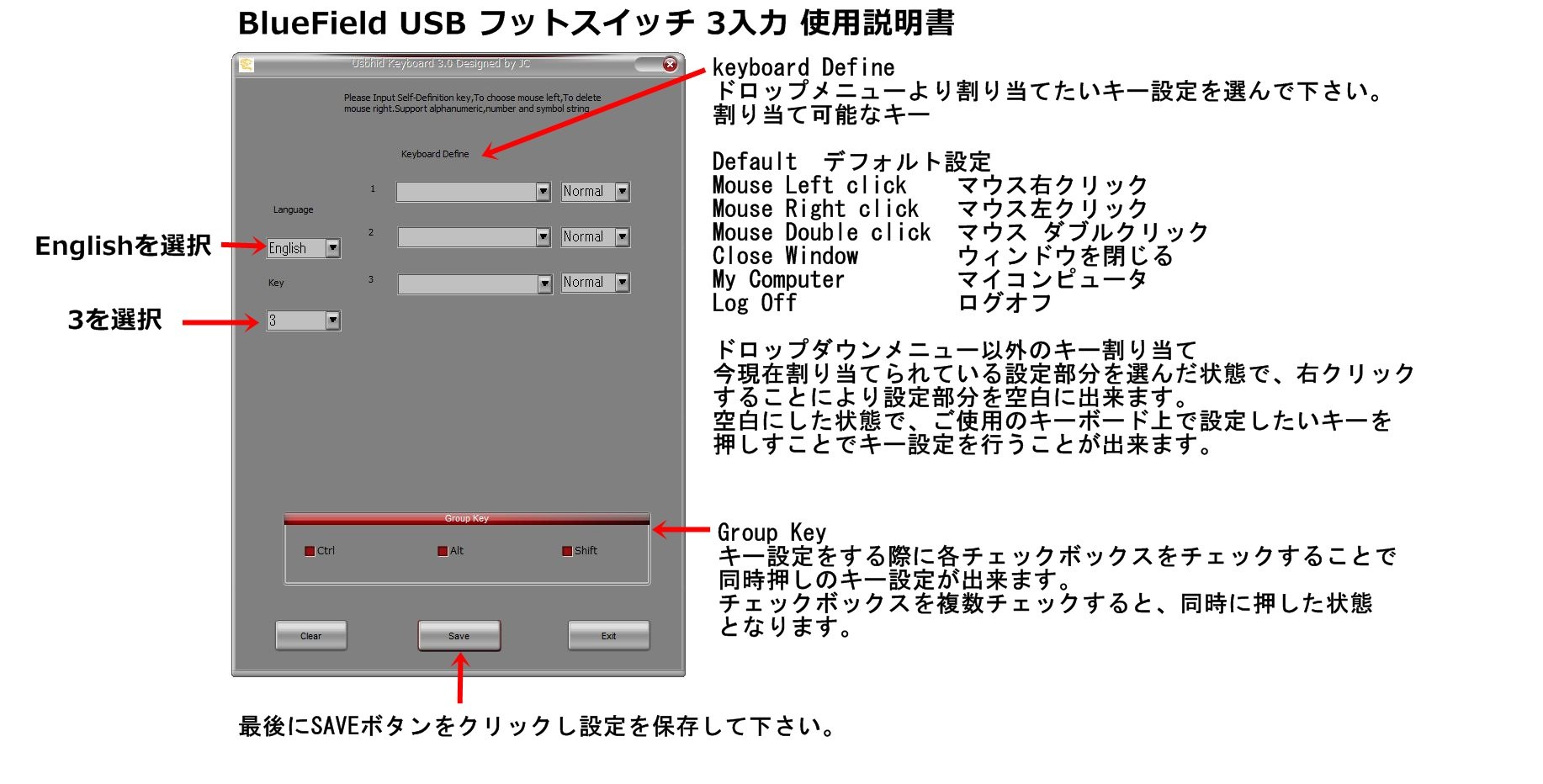
4 Select the display language as English.
Please select 3 in the column of 5 KEY.
6 Allocate the key setting that you want to correspond to each foot switch (numbered 1, 2, 3 from the left foot switch).
7 Click SAVE to save the settings.
Key setting that can be set from software drop down
Default
Mouse left click
Right mouse click
Mouse double click
close the window
My computer
log off
Ctrl button
Alt button
Shift button
Key assignment setting other than drop down menu
With the currently assigned key setting part selected, right click to set the setting part to blank.
If you press the key you want to set on your keyboard, leave the key setting blank in the blank area.
Software download site
http://c6120.xsrv.jp/download/usb-footswitch.zip
Virus checked
Features:
- Please enter model number Confirm this is compatible:
- Supported OS: Windows XP / Vista / 7/8/10
- Accessory: Main unit (with 2 mUSB cable), Software CD-ROM (8 cm), English manual
- For detailed key setting method please see the product introduction below
Product information:
Shipping Weight: 1084 g
Package Dimensions: 5.21 x 19.00 x 38.30 cm
SHIPPING METHOD
Delivered directly from Japan by Japan Post. It will take 3 to 5 business days to prepare the order for shipping. We guarantee careful packing and safe shipping.Please note that in some cases additional import or VAT charges may incur and have to be borne by the client.
1. Japanpost registered mail
Shipment by Japanpost Registered Mail (Standard). Trackable any time with tracking number. Insurance is not available. Delivery time usually is between 1-3 weeks from the date of dispatch. Some items are not eligible for Standard Shipping.
2. Qxpress Standard
Shipment by Qxpress standard service. Trackable at any time with tracking number. Registered and insured up to a value of item price and shipping fees.Delivery time is usually between 5-10 business days from the date of dispatch.
3. EMS
Shipment by Expedited Mail Service. Trackable at any time with tracking number. Registered and insured up to a value of $200 and usually delivered in 2-6 business day from the date of dispatch.

| Japanpost registered mail | Qexpress | EMS | |
|---|---|---|---|
| Shipping Method | Japanpost Registered Mail (Standard) | Standard Qexpress | EMS (Expedited Mail Service) |
| Trackable | Yes | Yes | Yes |
| Insured | N/A | Yes (Up to item price and shipping fees) | Yes (Up to $200.00) |
| Asia | 1-3 weeks | 5-10 days | 2-5 days |
| Oceania; North America; Central America and the Middle East | 2-4 weeks | 6-14 days | 2-6 days |
| Europe | 2-4 weeks | 6-16 days | 3-8 days |
| South America and Africa | 2-4 weeks | 10-18 days | 4-8 days |
NOTICE:
- For overseas delivery, please be aware that damage to the outer box can be seen.
- If you would like to avoid as much damage as possible, please choose the EMS shipping method.
"According to Qoo10 guide line,overseas shipping fees will be charged to you extra if you choose Qxpress standard shipping.We recommend you to compare the total price of your purchase with EMS."
