
Numark Party Mix | Starter DJ Controller with Built-In Sound Card & Light Show, and Virtual DJ LE Software Download

Product Description
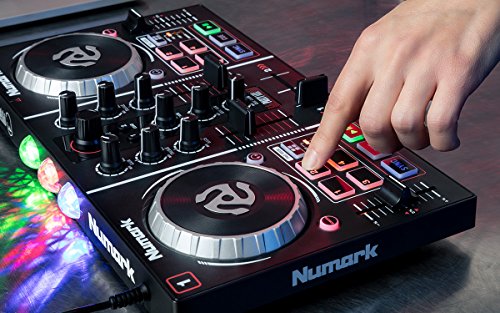
The Numark Party Mix DJ controller is here to get you ready to be a world-class DJ, and feel like it right away.
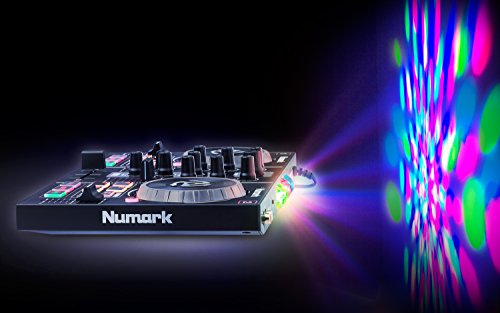
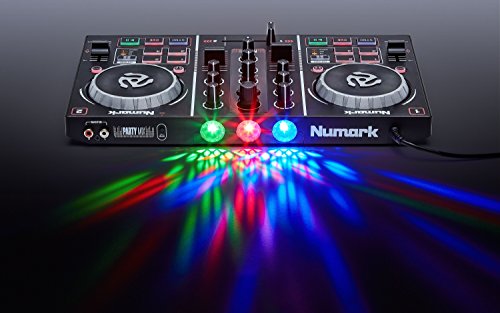
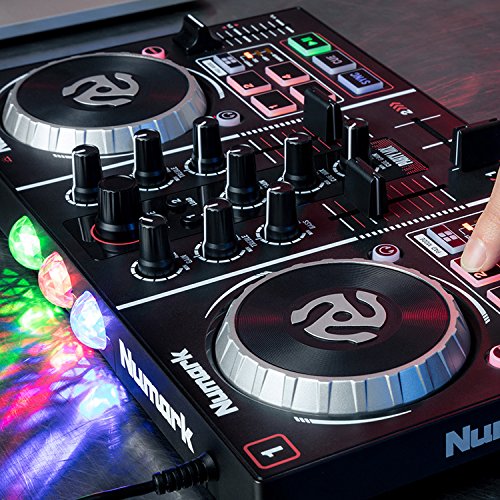
Plus, the Party Mix has sound-active lights that gives any occasion that perfect party atmosphere.
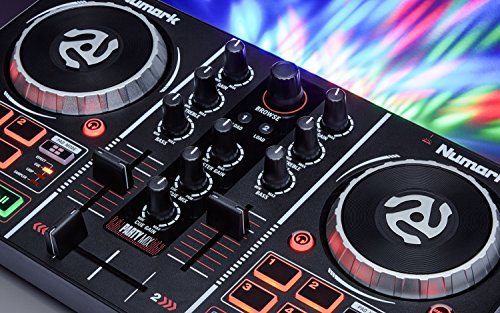
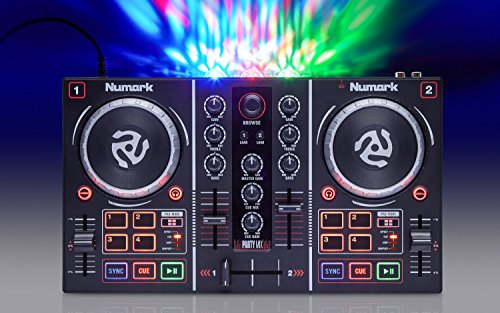
The full-featured controller with a built-in light show is tailored to making it fun and easy for young DJs to spin and party like a pro. Party Mix delivers a genuine DJ experience for enthusiasts at any age and level of proficiency, with dual scratch platters and slider controls for beat matching.
First-time DJs will able to seamlessly use their iTunes collection in the included software. No extra setup is required. Just plug, load and play—it’s that simple. We also included the industry-standard Virtual DJ LE software, so players can mix their music and customize their performance exactly as they want.
There are eight color-coded pads with multiple modes, including looping and sampling, as part of the standard DJ feature set that also includes master and cueing audio outputs. The backlit Sync controls make mixing easy, and there’s a 1/8-inch headphone jack so the DJ can monitor everything that’s happening, or practice quietly late at night.
With Party Mix, now anyone can be a DJ.
Frequently Asked Questions
What DJ software is included with the Numark Party Mix?
The Numark Party Mix includes Virtual DJ LE. A license code and download link are provided in your numark.com account when you register your product.
Where can I download my free copy of Virtual DJ LE?
Accessing and activating your free software is as easy as registering your product on the Numark website. We've put together a walkthrough video which takes you step-by-step through the registration, download, and activation process for your included software.
Virtual DJ is only operating in a time-limited demo mode, or is asking me to pay for a license. Is there something else I need to do?
You will not have to pay anything extra to use the included Virtual DJ software. A license for Virtual DJ is indeed included with the Party Mix. However, if you forget to activate the software after installing, it will run in a time-limited demo mode, or will ask you to buy a license. Check out the video below for a walkthough on how to fully authorize your Virtual DJ LE software so you won't experience these limitations:
Can I scratch with these platters?
Of course! In fact, some people prefer scratching with smaller jog wheels. Since the jog wheels are smaller, they have less mass and can move much more quickly and feel more responsive than larger platters to some people.
Are the performance pads velocity sensitive?
The performance pads on the Party Mix are not velocity sensitive.
Do you have to install any drivers for the Numark Party Mix?
Nope! The Numark Party Mix is class compliant on Mac OS X and Windows. Once you plug the controller in via USB, your computer will automatically detect it and you will be ready to play in just a few seconds.
Does the Numark Party Mix work with Serato, Traktor, or other DJ programs?
Since the Numark Party Mix appeasr to your computer as a generic MIDI device, it can indeed be custom-mapped to any other DJ application that supports user or developer-created custom mapping. Serato DJ does NOT allow you to custom map unsupported controllers but NI Traktor and many other DJ softwares do.
What are the different modes for the Party Ball lights?
When activated, the Party Ball lights on the rear of the Party Mix will illuminate according to the current setting which you can choose by pressing the Party Ball Mode button.
Modes:
Does the Numark Party Mix have an audio interface?
Yes! Despite its small size, the Numark Party Mix houses a fully functional audio interface for
Can I cue through my headphones while I'm playing music through the main output?
Yes you can.
Further Product Support
Whether you are a customer or dealer, if you already own a Numark product, or if you just have pre-sales questions, the Numark technical support team is available to help! Visit the link below to connect with any of the following support options: online community support, phone support, email support.
Technical Specifications
Box Contents
Feature
DJ controller with all the basics a hobbyist needs, including the light show