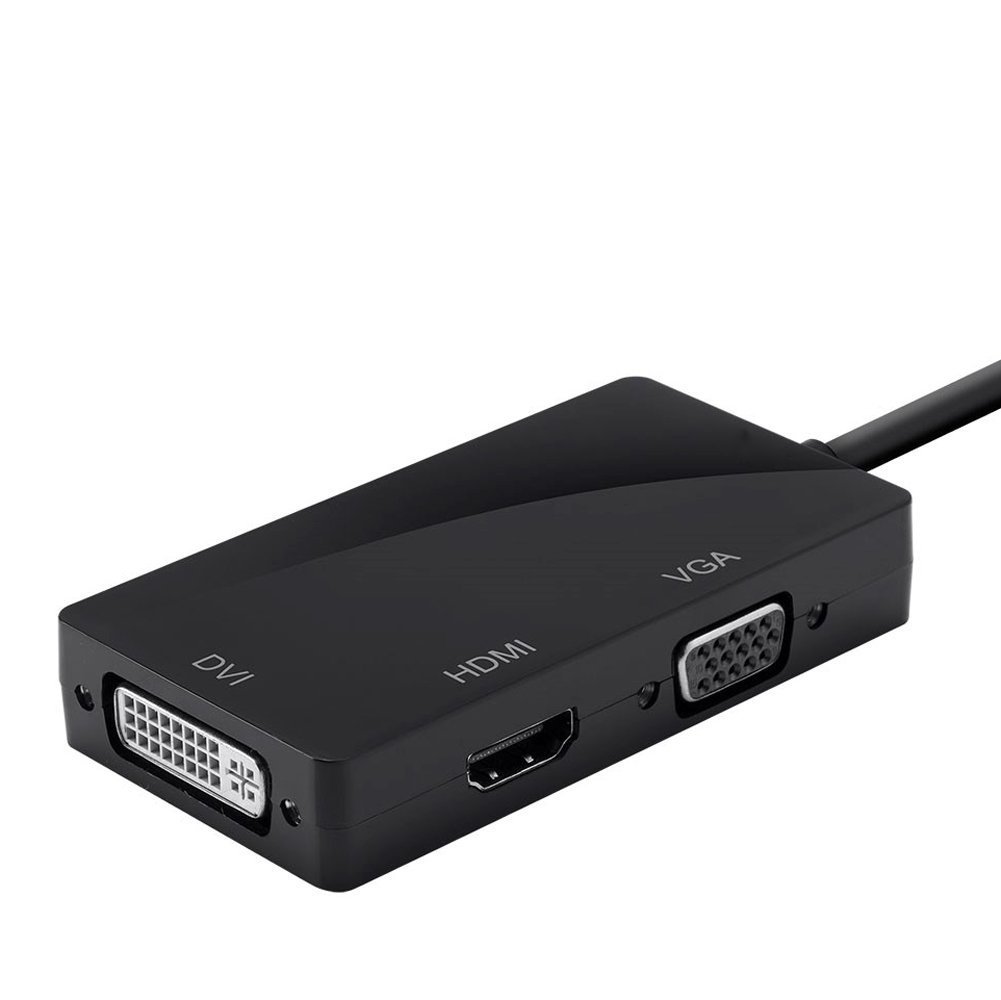
Item Descriptions:
specification:
Input signal: Mini display port 1.1A
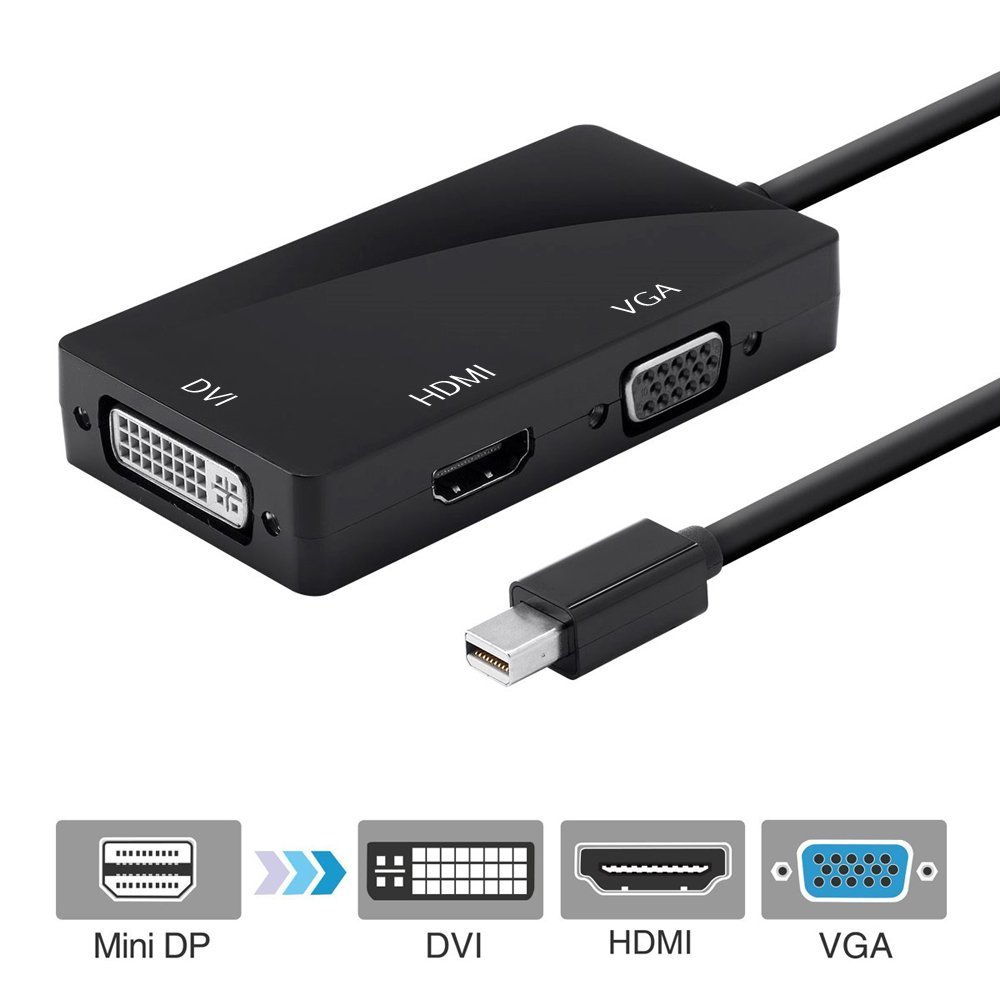
Output video: HDMI / DVI / VGA
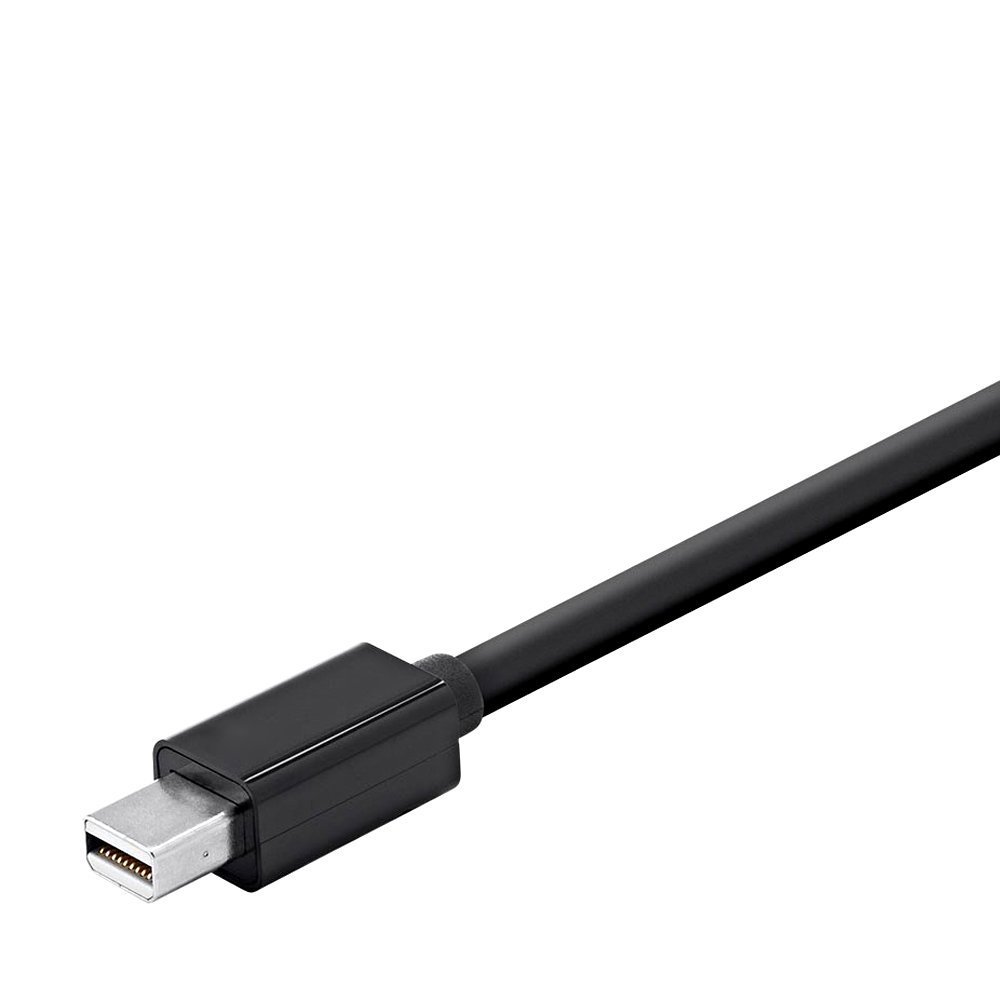
Input: Mini display port (male) 20 pin
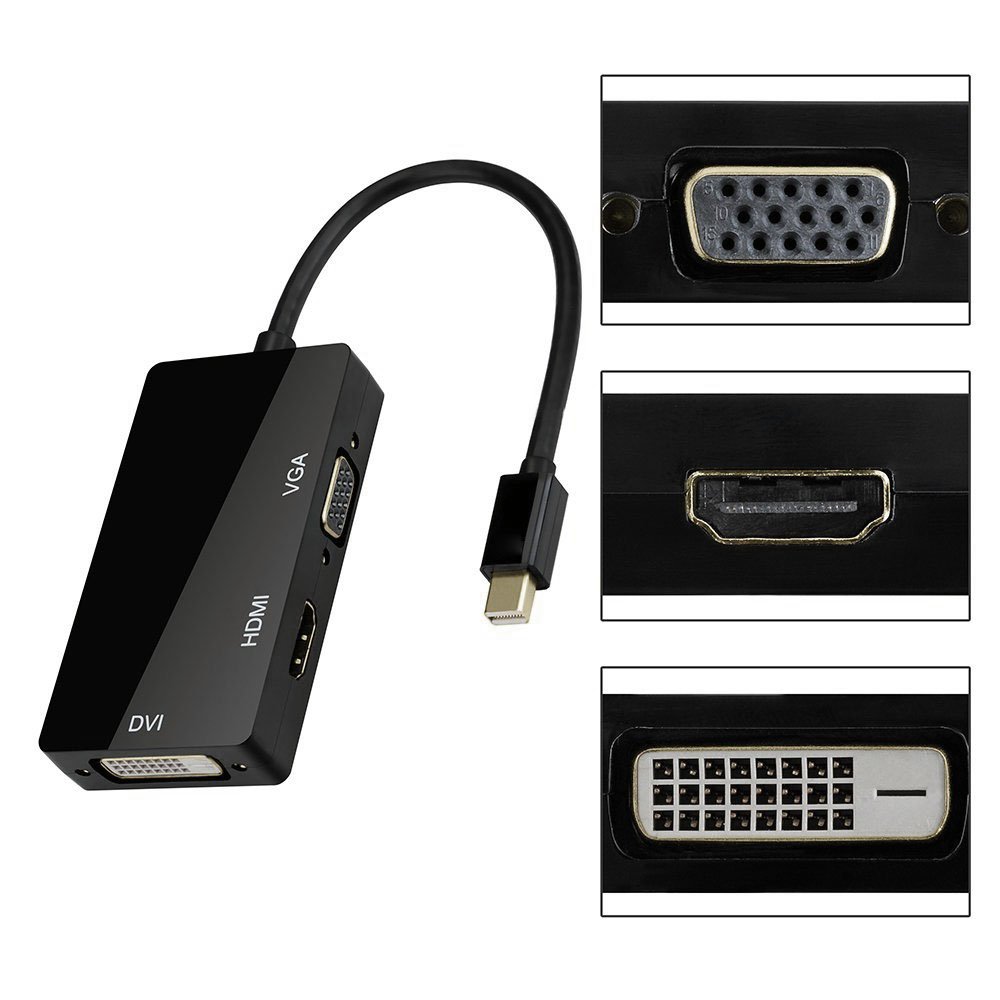
Output: HDMI (female) A type 19 pin
Connector: DVI female (24 + 1), VGA female 15 pin
Vertical frequency range: 50/60 Hz
Video amplifier bandwidth: 2.25 Gbps / 225 MHz
Resolution
HDMI pot: 1080p, 720p, HDMI Audio
DVI pot: 1080p, 720p
VGA pot: 1920 × 1080, 1024 × 768
3 in 1
It can correspond to three kinds of output with one unit.
Convenient video terminal conversion adapter.
It converts Mini DisplayPort (MiniDP) signal to DVI / HDMI / VGA signal.
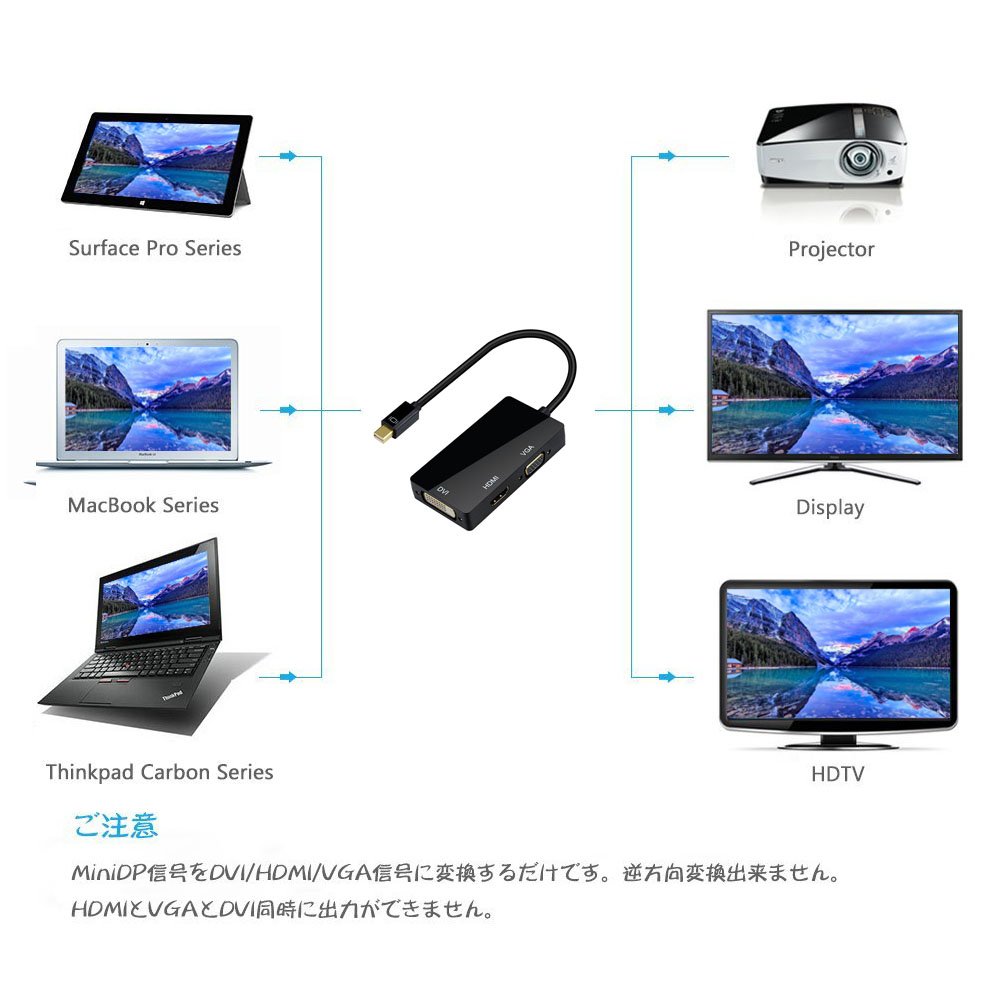
You can enjoy large screen shows, movies, PPT by connecting to HDTV, monitor, projector, LCD display etc. with DVI and HDMI or VGA port.
In case
Compatible models
Mac Book Air, Mac Book Pro, iMac and all Mac mini with Thunderbolt port since 2011
Microsoft Surface Pro / Pro 2 / Pro 3 for Windows 8 Pro (NOT Surface / Surface 2 for Windows RT)
Lenovo ThinkPad X1 Carbon, X230 / 240s, L430 / 440, L530 / 540, T430 / 440, T440s, T440p, T530 / 540p, W530 / 540, Helix
Dell XPS 13/14/15/17, Latitude E 7240 / E 7440, Precision M 3800
Alienware 14/17/18
Acer Aspire R7-571 / R7-571G / R7-572 / R7-572G / S7-392 / V5-122P / V5-552G / V5-552P / V5-552PG / V5-572P / V7-481P / V7-482PG /
V7-581 / V7-582P
Intel NUC
please note:
This product is incompatible with bi-directional signal conversion, not simultaneously supporting multiple outputs.
It only converts Mini DisplayPort (MiniDP) signal to DVI / HDMI / VGA signal.
Reverse direction conversion is not possible.
Features:
- Please enter model number Confirm this is compatible:
- This product is a conversion adapter to convert Mini DisplayPort to HDMI / DVI / VGA.
- Just by using this, you can easily display the contents saved on your PC on a large screen TV.
- It is also strong against rust and adopts gold-plated connector with less worry of signal deterioration due to aging, so it is excellent in durability and reliability.
- Compact design, so it is convenient to carry.
- By adopting an advanced chip, you can convert more stable images.
- It is a high-quality adapter with little worry of image deterioration against high resolution mode because it is resistant to noise and signal loss is extremely small.
- It is also excellent in vibration resistance and impact resistance.
- It supports resolutions up to 1920 x 1080 p @ 60 Hz, allowing you to output beautifully high-definition signals.
- You can enjoy high-resolution large-screen images full of presence.
- This product is incompatible with bi-directional signal conversion, not simultaneously supporting multiple outputs.
Product information:
Shipping Weight: 68 g
Package Dimensions: 2.01 x 16.00 x 23.09 cm
Customer reviews from Japan:

 Convenient but price
Connected to Surface Pro 3, I confirmed the output with RGB, HDMI. Although the main body is somewhat large, since it is a destination, the sense of security that can be connected to three standards is large. However, as soon as it was first used, the black plastic part covering the plug got disconnected from the spot when sewing the MiniDP cable from the main unit. I thought that it would be unavoidable from the price, I thought, I bonded and fixed with adhesive.
I worked on the original Surface Pro
I had something for DVI, but since there is a display with only HDMI, I bought it because it is good to deal with various things. It worked safely with the original Surface Pro.
It is easy to carry around.
I usually bought it to connect the monitor which I was using with Surface pro 2 and desktop computer. It is lightweight without power supply and is convenient to carry. If you are uncertain about projectors on the go, you can rest assured that you can respond to anything by taking it for the time being. When using the DVI - HDMI cable, the screen became rough only when connecting with the surface - conversion adapter DVI - monitor HDMI, and the display of sound and monitor became irregularly interrupted. Conversion adapter HDMI - Monitor There was no problem especially in case of DVI. There may be problems with cables, but depending on the combination may not be reflected well.
The performance is good, but the design is.
The performance is good, but the design is not good. There was no notation on the top and the bottom of the connector, and the other notation was too big and it was rather unnecessary. I think that opportunities to use DVI are few. I would like to swap the place with HDMI. The layout of HDMI, DSUB popping out at the current 90 degrees is hard to use.
Supports various outputs
Used with mac air. If it has this, it corresponds to various output forms and it is much more useful than purchasing separately. The drawback is that much bigger.
I think it's a good product
I can not check the operation because I do not have a display to connect, but I am a MacbookPro, an iMac User, 3 types of connectable Mini Display DisplayPort (MiniDP), DVI / HDMI / VGA I think that this product that can be converted has a wide range of usage and a sense of value to purchase. I would like to post a review again after purchasing the display at a later date
Cospa Good
I used it in the MacBook Air middle 2013 model. The output with HDMI was not a problem, but as for output of VGA, I tried to set the monitor side setting, but it did not reflect well. I am satisfied because I only need to convert miniDisplayPort to HDMI for the time being.
5 stars
I bought this product and it was able to start safely! The price was reasonable and the goods arrived as planned so we are very satisfied.
SHIPPING METHOD
Delivered directly from Japan by Japan Post. It will take 3 to 5 business days to prepare the order for shipping. We guarantee careful packing and safe shipping.Please note that in some cases additional import or VAT charges may incur and have to be borne by the client.
1. Japanpost registered mail
Shipment by Japanpost Registered Mail (Standard). Trackable any time with tracking number. Insurance is not available. Delivery time usually is between 1-3 weeks from the date of dispatch. Some items are not eligible for Standard Shipping.
2. Qxpress Standard
Shipment by Qxpress standard service. Trackable at any time with tracking number. Registered and insured up to a value of item price and shipping fees.Delivery time is usually between 5-10 business days from the date of dispatch.
3. EMS
Shipment by Expedited Mail Service. Trackable at any time with tracking number. Registered and insured up to a value of $200 and usually delivered in 2-6 business day from the date of dispatch.

| Japanpost registered mail | Qexpress | EMS | |
|---|---|---|---|
| Shipping Method | Japanpost Registered Mail (Standard) | Standard Qexpress | EMS (Expedited Mail Service) |
| Trackable | Yes | Yes | Yes |
| Insured | N/A | Yes (Up to item price and shipping fees) | Yes (Up to $200.00) |
| Asia | 1-3 weeks | 5-10 days | 2-5 days |
| Oceania; North America; Central America and the Middle East | 2-4 weeks | 6-14 days | 2-6 days |
| Europe | 2-4 weeks | 6-16 days | 3-8 days |
| South America and Africa | 2-4 weeks | 10-18 days | 4-8 days |
NOTICE:
- For overseas delivery, please be aware that damage to the outer box can be seen.
- If you would like to avoid as much damage as possible, please choose the EMS shipping method.
"According to Qoo10 guide line,overseas shipping fees will be charged to you extra if you choose Qxpress standard shipping.We recommend you to compare the total price of your purchase with EMS."
