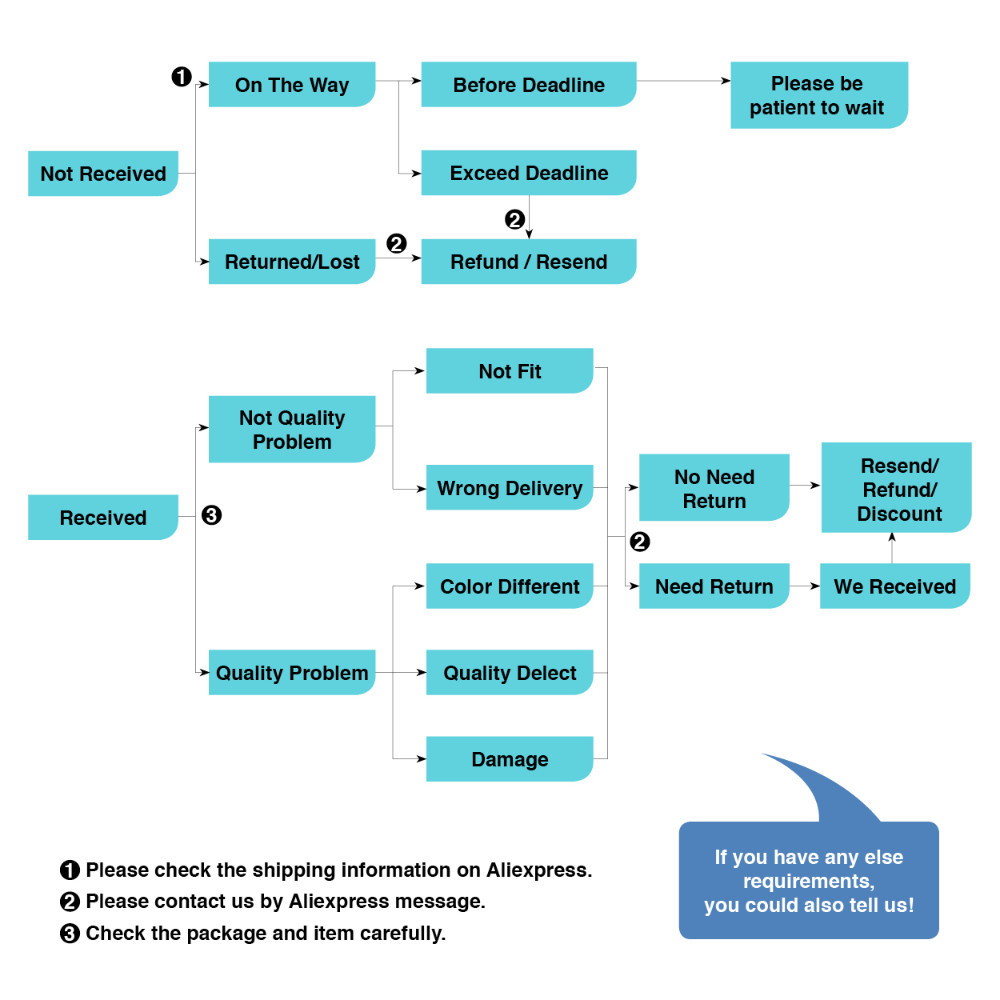
Shipping & Package:
Aliexpress Standard Shipping
Xiaomi Repeater*1, Retail Package*1, User Manual on Package*1
Features:
Auto pairing with Xiaomi router within 1m distance
** This repeater do not support WIFI router with WEP encryption type **
Universal compatability with other brand routers download via 2 steps
Step 1: Open Mihome APP and detect Xiaomi repeater
Step 2: Enter WIFI password and click connect
Up to 100% improvement in WIFI coverage
Please download 'MiHome' APP after purchase; repeater setup requires this APP


Automatic hotspot signal switch,
up to 100% WIFI coverage improvement


One step installation,plug and use
Compatible with other routers in the market, best experience with Xiaomi routers.

Small and convenient,
unique USB power supply design.


APP CONTROL
1.Download 'MiHome' app from app store or Goole Play


2. Connect your main router and open MiHome app, put your Mi account and password


2. Click the "+" top right corner, then select Mi WiWi Repeater


3. Make sure your repeater is Yellow light flashing, and put your main router password.


4. Go to set Wi-Fi and choose xiaomi repeater signal and connect


5. Repeater will configure itself. and you can rename the repeater, but the SSID will not change, the repeater name is Your main router name +PLUS. If your main router name is XXXX, then your repeater name will be XXX_PLUS.


6. Some part of app is chinese, most part is English, then you can see the repeater in your MiHome app.