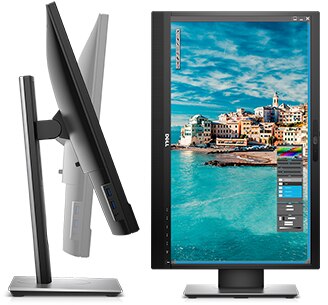
Purposefully designed for comfort and convenience

Enhanced viewing experience
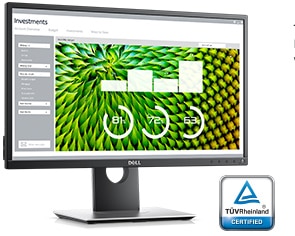
The Dell 23 Monitor | P2317H is perfect for professionals who work long hours and depend on a monitor that will display stunning visuals without inducing eye fatigue.

Resolution ahead of the mainstream
Uncompromised productivity
More usability features allow you to work the way you want.
Designed for peace of mind.
Your Dell 24 Monitor – P2416D is designed to be pixel perfect. That’s why if you find even just one bright pixel, we’ll replace it under our Premium Panel Guarantee.
Purposefully designed for comfort and convenience.
Easily adjust your monitor to your desired angle, height and position so you can enjoy great visuals across multiple monitors with no hassle.
Enhanced viewing experience
The Dell 24 Monitor | P2417H is perfect for professionals who work long hours and depend on a monitor that will display stunning visuals without inducing eye fatigue.

A hands-on work experience
Intuitive touch: The 10-point touch feature delivers a more natural and responsive experience, so you can tap, swipe, slide and pinch in a snap. Enjoy smoother navigation with two-handed touch control across the anti-glare screen, from edge-to-edge.
Work from any position: An articulating stand transitions from a standard desktop monitor to a downward 60-degree angle touch orientation. It also supports extended tilt and swivel capabilities, so you can adjust the screen to your task or a more comfortable position. Plus, a protective cushion offers a durable buffer against bumps when the stand is fully compressed.
See clearly: State-of-the-art Advanced In-Cell Touch technology eliminates the need for the glass screen found in traditional monitors, delivering an anti-glare surface that reduces distracting reflections and fingerprints. The result is a smooth display with improved clarity that’s easy on the eyes.
A seamless view: An ultrathin bezel is a stylish, elegant way to achieve unobstructed views when working across multiple monitors.
Outstanding usability
Stunning views: Full HD resolution and an 8 million to 1 dynamic contrast ratio create an exceptional quality display. See consistent colors and effectively collaborate across the 178ᵒ /178ᵒ wide viewing angle enabled by In-Plane Switching Technology.
Work comfortably: Enjoy an anti-glare, flicker-free screen with ComfortView™, a feature that filters out harmful blue light emissions. Plus, it’s TUV Certifiedi.
Freedom from clutter: Collaborate in an organized workspace with a thoughtfully designed cable management system. Cable routing prevents cables from getting in the way when your monitor stand is adjusted down, while a cable sleeve binds them together. Connectivity ports are discreetly concealed by a cable cover.


Do more in your workday
Multitask: The Dell Display Manager software lets you multitask and save time. Quickly tile and view applications side by side with the Easy Arrange feature. Customize and pre-set the color settings of your applications with Auto-Mode.
Connectivity ports: Extensive connectivity ports including VGA, DP, HDMI, USB3.0 and USB2.0 allow you to easily connect to a wide range of devices.
Ideal for multiple layouts: Adapt to different office layouts thanks to VESA-compatibility. Choose to mount your monitor to the wall or attach it to monitor arms and enjoy a more flexible workspace.

Collaborate in stunning clarity
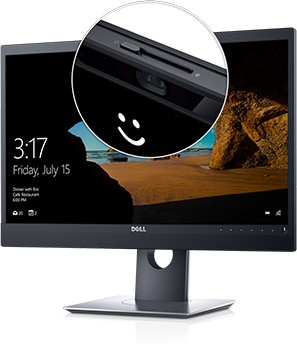
Secure, clear camera: With the 2MP Full HD infrared sensor camera, you can engage in meetings and sign on to your device with the secure facial recognition feature with Windows Hello. The camera shutter offers extra privacy when not in use.
Great views from virtually any angle: Full HD resolution delivers stunning screen clarity. The 178°/178° wide viewing angle presents superior views and consistent colors ideal for video conferencing.
Clearly communicate: A noise-cancelling mic and two 5W integrated speakers deliver crystal clear audio, so you never miss out during a meeting.
A personalized, secure experience with Windows Hello
A warm welcome: Windows Hello greets you by name and lights up in your presence.
Fast login: You can get to work in as little as two seconds with fast log-on, unlock or re-authentication. That’s three times faster than remembering and typing in a password.
Facial authentication: Sign in to your Windows 10 devices, apps and websites with the facial recognition feature. Biometric sensors activate and scan your face, eliminating the threat of hacking and providing enterprise-level security.


Designed for productivity
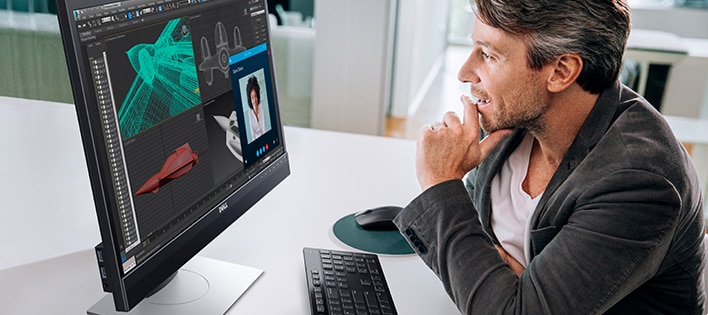
A more seamless workflow: Slim borders create a smooth, less obstructed visual experience when working across multiple monitors.
Hands-free commands: Initiate features by voice command with Microsoft Cortanai.
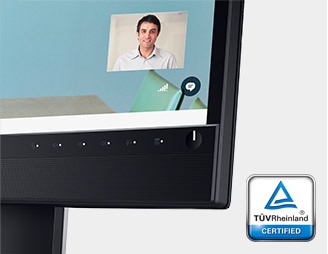
Made for multitasking: Quickly begin and end Skype calls with easy-to-access, on-screen display buttons. Stay organized as you work on multiple applications, thanks to Dell Easy Arrange.
Greater comfort: Outfitted with an anti-glare, flicker-free screen with ComfortView, a feature that filters out harmful blue light emissions. TUV Certifiedi.
Work the way you want
Suited to your needs: The fully adjustable stand pivots, tilts, swivels and adjusts to height for a completely customized viewing experience.
Adapted to your workspace: Optimized for various stands and mounts, including VESA, creates a more flexible workspace.
Reduced cable clutter: A separate power adapter isn’t required, letting you plug in and charge up with a single cable.
Extensive connectivity: Easily connect to various devices with versatile connectivity options, including VGA, DP, HDMI, USB3.0, USB 2.0, and the headphone and mic combo jack.