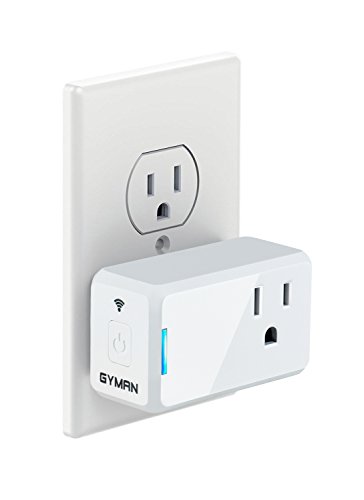
GYMAN WI-FI SMART PLUG MINI NO HUB REQUIRED WORKS WITH AMAZON ALEXA

FEATURES

  • Control with your voice works with Alexa for voice control (Alexa device sold separately)
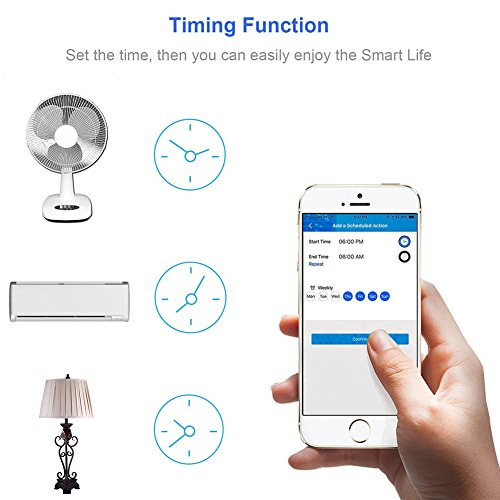
  • Schedule automatically turn on/off your devices based on specific time you set, never come back to a dark house
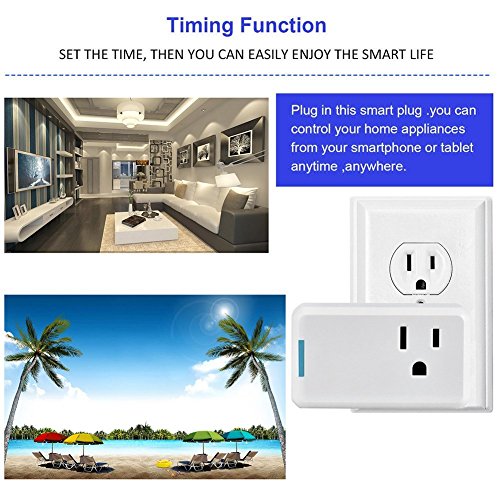
  • Remote control instantly turn on/off your light or other appliance with your smart phone or tablet wherever you are
  • Wide application: Can be used for fans, air-condition, cell phone chargers, lights, coffee mill etc.
  • No hub required the smart plug works with any Wi-Fi router without the need for a separate hub

SPECIFICATION

Model No.J-001
Product Size1 Pack
Item Dimension5.79 x 4.60 x 7.39 Cm
Package Weight0.09 ~ 0.11 Kg
Product GroupPersonal Computer
AvailabilityAvailable (Usually ships in 1-4 business days)

DESCRIPTION

Use with smart home
Install the "Jinvoo" app on your Smart Phone.
Open Jinvoo. If you want to use the Smart Plug with Alexa (Remote Control), setup a Jinvoo account; and, after receiving an email activation message, log in; otherwise, you may Skip setting up an account for just local control.
With your smart phone on a local 2.4 GHz Wi-Fi connection, open Jinvoo and then: (a) plug Smart Plug into an AC outlet; (b) Add Device > SMART PLUG and follow the instructions; (c) which say to go to your Phone's Wi-Fi settings and connect to the Smart Plug's Wi-Fi network and then return to Jinvoo; (d) customize your Plug -- with a unique name; and (e) connect the Plug to your local Wi-Fi

Use with Alexa
A. Enable a "skill" in the Alexa App called "jinvoo smart". Then in "smart home" the discover will find the device.on your smart phone in the Alexa app settings, tap on Smart Home and then the Jinvoo item and login with your Jinvoo account name and password.Scroll down Smart Home and near the bottom tap Discover devices (search your Wi-Fi LAN) to add your named Smart Plug, which will then be listed.Then with Alexa, say "Turn on / off (name of plug).

Use with google home
Link Jinvoo smart account in Home Control
Tap "Home Control" in the hamburger menu on the Google Home app’s home page, then tap "+".
Find "Jinvoo smart" in the list. In the new window, select your Jinvoo smart account’s region, type your Jinvoo smart account and password, then tap "Link Now". After you assign rooms for devices, your devices will be listed in the Home Control page.
Now you can control your smart devices through Google Home.