Product Description
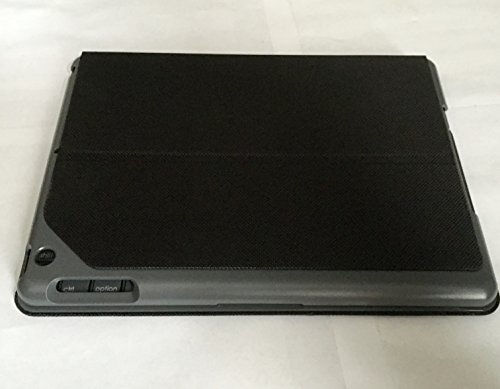
Now you can protect your iPad while adding some functionality too with the Logitech Canvas Keyboard Case for iPad Air. This convenient case easily protects your iPad from bumps and drops, and features liquid-repellent materials that help keep your iPad safe in case of spills. Plus, it includes a built-in Bluetooth keyboard that makes it easy to type on your iPad. The keyboard features well-spaced keys that make it comfortable to type as well as iOS shortcut keys for those common commands you use. The keyboard operates using batteries that can last for up to 4 years, and features an auto wake/sleep function that wakes or sleeps your iPad and keyboard.
Feature
Logitech Canvas Keyboard Case for iPad Air - Black (Refurbished)
Before you connect your iPad Air to the Canvas Keyboard Case, make sure it's inserted correctly into the case: Place your iPad Air so the camera lines up with the camera lens cutout on the Canvas case. Snap the corners of the iPad into the holder to secure it.
To connect for the first time: The Canvas case doesn't have an On/Off switch. To turn on your keyboard case, open it and rest the iPad Air on the strip directly above the keyboard. The status indicator on the top right of the keyboard will glow green. On first connection, your keyboard enters Bluetooth discovery mode and the status indicator will blink blue rapidly. Go to the Bluetooth settings on your iPad and select Canvas Keyboard Case in the Devices list. Once the connection is made, the status indicator will turn solid blue. Your keyboard is ready to use.
To connect to a different iPad Air : If you've already connected the Canvas case to an iPad and want to connect it to another one: Rest the iPad Air on the strip directly above the keyboard. This activates the keyboard. You should see the status indicator glow green, and then blue. Press the Bluetooth connection button on the right side of the keyboard to make your keyboard discoverable. Go to the Bluetooth settings on your iPad and select Canvas Keyboard Case in the Devices list. Once the connection is made, the status indicator will turn solid blue. Your keyboard is ready to use.
Now you can protect your iPad while adding some functionality too with the Logitech Canvas Keyboard Case for iPad Air. This convenient case easily protects your iPad from bumps and drops, and features liquid-repellent materials that help keep your iPad safe in case of spills. Plus, it includes a built-in Bluetooth keyboard that makes it easy to type on your iPad. The keyboard features well-spaced keys that make it comfortable to type as well as iOS shortcut keys for those common commands you use. The keyboard operates using batteries that can last for up to 4 years, and features an auto wake/sleep function that wakes or sleeps your iPad and keyboard.
Brand : Logitech
Item model num : 097855114280
MPN(PartNumber) : 920-007287
EAN : 0097855114280
Product Dimensions(LxWxH) : 21x11x6cm ; 703 g
Package Dimensions(LxWxH) : 26x20x3cm ; 703 g