
up to 19ppm, 150 input sheets, 100 output sheet, 600 x 600dpi, HP ImageREt 3600, Monthly 30,000 pg cycle, 256MB DRAM, Hi-speed USB, Host USB, Fast Ethernet 10/100 Base TX, E-Print in the box; Apple Airprint
| Brand name | HP |
| Item Weight | 11.4 Kg |
| Product Dimensions | 38.4 x 39.2 x 23.6 cm |
| Batteries: | 1 Lithium ion batteries required. |
| Item model number | B4A21A#B19 |
| Series | Color Laserjet PRO M 252 N |
| Processor Count | 1 |
| RAM Size | 128 MB |
| Computer Memory Type | DDR3 SDRAM |
| Number of USB 2.0 Ports | 1 |
| Wattage | 375 watts |
| Lithium Battery Energy Content | 0.84 watt_hours |
| Lithium Battery Packaging | batteries_packed_with_equipment |
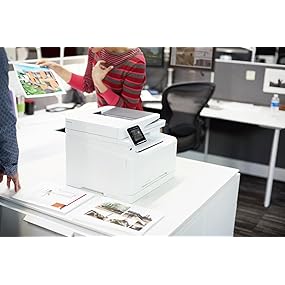
Key Specs
HP Color LaserJet Pro M252n
Elevate your Business Printing - It’s All Here
In today’s fast-paced business environment, you need technology that’s ready to hit the ground running. The compact and efficient HP Color LaserJet Pro M252n printer, combined with Original HP Toner cartridges with JetIntelligence, is built to help meet the needs of your growing business - and is ready to get to work when you are. Streamline workflow with mobile printing options, business management and security apps and specially designed toner.
 |
 |
 |
|---|---|---|
|
Number of users: One to five users. Colour printer: Colour prints at up to 18 ppm. Mobile printing: Easily print from smartphones and tablets running iOS, Android and Windows 8 operating systems. |
Ethernet: Connect printing devices to PCs securely with built-in Ethernet ports. Business apps: Access the latest business tips, news and more with free apps - delivered on your schedule. Mighty output: Get 28% more prints with Original HP toner cartridges with JetIntelligence. |
HP Toner cartridge included: Put this printer to work, right out of the box. Fast first page out: Wakes up from sleep mode and prints faster than any other printer in its class, so you can grab your documents and go. Auto on/off technology: Save energy with intelligence that turns the printer on when it’s needed and off when it isn’t. |
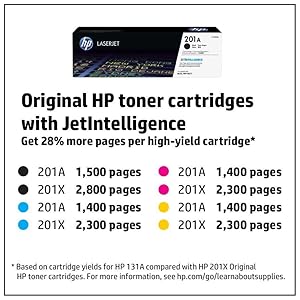
Full Specifications
Print speed black: Up to 11.5 ppm.
Print speed colour: Up to 18 ppm.
Recommended monthly page volume: 250 to 2,500 pages.
Print technology: Laser.
Processor speed: 800 MHz.
Print languages: HP PCL 6, HP PCL 5c, HP Postscript Level 3 emulation, PCLm, PDF, URF, Native Office.
Paper handling input, standard: 150-sheet input tray.
Paper handling output, standard: 100-sheet output tray.
Media types: Paper (brochure, inkjet, plain), photo paper (borderless, HP Premium, panoramic, plus tab), envelopes, labels, cards (greeting, index), transparencies.
Paper size: Supported metric: A4/A5/A6/B5/B6, 10 x 15 cm, Postcards (JIS), Envelopes (DL,C5, B5).
Power consumption: 375 Watts (Active Printing), 8.7 Watts (Ready),1.7 Watts (Sleep), 0.1 Watts (Auto-Off), 0.1 Watts (Off).
Operating temperature range: 59 to 86 degree Fahrenheit
Operating humidity range: 10 to 80 per cent RH
What's in the Box:
HP Colour LaserJet Pro M252n Printer.
HP 201A Black Original LaserJet Cartridge(~1,500 yield) and Introductory HP LaserJet Colour cartridges (~700 colour composite (C/Y/M) yield).
Installation guide.
Printer documentation and software on CD-ROM.
Power cord.

| Brand name | HP |
| Item Weight | 13.8 Kg |
| Product Dimensions | 42 x 40 x 25 cm |
| Item model number | T6B59A |
| Series | Color Laserjet PRO M 254 NW |
| RAM Size | 128 MB |
| Wireless Type | 802.11B, 802.11G, 802.11n |
| Number of USB 2.0 Ports | 1 |
| Wattage | 381 watts |
| Power Source | AC 230V |

Features
Shift your office into high gear with this powerful printer that doesn’t keep you waiting. Print your first page faster than the competition,[1] and help secure your device, data, and documents from the moment you boot up to the moment you shut down.
Grab pages and go—without waiting around. This printer wakes up and prints faster than the competition.[1]
Keep printing safe from boot up to shutdown with security features that guard against complex threats.
Print more consistent, high-quality pages than ever before.[2] Specially designed Original HP Toner cartridges with JetIntelligence deliver better performance, higher energy efficiency, and authentic HP quality—which the competition can’t match.[2]
Get the most prints for your money—with Original HP High Yield Black Toner cartridges with JetIntelligence.[2]
Count on consistent results at high speeds with precision black toner.
Help ensure you’re getting the authentic HP quality you paid for with innovative anti-fraud technology.
Print right away with preinstalled toner cartridges. Replace them with optional high-yield cartridges.
Take control of printing—and help save energy. Use a suite of essential features to help you easily manage this power-conserving printer. It’s built to fit right into your office space and work style.
Help save energy with HP Auto-On/Auto-Off Technology.[3]
Print using less energy than competitors—enhanced by Original HP Toner cartridges with JetIntelligence.[4]
Make the most of your office space, with a printer that conveniently fits right into your work style.
Easily manage devices and settings using HP Web Jetadmin with a suite of essential management features.[5]
Keep your business nimble when needs shift or opportunity strikes—in the office or on the go.[6] Ethernet capabilities help you stay connected and work with ease—from right where you are.[6]
Easily print from a variety of smartphones and tablets—generally no setup or apps required.[6]
Easily set up, print, and share with built-in Ethernet networking.
| Supported Operating Systems | |
|---|---|
| Compatible Operating Systems | Windows OS compatible with In-Box Driver: Windows XP SP3 all 32-bit editions (XP Home, XP Pro, etc), Windows Vista all 32-bit editions (Home Basic, Premium, Professional, etc.), Windows 7 all 32 & 64-bit editions, Windows 8/8.1 all 32 & 64-bit editions (excluding RT OS for Tablets), Windows 10 all 32 & 64-bit editions (excluding RT OS for Tablets) Windows OS compatible with Universal Print Driver (From HP.com): Windows XP SP3 32 & 64-bit editions (XP Home, XP Pro, etc.), Windows Vista all 32 & 64-bit editions (Home Basic, Premium, Professional, etc), Windows 7 all 32 & 64-bit editions, Windows 8/8.1 all 32 & 64-bit editions (excluding RT OS for Tablets), Windows 10 all 32 & 64-bit editions (excluding RT OS for Tablets) Mac OS (HP Print Drivers available from HP.com and Apple Store): OS X 10.8 Mountain Lion, OS X 10.9 Mavericks, OS X 10.10 Yosemite Mobile OS (In-OS drivers): iOS, Android, Windows 8/8.1/10 RT Linux OS (In-OS HPLIP) Auto install: BOSS (3.0, 5.0), DEBIAN (6.0, 6.0.1, 6.0.2, 6.0.3, 6.0.4, 6.0.5, 6.0.6, 6.0.7, 6.0.8, 6.0.9, 6.0.10, 7.0, 7.1, 7.2, 7.3, 7.4, 7.5, 7.6), FEDORA (17, 18, 19, 20), LINUX MINT (13, 14, 15, 16, 17), SUSE LINUX (12.2, 12.3, 13.1), UBUNTU (10.04, 11.10, 12.04,12.10, 13.04, 13.10, 14.04, 14.10) Manual install: MANDRIVA LINUX (2010.0, 2011.0), MEPIS (6.0, 6.5, 7.0, 8.0), PCLINUXOS (2006.0, 2006, 2007.0, 2007, 2008.0, 2008, 2009.0, 2009), RED HAT (8.0, 9.0), RED HAT ENTERPRISE LINUX (5.0, 6.0, 7.0), SLACKWARE LINUX (9.0, 9.1, 10.0, 10.1, 10.2, 11, 12, 12.1), GOS (8.04.1), IGOS (1.0), LINPUS LINUX(9.4, 9.5), LINUX FROM SCRATCH (6) Other OS: UNIX |
| Compatible Network Operating Systems | Windows OS compatible with In-Box Driver: Windows Server 2003/2003 R2 32-bit (SP1/SP2) Standard/Enterprise (+ Cluster & Terminal Services), Windows Server 2008 32/64-bit (SP2) Standard/Enterprise (+ Cluster & Terminal Services), Windows Server 2008 R2 64-bit (SP1) Standard/Enterprise (+ Cluster & Terminal Services) Windows OS compatible with Universal Print Driver (UPD) or Product-Specific drivers from HP.com: Windows Server 2003/2003 R2 32-/64-bit (SP1/SP2) Standard/Enterprise/Datacenter (+ Cluster & Terminal Services), Windows Server 2008/2008 R2 32-/64-bit (SP1/SP2) Standard/Enterprise/Datacenter (+ Cluster & Terminal Services), Windows Server 2012/2012 R2 64-bit Standard/Foundation/Essentials/Datacenter (+ Cluster & Terminal Services) MS Windows Server 2012 R2 Terminal Services: Citrix XenApp 7.5, Citrix XenDesktop 7.0, Citrix XenDesktop 7.5 MS Windows Server 2012 Terminal Services: Citrix XenApp 7.5, Citrix XenDesktop 7.0, Citrix XenDesktop 7.5 MS Windows Server 2008 R2 SP1 Terminal Services: Citrix XenApp 6.0, Citrix XenApp 6.5, Citrix XenApp 7.5, Citrix XenDesktop 5.6, Citrix XenDesktop 7.0, Citrix XenDesktop 7.5 MS Windows Server 2008 R2 Terminal Services: Citrix XenApp 6.0, Citrix XenApp 6.5, Citrix XenDesktop 5.6 MS Windows Server 2008 Terminal Services: Citrix XenApp 5.0, Citrix XenApp 5.0 Feature Pack 2 & 3 MS Windows Server 2003 Terminal Services: Citrix Presentation Server(TM) 4.5, Citrix Presentation Server 4.0 MS Windows Server 2003 Terminal Services: Citrix Presentation Server 4.5, Citrix Presentation Server 4.0, Citrix MetaFrame® Presentation Server, 3.0, Citrix MetaFrame XP Presentation Server (Feature Release 1, 2, and 3) Novell Servers (http://www.novell.com/iprint): Novell Open Enterprise Server 11/SP1 /SP2, Novell Open Enterprise Server 2 for Linux NetWare 6.5/SP8 Novell Clients (http://www.novell.com/iprint): Novell iPrint Client v5.4 for Vista & Win7 & Win8 (32-bit, 64-bit), Novell iPrint Client v5.4 for WinXP (32-bit, 64-bit) |
| Operating system supported footnote number | [9] |
| Advanced Features | |
| Energy savings feature technology | HP Auto-On/Auto-Off Technology |
| Printer smart software features | Manual duplex, N-up printing, collation, HP ePrint, Apple AirPrint™, Google Cloud, Print Mopria-certified, Instant-on Technology, HP Auto-On/Auto-Off technology, JetIntelligence Cartridge Technology, Job Storage with PIN printing |
| Printer smart software features footnote number | [3] |
| Processor | |
| Processor speed | 1200 MHz |
| Printing Media Handling | |
| Maximum input capacity (sheets) | Up to 900 sheets |
| Input capacity | Up to 350 sheets (Tray 1: up to 100 sheets Tray 2: up to 250 sheets) |
| Standard input capacity (envelopes) | Up to 10 |
| Finished output handling | Sheetfed |
| Media type and capacity, tray 1 | Sheets: 100 envelopes: 10 |
| Media type and capacity, tray 2 | Sheets: 250 |
| Media type and capacity, tray 3 | Sheets: 550 |
| Maximum output capacity (sheets) | Up to 150 sheets |
| Output capacity | Up to 150 sheets |
| Standard output capacity (envelopes) | Up to 10 envelopes |
| Standard output capacity (transparencies) | Up to 75 sheets |
| Paper handling input, optional | Optional third 550-sheet tray |
| Paper handling input, standard | 100-sheet multipurpose Tray 1, 250-sheet input Tray 2 |
| Paper handling output, standard | 150-sheet output bin |
| Print Area | |
| Bottom margin (A4) | 5 mm |
| Left margin (A4) | 4 mm |
| Right margin (A4) | 4 mm |
| Top margin (A4) | 5 mm |
| Print Resolution | |
| Print quality black (best) | HP FastRes 1200 |
| Print resolution black (fine lines) | Up to 1200 x 1200 dpi |
| Print quality black (normal) | HP FastRes 1200 |
| Print Resolution Technologies | HP FastRes 1200, HP ProRes 1200, 600 dpi |
| Box contents | |
| What's in the box | HP LaserJet Pro M402n Preinstalled Introductory HP 26A Black LaserJet Toner Cartridge (~1500 pages) Getting Started Guide Setup Poster Support Flyer Warranty Guide Printer documentation and software on CD-ROM Power cord USB cable (AP Only) |
| Print Time | |
| First page out black (A4, ready) | As fast as 5.7 sec |
| First page out black (A4, sleep) | As fast as 8.1 sec |
| First page out black (letter, ready) | As fast as 5.6 sec |
| First page out black (letter, sleep) | As fast as 8.0 sec |
| First page out footnote number | [5] |
| Storage Specifications | |
| Storage | Optional Job storage via external rear host USB port (Minimum 16 GB) |
| Storage footnote number | [3] |
| Memory | |
| Memory | 128MB DRAM |
| Maximum Memory | 128MB DRAM |
| Display Specifications | |
| Display | 2-line backlit LCD graphic display |
| Display area (metric) | 4.55 x 1.35 cm |
| Connectivity and Communications | |
| Ports | 1 Hi-Speed USB 2.0 1 Host USB 1 Gigabit Ethernet 10/100/1000T network |
| Network protocols, supported | TCP/IP, IPv4, IPv6 Print: TCP-IP port 9100 Direct Mode, LPD (raw queue support only), Web Services Printing, HP ePrint, Apple AirPrint™, Google Cloud Print 2.0, Mopria, FTP Print, IPP Print Discovery: SLP, Bonjour, Web Services Discovery IP Config: IPv4 (BootP, DHCP, AutoIP, Manual), IPv6 (Stateless Link-Local and via Router, Statefull via DHCPv6), SSL Security and Certificate management management: SNMPv1, SNMPv2, SNMPv3, HTTP/HTTPS, Syslog, FTP FW Download |
| Network ready | Standard (built-in Gigabit Ethernet) |
| Network capabilities | Yes, via built-in 10/100/1000Base-TX Ethernet, Gigabit Auto-crossover Ethernet Authentication via 802.1X |
| Wireless capability | No |
| Mobile printing capability | HP ePrint Apple AirPrint™ Mopria™-certified Google Cloud Print 2.0 Mobile Apps |
| Connectivity, standard | 1 Hi-Speed USB 2.0 1 Host USB 1 Gigabit Ethernet 10/100/1000T network |
| HP ePrint capability | Yes |
| Rack and Power Specifications | |
| Blue Angel (sleep mode) | 1.23 watts |
| Number of users | 3-10 Users |
| Typical electricity consumption (TEC) number | 1.54 kWh/Week (Energy Star) 1.40 kWh/Week (Blue Angel) |
| Best technical electricity consumption (TEC) | 1.47 kWh/Week |
| Best technical electricity consumption (TEC) footnote number | [16] |
| Typical electricity consumption (TEC) footnote number | [15] |
| Weights | |
| Weight | 8.58 kg |
| Package weight | 11.36 kg |
| System Components | |
| Control panel | 2-line backlit LCD graphic display Buttons (OK, Menu, Cancel, Back) LED indicator lights (Attention, Ready) |
| System Requirements | |
| Minimum System Requirements for Macintosh | OS X 10.8 Mountain Lion OS X 10.9 Mavericks OS X 10.10 Yosemite Internet USB 1 GB available hard disk space OS compatible hardware (For OS hardware requirements see http://www.apple.com) |
| Minimum System Requirements | Windows 10 (32-bit/64-bit), Windows 8.1 (32-bit/64-bit), Windows 8 (32-bit/64-bit), Windows 7 (32-bit/64-bit): 1 GHz processor, 1 GB RAM (32-bit) or 2 GB RAM (64-bit), 400 MB available hard disk space, CD/DVD-ROM or Internet, USB or Network port Windows Vista (32-bit): 1 GHz 32-bit (x86) processor, 1 GB RAM (32-bit), 400 MB available hard disk space, CD/DVD-ROM or Internet, USB or Network port Windows XP (32-bit) SP2: Pentium 233 MHz processor, 512 MB RAM 400 MB available hard disk space, CD/DVD-ROM or Internet, USB or Network port Windows Server 2003 (32-bit) (SP1 or greater), Windows Server 2003 R2 (32-bit), Windows Server 2008 (32-bit) (SP1 or greater): 1 GHz 32-bit (x86) processor, 1 GB RAM (32-bit), 400 MB available hard disk space, CD/DVD-ROM or Internet, USB or Network port Windows Server 2008 (64-bit) (SP1 or greater), Windows Server 2008 R2 (64-bit), Windows Server 2008 R2 (64-bit) (SP1): 1 GHz 64-bit (x64) processor, 2 GB RAM (64-bit), 400 MB available hard disk space, CD/DVD-ROM or Internet, USB or Network port |
| Security Management | |
| Security management | Embedded Web Server: password-protection, secure browsing via SSL/TLS Network: enable/disable network ports and features, SNMPv1 & SNMPv2 community password change HP ePrint: HTTPS with certificate validation, HTTP Basic Access Authentication, SASL authentication Firewall and ACL SNMPv3, 802.1X, Secure Boot |
| Software and Applications | |
| Software included | For Windows 7: HP Software Installer/Uninstaller, HP PCL 6 Printer Driver, HP Device Experience (DXP), HP Update, HP Device Toolbox, HP Printer Status and Alerts, HP Product Improvement Study, Reconfigure your HP Device Warranty and Legal Guide, User Guide For Windows 8+: HP Software Installer/Uninstaller, HP PCL-6 Printer Driver, HP Device Experience (DXP), Warranty and Legal Guide, User Guide, Reconfigure your HP Device For Windows XP, Windows Vista and associated servers: HP Software Installer/Uninstaller, HP PCL.6 Printer Driver, Warranty and Legal Guide, User Guide For Mac OS: Welcome Screen (Directs users to http://www.HP.com or OS App Source for LaserJet Software) |
| Driver updates | Latest supported operating systems and Print drivers available at http://www.hp.com/support/ljM402 |
| Mac compatible | Yes |
| Downloadable software | From 123.hp.com: HP Easy Start (Guided Software Install for Windows and Mac) From HP.com for Windows OS: Full-solution software and drivers (Same solution as ""Software Included""), HP PCL 6 print driver only (No installer, for ""Add Printer"" installs), HP PCL 6 print driver with installer, Product Documentation and Support From HP.com for Mac OS: Full-solution software and drivers For Mobile OS: See ""HP Mobile Printing"" (http://www8.hp.com/us/en/ads/mobility/overview.html) From In-OS app stores: Gotham (HP AiO Remote for Win 8), HP recommended printer drivers and software From HP.com for printer administrators Printer Administrator Resource Kit (Driver Configuration Utility, Driver Deployment Utility, Managed Printing Administrator) HP Universal Print Drivers (PCL 6, PCL 5 & PS for Windows) HP ePrint Software (ePrint Mobile Driver for Windows) Linux/Unix Print Drivers SAP (PCL 5 and PS Print Drivers) HP Web JetAdmin Software HP Proxy Agent Software HP Imaging and Printing Security Center HP Driver Configuration Utility |
| Printer Specifications | |
| Functions | |
| Automatic paper sensor | No |
| Storage device and direct print support | Storage devices not supported |
| Duplex printing | Manual(driver support provided) |
| Duty cycle (monthly, letter) | Up to 80,000 pages |
| Duty cycle (monthly, A4) | Up to 80,000 pages |
| Recommended monthly page volume | 750 to 4000 |
| Envelope Feeder | No |
| Internal Storage | None |
| Paper trays, maximum | 3 |
| Paper trays, standard | 2 |
| Print colors | No |
| Print languages | HP PCL 5, HP PCL 6, HP postscript level 3 emulation, direct PDF (v 1.7) printing, URF, PCLM, PWG |
| Printer Management | Printer Administrator Resource Kit (Driver Configuration Utility, Driver Deployment Utility, Managed Printing Administrator) HP Web JetAdmin Software HP Proxy Agent Software HP Imaging and Printing Security Center HP Utility (Mac) HP Device Toolbox |
| Print technology | Laser |
| SureSupply supported | Yes |
| Fonts and typefaces | 84 scalable TrueType fonts |
| Target user and print volume | For teams up to 10 users Prints up to 4,000 pages/month |
| SureSupply footnote number | [8] |
| Recommended monthly page volume footnote number | [7] |
| Duty cycle footnote number | [6] |
| Print Speed | |
| Print speed | Print speed up to 38 ppm (black) |
| Print speed black (Landscape, A5) | Up to 63 ppm |
| Print speed black (ISO, letter) | Up to 40 ppm |
| Print speed black (ISO, A4) | Up to 38 ppm |
| Print speed black (Portrait, A5) | Up to 14 ppm |
| Print speed (A4/letter) footnote number | [4] |
| Print speed footnote number (A5) | [13] |
| Dimensions | |
| Dimensions (W x D x H) | 381 x 357 x 216 mm |
| Package dimensions (W x D x H) | 443 x 274 x 464 mm |
| Cartridges and Printheads | |
| Number of print cartridges | 1 (black) |
| Supplies feature | HP JetIntelligence Cartridge |
| Replacement cartridges | HP 26A Black LaserJet Toner Cartridge (~3100 pages), CF226A HP 26X Black LaserJet Toner Cartridge (~9000 pages), CF226X |
| Replacement cartridges footnote number | [1] |
| Supported Printing Media | |
| Media sizes supported, key | 10 x 15 cm A4 Envelopes |
| Media sizes supported, key | 4 x 6 in Letter Legal Envelopes |
| Media sizes, custom | Tray 1: 76.2 x 127 to 215.9 x 355.6 mm Tray 2, 3: 104.9 x 148.59 to 215.9 x 355.6 mm |
| Media sizes supported | Tray 1: A4, A5, A6, B5 (JIS), Oficio, Oficio (216 x 340 mm), 16K (195 x 270 mm), 16K (184 x 260 mm), 16K (197 x 273 mm), Japanese Postcard, Double Japan Postcard Rotated, Envelope B5, Envelope C5, Envelope DL, Custom Size, A5-R, B6 (JIS) Tray 2 & Tray 3: A4, A5, A6, B5 (JIS), Oficio, Oficio (216 x 340 mm), 16K (195 x 270 mm), 16K (184 x 260 mm), 16K (197 x 273 mm), Custom Size, A5-R, B6 (JIS) |
| Media size, tray 1 | A4 A5 A6 B5 (JIS) Oficio Oficio (216 x 340 mm) 16K (195 x 270 mm) 16K (184 x 260 mm) 16K (197 x 273 mm) Custom Size A5-R B6 (JIS) |
| Media size, tray 2 | A4 A5 A6 B5 (JIS) Oficio Oficio (216 x 340 mm) 16K (195 x 270 mm) 16K (184 x 260 mm) 16K (197 x 273 mm) Custom Size A5-R B6 (JIS) |
| Media size, tray 3 | A4 A5 A6 B5 (JIS) Oficio Oficio (216 x 340 mm) 16K (195 x 270 mm) 16K (184 x 260 mm) 16K (197 x 273 mm) Custom Size A5-R B6 (JIS) |
| Media types | Paper (plain, EcoFFICIENT, light, heavy, bond, colored, letterhead, preprinted, prepunched, recycled, rough) envelopes labels transparencies |
| Media weight, supported | Tray 1: 60 to 175 g/m² Tray 2, Optional 550-sheet Tray 3: 60 to 120 g/m² |
| Media weight (tray 1) | 60 to 175 g/m² |
| Media weight (tray 2) | 60 to 120 g/m² |
| Media weight (tray 3) | 60 to 120 g/m² (optional 550-sheet tray) |
| Battery and Power | |
| Power | 110-volt input voltage: 110 to 127 VAC (+/- 10%), 50/60 Hz (+/- 2 Hz) 220-volt input voltage: 220 to 240 VAC (+/- 10%), 50/60 Hz (+/- 2 Hz) (Not dual voltage, power supply varies by part number with #option code identifier) |
| Power supply type | Internal (built-in) power supply |
| Power consumption | 591 watts (Active Printing), 6.1 watts (Ready), 2.8 watts (Sleep), 0.6 watts (Auto-On/Auto-Off, via USB connectivity), 0.1 watts (Shutdown or Off) |
| Power consumption footnote number | [14] |
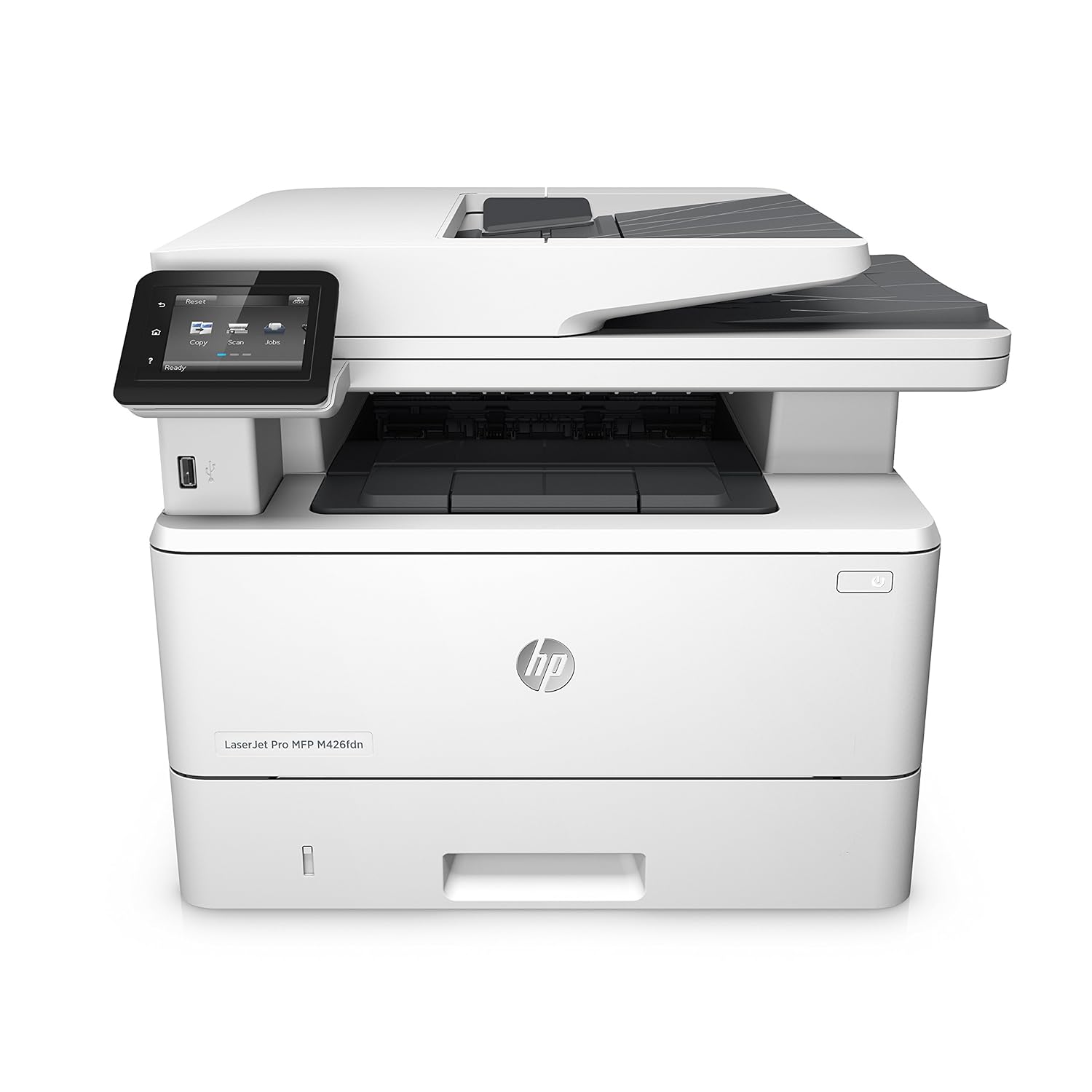
HP LaserJet Pro M426fdw A4 Mono Multifunction Laser DUPLEX Printer
HP LaserJet Pro M426fdw in More Detail
Designed to offer print, copy, scan and fax functionality without the wait; the LaserJet Pro M426fdw from HP is capable of completing jobs quickly and to the highest standards. Ideal for offices which require a large volume of printed output; the robust machine is capable of an impressive print speed of 38ppm and an active scan speed of 26ppm.
Perfect for small or mid-sized offices, the printer packs a surprising amount of functions into a relatively modest looking machine.
Secure, Simple Printing
Understanding the flexible needs of the evolving office environment, the LaserJet Pro M426fdw combines secure printing with simplified functionality. Utilising HP and industry standard security measures, the printer can help protect the workplace’s sensitive documents and files.
The addition of the 7.5cm intuitive touch screen display can simplify the process of completing a wide range of tasks. The intelligent menu system can ensure you arrive at your selection in a timely manner. The HP Web Jetadmin suite includes a number of task management features which can help ensure every print is completed with the required levels of professionalism.
Wireless Connectivity
Another feature of the LaserJet Pro M426fdw which is incredibly helpful for modern offices is the wireless connectivity. Compatible with Apple AirPrint, HP ePrint and WiFi; the printer can simplify the process of printing remotely from a large volume of different devices.
| Double Sided Printing Unit (Duplex) | Yes |
|---|---|
| Speed Monochrome | Up to 38ppm Mono Print |
| First Page | Up to 5.6 Seconds First page |
| Product Group Output | A4 |
| Double Sided Printing | Automatic Double Sided Printing |
| Printer Resolution | 1200 x 1200 dpi Print |
|
Scan |
|
| Double Sided Scan | Yes |
| Scan Facility Present | Yes |
| Scan Resolution | Up to 1200 x 1200 dpi |
| Single-pass duplex | up to 47ipm mono, 30ipm colour |
|
Copy |
|
| Copy Facility Present | Yes |
| Single-pass duplex copy | Yes |
|
Fax |
|
| Fax Speed | 33.6Kbps Fax |
| Fax Facility Present | Yes |
|
Interfaces |
|
| Interface Type(s) | USB, Network & Wireless |
| LCD Screen | 7.6cm LCD Touch Screen |
| Airprint Compatible | Yes |
|
System Specification |
|
| Processor | 1200MHz Processor |
| Memory (Maximum) | 256MB RAM |
|
Compatibility |
|
| Operating Systems Supported | Windows & Mac Compatible |
|
Media Handling |
|
| Paper Handling Input 1 | 250 Sheet Input Tray |
| Paper Handling Input 2 | 100 Sheet Multipurpose Tray |
| Automatic Document Feeder | 50 Sheet ADF |
| Maximum Duplex Paper Weight | 120gsm |
| Maximum Paper Weight | 175gsm |
|
Barcodes & Labels |
|
| Barcode | 0888793340646 |
| EAN | 0888793340639 |
|
Duty Cycle |
|
| Monthly Duty Cycle | 80,000 Pages/Month |
| Recommended Max Print Volume | 4,000 Pages/Month Pages/Month |
|
Physical |
|
| Mono or Colour Printer | Mono |
| Multifunction Summary | Print/Scan/Copy/Fax |
| Technology | Multifunction Laser Printer |
| Dimensions | 430 x 634 x 325 mm - 12.86kg |
| Electrical Power Consumption | 1.841 kWh/Week |
| Product Type | A4 Laser Printer |
|
Software |
|
| Printer Languages | PCL5/6 & Postscript 3 |
|
In the Box |
|
| In The Box | HP LaserJet Pro M426 ,Getting Started guide, setup poster, support flyer, warranty guide, printer documentation and software on CD‑ROM, power cord, Black HP 26A ink cartridge (3100 Pages), USB Cable |
|
Cartridges Included |
|
| Black | 3100 Pages |
From the manufacturer


At a glance

Main features
Mobile printing, 2-sided printing and wired networking.

Additional features
Keep data protected with strong security designed to help detect and stop attacks.
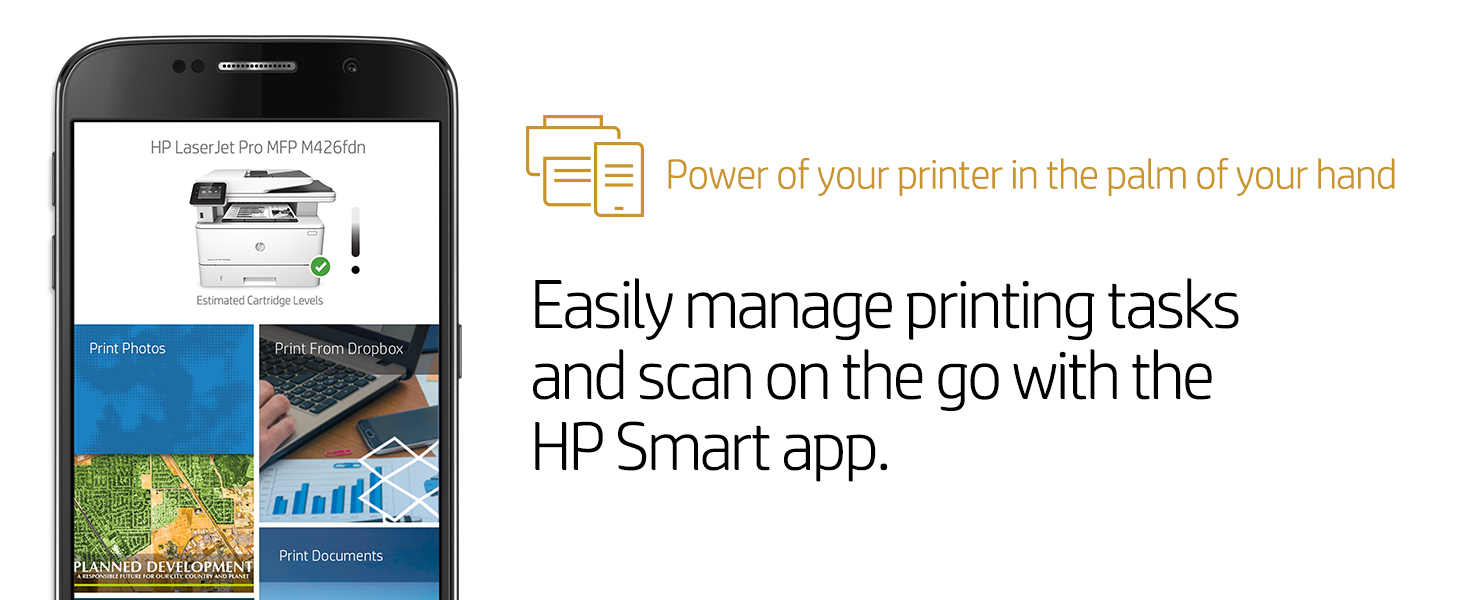

Unmatched print, scan, copy, and fax performance plus robust, comprehensive security for how you work. This color MFP finishes key tasks faster and guards against threats. Original HP Toner cartridges with JetIntelligence produce more pages. Scan digital files directly to email, USB, network folders, and the cloud with preloaded business apps. Grab pages and go—without waiting around – this MFP wakes up and prints faster than the competition.
| Product Dimensions | 18.6 x 16.4 x 15.7 inches |
|---|---|
| Item Weight | 51.2 pounds |
| Shipping Weight | 59.3 pounds |
Print, Copy, Scan, Fax, Email
Hi-Speed Usb 2.0 Port Built-In Gigabit Ethernet 10/100/1000 Base-Tx Network Port Easy-Access Usb
Up To 50,000 Pages
Hp Auto-On/Auto-Off Technology, Instant-On Technology
Overview
Unmatched print, scan, copy, and fax performance plus robust, comprehensive security for how you work. This color MFP finishes key tasks faster and guards against threats. Original HP Toner cartridges with JetIntelligence produce more pages.
Spectification
Functions: Print, Copy, Scan, Fax, EmailMultitasking supported: YesAutomatic paper sensor: NoStorage device and direct print support: USB printingDuplex printing: Automatic standardDuty cycle monthly, letter: Up to 50,000 pagesDuty cycle monthly, A4: Up to 50,000 pagesRecommended monthly page volume: 750 to 4000Envelope feeder: NoPaper trays, maximum: 3Paper trays, standard: 2Print colours: YesPrint languages: HP PCL 6, HP PCL 5c, HP postscript level 3 emulation, PCLm, PDF, URF, Native OfficePrinter management: Printer Administrator Resource Kit Driver Configuration Utility, Driver Deployment Utility, Managed Printing Administrator, HP Web JetAdmin Software, HP Proxy Agent Software, HP Imaging and Printing Security enter, HP Utility Mac, HP Device Toolbox Win 7Print technology: LaserSureSupply supported: YesTop key features: 50-sheet uncurled ADF, Scan to email/PDF, Two-sided printingFonts and typefaces: 84 scalable TrueType fontsTarget user and print volume: For teams up to 10 users/ Prints up to 4,000 pages/month
Unmatched print, scan, copy, and fax performance plus robust, comprehensive security for how you work. This color MFP finishes key tasks faster and guards against threats.1Original HP Toner cartridges with JetIntelligence produce more pages.
Speed through more tasks. Keep data protected
• Scan digital files directly to email, USB, network folders, and the cloud with preloaded
business apps.3
• Grab pages and go—without waiting around. This MFP wakes up and prints faster
than the competition.1
• Breeze through multipage documents with two-sided printing that’s faster than
the competition.1
• Control access to print jobs and help keep printing safe with security features like
LDAP authentication.
Easy management. Efficient printing
• Easily manage print jobs directly at the MFP—just tap and swipe the 10.9 cm (4.3-inch)
touchscreen.5
• Easily print Microsoft® Word and PowerPoint® documents—now directly from your
USB drive.4
• Easily manage devices and settings using HP Web Jetadmin with a suite of essential
management features.6
• Print using less energy than competitors—enhanced by Original HP Toner cartridges
with JetIntelligence.7
More pages, performance, and protection
• Get the most prints for your money—with Original HP High Yield Colour Toner cartridges
with JetIntelligence.2
• Count on professional quality at high speeds with HP ColorSphere 3 toner.
• Help ensure you’re getting the authentic HP quality you paid for with innovative anti-fraud
technology.
• Print right away with preinstalled toner cartridges. Replace them with optional high-yield
cartridges.
Stay connected with secure mobile printing options
• Easily print from a variety of smartphones and tablets—generally no setup or apps required.8
• Count on wireless direct printing in the office—from mobile devices—without accessing the
company network.10
• Help workers print with just a touch of their NFC-enabled mobile device to the printer—no
network needed.11
• Easily access, print, and share resources with Ethernet and wireless networking.9

Product specifications
Functions
Print, copy, scan, fax, email
First page out (ready) black
As fast as 8.9 sec
First page out (ready) color
As fast as 9.8 sec
Resolution (black)
600 x 600 dpi, Up to 38,400 x 600 enhanced dpi
Resolution (color)
600 x 600 dpi, Up to 38,400 x 600 enhanced dpi
Resolution technology
HP ImageREt 3600, PANTONE® calibrated
Monthly duty cycle
Up to 50,000 pages
Recommended monthly page volume
750 to 4,000
Print Technology
Laser
Display
4.3" intuitive touchscreen Color Graphic Display (CGD)
Number of print cartridges
4 (1 each black, cyan, magenta, yellow)
Replacement cartridges
HP 410A Black LaserJet Toner Cartridge (~2300 pages) CF410A; HP 410X Black LaserJet Toner Cartridge (~6500 pages) CF410X; HP 410A Cyan LaserJet Toner Cartridge (~2300 pages) CF411A; HP 410X Cyan LaserJet Toner Cartridge (~5000 pages) CF411X; HP 410A Yellow LaserJet Toner Cartridge (~2300 pages) CF412A; HP 410X Yellow LaserJet Toner Cartridge (~5000 pages) CF412X; HP 410A Magenta LaserJet Toner Cartridge (~2300 pages) CF413A; HP 410X Magenta LaserJet Toner Cartridge (~5000 pages) CF413X [5]
Print languages
HP PCL 6, HP PCL 5c, HP postscript level 3 emulation, PCLm, PDF, URF, Native Office
Automatic paper sensor
No
Paper trays, standard
2
Paper trays, maximum
3
Mobile Printing Capability
HP ePrint; Apple AirPrint™; Mopria™-certified; Wireless Direct Printing; Google Cloud Print 2.0; Mobile Apps
Connectivity, standard
Hi-Speed USB 2.0 port; built-in Gigabit Ethernet 10/100/1000 Base-TX network port; Easy-access USB
Network ready
Standard (built-in Gigabit Ethernet, Wi-Fi)
Ports
1 Hi-Speed USB 2.0; 1 Gigabit Ethernet 10/100/1000 Base-TX; 1 Easy-access USB
Security management
Embedded Web Server: password-protection, secure browsing via SSL/TLS; Network: enable/disable network ports and features, SNMPv1 & SNMPv2 community password change; HP ePrint: HTTPS with certificate validation, HTTP Basic Access Authentication, SASL authentication; LDAP authentication and authorization; Firewall and ACL; SNMPv3, 802.1X, Secure Boot, authentication via WEP, WPA/WPA2 Personal, WPA2 Enterprise; encryption via AES or TKIP
Minimum system requirements
OSX 10.7 or newer; Internet; USB or Network connection; 1 GB HD space
Windows XP (SP2) (32-bit) or newer, 233 MHz processer or higher, 512 MB RAM, 400 MB HD space, CD-ROM or Internet, USB or Network connection
Compatible operating systems
Windows OS compatible with In-Box Driver; Windows XP SP3 all 32-bit editions (XP Home, XP Pro, etc.); Windows Vista all 32-bit editions (Home Basic, Premium, Professional, etc.); Windows 7 all 32- & 64-bit editions; Windows 8/8.1 all 32- & 64-bit editions (excluding RT OS for Tablets); Windows 10 all 32- & 64-bit editions (excluding RT OS for Tablets); Windows OS compatible with Universal Print Driver (From http://www.HP.com); Windows XP SP3 32- & 64-bit editions (XP Home, XP Pro, etc.); Windows Vista all 32- & 64-bit editions (Home Basic, Premium, Professional, etc.); Windows 7 all 32- & 64-bit editions; Windows 8/8.1 all 32- & 64-bit editions (excluding RT OS for Tablets); Windows 10 all 32- & 64-bit editions (excluding RT OS for Tablets); Mac OS (HP Print Drivers available from HP.com and Apple Store); OS X 10.7 Lion; OS X 10.8 Mountain Lion; OS X 10.9 Mavericks; OS X 10.10 Yosemite; Mobile OS (In-OS drivers); iOS, Android, Windows 8/8.1/10 RT; Linux OS (In-OS HPLIP; SUSE Linux (12.2, 12.3, 13.1); Fedora (17, 18, 19, 20); Linux Mint (13, 14, 15, 16, 17); Boss (3.0, 5.0); Ubuntu (10.04, 11.10, 12.04, 12.10, 13.04, 13.10, 14.04, 14.10); Debian (6.0.x, 7.x); Other OS; UNIX
Memory, standard
256 MB NAND Flash, 256 MB DRAM
Memory, maximum
256 MB NAND Flash, 256 MB DRAM
Printer management
Printer Administrator Resource Kit (Driver Configuration Utility, Driver Deployment Utility, Managed Printing Administrator); HP Web JetAdmin Software; HP Proxy Agent Software; HP Imaging and Printing Security Center; HP Utility (Mac); HP Device Toolbox (Win 7)
Supported network protocols
TCP/IP, IPv4, IPv6; Print: TCP-IP port 9100 Direct Mode, LPD (raw queue support only), Web Services Printing, HP ePrint, Apple AirPrint™, Google Cloud Print 2.0, Mopria, FTP Print, IPP Print; Discovery: SLP, Bonjour, Web Services Discovery; IP Config: IPv4 (BootP, DHCP, AutoIP, Manual), IPv6 (Stateless Link-Local and via Router, Statefull via DHCPv6), SSL Security and Certificate management; Management: SNMPv1, SNMPv2, SNMPv3, HTTP/HTTPS, Syslog, FTP FW Download
Paper handling input, standard
50-sheet multipurpose tray, 250-sheet input tray, 50-sheet Automatic Document Feeder (ADF)
Paper handling output, standard
150-sheet output bin
Duplex printing
Manual (driver support provided)
Envelope input capacity
Up to 15 envelopes
Finished output handling
Sheetfeed
Media sizes supported
Tray 1, Tray 2: A4, A5, A6, B5 (JIS), B6 (JIS), 16K (195 x 270 mm, 184 x 260 mm, 197 x 273 mm), 10 x 15 cm, Oficio (216 x 340 mm), postcards (JIS single, JIS double), envelopes (DL, C5, B5); Optional Tray 3: A4, A5, A6, B5 (JIS), B6 (JIS), 16K (195 x 270 mm, 184 x 260 mm, 197 x 273 mm), 10 x 15 cm, Oficio (216 x 340 mm), postcards (JIS single, JIS double); Automatic duplexer: A4, B5, 16K (195 x 270 mm, 184 x 260 mm, 197 x 273 mm), Oficio (216 x 340 mm)
Media sizes, custom
Tray 1: 3 x 5 to 8.5 x 14 in; Tray 2, optional Tray 3: 3.94 x 5.83 to 8.5 x 14 in
Media types
Paper (bond, brochure, colored, glossy, letterhead, photo, plain, preprinted, prepunched, recycled, rough), postcards, labels, envelopes
Supported media weight
Tray 1: 16 to 47 lb (up to 52 lb with HP Color laser glossy photo papers); Tray 2: 16 to 43 lb (up to 47 lb with postcards, up to 52 lb with HP Color laser glossy photo papers); optional Tray 3: 16 to 43 lb (up to 47 lb with postcards, up to 40 lb with HP Color laser glossy photo papers); Automatic duplexer: 16 to 43 lb
Media weights by paper path
Tray 1: 60 to 176 g/m² (up to 200 g/m² with postcards and HP Color laser glossy photo papers); Tray 2: 60 to 163 g/m² (up to 176 g/m² with postcards, up to 200 g/m² HP Color laser glossy photo papers): optional Tray 3: 60 to 163 g/m² (up to 176 g/m² with postcards, up to 150 g/m² Glossy media); Automatic duplexer: 60 to 163 g/m²
Power
110-volt input voltage: 110 to 127 VAC (+/- 10%), 60 Hz (+/- 3 Hz)
Print speed, black (normal)
Up to 28 ppm
Power consumption
570 watts (Active Printing), 18.6 watts (Ready), 2.5 watts (Sleep), 0.6 watts (Auto-On/Auto-Off, via USB connectivity), 0.05 watts (Shutdown or Off)
Operating temperature range
59 to 86°F
Operating humidity range
20 to 70% RH (non-condensing)
Dimensions (W X D X H)
16.4 x 18.1 x 15.7 in
Dimensions Maximum (W X D X H)
16.8 x 25.2 x 16.3 in
Weight
48.1 lb
Package weight
57.8 lb
What's in the box
HP Color LaserJet Pro MFP M477fnw; 4 preinstalled HP LaserJet Toner cartridges (Black: ~2300 pages, Introductory Cyan, Magenta, Yellow: ~1200 pages each cartridge); In-box documentation (Getting Started Guide, Install Poster); Software drivers and documentation on CD-ROM; Power cord; USB cable
Print speed, color (normal)
Up to 28 ppm
Cable included
Yes, 1 USB cable
Software included
For Windows OS: HP Software Installer/Uninstaller, HP PCL 6 Printer Driver, HP Device Experience (DXP), HP Send Fax, HP Device Toolbox, HP Fax Print Driver, HP Fax Setup Wizard, HP Product Improvement Study, HP Scan App and Drivers, Scan to e-mail setup Wizard, Scan to Folder Setup Wizard, HP Update,Product Registration Assist,HP Web Services Assist (HP Connected),Online user manuals,(*software varies by OS: WinXP/Vista = driver only; Win 7 = full solution; Win 8+ and newer = drivers only with more apps available in MS App store) For Mac OS, Welcome Screen, (Directs users to HP.com or OS App Source for LaserJet Software)
