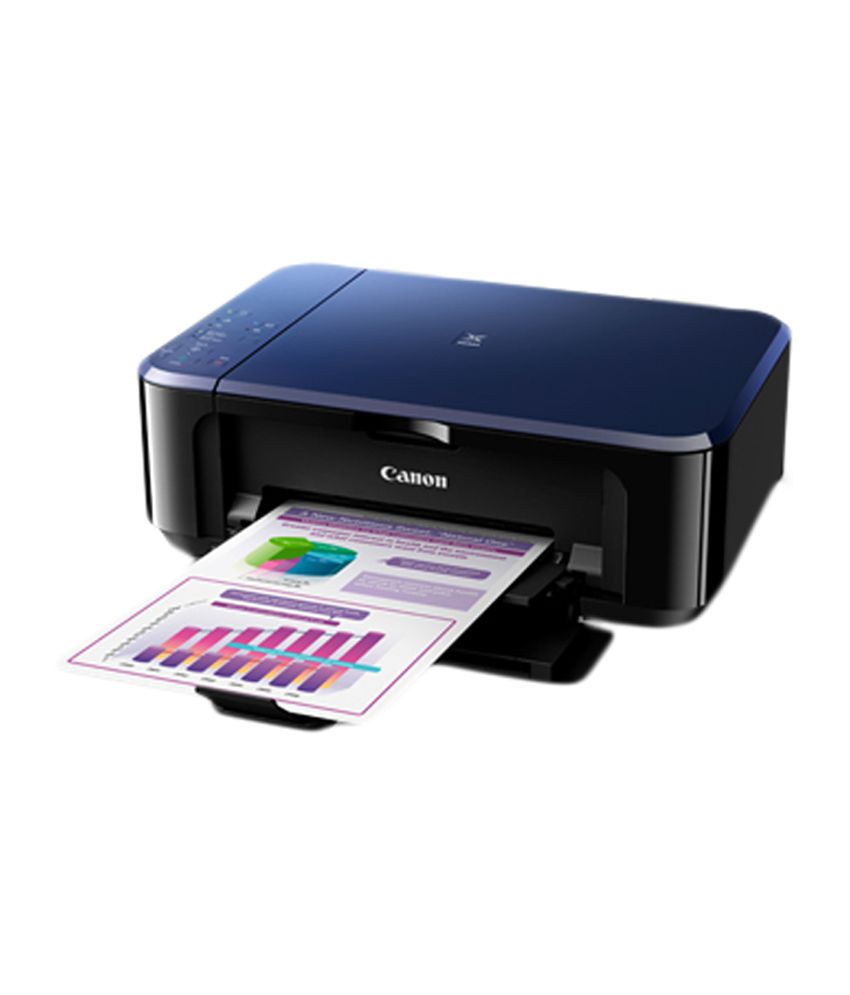

PIXMA E560
Lower Printing Costs

Enjoy lower cost of operation by printing up to 800 pages* of A4 documents with the PG-89 ink cartridge! The CL-99 ink cartridge prints up to 300 pages*.
* In accordance with ISO/IEC 24712
Purchase Cartridge

PIXMA Printing Solutions App

Using a smartphone or tablet device, users can print documents and images stored on their devices, or scan a document directly into their devices. Available for iOS and Android OS devices.
Wireless Connectivity

The PIXMA E560 is the first Canon PIXMA Ink Efficient printer to feature wireless LAN connectivity. Print, scan, and perform printer operations with ease, without the need to be tethered to a PC via USB.
Auto 2-Sided Printing

Save time and resources by printing 2-sided documents.
Auto Power ON

Auto Power ON detects a print command and will automatically switch the printer on.
What's in it?
Specifications for PIXMA E560
| Printer | |||
| Maximum Printing Resolution | 4800 (horizontal)*1 x 1200 (vertical) dpi | ||
| Print Head / Ink | Type: | FINE Cartridge | |
| Number of Nozzles: | Total 1,792 nozzles | ||
| Ink Droplet Size: | 2pl | ||
| Ink Tank: | PG-89, CL-99 | ||
| Print Speed*2 Based on ISO / IEC 24734. Click here for summary report Click here for Document Print and Copy Speed Measurement Conditions |
Document: Col | ESAT / Simplex | approx. 5.7ipm |
| Document: B / W | ESAT / Simplex | approx. 9.9ipm | |
| Photo (4 x 6") | PP-201 / Borderless | approx. 44secs. | |
| Printable Width | Up to 203.2mm (8inch), Borderless: Up to 216mm (8.5inch) | ||
| Printable Area | Borderless Printing*3 | Top / Bottom / Right / Left margin: each 0mm (Supported Paper Size: A4, LTR, 4 x 6" ,5 x 7" ,8 x 10") |
|
| Bordered Printing | Top margin: 3mm, Bottom margin: 5mm, Left / Right margin: each 3.4mm (LTR / LGL: Left: 6.4mm, Right: 6.3mm) |
||
| Bordered Auto 2-sided printing | Top margin: 5mm, Bottom margin: 5mm, Left / Right margin: each 3.4mm (LTR / LGL: Left: 6.4mm, Right: 6.3mm) |
||
| Recommended Printing Area | Top margin: 32.5mm / Bottom margin: 33.5mm | ||
| Paper Size | A4, A5, B5, LTR, LGL, 4 x 6", 5 x 7", 8 x 10", Envelopes (DL, COM10), Custom size (width 89mm - 215.9mm, length 127mm - 676mm) | ||
| Paper Handling - Front Tray (Maximum Number) |
Plain Paper | A4, A5, B5, LTR=100, LGL=10 | |
| High Resolution Paper (HR-101N) | A4=80 | ||
| Photo Paper Pro Platinum (PT-101) | 4 x 6"=20, A4=10 | ||
| Photo Paper Plus Glossy II (PP-201) | 4 x 6"=20, A4=10 | ||
| Photo Paper Pro Luster (LU-101) | A4=10 | ||
| Photo Paper Plus Semi-Gloss (SG-201) | 4 x 6"=20, A4, 8 x 10"=10 | ||
| Glossy Photo Paper "Everyday Use" (GP-601) | 4 x 6"=20, A4=10 | ||
| Matte Photo Paper (MP-101) | 4 x 6"=20, A4=10 | ||
| Envelope | European DL / US Com. #10=5 | ||
| Support Media for Auto 2-sided printing |
Type | Plain Paper | |
| Size | A4, A5, B5, LTR | ||
| Paper Weight | - Front Tray | Plain Paper: 64-105 g/m2, Canon specialty paper: max paper weight: approx. 300 g/m2 (Photo Paper Pro Platinum PT-101) |
|
| Ink End Sensor | Dot count | ||
| Print Head Alignment | Manual | ||
| Scan*4 | |||
| Scanner Type | Flatbed | ||
| Scanning Method | CIS (Contact Image Sensor) | ||
| Optical Resolution*5 | 1200 x 2400dpi | ||
| Selectable Resolution*6 | 25 - 19200dpi | ||
| Scanning Bit Depth (Input / Output) | Grayscale: | 16bits / 8bits | |
| Colour: | 48bits / 24bits (RGB each 16bits / 8bits ) | ||
| Line Scanning Speed*7 | Grayscale: | 1.2ms/line (300dpi) | |
| Colour: | 3.5ms/line (300dpi) | ||
| Scanning Speed*8 | Reflective: A4 Colour / 300dpi |
Approx. 14secs. | |
| Maximum Document Size | Flatbed: | A4 / LTR (216 x 297mm) | |
| Copy | |||
| Maximum Document Size | A4 / LTR (216 x 297mm) | ||
| Compatible Media | Size: | A4, LTR, 4 x 6" (PP-201) | |
| Type: | Plain Paper Photo Paper Plus Glossy II (PP-201) ( 4"×6") |
||
| Image Quality | Plain Paper: | Fast, Standard | |
| Copy Speed*9 Based on ISO / IEC 24735 and ISO / IEC 29183 standard. Click here for summary report Click here for Document Print and Copy Speed Measurement Conditions |
Document: Colour: sFCOT / Simplex: |
approx. 25secs. | |
| Document: Colour: sESAT / Simplex: |
Approx. 2.5ipm | ||
| Multiple Copy | Black / Colour | 1 - 21 pages | |
| Network | |||
| Protocol | TCP/IP | ||
| Wireless LAN | Network Type | IEEE802.11n / IEEE802.11g / IEEE802.11b | |
| Frequency Band | 2.4GHz | ||
| Channel*10 | 1-13 | ||
| Range | indoor 50m (depends on the transmission speed and conditions) | ||
| Security | WEP64 / 128bit, WPA-PSK (TKIP/AES), WPA2-PSK (TKIP/AES) | ||
| System Requirements | |||
| Windows: | (Please visit www.canon-asia.com to check OS compatibility and to download the latest driver updates.) | Windows 8 / Windows 7 / Windows XP / Windows Vista | |
| Macintosh: | Mac OS X v10.6.8 and later | ||
| General Specifications | |||
| Interface | Wireless LAN IEEE 802.11 b / g / n, USB 2.0 Hi-Speed | ||
| Google Cloud Print | Available | ||
| PIXMA Printing Solutions | Available | ||
| Operating Environment | Temperature: 15 - 30°C; Humidity: 10 - 80% RH (no dew condensation) | ||
| Storage Environment | Temperature: 0 - 40°C; Humidity: 5 - 95% RH (no dew condensation) | ||
| Acoustic Noise (PC Print) | Photo (4" x 6")*11 | approx. 42.5dB(A) | |
| Power | AC 100 - 240V, 50 / 60Hz | ||
| Power Consumption | Standby (scanning lamp is off) Wireless LAN connection to PC |
Approx. 1.7W | |
| OFF: | Approx. 0.3W | ||
| Copying*12 Wireless LAN connection to PC |
Approx. 16W | ||
| Environment | Regulation: | RoHS (EU, China), WEEE (EU) | |
| Eco-Label: | Energy Star | ||
| Dimension (W x D x H) | approx. 449 x 304 x 152mm | ||
| Weight | approx. 5.4kg | ||
| Specifications are subject to change without notice. | |
| *1 |
Ink droplets can be placed with a pitch of 1 / 4800 inch at minimum.
|
| *2 | Document print speeds are the averages of ESAT in Office Category Test for the default simplex mode, ISO / IEC 24734. Photo print speed is based on the default setting using ISO / JIS-SCID N2 on Photo Paper Plus Glossy II and does not take into account data processing time on host computer. Print speed may vary depending on system configuration, interface, software, document complexity, print mode, page coverage, type of paper used etc. |
| *3 | Paper types NOT supported for borderless printing are as follows: Envelope, High Resolution Paper, T-Shirt Transfer, Photo Stickers |
| *4 | TWAIN driver (ScanGear) is based on the TWAIN specification V1.9 and requires the Data Source Manager comes with the operating system. |
| *5 | Optical resolution is a measure of maximum hardware sampling resolution, based on ISO 14473 standard. |
| *6 | Increasing the scanning resolution will limit the maximum possible scanning area. |
| *7 | The fastest speed in Hi-Speed USB on Windows PC. Transfer time to computer is not included. |
| *8 | Color document scan speed is measured with ISO / IEC 29183 Target A. Scan speed indicates the time measured between pressing the scan button of the scanner driver and the on-screen status display turns off. Scan speed may vary depending on system configuration, interface, software, scan mode settings and document size etc. |
| *9 | Copy speeds are the average of sFCOT and sESAT, ISO / IEC 29183. Copy speed may vary depending on document complexity, copy mode, page coverage, type of paper used etc. and does not take into account warm-up time. |
| *10 | 1-11 in US, CND, LTN, BRA and TW. |
| *11 | When printing ISO / JIS-SCID N2 on 4" x 6" Photo Paper Plus Glossy II using default settings. |
| *12 | When printing ISO / JIS-SCID N2 on A4 size plain paper using default settings. |
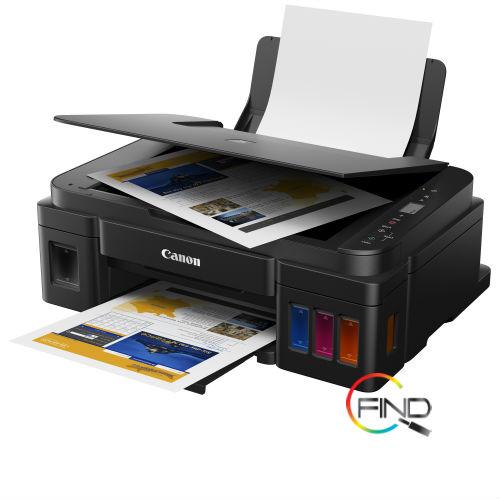
|
High Page Yield Ink Bottles |
Integrated Ink Tank System |
Spill-Resistant Ink Bottle Design |
|||
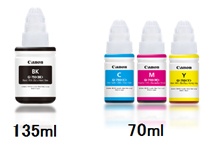
With high page yield ink bottles up to 7000 pages, users can enjoy printing without having to worry about cost of ink, or ink supplies running low. |
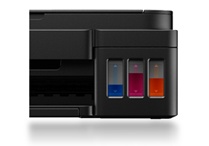
Built-in integrated ink tanks create a compact printer body. Users can also view remaining ink levels easily at a glance. |
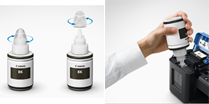
The ink bottles come with a special tip design that reduces spillage during ink refilling. |
|||
|
PosterArtist Lite Software |
Quality Photo and Document Printing |
New Panel Design for Even Easier Operation |
|||
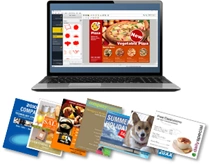
Choose from over 100 types of templates to create posters or flyers for small businesses. |
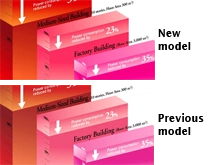
Improved colour image quality with sharp black text. |
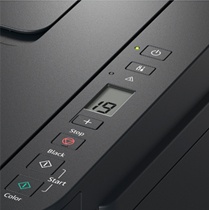
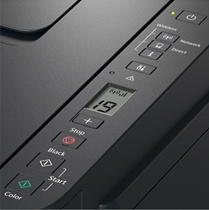
A new operation panel design makes it easy to perform multiple copies or scans easily. |
Specifications for PIXMA G2010
| Printer | |||
| Maximum Printing Resolution | 4800 (horizontal)*1 x 1200 (vertical) dpi | ||
| Print Head / Ink | Number of Nozzles: | Total 1,472 nozzles | |
| Ink Bottles | GI-790 (Black, Cyan, Magenta, Yellow) | ||
| Print Speed*2 Based on ISO / IEC 24734 Click here summary report Click here for Document Print and Copy Speed Measurement Conditions |
Document: Col | ESAT / Simplex | Approx. 5.0ipm |
| Document: B / W | ESAT / Simplex | Approx. 8.8ipm | |
| Document: Col | FPOT Ready/Simplex | Approx. 17secs. | |
| Document: B / W | FPOT Ready/Simplex | Approx. 11secs. | |
| Document: Col | FPOT Sleep/Simplex | Approx. 21secs. | |
| Document: B / W | FPOT Sleep/Simplex | Approx. 14secs. | |
| Photo (4 x 6") | PP-201 / Borderless | Approx. 60secs. | |
| Printable Width | Bordered: | Up to 203.2mm (8 inch) | |
| Borderless: | Up to 216mm (8.5 inch) | ||
| Printable Area | Borderless Printing*3 | Top / Bottom / Right / Left margin: each 0mm (Supported Paper Size: A4 / Letter / 4 x 6" / 5 x 7" / 8 x 10" / Square (5 x 5") / Business Card) | |
| Bordered Printing | Top margin: 3mm, Bottom margin: 5mm, Left / Right margin: each 3.4mm (Letter / Legal: Left: 6.4mm, Right: 6.3mm) |
||
| Recommended Printing Area | Top margin: | 31.2mm | |
| Bottom margin: | 32.5mm | ||
| Paper Size | A4, A5, B5, Letter, Legal, 4 x 6", 5 x 7", 8x 10", Envelopes (DL, COM10), Square (5 x 5"), Business Card, Custom size (width 55 - 215.9mm, length 89 - 676mm) | ||
| Paper Handling (Rear Tray) (Maximum Number) |
Plain Paper | A4, A5, B5, Letter = 100, Legal = 10 | |
| High Resolution Paper (HR-101N) | A4, Letter = 80 | ||
| Photo Paper Plus Glossy II (PP-201) | A4, Letter = 10, 4 x 6" = 20, 5 x 7", 8 x 10" = 10, Square (5 x 5") = 20 | ||
| Photo Paper Pro Luster (LU-101) | A4, Letter = 10 | ||
| Photo Paper Plus Semi-Gloss (SG-201) | A4, Letter = 10, 4 x 6" = 20, 5 x 7", 8 x 10" = 10 | ||
| Matte Photo Paper (MP-101) | A4, Letter = 10, 4 x 6" = 20 | ||
| Envelope | European DL / US Com. #10 = 10 | ||
| Glossy Photo Paper "Everyday Use" (GP-508) | A4 = 10, 4 x 6" = 20 | ||
| Photo Paper Plus Glossy II (PP-208) | A4, 4 x 6" = 10 | ||
| Photo Sticker | PS-108, PS-308R, PS-208, PS-808 = 1 | ||
| Paper Weight | Rear Tray | Plain Paper: 64 - 105g/m2, Canon specialty paper: max paper weight: approx. 275g/m2 Photo Paper Plus Glossy II (PP-201) | |
| Ink End Sensor | Dot count | ||
| Print Head Alignment | Manual | ||
| Scan*4 | |||
| Scanner Type | Flatbed | ||
| Scanning Method | CIS (Contact Image Sensor) | ||
| Optical Resolution*5 | 600 x 1200dpi | ||
| Scanning Bit Depth (Input / Output) | Grayscale: | 16 / 8-bit | |
| Colour: | 48 / 24-bit (RGB each 16 / 8-bit) | ||
| Line Scanning Speed*6 | Grayscale: | 1.5ms/line (300dpi) | |
| Colour: | 3.5ms/line (300dpi) | ||
| Scanning Speed*7 | Reflective: A4 Colour / 300dpi |
Approx. 19secs. | |
| Maximum Document Size | Flatbed: | A4 / Letter (216 x 297mm) | |
| Copy | |||
| Maximum Document Size | A4 / Letter (216 x 297mm) | ||
| Compatible Media | Size: | A4, Letter | |
| Type: | Plain Paper Photo Paper Pro Luster (LU-101) |
||
| Image Quality | Plain Paper: Fast, Standard | ||
| Copy Speed*8 Based on ISO / IEC 24734. Click here for summary report Click here for Document Print and Copy Speed Measurement Conditions |
Document: Colour sFCOT / Simplex |
Approx. 32secs. | |
| Document: Colour sESAT / Simplex |
Approx. 1.7ipm | ||
| Multiple Copy | Black / Colour: | 1 - 20 pages | |
| System Requirements (Please visit www.canon-asia.com to check OS compatibility and to download the latest driver updates) |
Windows: | Windows 10, Windows 8.1, Windows 7 SP1 | |
| Macintosh: | Mac OS is not supported | ||
| General Specifications | |||
| Operation Panel | Display | LCD (1.2 inch segment mono) | |
| Interface | USB 2.0 Hi-Speed | ||
| Paper Output Tray | A4, Letter = 50, Legal = 10 | ||
| Operating Environment*9 | Temperature: | 5 - 35°C | |
| Humidity: | 10 - 90% RH (no dew condensation) | ||
| Recommended Environment*10 | Temperature: | 15 - 30°C | |
| Humidity: | 10 - 80% RH (no dew condensation) | ||
| Storage Environment | Temperature: | 0 - 40°C | |
| Humidity: | 5 - 95% RH (no dew condensation) | ||
| Quiet Mode | Available | ||
| Acoustic Noise (PC Print)*11 | Plain Paper (A4, B/W) | Approx. 53.5dB(A) | |
| Power | AC 100 - 240V; 50 / 60Hz | ||
| Power Consumption | Connection to PC | USB | |
| OFF: | Approx. 0.2W | ||
| Standby (scanning lamp is off): (USB connection to PC) |
Approx. 0.6W | ||
| Standby (all ports connected, scanning lamp is off) | Approx. 0.6W | ||
| Copying*12: G2010 | Approx. 9W | ||
| Typical Electricity Consumption (TEC)*13 |
0.1kWh |
||
| Environment | Regulation: | RoHS (EU, China)*, WEEE (EU)* *To be fixed |
|
| Eco-Label: | Energy Star* *To be fixed |
||
| Dimension (W x D x H) | Factory configuration | Approx. 445 x 330 x 135mm | |
| Output / ADF trays extended | Approx. 445 x 533 x 260mm | ||
| Weight |
Approx. 6.3kg |
||
Consumables for PIXMA G2010
Ink Cartridges / Bottles or Toner Cartridges
| Consumables | Price |
| GI-790 (Black) | $ 13.70 |
| GI-790 (Cyan) | $ 13.70 |
| GI-790 (Magenta) | $ 13.70 |
| GI-790 (Yellow) | $ 13.70 |
Canon PIXMA G3000 | Refillable Ink Tank Wireless All-In-One for High Volume Printing
| Maximum Printing Resolution | 4800 (horizontal)*1 x 1200 (vertical) dpi | |
| Print Head / Ink | Type: | Individual Ink Bottle |
| Number of Nozzles: | Total 1,472 nozzles | |
| Ink Droplet Size: | 2pl min | |
| Ink Bottle: | GI-790 (Cyan, Magenta, Yellow, Black) | |
| Print Speed*2 Based on ISO / IEC 24734. Click here for summary report Click here for Document Print and Copy Speed Measurement Conditions |
Document: Colour: ESAT / Simplex: |
Approx. 5.0ipm |
| Document: B/W: ESAT / Simplex: |
Approx. 8.8ipm | |
| Photo (4 x 6"): PP-201 / Borderless |
Approx. 60secs. | |
| Printable Width | Bordered: | Up to 203.2mm (8-inch) |
| Borderless: | Up to 216mm (8.5-inch) | |
| Printable Area | Borderless Printing*3: | Top / Bottom / Right / Left margin: each 0mm (Supported Paper Size: A4 / Letter / 4 x 6" / 5 x 7" / 8 x 10") |
| Bordered Printing: | Top margin: 3mm, Bottom margin: 5mm, Left / Right margin: each 3.4mm (Letter / Legal: Left: 6.4mm, Right: 6.3mm) |
|
| Scanner Type | Flatbed | |
| Scanning Method | CIS (Contact Image Sensor) | |
| Optical Resolution*5 | 600 x 1200dpi | |
| Selectable Resolution*6 | 25 - 19200dpi | |
| Scanning Bit Depth (Input / Output) | Grayscale: | 16 bits / 8 bits |
| Colour: | 48 bits / 24 bits (RGB each 16 bits / 8 bits ) | |
| Line Scanning Speed*7 | Grayscale: | 1.2ms/line (300dpi) |
| Colour: | 3.5ms/line (300dpi) | |
| Scanning Speed*8 | Reflective: A4 Colour / 300dpi |
Approx. 19secs. |
| Maximum Document Size | Flatbed: | A4 / Letter (216 x 297mm) |
Specifications of CANON AIO INKTANK G3000 Refillable Ink Tank Wireless All-In-One for High Volume Printing
Canon Pixma G3010 NEW! Refillable Ink Tank Wireless 3-In-1 High Volume Printing (Mac OS is not supported)

|
High Page Yield Ink Bottles |
Integrated Ink Tank System |
Spill-Resistant Ink Bottle Design |
|||
|
With high page yield ink bottles up to 7000 pages, users can enjoy printing without having to worry about cost of ink, or ink supplies running low. |
Built-in integrated ink tanks create a compact printer body. Users can also view remaining ink levels easily at a glance. |
The ink bottles come with a special tip design that reduces spillage during ink refilling. |
|||
|
One-Touch Direct Wireless Connection |
PosterArtist Lite Software |
Message in Print App |
|||
Connect to your smartphone easily. |
Choose from over 100 types of templates to create posters or flyers for small businesses. |
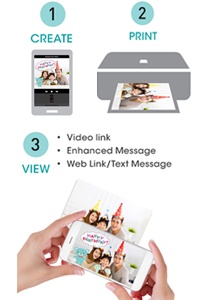
New ways to express yourself in photos!. Embed secret animated greetings or video and web links, and send to your family and friends. Just download the app* and place your device above the photo to unlock the secret messages. |
Specifications for PIXMA G3010
| Printer | |||
| Maximum Printing Resolution | 4800 (horizontal)*1 x 1200 (vertical) dpi | ||
| Print Head / Ink | Number of Nozzles: | Total 1,472 nozzles | |
| Ink Bottles | GI-790 (Black, Cyan, Magenta, Yellow) | ||
| Print Speed*2 Based on ISO / IEC 24734 Click here summary report Click here for Document Print and Copy Speed Measurement Conditions |
Document: Col | ESAT / Simplex | Approx. 5.0ipm |
| Document: B / W | ESAT / Simplex | Approx. 8.8ipm | |
| Document: Col | FPOT Ready/Simplex | Approx. 17secs. | |
| Document: B / W | FPOT Ready/Simplex | Approx. 11secs. | |
| Document: Col | FPOT Sleep/Simplex | Approx. 22secs. | |
| Document: B / W | FPOT Sleep/Simplex | Approx. 14secs. | |
| Photo (4 x 6") | PP-201 / Borderless | Approx. 60secs. | |
| Printable Width | Bordered: | Up to 203.2mm (8 inch) | |
| Borderless: | Up to 216mm (8.5 inch) | ||
| Printable Area | Borderless Printing*3 | Top / Bottom / Right / Left margin: each 0mm (Supported Paper Size: A4 / Letter / 4 x 6" / 5 x 7" / 8 x 10" / Square (5 x 5") / Business Card) | |
| Bordered Printing | Top margin: 3mm, Bottom margin: 5mm, Left / Right margin: each 3.4mm (Letter / Legal: Left: 6.4mm, Right: 6.3mm) |
||
| Recommended Printing Area | Top margin: | 31.2mm | |
| Bottom margin: | 32.5mm | ||
| Paper Size | A4, A5, B5, Letter, Legal, 4 x 6", 5 x 7", 8x 10", Envelopes (DL, COM10), Square (5 x 5"), Business Card, Custom size (width 55 - 215.9mm, length 89 - 676mm) | ||
| Paper Handling (Rear Tray) (Maximum Number) |
Plain Paper | A4, A5, B5, Letter = 100, Legal = 10 | |
| High Resolution Paper (HR-101N) | A4, Letter = 80 | ||
| Photo Paper Plus Glossy II (PP-201) | A4, Letter = 10, 4 x 6" = 20, 5 x 7", 8 x 10" = 10, Square (5 x 5") = 20 | ||
| Photo Paper Pro Luster (LU-101) | A4, Letter = 10 | ||
| Photo Paper Plus Semi-Gloss (SG-201) | A4, Letter = 10, 4 x 6" = 20, 5 x 7", 8 x 10" = 10 | ||
| Matte Photo Paper (MP-101) | A4, Letter = 10, 4 x 6" = 20 | ||
| Envelope | European DL / US Com. #10 = 10 | ||
| Glossy Photo Paper "Everyday Use" (GP-508) | A4 = 10, 4 x 6" = 20 | ||
| Photo Paper Plus Glossy II (PP-208) | A4, 4 x 6" = 10 | ||
| Photo Sticker | PS-108, PS-308R, PS-208, PS-808 = 1 | ||
| Paper Weight | Rear Tray | Plain Paper: 64 - 105g/m2, Canon specialty paper: max paper weight: approx. 275g/m2 Photo Paper Plus Glossy II (PP-201) | |
| Ink End Sensor | Dot count | ||
| Print Head Alignment | Manual | ||
| Scan*4 | |||
| Scanner Type | Flatbed | ||
| Scanning Method | CIS (Contact Image Sensor) | ||
| Optical Resolution*5 | 600 x 1200dpi | ||
| Scanning Bit Depth (Input / Output) | Grayscale: | 16 / 8-bit | |
| Colour: | 48 / 24-bit (RGB each 16 / 8-bit) | ||
| Line Scanning Speed*6 | Grayscale: | 1.5ms/line (300dpi) | |
| Colour: | 3.5ms/line (300dpi) | ||
| Scanning Speed*7 | Reflective: A4 Colour / 300dpi |
Approx. 19secs. | |
| Maximum Document Size | Flatbed: | A4 / Letter (216 x 297mm) | |
| Copy | |||
| Maximum Document Size | A4 / Letter (216 x 297mm) | ||
| Compatible Media | Size: | A4, Letter | |
| Type: | Plain Paper Photo Paper Pro Luster (LU-101) |
||
| Image Quality | Plain Paper: Fast, Standard | ||
| Copy Speed*8 Based on ISO / IEC 24734. Click here for summary report Click here for Document Print and Copy Speed Measurement Conditions |
Document: Colour sFCOT / Simplex |
Approx. 24secs. | |
| Document: Colour sESAT / Simplex |
Approx. 3.5ipm | ||
| Multiple Copy | Black / Colour: | 1 - 20 pages | |
| Network | |||
| Protocol | TCP / IP | ||
| Wireless LAN | Network Type: | IEEE 802.11n / IEEE 802.11g / IEEE 802.11b | |
| Frequency Band: | 2.4GHz | ||
| Channel*9: | 1 - 13 | ||
| Range: | Indoor 50m (depends on the transmission speed and conditions) | ||
| Security: | WEP 64 / 128-bit, WPA-PSK (TKIP / AES), WPA2-PSK (TKIP / AES) | ||
| Direct Connection (Wireless LAN) | Available (AP Mode only) | ||
| Printing Solutions | |||
| Mopria | Available | ||
| Google Cloud Print | Available | ||
| Smart Device Print Plug-In (for Android / Amazon device) |
Available | ||
| PIXMA Cloud Link | From smartphone or tablet: | Available | |
| Canon PRINT Inkjet / SELPHY App (for iOS / for Android) Canon Easy-PhotoPrint (for Windows RT) |
Available | ||
| Layout | 1-up (bordered / borderless*10) | Letter, A4, 4 x 6", 5 x 7", 8 x 10", Square 5 x 5", Business card | |
| 1-up (bordered only) | A5, B5, Legal | ||
| Print Quality | Fixed | ||
| System Requirements (Please visit www.canon-asia.com to check OS compatibility and to download the latest driver updates) |
Windows: | Windows 10, Windows 8.1, Windows 7 SP1 | |
| Macintosh: | Mac OS is not supported | ||
| General Specifications | |||
| Operation Panel | Display | LCD (1.2 inch segment mono) | |
| Interface | USB 2.0 Hi-Speed | ||
| Paper Output Tray | A4, Letter = 50, Legal = 10 | ||
| Operating Environment*11 | Temperature: | 5 - 35°C | |
| Humidity: | 10 - 90% RH (no dew condensation) | ||
| Recommended Environment*12 | Temperature: | 15 - 30°C | |
| Humidity: | 10 - 80% RH (no dew condensation) | ||
| Storage Environment | Temperature: | 0 - 40°C | |
| Humidity: | 5 - 95% RH (no dew condensation) | ||
| Quiet Mode | Available | ||
| Acoustic Noise (PC Print)*13 | Plain Paper (A4, B/W) | Approx. 53.5dB(A) | |
| Power | AC 100 - 240V; 50 / 60Hz | ||
| Power Consumption | Connection to PC | WiFi | |
| OFF: | Approx. 0.2W | ||
| Standby (scanning lamp is off): (USB connection to PC) |
Approx. 1.2W | ||
| Standby (all ports connected, scanning lamp is off) | Approx. 1.2W | ||
| Copying*14: G3010 | Approx. 11W | ||
| Typical Electricity Consumption (TEC)*15 |
0.1kWh |
||
| Environment | Regulation: | RoHS (EU, China)*, WEEE (EU)* *To be fixed |
|
| Eco-Label: | Energy Star* *To be fixed |
||
| Dimension (W x D x H) | Factory configuration | Approx. 445 x 330 x 163mm | |
| Output / ADF trays extended | Approx. 445 x 533 x 260mm | ||
| Weight |
Approx. 6.3kg |
||
Consumables for PIXMA G3010
Ink Cartridges / Bottles or Toner Cartridges
| Consumables | Price |
| GI-790 (Black) | $ 13.70 |
| GI-790 (Cyan) | $ 13.70 |
| GI-790 (Magenta) | $ 13.70 |
| GI-790 (Yellow) | $ 13.70 |
Canon Pixma G4010 NEW! Refillable Ink Tank Wireless All-In-One with Fax High Volume Printing
Canon PIXMA iX6870 Color Inkjet Printer Printing Only Wired Wireless AirPrint
Product details of Canon PIXMA iX6870 Color Inkjet Printer | Printing Only Wired Wireless AirPrint
Canon PIXMA iX6870 Color Inkjet Printer | Printing Only, Wired, Wireless, AirPrint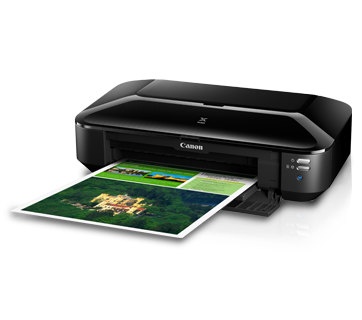
Print documents up to A3 size
Get an edge over the business competition.The iX6870 is capable of printing high-resolution spreadsheets and CAD drawings up to A3 size.
New Individual Ink Tank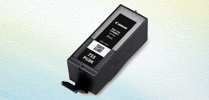
New XXL ink tank that can print approx. 2.6 times more prints as compared to the standard ink tank.
PIXMA Printing Solutions App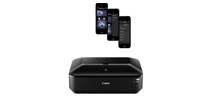
Using a smartphone or tablet device, users can print documents and images stored on their devices, or scan a document directly into their devices. Available for iOS and Android OS devices.
Solution Template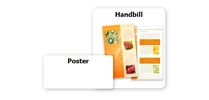
Download special solution templates designed (menus, sales offerings and other office-related signs) for use exclusively with this printer through the Quick Menu
AirPrint
Allow users to print photos, emails, web pages and documents wirelessly, without the need to install device drivers.
Auto Power ON
Auto Power ON detects a print command and will automatically switch the printer on.
