


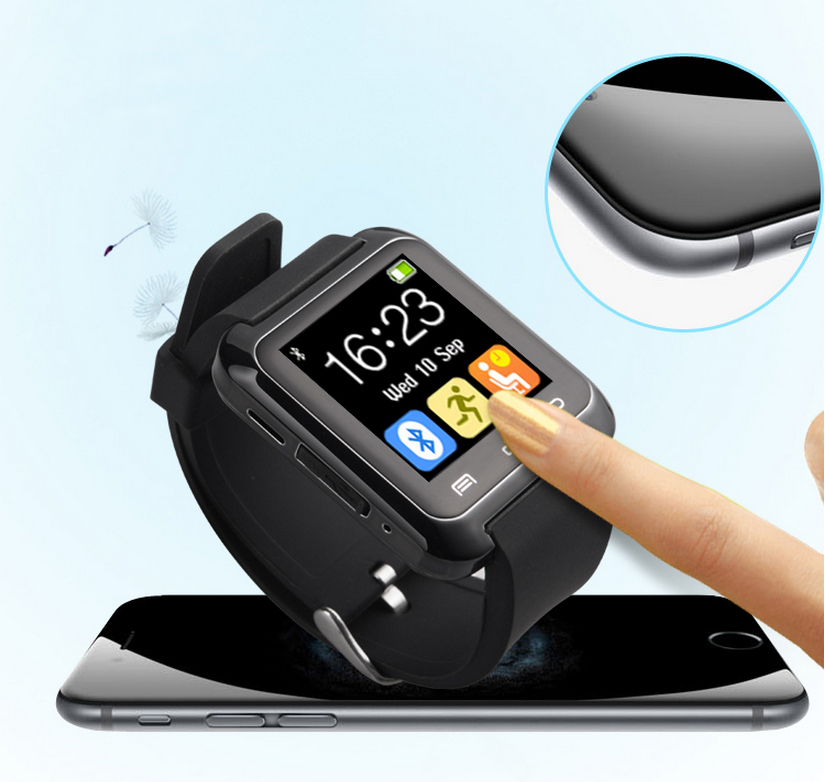


Description:
Synchronise the phonebook of the android smartphones and services
Date / alarm clock / phone / stop watch / phonebook / message / music play
Bracelets watch fashion design
Adopts the world advanced oled luminescence screen, hardening, glass lenses
Environmental protection fashion silicone strap, the high strength of the shell
Adopting TI bluetooth chip, signal stability, power consumption
Answer phone calls prompt, back to dial the phone, refused to call
Alarm vibration and voice prompt
190 ma rechargeable lithium battery
Bluetooth version: V3.0 EDR
Bluetooth: A2DP + HFP1.5 + HSP1.2
Rechargable battery: 190mA lithium battery
Transmit range: 10M
Charging time: 2h
Standby time: 120h
Talking time: 5h
Music time: 6h
Diameter:40mm
Thickness:18mm
Work Temperature:10---40 degree
Storage Temperature: -0---50degree
Package includes:
1 * smart watch
1 * charging adapter
1 * charging cable
1 * user manual
FAQ
1) Is the U8 watch Waterproof?
The U8 Smartwatch is Water Resistance
(Splash proof) but not waterproof.
You can use it for normal daily activities,
hand wash and rain is fine. For shower,
recommend to take it off.
2) How to download/install the BT Notifier?
Functions that require Bluetooth (BT)
Notifier is ONLY for Android Phones,
NOT for Apple IOS. Apple IOS can't use
those functions.
BT Notifier is a apk file. They are to be
downloaded onto and install on your phone.
Instruction on how to download can be
found in the link provided in the Instruction Manual.
3) How to connect the Watch to the Phone?
The Watch is connected to the Phone
(iPhone/Android) through Bluetooth Connection.
(A) Ensure that Bluetooth is switched
on for both Watch and iPhone.
(B) Allow your Phone and Watch to
search for nearby bluetooth devices to pair up with.
(C) Follow either Step (i) or (ii).
(i).
If you try to connect/pair from your Phone
The name of the watch should be "U8",
click on "U8" to pair.
(ii).
If you try to connect/pair from your Watch
The name of your phone should appear,
click on it to pair.
(D) A confirmation message should pop
up on both your phone and the watch.
Click "Confirm" on both your phone and the watch
(Watch confirm button - the leftmost
touchscreen button).
If it doesn't work, please switch
the bluetooth connection on/off and try again.