Samsung Xpress SL-M2835DW Laser Printer
The Xpress M2835DW offers the high-performance, professional-quality output and seamless connectivity that is essential to meeting today’s aggressive mobile workflow demands as well as reducing printing expenditures and total cost of ownership (TCO).
Enjoy upgraded Samsung mobile printing solutions.
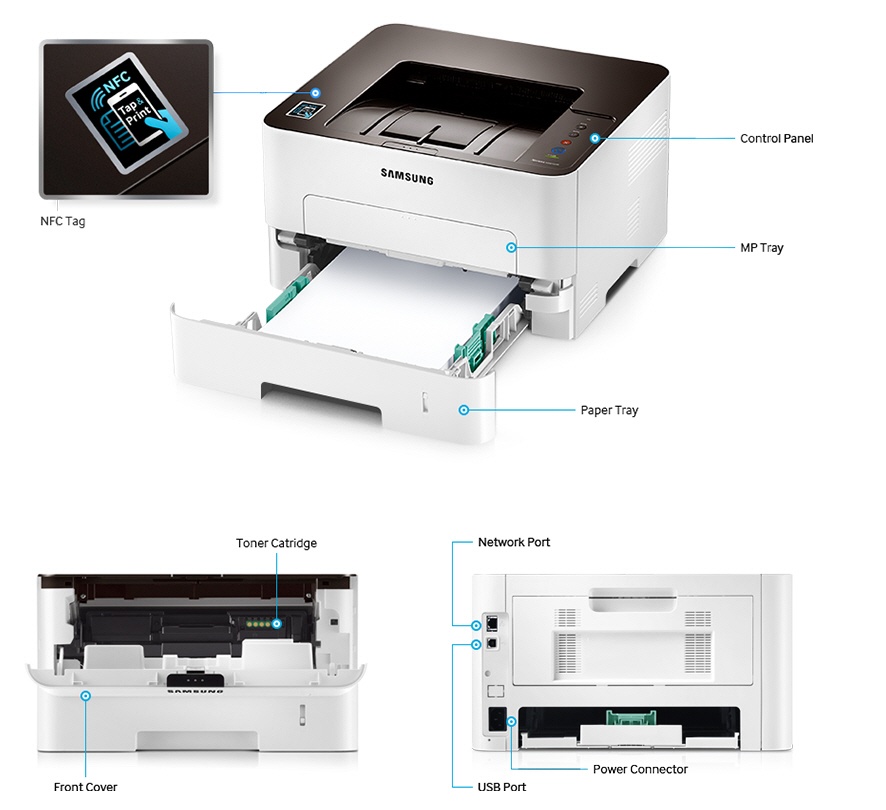
Samsung NFC Print™: Tap, print and go
Direct printing without an app on Samsung GALAXY® devices
Google Cloud Print™ ready
Samsung Mobile Print app: Advanced mobile printing with more options
Improve workflow with fast, high-quality printing
High-speed printing and image processing
Sharp and professional document quality
Diverse printing choices for professional documents
Cut costs while lowering energy and toner usage
One-touch Eco button
Easy Eco Driver
Low total cost of ownership
Features
Samsung NFC Print™: Tap, print and go
- Workers can simply tap their smart devices to print from a printer with the Samsung Mobile Print app on their mobile devices thanks to Samsung NFC Print™.
Direct printing without an app on Samsung GALAXY® devices
- Print photos and web pages from GALAXY S® series devices without needing an app.
Google Cloud Print™ ready
- Just simply register your printer to your Google account with the Samsung Mobile Print app by tapping your mobile device. Then use Google Cloud Print™ to print from mobile devices virtually anywhere.
Samsung Mobile Print app: Advanced mobile printing with more options
- Print with powerful features, including N-up printing and image size adjustment. Moreover, just tap when a print error occurs and a video clip guides you through fixing jams, empty toner and more.
High-speed printing and image processing
- The Xpress M2835DW delivers print speeds of up to 28 ppm in A4. These robust MFPs are designed to handle large, complex print jobs with Samsung’s advanced 600 MHz ARM® CortexTM-A5 core processor and 128 MB memory.
Sharp and professional document quality
- ReCP technology improves readability of printed documents by enhancing thin lines and sharpening the edges of negative text. The Xpress M2835DW delivers sharp, solid prints with an effective print resolution output of up to 4,800 x 600 dpi.
Diverse printing choices for professional documents
- The Xpress M2835DW is built to handle a wide range of media types. Businesses can produce flyers and other collateral, even on heavier media, such as 220 g/m² cardstock, for professional-looking results.
One-touch Eco button
- Businesses can lower toner and paper usage with the one-touch Eco button. The one-touch Eco button automatically activates 2-up printing and duplex printing. Users can also choose the option to skip blank pages in the toner-saving mode.
Easy Eco Driver
- Easy Eco Drivercan save on toner and reduces energy consumption. Users can further save toner by removing images or text in toner save mode.
Low total cost of ownership
- Starter and standard yield toner cartridges can yield 1,200 standard pages; high yield replacement cartridges can yield 3,000 standard pages. The separate toner cartridge and imaging unit enables either part to be replaced only when necessary.
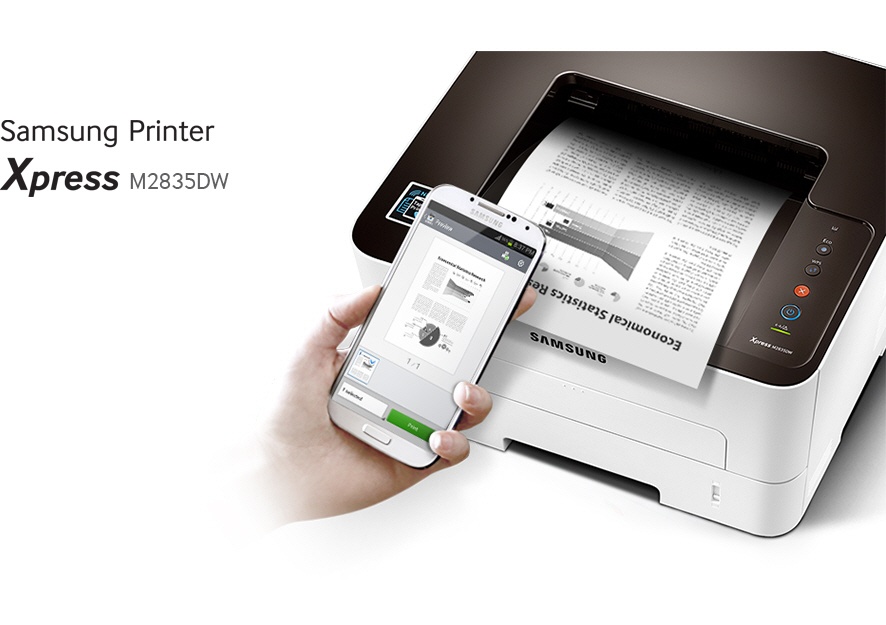
Professional performance. Perfect price. Be much more productive and efficient with fast and easy-to-use printers that give you great value for money
A Printer That Makes Your Smartphone Even Smarter
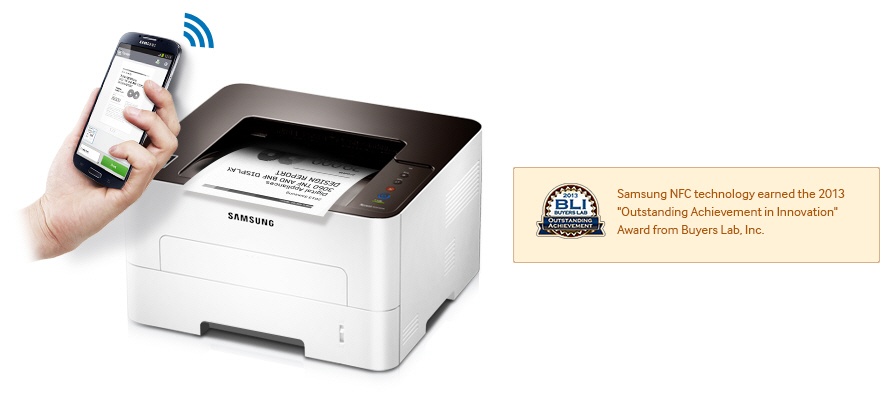
Print wirelessly and share effortlessly with the Samsung Xpress M2835DW. All it takes is a simple tap with its advanced NFC technology, Wi-Fi Direct, Google Cloud Print and powerful compatibility. Get Print On Tap! Simply tap your mobile device to the Samsung Xpress M2835DW to print virtually any content.
Don’t wait for the SVC guy to fix your PRT
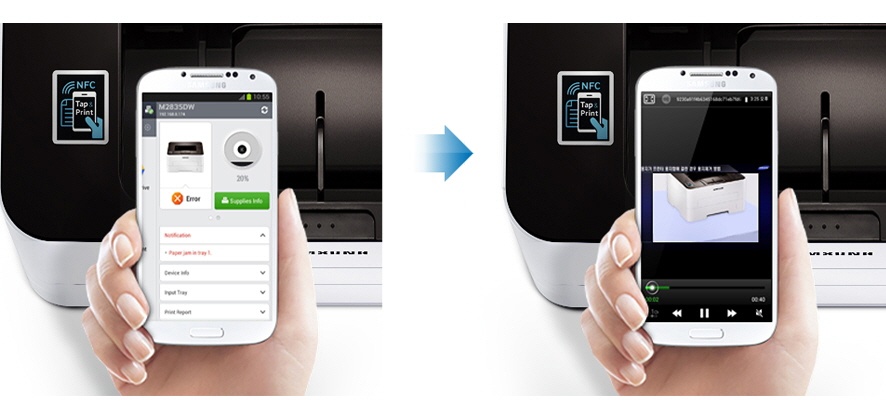
Dealing with a frustrating printer error? There’s no need to call for help when you have a NFC-enabled smartphone. Just tap your smartphone to the printer and you’ll be guided through a series of troubleshooting tips and clips.
Print fast, don’t wait
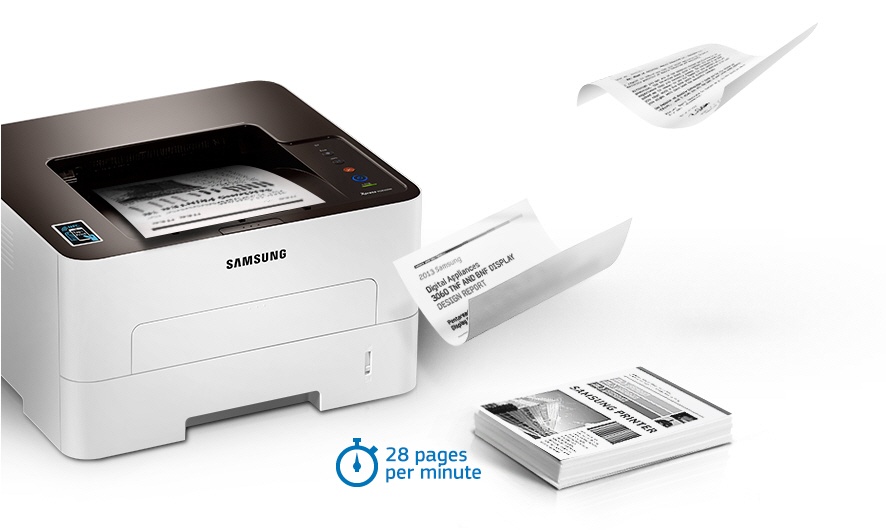
However demanding your professional printing needs, a Samsung Xpress M2835DW Series gives you great results – fast. Save time by printing even complex documents at speeds of up to 28 pages per minute (PPM) thanks to a powerful 600MHz processor and 128MB of memory. With the Cortex-A5 Core, it’s up to 25.6% faster than earlier models, making it one of the fastest printers in its class. That means it helps you to work faster, be more flexible and more productive.
Give a good impression with great print quality
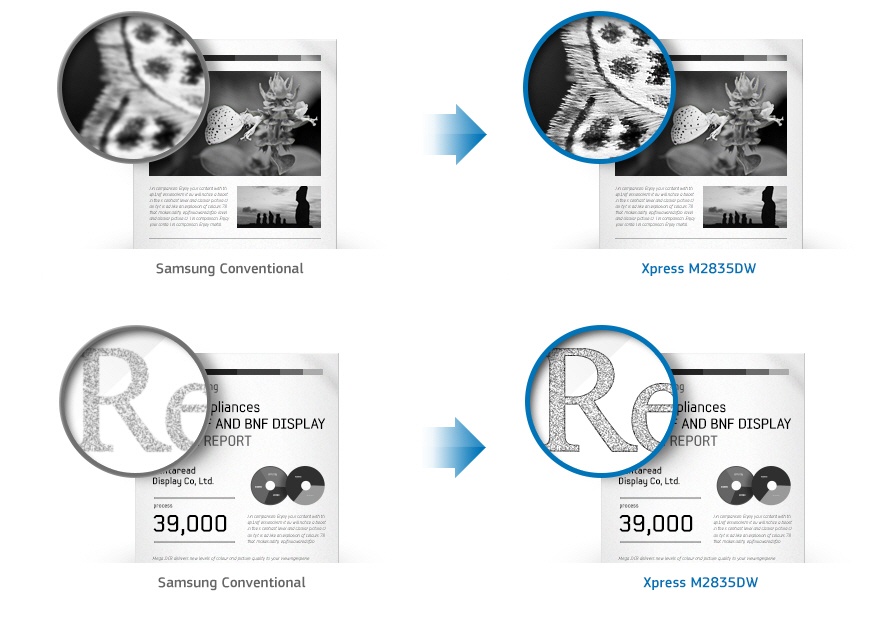
Now impressive professional-quality prints are possible for everyone. Your Samsung Xpress M2835DW Series delivers sharp, clear prints that are sure to make a big impact. Thanks to its 4800 x 600 dpi effective resolution and Rendering Engine for Clean Page (ReCP) technology, you can enjoy higher performance and quality without the need for a bulky larger printer. What’s more, quality-boosting features give you more detail, smoother images and clearer text.. High-resolution printing Even complex images and small text are delivered in fine, detailed prints, thanks to high-resolution print quality up to 4800 x 600 dpi effective. Edge enhancement Enjoy clearer text and more vivid images thanks to edge enhancement, which gives them a far more polished and well-defined edge.
Print with more paper types for all kinds of uses
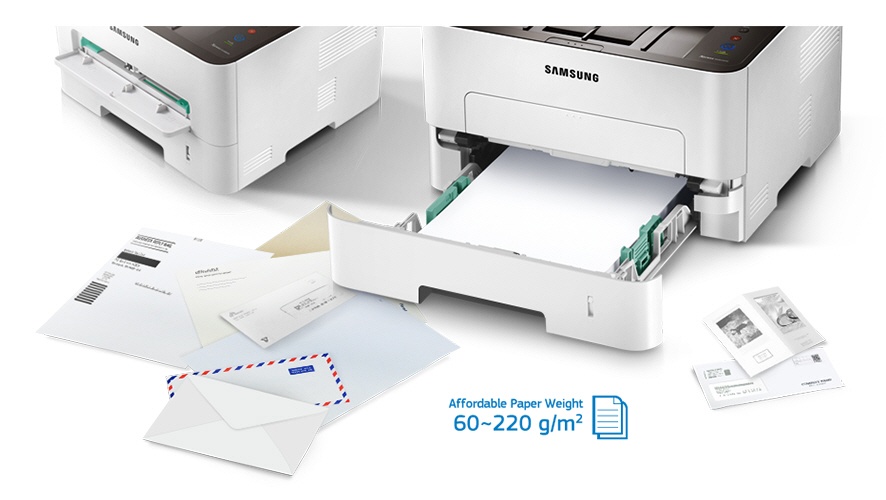
Whatever you need to print, your Samsung Xpress M2835DW Series can handle it. The small but robust printer can use a range of media up to 220 grams per square meter (gsm), including paper, labels, cards, envelopes and overhead projector (OHP) transparencies. You can easily select the paper type you need from the multipurpose (MP) tray, so it’s convenient as well as flexible.
Better for your budget and the planet
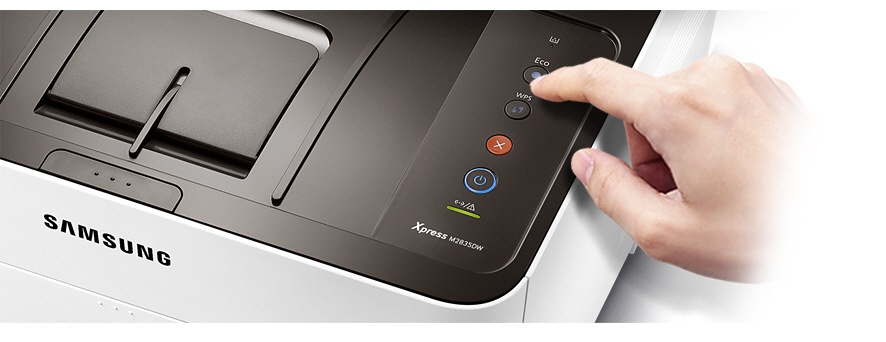
Businesses can decrease toner and paper costs simply with One-Touch Eco button features that help companies limit the amount of resources needed to perform printing operations. One-Touch Eco button enables to employ N-up and duplex printing to print multiple document pages on a single sheet, skipping blank pages to reduce the amount of paper used. Toner save mode also reduces supply costs by decreasing toner use. N-up print Two or more document pages on one sheet to reduce paper use. Toner save mode Prints with less toner to reduce toner use. Duplex printing Pints on both sides of paper to reduce paper use** Available on Duplex Printing supported models only. Skipping blank pages Prints only pages with text or images to avoid paper waste.
Cut energy and supply consumption
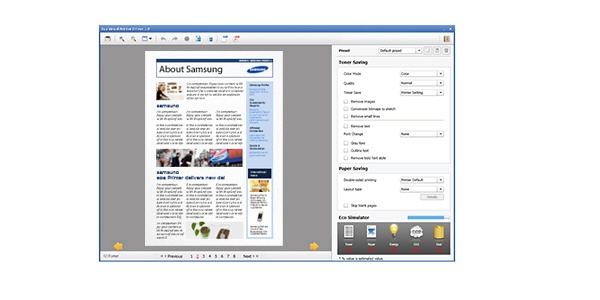
With Easy Eco Driver, you can make savings of up to 20% on toner and paper as well as reducing your energy usage. It helps you cut down on page elements that use high amounts of toner, such as images and bold type fonts, or lighten text so that less toner is required. You can preview and edit your documents before printing, to make sure that the output meets your needs in terms of efficiency and also quality. Eco Simulator also shows you the estimated reduction percentage of CO2, electricity, and paper, so you can see the difference for yourself.
Product info
TECH SPECS
General
Print
SHOW MORE SPECS
Paper Handling
Supplies