How to redeem a prepaid code in a browser
Note Prepaid codes cannot be used or activated if your account has an outstanding balance or your payment option is expired or no longer valid. For more information, see How to pay a past due balance on an Xbox subscription.
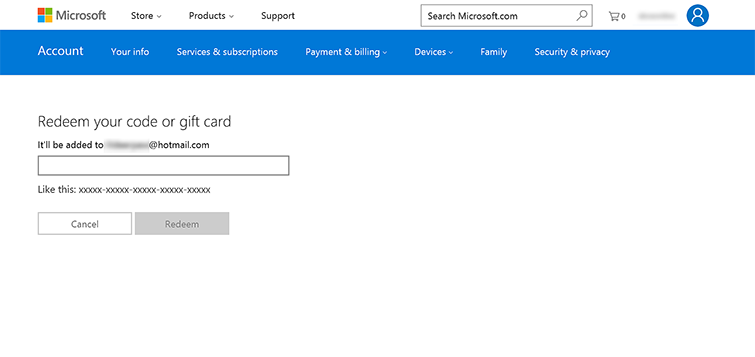
You can redeem all types of prepaid codes, including Microsoft gift cards and Xbox Live Gold subscription cards, through a web browser and use them immediately. Here's how:
- In a browser, go to Redeem code, and then select Sign In.
- Enter the 25-character prepaid code, and then select Redeem.
 |
How to redeem a prepaid code in the Xbox App on Windows 10
Note Prepaid codes cannot be used or activated if your account has an outstanding balance or your payment option is expired or no longer valid. For more information, see How to pay a past due balance on an Xbox subscription.
You can redeem all types of prepaid codes, including Microsoft gift cards and Xbox Live Gold subscription cards, in the Xbox App on Windows 10 and use them immediately. To do so, follow these steps:
- Make sure you’re signed in to the Microsoft account for which you want to redeem the code.
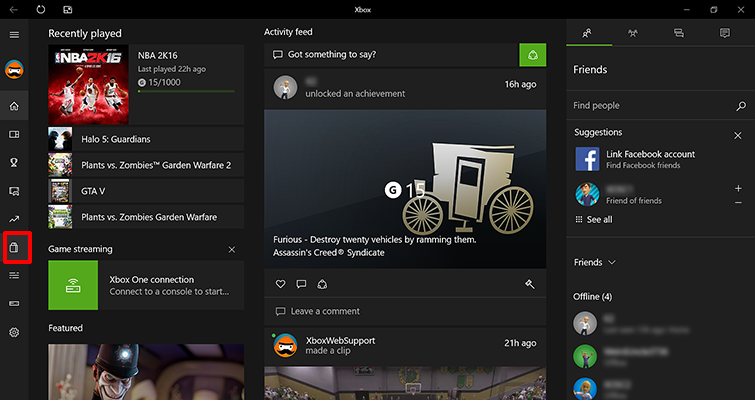
- From the Home screen, scroll left and select the Store icon.
 |
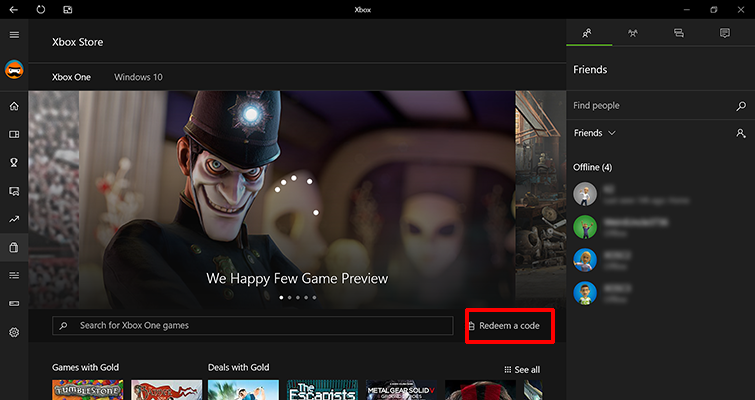
- In the middle of the Xbox Store screen, select Redeem a code.
 |
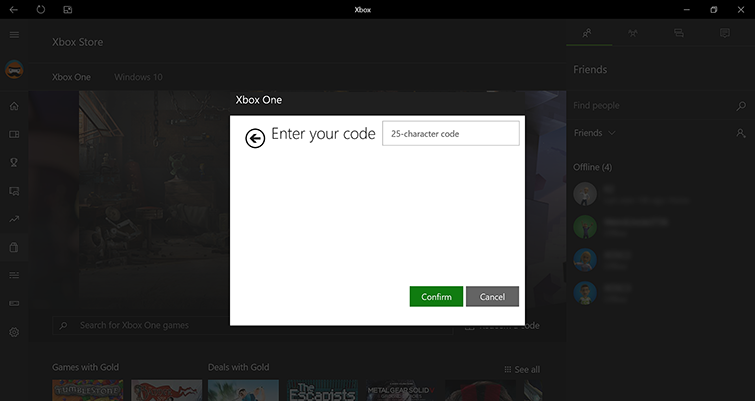
- Enter your 25-character code, and then select Confirm.
 |
How to redeem a prepaid code on an Xbox One console
Note Prepaid codes cannot be used or activated if your account has an outstanding balance or your payment option is expired or no longer valid. For more information, see How to pay a past due balance on an Xbox subscription.
You can redeem all types of prepaid codes, including Microsoft gift cards and Xbox Live Gold subscription cards, on your Xbox One console and use them immediately. To do so, follow these steps:
- Make sure you are signed into the Microsoft account for which you want to redeem the code.
- From the Home screen, scroll right to Store.
- Under Games, select Use a code.
- Use one of the following methods to enter your prepaid Xbox code:
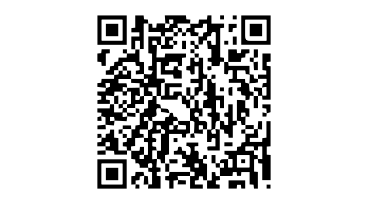
- For QR codes: If you have a QR code, hold it where the Kinect sensor can scan it. If your Kinect can’t read the code, see the Xbox One Kinect Sensor Solution.
 |
-
- For 25-character codes:
- If you don’t have a QR code, or your code does not scan properly, select Or enter the 25-character code.
- Use the onscreen keyboard to enter your 25-character code on the Enter your codescreen, and then select Enter. Don’t worry about hyphens, the system takes care of those for you.
- Select Confirm.
- For 25-character codes:
Once your code is redeemed, you’ll receive a confirmation message.
How to redeem a prepaid code on an Xbox 360 console
Note Prepaid codes cannot be used or activated if your account has an outstanding balance or your payment option is expired or no longer valid. For more information, see How to pay a past due balance on an Xbox subscription.
- Sign in to the Microsoft account for which you want to use the prepaid code.
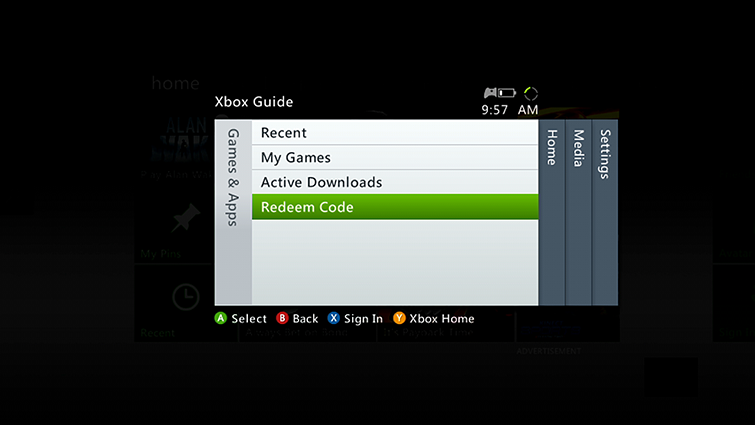
- Press the Guide button on your controller.
- Select Games & Apps, and then select Redeem Code.
 |
- Enter the 25-character prepaid code, and then select Done.
- When prompted, select Yes to confirm the redemption.