HOT  Free !

BUY  one key get free Antivirus software : 1pc 1year TREND MICRO INTERNET SECURITY 10


Microsoft Windows 7 / 8.1
Professional O E M
Key
windows 10 professianl  key  for new
(win 10 pro key and  win 8.1 pro key can update from win 7 pro  )


OFFICE  2013 PROFESSIANL KEY

Office Home and Business 2016 for Mac   KEY

(Digital Delivery)

Code will be sent to your  email once payment has been confirmed

No Shipping Required (Digital Product Only)


Frequently asked questions/answers:
1. All Product sold here does not come in a retail box & disc.
2. Can be used for a clean install.
3. Can be used for used, refurbished or new machines. 

Unsure if you can install Windows 7/8 or if you need 32 bit or 64 bit? 
Download the Windows 7/8 Upgrade advisor (available for free online, search Google for it) 


Are You Using The Genuine Product Key?
Yes, we provide 100% geniune O E M product key

(Don't be a victim to use VLK, MAK or MSDN Keys from Online Seller Again!)

Assuming that your system is still working, right-click My Computer and select Properties.
Scroll down to the bottom of the screen and find the Product ID.

The Product ID should be in the form xxxxx-xxx-xxxxxxx-xxxxx. What are the 3 characters in the second group (if those 3 characters are O E M, then you have an O E M version).

O E M - Original Equipment Manufacturer System Builder
074 - Retail Windows 7 Ultimate
112 - Retail Windows 7 Home Premium (conflicting info says MSDN)
177 - Retail Windows 7 Professional
292 - Retail Windows 7 Ultimate?
293 - Retail Windows 7 Ultimate? (maybe Academic)
339 - Retail Windows 7 Home Basic
896 - Retail Windows 7 Home Basic N
929 - Retail Windows 7 Home Basic E
956 - Retail Windows 7 Ultimate (Genuine Advantage store?)

You can also run MGADiag from Microsoft : http://go.microsoft.com/fwlink/?linkid=52012

=====================================================================

Terms & Conditions :

Original Equipment Manufacturer License:
1. No Tecnical support for Original Equipment Manufacturer license;
2. Use of this software is subject to the terms of the Microsoft Original Equipment Manufacturer System Builder License.
3. This software is intended for pre-installation on a new personal computer for resale. This Original Equipment Manufacturer System Builder Channel software requires the assembler to provide end user support for the Windows software and cannot be transferred to another computer once it is installed.
4. Support unlimited reinstall in the same activated machine only.
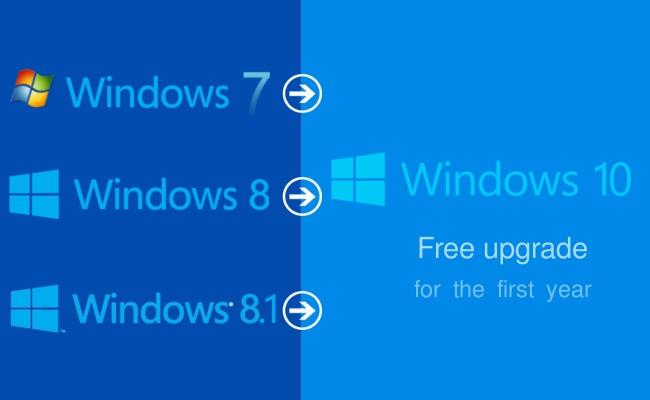
5. Support unlimited reinstall and free upgrade to Windows 10 (Microsoft T&C Apply).


You will need a DVD drive / USB to install this software.
Download the ISO from :

1. Windows 7 Home Premium : http://getintopc.com/softwares/operating-systems/windows-7-home-premium-free-download-iso-32-bit-64-bit/
2. Windows 7 Professional : http://getintopc.com/softwares/operating-systems/windows-7-professional-free-download-iso-32-bit-64-bit/
3. Windows 7 Ultimate : http://getintopc.com/softwares/operating-systems/windows-7-ultimate-free-download-iso-32-and-64-bit/
4. Windows 8.1 Pro : http://windows.microsoft.com/en-SG/windows-8/create-reset-refresh-media


5. Bootable USB Creator : https://www.microsoft.com/en-us/download/windows-usb-dvd-download-tool
6. DVD Burner/ISO Burner : http://www.freeisoburner.com/


office 2016 professnial Official website description


http://www.microsoftstore.com/store/mssg/en_SG/pdp/Office-Professional-2016/productID.324196000
Outlook

Outlook

Easily manage your email, calendar, contacts, and tasks. Push email support keeps your inbox up to date, conversation view groups related messages, and calendars can be viewed side-by-side for planning.

Word

Word

Create and share professional-looking documents with state-of-the-art editing, reviewing, and sharing tools. The new Design tab provides quick access to features, and Smart Lookup shows relevant contextual information from the web directly inside Word.

Excel

Excel

Analyse and visualize your data in new and intuitive ways with a fresh user interface plus your favourite keyboard shortcuts. Leverage features like Analysis Toolpak, Slicers, and Formula Builder to save time, so you can focus on insights.

PowerPoint

PowerPoint

Create, collaborate, and effectively present your ideas with new slide transitions and an improved Animations task pane. Threaded comments alongside your slides help you incorporate feedback into your presentations.

OneNote

OneNote

It’s your very own digital notebook, so you can keep notes, ideas, web pages, photos, even audio and video all in one place. Whether you’re at home, in the office, or on the move, you can take it all with you wherever you go while sharing and collaborating with others.

Access

Access

Access is an easy-to-use tool for quickly creating browser-based database applications that help you run your business. Your data is automatically stored in a SQL database, so it’s more secure and scalable than ever.

Publisher

Publisher

Easily create, personalize, and share a wide range of professional-quality publications. Swap pictures with a simple drag and drop, or add pictures directly from your online albums. Use special effects to make your publications stand out.

Your stuff anytime, anywhere

Your stuff anytime, anywhere

Sign in to Office 2016 and use OneDrive to easily access your recent documents on any device with seamless integration.

Requirements

Required Processor

1 gigahertz (Ghz) or faster x86- or x64-bit processor with SSE2

Required Operating System

Windows 7 or later, Windows Server 2008 R2, or Windows Server 2012

Required Memory

1 GB RAM (32 bit); 2 GB RAM (64 bit)

Required Hard Disk Space

3.0 GB available disk space

Required Display

1280 x 800 resolution

Graphics

Graphics hardware acceleration requires a DirectX 10 graphics card.

Multi-touch

A touch-enabled device is required to use any multi-touch functionality. However, all features and functionality are always available by using a keyboard, mouse, or other standard or accessible input device. Note that new touch features are optimized for use with Windows 8 or later.

Additional System Requirements

Internet functionality requires an Internet connection.

Microsoft account required.

The Microsoft Difference

The Microsoft Difference

We'll get you up and running

We’re the company that built Office, so we know it better than anybody. No matter what help you may need with downloading or installing Office, we've got the expertise you need. We'll give you the support you need until your software is up and running.

Contact us >


What's the difference between Office 365 plans and Office 2016 suites?

Office 365 plans include the complete suite of Office applications, plus other services that are enabled over the Internet, including extra cloud storage with OneDrive and Skype minutes for home use. With Office 365 you get the full, installed Office experience on PCs, Macs, tablets (including Windows, iPad, and Android) and smartphones. Office 365 plans are available as a monthly or annual subscription. With Office 365, upgrades are always included with your subscription.

Office 2016 suites, including Office Home & Student and Home & Business, include applications such as Word, Excel, PowerPoint, and OneNote; they are available as a one-time purchase for use on a single PC or Mac. The applications are not automatically updated; to get the latest version, you must purchase Office again when the new version becomes available.


Office Home & Business 2016 for Mac


http://www.microsoftstore.com/store/mssg/en_SG/pdp/Office-Home--Business-2016-for-Mac/productID.324192100


Outlook

Outlook

Easily manage your email, calendar, contacts, and tasks. Push email support keeps your inbox up to date, conversation view groups related messages, and calendars can be viewed side-by-side for planning.

Word

Word

Create and share professional-looking documents with state-of-the-art editing, reviewing, and sharing tools. The new Design tab provides quick access to features, and Smart Lookup shows relevant contextual information from the web directly inside Word.

Excel

Excel

Analyse and visualize your data in new and intuitive ways with a fresh user interface plus your favourite keyboard shortcuts. Leverage features like Analysis Toolpak, Slicers, and Formula Builder to save time, so you can focus on insights.

PowerPoint

PowerPoint

Create, collaborate, and effectively present your ideas with new slide transitions and an improved Animations task pane. Threaded comments alongside your slides help you incorporate feedback into your presentations. And Presenter View displays the current slide, next slide, speaker notes, and a timer on your Mac, while projecting only the presentation to your audience on the big screen.

OneNote

OneNote

It’s your very own digital notebook, so you can keep notes, ideas, web pages, photos, even audio and video all in one place. Whether you’re at home, in the office, or on the move, you can take it all with you wherever you go while sharing and collaborating with others.

Your stuff anytime, anywhere

Your stuff anytime, anywhere

Whether you’re working on your Mac, iPhone, or iPad, you’ll have instant access to your documents anytime, anywhere with OneDrive cloud storage.

The Microsoft Difference

The Microsoft Difference

We'll get you up and running

We’re the company that built Office, so we know it better than anybody. No matter what help you may need with downloading or installing Office, we've got the expertise you need. We'll give you the support you need until your software is up and running.

Contact us >

Requirements

Required Processor

Intel processor

Required Operating System

Mac OS X 10.10

Required Memory

4GB RAM

Required Hard Disk Space

6GB HFS+ hard disk format

Required Display

1280 x 800 resolution

Additional System Requirements

Internet functionality requires an Internet connection.

Microsoft account required.

Microsoft Office365  【Permanent 5 PC/Mac 5 Tablet 5 Smartphone 】
·Credit Card Payment 
According to Qoo10 Singapore Credit card and Paypal payment method are not
available for virtual goods, for those who wish to pay via Credit Card, you may
order via Qoo10 global at 
 ·Notice
Please input your email address where you want the activation code send to
at the "Memo To Seller" section during checkout
 ·Subscription Period 
The is a one time purchase ,subscription is permanent apply to your customize
account, there is no need for re-subscribe or payment in the future
·Number  of License
The customize account come with 5 licenses for each platform. You may install and
activate up to total 5 PCs or Macs, 5 tablets, and 5 smartphones. 
·Office Version 
When install on Windows, you get Office365 Pro Plus, and when install on Mac you
get Office365 Home & Business


Microsoft Office365 Include:

Word 2016
Excel 2016
Powerpoint 2016
Outlook 2016
OneNote 2016
Publisher 2016 [Windows Only] 
Access 2016 [Windows Only] 
OneDrive 1TB
What Will You Receive From This Order:
Microsoft Office365 Subscription Customize Account
Guide on how to access and use Office365 Portal
Gently Reminder To All Potential Customer :
Activation process require an active internet connection
This order do not come with any physical installation disc.
Customer is require to download the installater from Office365 Portal
Friendly Reminder
 According to Microsoft's policy we highly recommend this for personal use only, for commercial usage, kindly consider getting a retail copy at
Frequently Asked Question:
Q: Can this be use on Apple Mac OS?
A: Yes you can, Office365 Portal will let you download the Mac version of Office
Q: What if I need help to get the program installed/activated?
A:Please do not hesitate to contact us, we will definitely guide you through the installation and activation process. If required, remote assistant through Teamviewer can be arrange.
Q: Why some seller say they can activate 10 Pc/Mobile/Tablet
A: The truth is you can only activate 5 Pc/Mac, 5 Mobile and 5 Tablet