Product Highlights:
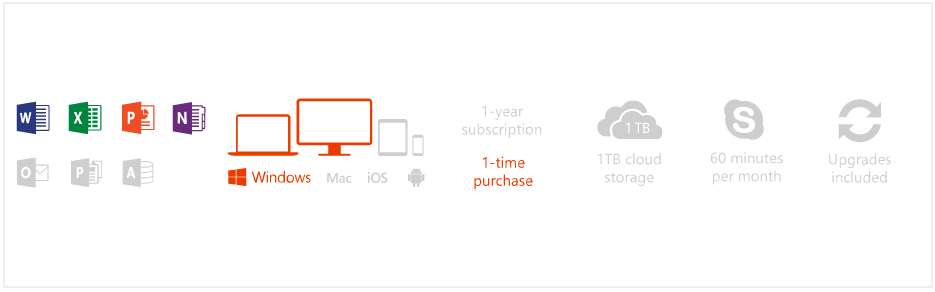
- Fully installed Office 2016 versions of Word, Excel, PowerPoint, and OneNote
- For 1 PC (Windows 7 or later, home use)
- Easily save your documents with OneDrive cloud storage
What's in the box:
- 1x Microsoft Office Office Home and Student 2016 Win English APAC DM Medialess P2
Prodcut Features:
Set your ideas in motion and achieve more with the Microsoft Office Home & Student 2016 software package 79G-04751. The latest Word, Excel, Powerpoint and OneNote applications are designed for both personal and education use on your PC; helping you to create and communicate faster. There are time saving features such as the built-in collaboration tools; so now you can work in the same document as fellow students without having to email around and losing track of the latest version of your group assignment. Plus, you can save all your documents in Microsoft's OneDrive cloud service and access and share them from anywhere which is handy when working on school projects away from your home study. Also, OneNote is a handy electronic diary so now you can take a snippet of a recipe online and record the groceries you need for tonight's dinner. Microsoft Office Home and Student 2016 79G-04751 is designed for use on a single PC and requires electronic software download via the internet. Follow the simple onscreen instructions to install Office after logging in to the Microsoft Store online account page. The latest version Microsoft Office Home & Business 2016 software gives you the tools you need to achieve more with both your home and school projects.
Team up in real time to co-author group assignments in Word or Powerpoint without even being in the same room. There will only ever be one version of the presentation or report which takes the hassle out of compiling a group assignment the last minute.
What's Included
Office Home & Student 2016 is made to help you achieve more with time-saving features, a new modern look, and built-in collaboration tools. Plus, you can save your documents in the cloud with OneDrive and access them from anywhere.
- Fully installed Office 2016 versions of Word, Excel, PowerPoint, and OneNote
- For 1 PC (Windows 7 or later, home use)
- Easily save your documents with OneDrive cloud storage
Create
Office comes fully loaded with the newest versions of your favorite apps downloaded directly to your devices. Create your best work with built-in design, research, and proofing tools that have been completely reinvented to help you do great things.
Collaborate
Get things done your way, collaborate with anyone, and easily manage your shared documents with version history and real-time coauthoring—whether you are working online, offline, or simultaneously with others.
Move
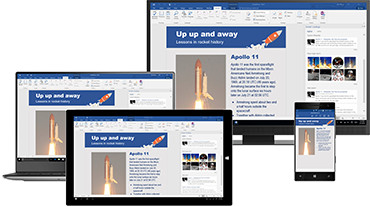
Sign in to Office 2016 and use OneDrive to easily access your recent documents on any device with seamless integration. Your stuff anytime, anywhere.
Applications
Current versions are Office 2016 for PC1

- A Office 365 is compatible with Windows 7 or later, and Mac OS X 10.10. Application availability and features that come with Office 365 vary by platform and device; current Office application versions for Office 365 are Office 2016 for Windows and Office 2016 for Mac. Office 2016 for Windows is compatible with Windows 7 or later. Office for Mac 2016 is compatible with OS X 10.5.8 or later. Visit wwwofficecom/information for full system requirements, including compatible tablets and smartphones for Office 365.
- B Available on PC only.
- C Skype available only in select countries; see FAQ for details. Calling to select countries only. Excludes calling to special, premium and non-geographic numbers.
OneDrive
Enough space for all your documents, photos, and personal videos.
Specifications
| Requirements |
|---|
| Required Processor | PC: 1 gigahertz (Ghz) or faster x86 or x64-bit processor with SSE2 |
| Required Operating System | Windows 7 or later, Windows Server 2008 R2, or Windows Server 2012 |
| Required Memory | 1 GB RAM (32 bit); 2 GB RAM (64 bit) |
| Required Hard Disk Space | 3.0 GB available disk space |
| Required Display | 1024x576 resolution |
| Graphics | Graphics hardware acceleration requires a DirectX 10 graphics card |
| Multi-touch | A touch-enabled device is required to use any multi-touch functionality. However, all features and functionality are always available by using a keyboard, mouse, or other standard or accessible input device. Note that the new touch features are optimized for use with Windows 8 or later. |
| Additional System Requirements | Non-commercial use.
Internet functionality requires Internet connection.
Microsoft account required.
You must accept the License Agreement |