
When using iPad Pro, there may be moments when you want even greater precision. So we painstakingly designed Apple Pencil to expand on the versatility of Multi-Touch. And while the technology inside is unlike anything we’ve ever engineered, picking up Apple Pencil for the first time feels instantly familiar. It lets you make any number of effects, down to a single pixel, giving you more creative freedom than ever before.
Add Apple Pencil. Erase barriers.
You may never have seen Apple Pencil before, but you already know how to use it. From the first moment, it does what you expect. And then far more. Whether you’re sketching in the park, painting a watercolour portrait or drafting a blueprint, Apple Pencil gives you a variety of tools in a single instrument. You hold it, but it doesn’t hold you back.
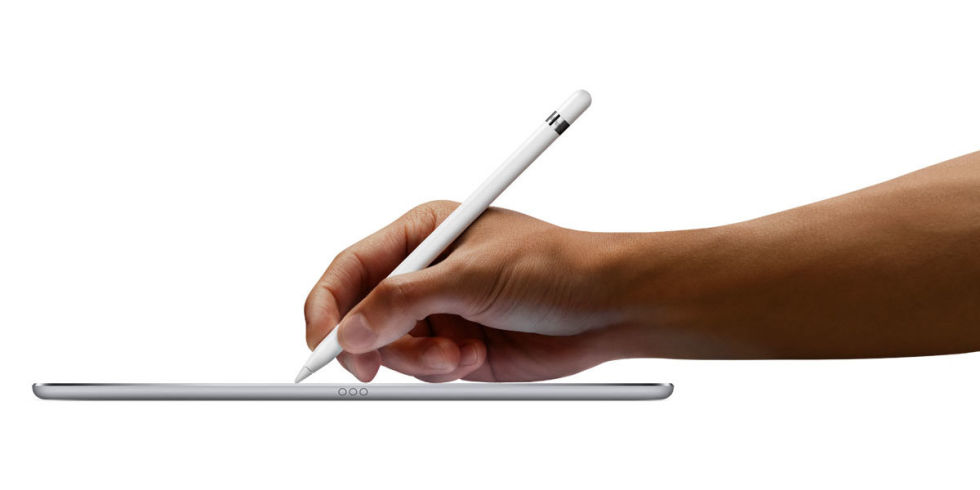
Highly responsive. Virtually no lag.
The lightning-fast responsiveness of Apple Pencil separates it from other creative tools. That’s because its latency — the tiny delay between when you begin drawing and the time it appears on the screen — has been reduced to an almost imperceptible level.
iPad Pro knows whether you’re using your finger or Apple Pencil. When iPad Pro senses Apple Pencil, the subsystem scans its signal at an astounding 240 times per second, giving it twice the data points it normally collects with your finger. This data, combined with Apple-designed software, means that there’s only milliseconds between the image you have in your mind and the one you see on the display.

Draw lines of any weight. Just apply pressure.
Within its slender case are intricate and accurate pressure sensors, capable of measuring a range of forces. The carefully positioned sensor determines precisely how hard the tip of Apple Pencil is being pressed down. Press harder to draw thicker lines. Or use a gentle touch for wispy hairlines. The variety of creative effects is virtually limitless. Which means you are as well.

Two tilt sensors in the tip of Apple Pencil calculate the exact orientation and angle of your hand. As you naturally write or draw, the relative positions of these sensors can be detected by the Multi-Touch display. So you can create shading effects simply by tilting Apple Pencil the way you would a charcoal or conventional pencil.

Go ahead, rest your palm on the display.
iPad Pro is designed with palm rejection technology, making it possible to rest your hand on the iPad screen while you use Apple Pencil. So you can focus on drawing with the utmost precision instead of worrying about how to position your arm.
12 hours of battery life.
You supply the creative charge.
Slip off the magnetic cap of Apple Pencil to reveal a Lightning connector that lets you charge Apple Pencil simply by plugging it into iPad Pro. The connector features a slightly elongated design, so that charging is possible even when iPad Pro is inside its Silicone Case. A full charge gives you 12 hours’ worth of scribbling, sketching, annotating and editing.1 And if the battery happens to run out while using Apple Pencil, you can just charge it from your iPad Pro for 15 seconds and get 30 minutes of use.2
The ideal tool for artists of every kind.
The precision and versatility of Apple Pencil make it a natural tool for artists — even those who typically work in traditional mediums. Discover how Apple Pencil helps them bring their works of art to life.

Created by Hvass & Hannibal
Danish design partners Hvass & Hannibal found Apple Pencil to be ideal for their unique, esoteric illustrations. "We were surprised how much it feels like drawing with pen and paper, but in a digital setting, where you can still undo and change it again. It feels great for sketching something quick, but can also be used for detailed drawings.”
Created by Claudine O’Sullivan
Irish artist Claudine O’Sullivan uses a complex palette in her work — an aesthetic approach she is able to achieve easily with Apple Pencil. "Changing between colours was very intuitive, so I felt my process was much the same as when I work on paper.”
Created by Marija Tiurina
Conceptual artist and illustrator Marija Tiurina, who normally uses traditional drawing tools, didn’t expect to adapt so quickly to digital. "The most surprising part was the pencil’s sensibility and simplicity — it’s like it was born for artists. Another surprise was the fact that it took me two minutes to get used to it.”
Created by Maggie Sichter
Specialising in fine detail, Chicago artist Maggie Sichter says that Apple Pencil was love at first try. "I have a defined style and would only switch over to a digital alternative if I was able to create the same or a better calibre of work. I was amazed that the Apple Pencil immediately felt comfortable as a drawing tool.”
Created by Serena Mitnik-Miller
Serena Miller’s geometric paintings are created using watercolour and pencil on paper. "Apple Pencil works great.” While using it, Miller was most surprised by "how fine it can draw and how sensitive it is.”
Created by Patrick Vale
New York–based artist Patrick Vale rarely uses technology in his work. But for this project, he approached Apple Pencil and iPad Pro as if they were traditional ink and paper. "Once I got a feel for how Apple Pencil felt when drawing, I was really impressed with the results. If you put this piece next to a piece that I made on paper, you wouldn’t be able to tell the difference. And it gives you the added benefit of being able to undo a stroke.”
Created by Jake Weidmann
Known for his use of flourishing and hand-lettering, artist and Master Penman Jake Weidmann found the transition from pen and ink to Apple Pencil and iPad Pro seamless. "I was quickly immersed in my regular creative flow, unhindered by this brand‑new medium.”
Created by Mister Mourão
After using many combinations of pen and paper, architect-turned-illustrator Mister Mourão discovered that using Apple Pencil is surprisingly simple. "Being incredibly fast, accurate, and with the perfect weight, Apple Pencil never gets in the way. It simply leaves you alone with the artwork.”
Created by James Jean
James Jean is a prolific artist whose eclectic style is borne from a variety of media. "The weight and proportions of Apple Pencil along with the speed of iPad Pro close the distance between the mind’s eye and the hand in a way I’ve never experienced before.”
Created by Wang Dongling
Known for his innovative take on traditional Chinese calligraphy, Hangzhou-based artist Wang Dongling found that Apple Pencil was able to capture the nuance of the art form. "Apple Pencil is a real game changer. It seems to have feelings. It feels how much force you use and changes based on how you turn your wrist. This is great. And it’s truly amazing that Apple Pencil can show the brushstrokes of Chinese calligraphy.”
Sketch new life into your favourite apps.
Make the most of iOS when you use Apple Pencil with built-in apps. Apple Pencil also works with iPad apps from the App Store. So you’re sure to find whole other dimensions of creativity and productivity.
When using iPad Pro, there may be moments when you want even greater precision. So we painstakingly designed Apple Pencil to expand on the versatility of Multi-Touch. And while the technology inside is unlike anything we’ve ever engineered, picking up Apple Pencil for the first time feels instantly familiar. It lets you make any number of effects, down to a single pixel, giving you more creative freedom than ever before.
Add Apple Pencil. Erase barriers.
You may never have seen Apple Pencil before, but you already know how to use it. From the first moment, it does what you expect. And then far more. Whether you’re sketching in the park, painting a watercolour portrait or drafting a blueprint, Apple Pencil gives you a variety of tools in a single instrument. You hold it, but it doesn’t hold you back.
Overview
Apple Pencil expands the power of iPad Pro and opens up new creative possibilities. It’s sensitive to pressure and tilt so you can easily vary line weight, create subtle shading, and produce a wide range of artistic effects — just like with a conventional pencil, but with pixel-perfect precision.
What’s in the Box
- Apple Pencil
- Lightning adapter
- Extra tip
Tech Specs
Dimensions
Length: 175.7 mm (6.92 inches) measured from tip to cap
Diameter: 8.9 mm (0.35 inches)
Weight: 20.7 grams (0.73 ounces)
Connections
Bluetooth
Lightning connector
Other Features
Magnetically attached cap
Compatibility
- iPad Models
iPad Pro 10.5-inch
iPad Pro 12.9-inch (2nd Generation)
iPad Pro 12.9-inch (1st Generation)
iPad Pro 9.7-inch

