Item Descriptions:
From Amazon
This is 3D operation!
The operation of Google Earth and SketchUp becomes surprisingly easy, fun and comfortable
With SpaceNavigator, anyone can fly around the world freely with Google Earth.
With the mouse, you need to operate separately such as vertical and horizontal movements, zoom, rotate, etc. You can only move in a plane, but with SpaceNavigator you can fly around the earth and the sky freely just by moving the cap back and forth and right and left
can it be done.
Moreover, three-dimensional movement like ascending and descending while swirling is possible, you can enjoy it as if you are riding in an airplane that you can freely control.
Equipped with advanced six-axis (three-dimensional) compatible optical sensor
The advanced 6 axis (3D) compatible optical sensor technology of 3D connection was originally developed for robotic manipulation in space by the German aerospace development laboratory and the founder of 3D connection, a number
Based on technology and award-winning technology, it has been used for many high-end CAD and CG professional users.
Collaborate with Google to achieve standard response
SpaceNavigator realized the standard correspondence of Google Earth through joint development with Logitech and Google.
The sensitivity and setting of SpaceNavigator can be changed according to the user's preference by 3Dconnexion control panel and Google Earth option setting.
Convenient function button function
For SpaceNavigator buttons, you can assign your favorite functions for each application.
Assigning frequently used menus and commands makes it even easier to use.
In Google Earth, you can assign not only one key like F11 (full screen display) but also a composite key like Ctrl + Alt + B (sidebar).
The keyboard macro is created by custom function on the setting screen of the button of the 3Dconnexion control panel.
Once assigned, you do not have to select a menu with the mouse anymore or press three keys at the same time.
Even when you start up next time you can use the button assignment you last used as it is, you can do it by pressing the button at hand.
The long-awaited Mac OS X, Windows 2000 compatible, Windows Vista quick response
SpaceNavigator finally supported Mac OS X.
Google SketchUp 6 and other applications will be gradually expanded.
Also, it was quickly compatible with Windows Vista, and it became available for Windows 2000 as well.
In Windows environment, in addition to Google Earth and Google SketchUp, it corresponds to many 3D design applications which are mainstream today.
Driver download here will be updated sequentially.
You can download it free of charge.
(Headquarters English website via Japanese site)
Http://www.3dconnexion.jp/DOWNLOAD-JC.HTM
The corresponding application list is here (headquarters English site)
Http://www.3dconnexion.com/solutions/dcc/2c.php
Review
When using "Google Earth" for the first time, I was shocked by the fun of being able to rotate the earth freely up, down, right and left, but the 3D navigation device "SpaceNavigator" is a tool that amplifies its interest.
In addition to Google Earth, it corresponds to over 100 kinds of applications such as Google SketchUp and AutoCAD, and it can operate with the feeling of grasping the 3D model on the screen by hand.
For lineup, there are "SpaceNavigator PE" for individual users or educational use only, and "same SE" for business users.
Browse Google Earth smoothly
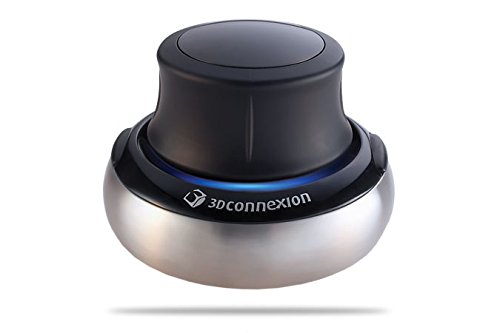
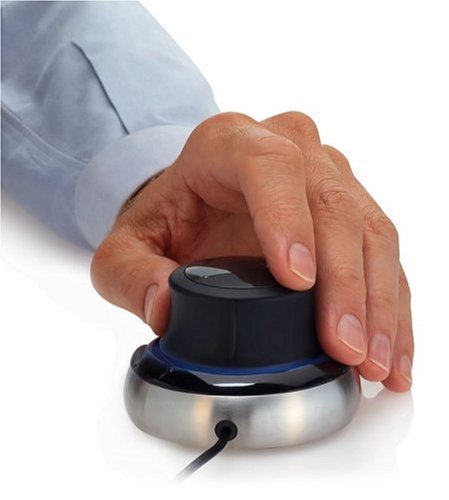
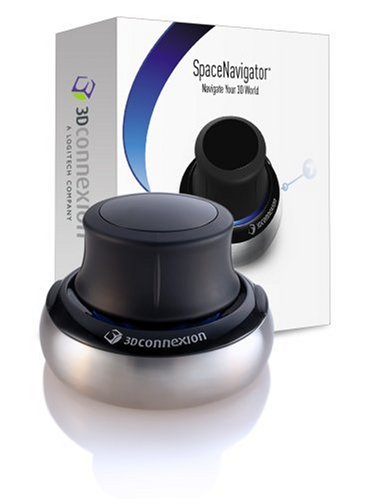
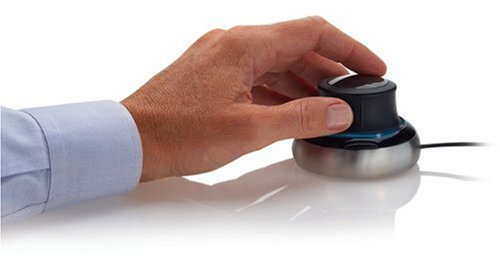
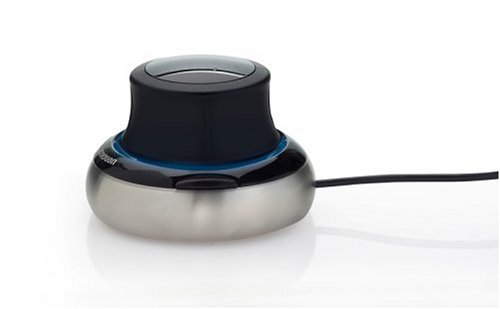
The main body has a structure like a volume dial and a joystick combined, it is heavier than it looks and has a sense of quality.
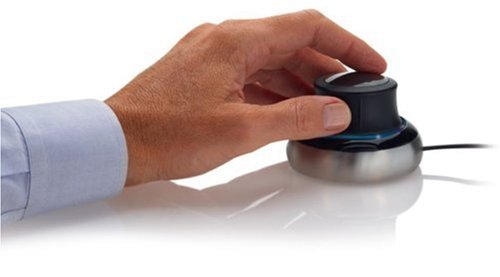
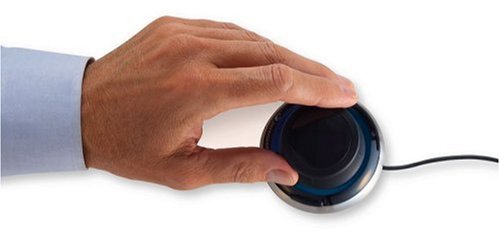
The center cap can push left and right, push back and forth, pull up / down, tilt back and forth, tilt left and right, twist and so on.
For each operation, operations such as "zoom" and "pan" are assigned for each application in the [3Dconnexion Controle Panel] dialog box displayed by clicking the taskbar icon.
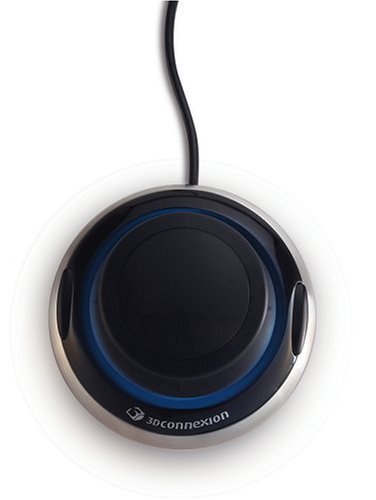
Moreover, it is possible to set commands unique to the application for the custom keys on the left and right sides of the base part.
When the corresponding application is activated, the tool bar is automatically installed, enabling application-specific settings and operations.
When zooming in to the destination on Google Earth, you usually have to operate the mouse wheel and the navigation controller at the top right of the screen many times, but with SpaceNavigator you can zoom in and zoom smoothly by tilting or twisting the cap.
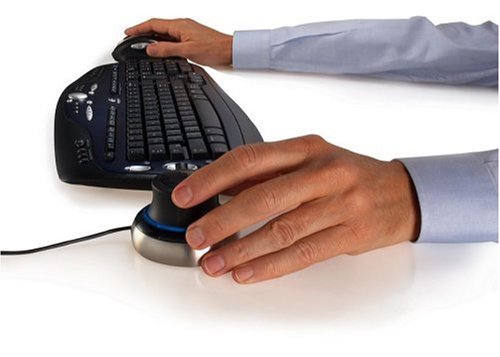
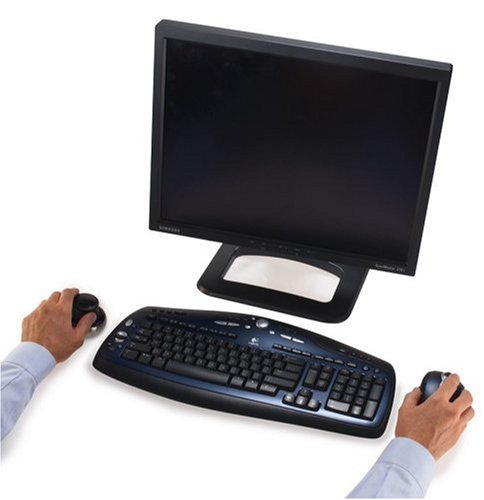
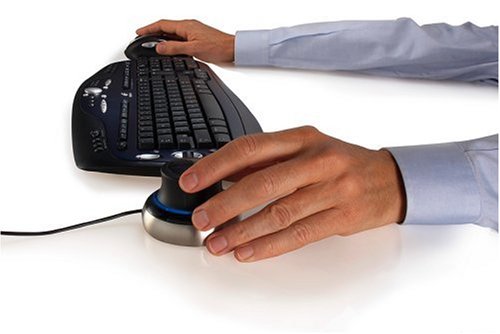
When using Google SketchUp, the right hand grasps the mouse and operates the tool, the left hand grabs the SpaceNavigator and operates the screen display.
When using only with the mouse, you have to rotate the model by dragging the mouse several times to see the back of the model, but when you use SpaceNavigator together, the model rotates as you rotate the cap
You can stop twisting where you want.
Comfortable rotation and screen movement of 3D model
Although both the hardware mechanism and usability of the driver software are high in completeness, it is necessary to get used to controlling the display as expected.
Even with SpaceNavigator, comfortable performance can not be obtained unless the performance of a personal computer such as a graphics board is good.
By clearing them, operation efficiency will improve for users of Google Earth and Google SketchUp as well as AutoCAD users who handle 3D models.
(Hideyuki Abe CAD & CG MAGAZINE (Cad and Siege magazine) 2007 年 06 月 号 号)
- CAD & CG MAGAZINE
Features:
- Please enter model number Confirm this is compatible:
- 3D navigation function realized at affordable price
- Manufacturer model number: SNPE
- Navigation control: 3D navigation function (with 6 axis optical sensor)
- Device sensitivity: adjustable
- Function key: 2 buttons (the number of programmable buttons is 2)
Product information:
Shipping Weight: 721 g
Package Dimensions: 9.40 x 14.40 x 15.19 cm
SHIPPING METHOD
Delivered directly from Japan by Japan Post. It will take 3 to 5 business days to prepare the order for shipping. We guarantee careful packing and safe shipping.Please note that in some cases additional import or VAT charges may incur and have to be borne by the client.
1. Japanpost registered mail
Shipment by Japanpost Registered Mail (Standard). Trackable any time with tracking number. Insurance is not available. Delivery time usually is between 1-3 weeks from the date of dispatch. Some items are not eligible for Standard Shipping.
2. Qxpress Standard
Shipment by Qxpress standard service. Trackable at any time with tracking number. Registered and insured up to a value of item price and shipping fees.Delivery time is usually between 5-10 business days from the date of dispatch.
3. EMS
Shipment by Expedited Mail Service. Trackable at any time with tracking number. Registered and insured up to a value of $200 and usually delivered in 2-6 business day from the date of dispatch.

| Japanpost registered mail | Qexpress | EMS | |
|---|---|---|---|
| Shipping Method | Japanpost Registered Mail (Standard) | Standard Qexpress | EMS (Expedited Mail Service) |
| Trackable | Yes | Yes | Yes |
| Insured | N/A | Yes (Up to item price and shipping fees) | Yes (Up to $200.00) |
| Asia | 1-3 weeks | 5-10 days | 2-5 days |
| Oceania; North America; Central America and the Middle East | 2-4 weeks | 6-14 days | 2-6 days |
| Europe | 2-4 weeks | 6-16 days | 3-8 days |
| South America and Africa | 2-4 weeks | 10-18 days | 4-8 days |
NOTICE:
- For overseas delivery, please be aware that damage to the outer box can be seen.
- If you would like to avoid as much damage as possible, please choose the EMS shipping method.
"According to Qoo10 guide line,overseas shipping fees will be charged to you extra if you choose Qxpress standard shipping.We recommend you to compare the total price of your purchase with EMS."
