Product Description
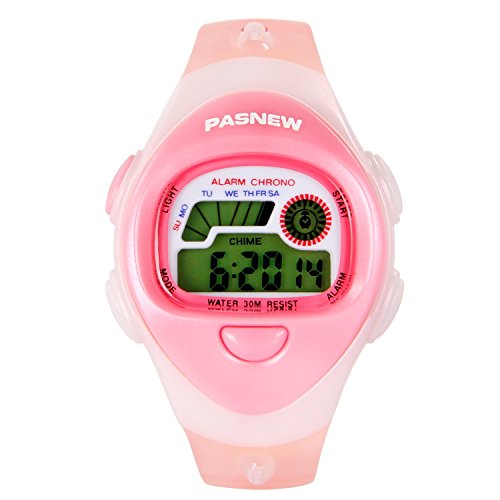
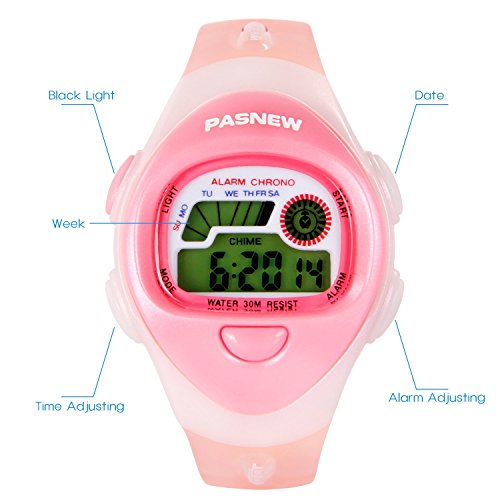
Setting Instruction S1: LIGHT ( left up )
S2: MODE ( left down )
S3: ALARM ( right down )
S4: START ( right up )
Stopwatch Feature Press "S2" and then press "S4" to enter Stopwatch Mode.
Press "S4" to star/ stop the stopwatch and press "S3" to recover.
Alarm Feature Hold "S2" 2 seconds and press "S3" to add hour. Press "S4" and press "S3" to add minute. Press "S2" button to finish alarm setting.
Note: Hold "S3" and press "S4" to open/ close the alarm.(When alarm is on, the alarm sign appears. When alarm is off, the alarm sign disappears.)
When the alarm ring , press "S3" to turn it off.
Time Setting Hold "S2" 2 seconds, and press "S2" again to enter Time Setting. Second will count from 0-59.Press "S4" to set up Minute/ Hour/ Month/ Day/ Week. Press "S3" to add the number. Press "S2" to finish setting.
Note Hold "S3" and press "S2",when "A" or "P" appeared, 12 hour system opened. When "A" or "P" disappeared, 24 hour system opened.
Hold "S3" and press "S4" to open/ close alarm/chime. When alarm/ chime opened, the logo will appear.
Hold "S3" will show the date.
Hold "S4" will show the alarm.
More setting details, please contact me any time.Feature