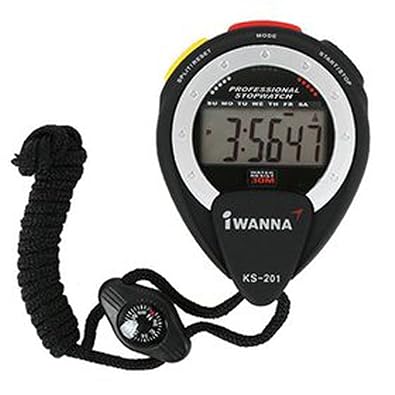
KS-201 Stopwatch
Compass features
Rubber coating
Stopwatch (1/100 sec)
Alarm
10M Waterproof
Time, Date, Day of the week, setting Function
TIME DISPLAY
If you press the "SPLIT/RESET" Button, Date and Day of the week are going to be displayed.
If you press the "START/STOP" Button, Time of alarm is going to be displayed.
If you press the "MODE" Button, Display is going to be switched with stopwatch mode.
Time Setting at Initial State
1) Second : Please press the "Mode" button 3 times, In case of reset please press "SPLIT/RESET" button.
2) Minute : Please press the "START/RESET" button 1 times. after switch with setting state , You can adjust with "SPLIT/RESET" button.
3) Hour : Please press the "START/RESET" button 2 times. after switch with setting state , You can adjust with "SPLIT/RESET" button.
4) Date : Please press the "START/RESET" button 3 times. after switch with setting state , You can adjust with "SPLIT/RESET" button.
5 Month : Please press the "START/RESET" button 4 times. after switch with setting state , You can adjust with "SPLIT/RESET" button.
6) Date of Week : Please press the "START/RESET" button 5 times. after switch with setting state , You can adjust with "SPLIT/RESET" button.
Stopwatch
If you press the "MODE" Button, Display is going to be switched with stopwatch mode. "SPLIT/RESET" button is start button and When you press again , This is going to stop. When you press "START/STOP" button, This mode is going to back to the beginning.
Alarm
1) If you press "MODE" button 2 times at initial state, Display is going to swtich with alarm mode. and hour of display is blinking on display, you can set "hours " with "SPLIT/RESET" button.
2) You can set "Minute" with pressing "START/STOP" Button 1 times, and you can set "hours " with "SPLIT/RESET" button.
3) You can back with initical state with "MODE" button.
4)When you press "SPLIT/RESET " holding down the "START / STOP" button, you can control Alram setting or release and can check alarm sound