


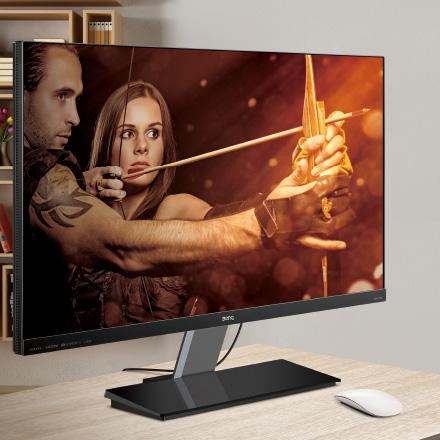
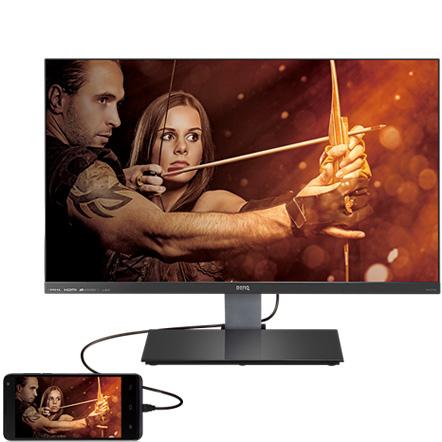
Transform Mobile Entertainment with MHL Connection
Connect your smartphone to the new EW2750ZL and indulge in the premium picture quality that it has to offer. The MHL connection ensures flawless streaming from any MHL-equipped smart device, allowing you to effortlessly enlarge and optimize any content displayed on your smart device.
With this feature, you can browse websites, watch videos, play games and even view various documents on a full 27 inch screen--without having to turn on your computer.
The BenQ EW2750ZL can be connected with MHL enabled mobile and portable devices of major brands such as HTC, LG, Samsung (some models require an adaptor), Huawei, Sony and the list goes on.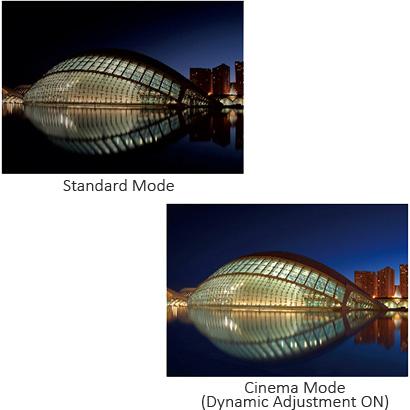
Heighten Your Movie Enjoyment with Cinema Mode
Enabled by BenQ's exclusive color engine technology, Cinema Mode automatically processes and fine-tunes video content to perfection, giving you a truly dynamic cinema experience.
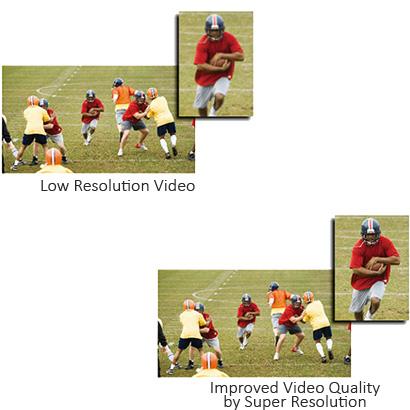
Upscale Every Viewing Experience with Super Resolution
To give you an optimal online video watching experience, the EW2750ZL simulates high-resolution images by boosting the pixel density of the original video source with Super Resolution image enhancement.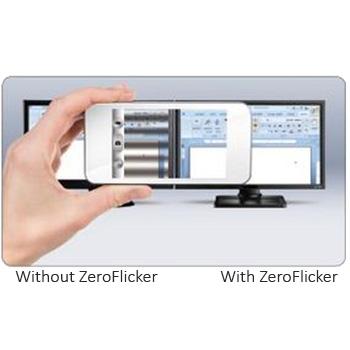
ZeroFlicker Technology
The EW2750ZL utilizes BenQ's proprietary ZeroFlicker Technology to eliminate backlight flickering at all brightness levels and effectively reduce eye fatigue.
Conventional LCD screens flicker 200 times per second.
The flickers may not be detectable by your eyes but they can certainly feel the flickering.
So it is important to relieve your eyes from the stress caused by a flickering screen--and keep them nice and fresh when you are working or enjoying entertainment.
Low Blue Light Mode
Blue spectrum light produced by regular computer monitors can lead to eyestrain, eye fatigue and possibly headaches.
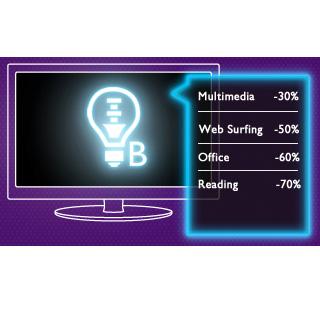
BenQ developed Low Blue Light technology with adjustable settings to reduce blue light emissions for more productive time spent in front of the computer.
Easily switch to one of four preset Low Blue Light Modes from the OSD hot key (Multimedia – 30% reduction, Web-surfing – 50% reduction, Office – 60% reduction, Reading – 70% reduction), and reward your eyes without having to lose the visual enjoyment.
Windows 8 Compatible
The EW Series Monitors have passed Windows 8 certification and are fully compatible with Windows 8 color systems. Plug in an EW Series Monitor to your computer, and Windows 8 will recognize it instantly, making setup and connection effortless.
