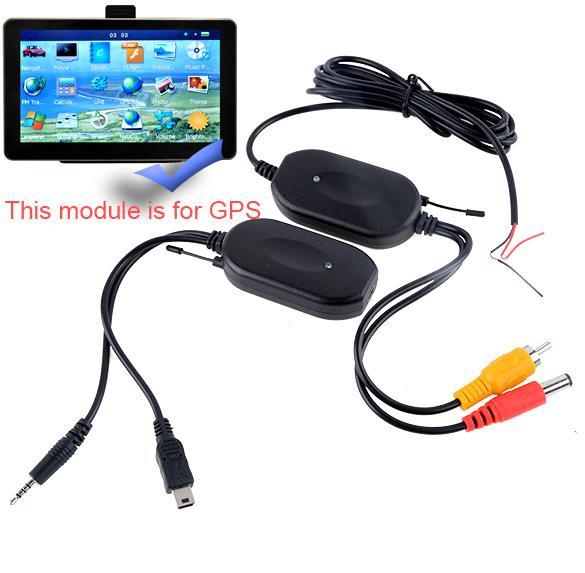
Product details of SuperCart Car GPS Wireless Module
How toInstall a Camera with the Wireless Module Take out your stock license plate light at the back of yourcar. Fix the camera to where the stock license plate lightwas. Connect the built-in license plate light of the camera towhere the stock license plate light was connected to get thepower Connect the wireless module (transmitter) to your camera viathe two cables - one plug for AV output and one plug forpower Connect the wireless module (transmitter) to the reverselight of your car to get the power - red wire for positive andblack wire for negative Connect the wireless module (receiver) to your car GPS - USBfor GPS USB port, other one for 2.5mm AV port. Connect the wireless module (receiver) to your car cigarettelighter to get the power - better connect one carcharger You will see the images on GPS when your car is in reverseshift. Please note that this module isfor GPS, not for in-car monitor or DVD. Note: Car GPSNavigation not included
Specifications of SuperCart Car GPS Wireless Module
What's in the box:
1 x Cyber WIRELESS Module for Car GPS car Reverse Rear Viewbackup Camera