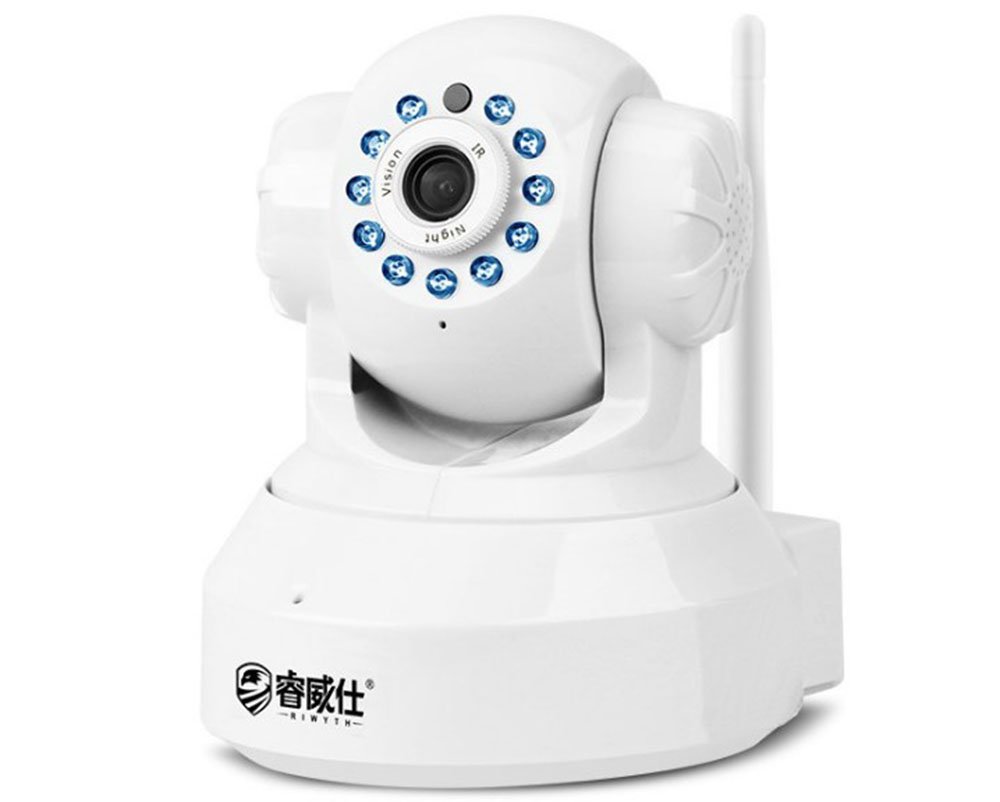
Item Descriptions:
WIFI wireless connection possible
Since WIFI wireless connection is possible, it does not have to be installed beside the wireless LAN router, and it can be installed anywhere in the room as long as radio waves reach.
Let's monitor pet camera baby camera!
It plays the role of a security camera.
Remotely controllable night vision
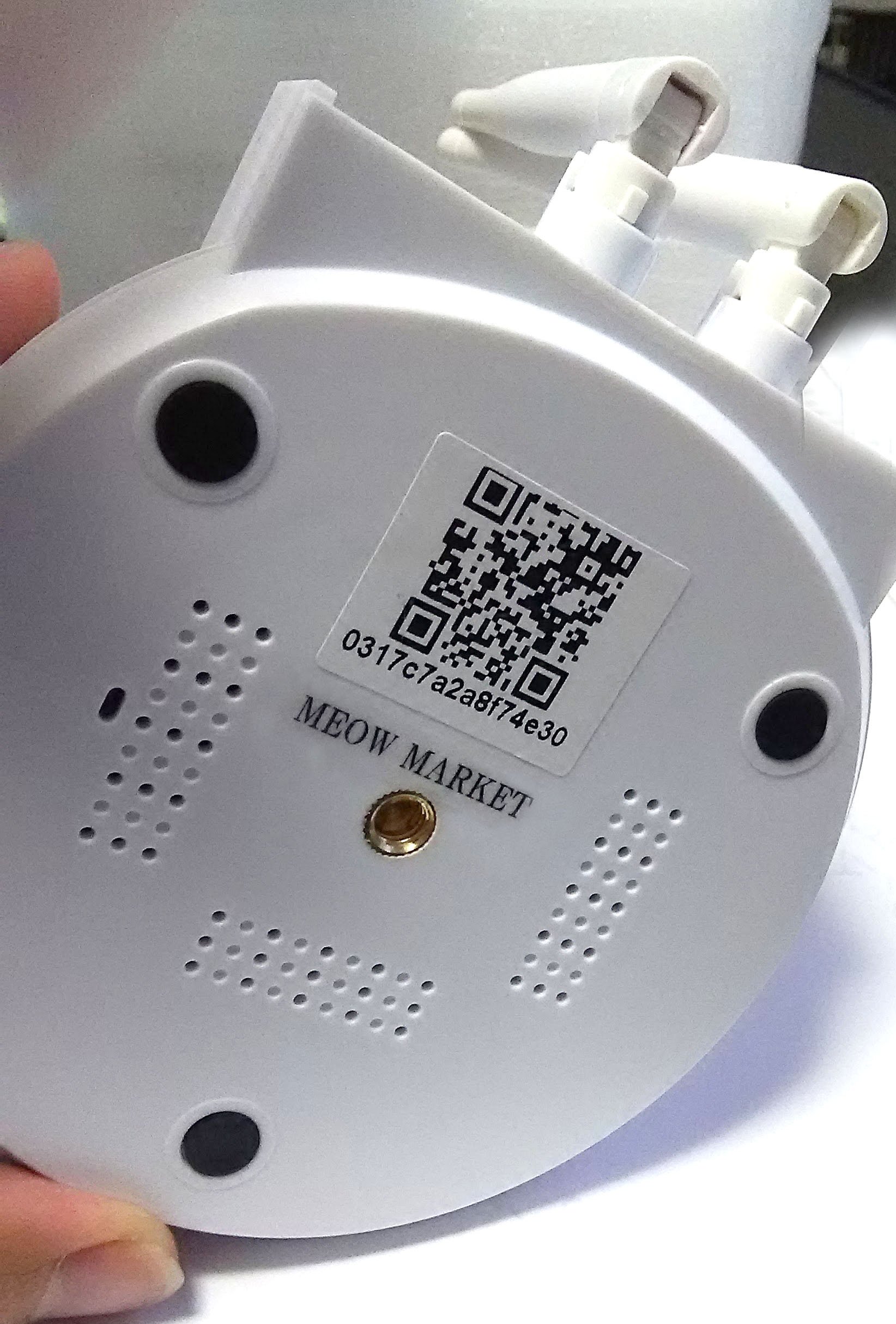
The QR of IP camera body is read with smartphone and setting is completed in 10 seconds.
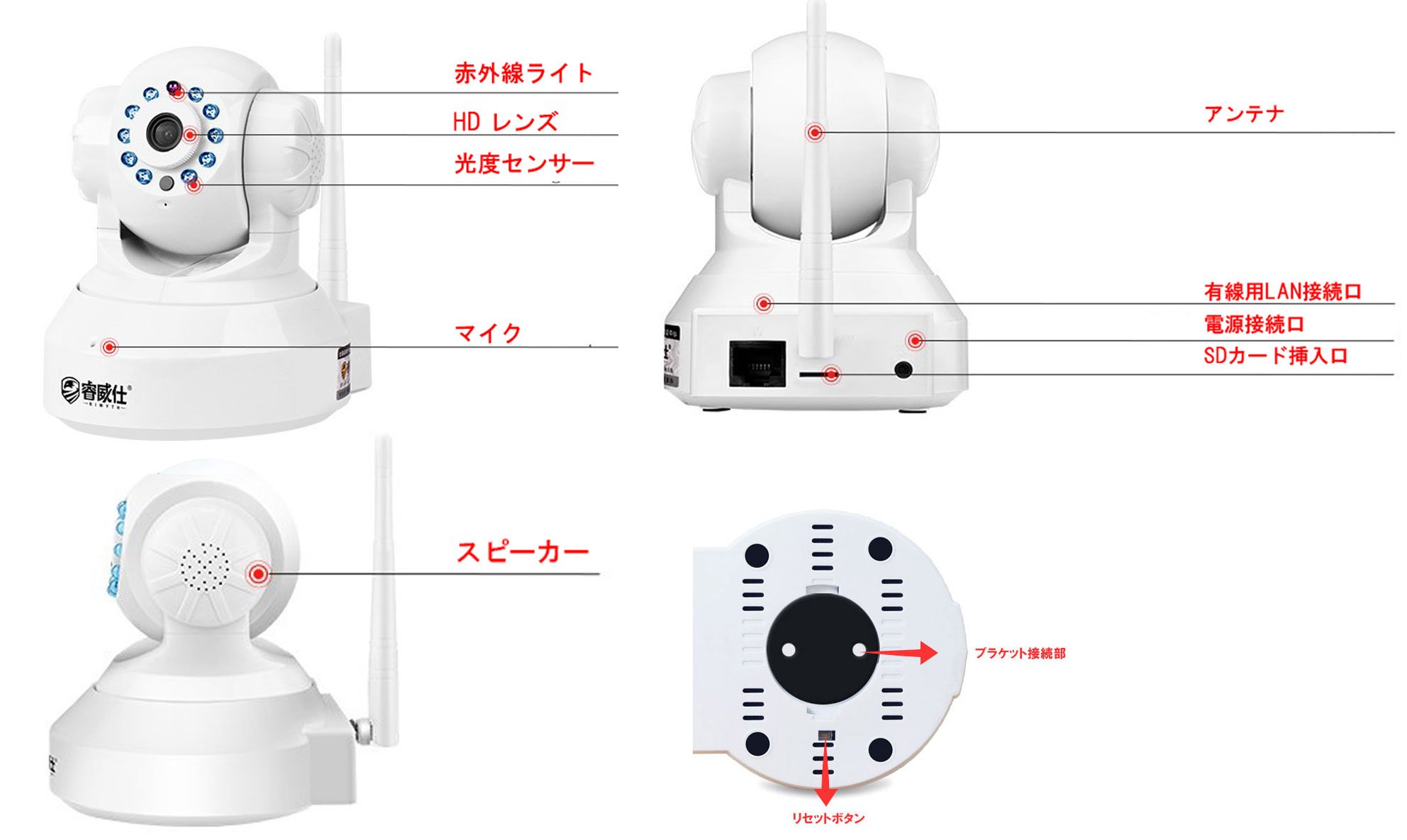
With infrared light, night view even with night view correspondence can be done.
IR irradiation distance: 10 m Continue to monitor for 24 hours.
Excellent thing for surveillance cameras ___ ___ 0 ___ ___ 0
WiFi Wireless Connection Support: You can see from most Android-powered smartphones, iPhones, iPads, etc.
You can also record video in the SD card.
Moreover, multiple units can be connected at the same time!
You can take out the voice you talked with the microphone built-in smartphone from the main unit.
You can read the name of a pet or repel a thief!
You can also take still pictures during viewing.
It should also be useful for baby monitors and nursing care.
Product specification
Lens: 3.6 mm lens
Compression method: MJPEG
Resolution: Video resolution: 1280 x 720 (720 P), 640 x 480 (VGA), 320 x 240 (QVGA)
Infrared LED: 11 pieces
Pan / tilt movable: Up and down 100 ° right and left 350 °
Recording function: yes
Wireless: IEEE 802.11b / g / n
Supported OS: Windows XP / Vista / Windows 7 / Windows 8 / MacOS / iOS / Android
Supported browsers: IE / firefox / google chrome
※ Router must be connected to internet line
※ It may be unusable for some shared net lines and net apartments ※ In case of access from an external personal computer, port opening, fixed IP address, dynamic DNS is required ※ support for wireless connection is not possible
【Smartphone connection method】
It is explained on the premise that you possess a WIFI router.
1, Turn on the IP camera body.
Please install the application called yoosee from the smartphone in the instruction manual.
2, select "smartlink" with "+" on the upper right
3, NEXT, the ID of WIFI is displayed, so enter the password of the WIFI router
4, Start searching IP camera body.
Please press the hole button on the bottom of the IP camera body with a toothpick etc.
Because it will detect in about 5, 30 seconds, after that you can set your password arbitrarily and complete.
* If you can not find it, please press the button on the IP camera body and wait a little
【PC connection method】
Please act in the condition of setting up the smartphone.
1, search by yoosee and googole and display the site.
Download and install CMS software.
(Please do not delete it to security software)
2, you will be asked for admin pass setting at login.
I will do OK without doing anything in pass.
3, From the "+" in the lower left, make the setting.
4, manual add device selected
In the part of 5, 3 CID, set with a smartphone, put only the numbers that come out with cam *******.
6, For the device password, enter the password set with the smartphone setting "5".
In case
7, device name is the same as ID.
It is OK.
8, Drag to the screen where you want to play the newly made device, and it will be played.
If you do not understand please mail me.
We support.
Features:
- * We will provide PDF Japanese instructions by e-mail.
- Since wireless connection is possible, it is not necessary to install it near the wireless LAN, and it can be installed anywhere in the room as long as the radio wave can reach it.
- WiFi Wireless Connection Support: You can see from most Android-powered smartphones, iPhones, iPads, etc.
- The IP camera body is read with the smartphone and the setting is completed in 10 seconds.
- With infrared light, night view even with night view correspondence is possible.
- IR irradiation distance: 10 meters
- "MEOW MARKET" brand is registered as a trademark.
- Registration number: 5780612
Product information:
Shipping Weight: 612 g
Package Dimensions: 11.91 x 19.00 x 22.50 cm
Customer reviews from Japan:

 I did not expect much though ...
Previously, I bought TENVIS 's baby monitor and used it, but I bought this because the connection got worse in around half a year. Although it arrived, since the box was Chinese, because it is made in China, I gave up halfway, but I took in the application exclusively according to the instructions and plugged in the power cord, and the Wi - Fi I entered the security number, I was able to use it easily just by waiting for the connection within 5 meters. The price is less than 5000 yen, I think that the image is also quite clear so it is enough. You can move from the smartphone side in the direction you want to see with your finger. There is some time lag between speaking from here and replying from the other party. I wish I had a zoom function, but I think that this alone is enough.
I want a Japanese manual
I think that it is very good. In addition to the instructions, I kindly taught by e-mail. I am saved.
I'm glad I bought it
The dog who keeps at home is pretty old and it hardly moves, but purchased it thought that it was better to install it by worrying about opening the house during the day. Basically, there is no change everyday, but I was impressed that I can still see interesting gestures occasionally, but even if I have been together for many years I still have a surprising figure. It was easy to set up because it was easy to set up.
Convenient.
When raising the volume, the noise "bobo bobo" is annoying, but the function is largely satisfied. Sometimes a connection error occurs, but it will recover when you add the equipment again. When doing DL of "yoosee" it seems uneasy because it requires a dreadfully large number of access rights, but is it the standard specification of a network camera?
SHIPPING METHOD
Delivered directly from Japan by Japan Post. It will take 3 to 5 business days to prepare the order for shipping. We guarantee careful packing and safe shipping.Please note that in some cases additional import or VAT charges may incur and have to be borne by the client.
1. Japanpost registered mail
Shipment by Japanpost Registered Mail (Standard). Trackable any time with tracking number. Insurance is not available. Delivery time usually is between 1-3 weeks from the date of dispatch. Some items are not eligible for Standard Shipping.
2. Qxpress Standard
Shipment by Qxpress standard service. Trackable at any time with tracking number. Registered and insured up to a value of item price and shipping fees.Delivery time is usually between 5-10 business days from the date of dispatch.
3. EMS
Shipment by Expedited Mail Service. Trackable at any time with tracking number. Registered and insured up to a value of $200 and usually delivered in 2-6 business day from the date of dispatch.

| Japanpost registered mail | Qexpress | EMS | |
|---|---|---|---|
| Shipping Method | Japanpost Registered Mail (Standard) | Standard Qexpress | EMS (Expedited Mail Service) |
| Trackable | Yes | Yes | Yes |
| Insured | N/A | Yes (Up to item price and shipping fees) | Yes (Up to $200.00) |
| Asia | 1-3 weeks | 5-10 days | 2-5 days |
| Oceania; North America; Central America and the Middle East | 2-4 weeks | 6-14 days | 2-6 days |
| Europe | 2-4 weeks | 6-16 days | 3-8 days |
| South America and Africa | 2-4 weeks | 10-18 days | 4-8 days |
NOTICE:
- For overseas delivery, please be aware that damage to the outer box can be seen.
- If you would like to avoid as much damage as possible, please choose the EMS shipping method.
"According to Qoo10 guide line,overseas shipping fees will be charged to you extra if you choose Qxpress standard shipping.We recommend you to compare the total price of your purchase with EMS."
