- Advanced Ergonomic Design
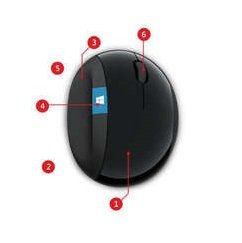
Advanced ergonomic design encourages natural hand and wrist postures - Mouse angle and height
Mouse angle and height are designed to place wrist in a comfortable position and reduce pressure on carpal tunnel area - Thumb scoop
Thumb scoop helps to maintain the correct ergonomic hand and wrist position - Windows button
Windows button for one-touch access ot the Start screen - Back button
Back button for faster navigation - Four-Way Scrolling
Scroll left, right, front and back. Quickly navigate all of your projects with speed and efficiency.
Exciting, exceptional accuracy
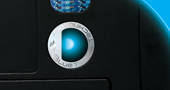
Use a mouse with BlueTrack Technology that outperforms laser and optical mice. The large, blue beam, combined with an image sensor and pixel geometry designed by Microsoft, generates a high-contrast picture of the surface that allows exceptional tracking accuracy.
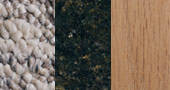
Track on just about anything
Navigate your computer by using a BlueTrack Technology mouse on a picnic table, your living room floor, the armrest of a lobby chair, or even your pant leg. With BlueTrack Technology, you can use the mouse on almost any type of surface.
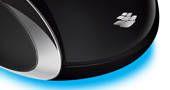
Stronger sensitivity
See that blue light coming from under the mouse? The BlueTrack Technology light beam is more than four times larger than the average laser beam used in other laser mice, so you can point, click, and scroll with precision, no matter where you are.
System Requirements
Computer/Operating System
Windows 8, Windows RT**, Windows 7, and Windows Vista; Mac OSX v10.4-10.x
USB Port
Proprietary 2.4 GHz
Hard Drive
Windows 150 MB
Mac 30 MB
Other
2 AA alkaline batteries (included)
*BlueTrack Technology does not work on clear glass or mirrored surfaces.
**Advanced functionality not available with all devices. See compatibility information on the Microsoft website.


