Product details of NTi Backup Now Pro
Everything You Need to Protect All of Your Data
Backup Now Pro is designed for your office, small businesses and IT professionals. The program is rich with advanced features like Migration, File Filtering, Email notification, and Remote Backup, but at the same time easy-to-use. File Backup can back up all your photos, music, videos, documents, and email for that peace-of-mind that a good backup gives you. Drive Backup will back up the entire PC (including Windows OS, programs, data files, and settings) into a bootable image, which in the event of a hard drive crash can be used for disaster recovery. Cloud Backup if chosen will back important files to NTI Cloud (powered by Microsoft Azure), for extra off-site protection as well as always-on accessibility that cloud storage can provide. Continuous Backup provides extra protection of working files by saving a mirrored copy in the destination: whenever a source file is updated, the backup copy is also updated and kept in sync
- What's New!
- NTI Cloud backup
- Improved backup algorithm for faster backups
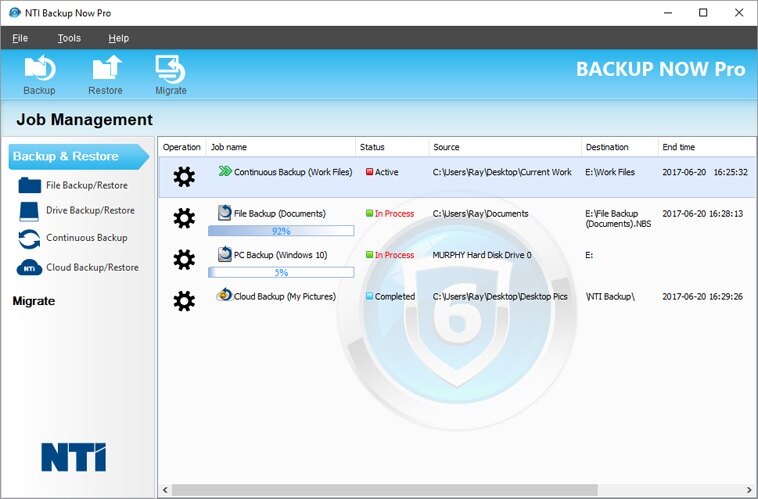
- New Job Management Home Screen
- Features:
- File & Folder Backup
- Complete System Backup (operating system, programs, data files, & computer settings)
- Continuous Backup
- Cloud Backup (Powered by Microsoft Azure)
- Backup Migration
- Language available:
English, Chinese Simplified, Chinese Traditional, French, German, Italian, Japanese, and Spanish.
Note: Our complete-system restore program requires that the PC supports booting from an external USB drive. It's noted that currently some tablet PCs (e.g. Microsoft's Surface Pro tablets) don't support booting from external USB.
- Cloud Backup

Backup Now Pro allows for off-site backup to NTI Cloud (powered by Windows Azure). Now your files can be safe and secure in a remote location for that extra protection. Additionally, Cloud Backup gives you 24/7 access to your data from anywhere in the world with Internet access.
- File & Folder Backup
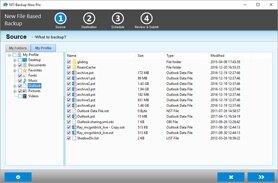
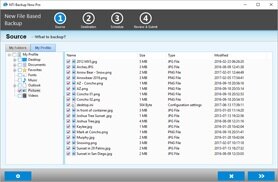
With the My Profile tab we made it simple for you to select all of your important files that you want backed up. Additionally the My Folders tab gives you a standard file and folder tree view of your computer that allows you to choose specific files and folders.
- PC Backup
Backup Now Pro is one of the easiest image backup solution available in the market. Backup Now Pro will back up your entire computer (operating system, programs, data files, & computer settings, etc.) and when needed, Backup Now Pro will quickly restore your computer back to when it was last working correctly. Just boot up from an Optical disc, USB flash drive or USB hard drive and select a restore point and then restore.
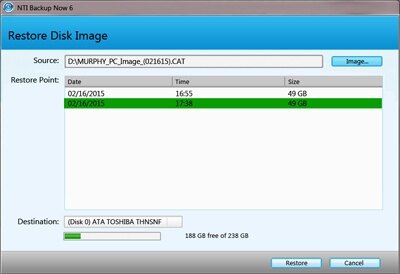
The restore process will automatically prepare your replacement drive by partitioning, formatting, and then restore all of your computer’s data. Everything is automatically done for you so there is no need to understand all those technical terms (e.g. Partition, MBR, Format, Fat32, NTFS, etc.). Backup Now Pro will even resize your partitions to fit onto a larger or a smaller replacement drive, all in one easy step.
- Remote Backup
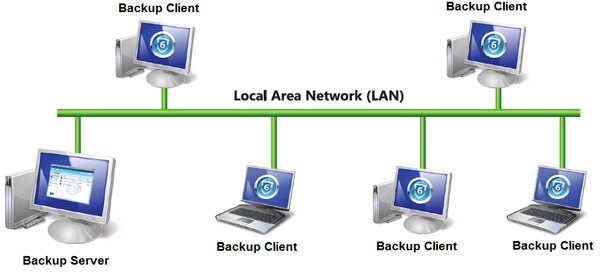
Using a designated PC (Backup Server) you can easily backup other PCs on the same LAN. Simply install Backup Now Pro on the Backup Server and on each remote PC (Backup Client) you want backed up. Once installed the Backup Server will be able to back up all the remote PCs automatically. An ideal solution for your company to ensure everyone’s PCs are backed up properly.
- PC Upgrade
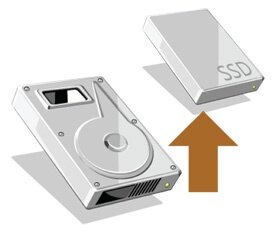
Backup Now Pro is also great for helping you upgrade your PC to a larger hard drive or a faster solid state drive. All you need to do is let Backup Now Pro do a complete backup of your computer, and then replace the original hard drive with you new HDD or SSD and restore. Backup Now Pro will automatically resize (shrink or grow) the original hard drive’s partitions to match the new drive’s storage capabilities.
Note: Our complete-system restore program requires that the PC supports booting from an external USB drive. It's noted that currently some tablet PCs (e.g. Microsoft's Surface Pro tablets) don't support booting from external USB.