- Size:
- Small
- Brand Name:
- Juyao
- Model Number:
- JY-926+JY-18A



JY-926 OR JY-926A
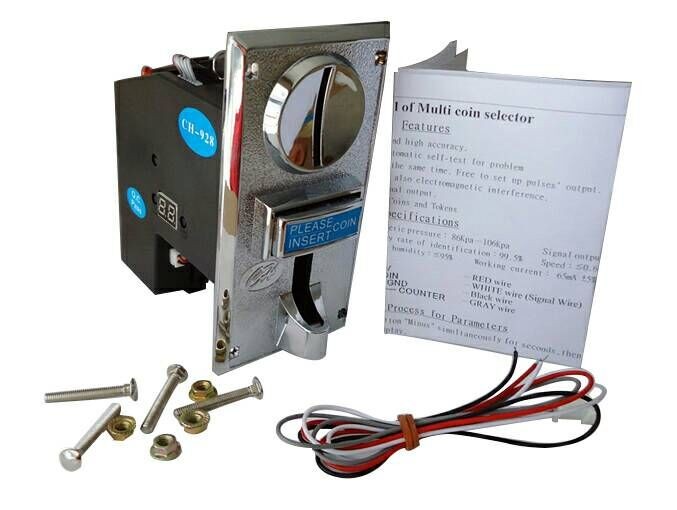

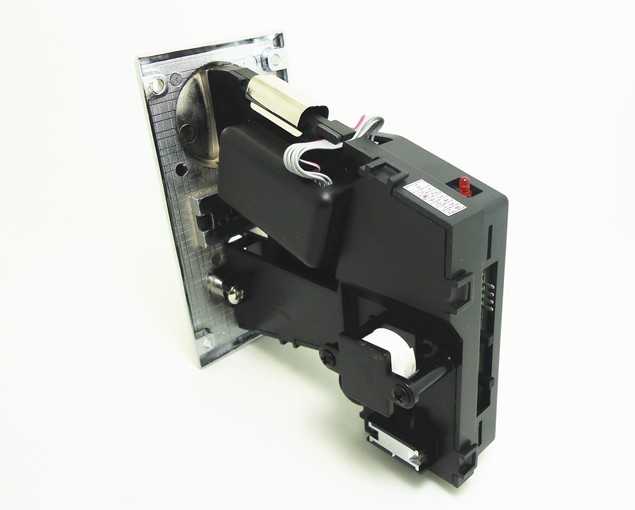
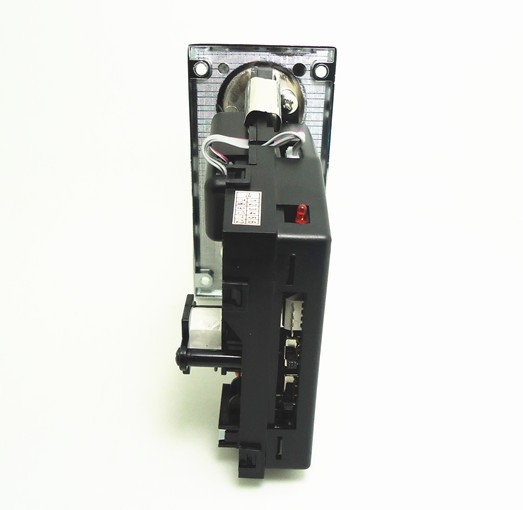
- Intelligent CPU software control, and high accuracy
- Self-programming without PC, and automatic self-test for proble
- Accept different kinds of coins at the same time. Free to set up pulses\' output
- Prevent not only electric shock but also electromagnetic interference
- Support multi coins with only 1 signal output
- Capable of accepting all worldwide Coins and Token
CONNECTIONA AND SWITCHES
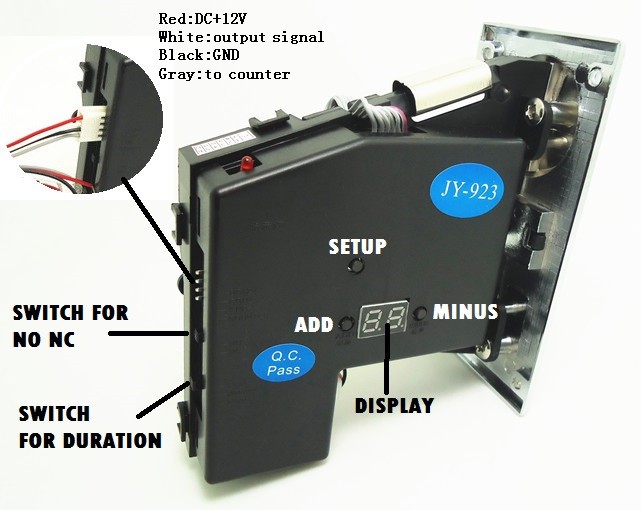
SETTING FOR COINS
- Hold on the button"ADD" and the button "MINUS" simultaneously for seconds,then letter "A" will appear from the LED display.
- Hold on the button "SET" for seconds, and letter "E" will appear. Next, use the button "ADD" and the button "MINUS" to choose how many kinds of coins you would like to use. Next, hold on the button "SET" for seconds to finish.
- Letter "H1" will appear. Use the button "ADD" and the button "MINUS" to choose how many samples you would like to insert later. Next, hold on the button "SET" for seconds to finish.
The maximum is 30. Please choose more than 15 samples for more accurate. - Letter "P1" will appear. Use the button "ADD" and the button "MINUS" to choose the amount of output\'s signals/pulses for coins. Next, hold on the button "SET" for seconds to finish.
The maximum pulse is 50. - Letter "F1" will appear. Use the button "ADD" and the button "MINUS" to choose accuracy. Next, hold on the button "SET" for seconds to finish.
The value is from 1 to 30, and 1 is the most accurate. Normally,5-10 is fine. If kinds of coins are too similar, the value should be more accurate. - The first kind of coin has been set up so far. Please repeat No.3- No.5 until all kinds of coins has been set up. Letter "A" will appear again after all above procedures is finished.
- Hold on the button " SET" for seconds, and letter "E" will appear. Finally, turn off and turn on the power. The setting will be saved.
Sampling FOR COINS
You can start sampling after the setting is finished. Please choose more than 15 coins. The sampling will affect the accuracy of coin selector.
----------------------------------------------------------------------------------------------------
- Hold on the button "SET" for seconds, then letter "A1" will appear from the LED display.
- Please start to sample the first kind of coins. The letter "A1" will appear again after finished.
- Hold on the button "SET" for seconds, then letter "A2" will appear. Next, please start to sample second kind of coins. The letter "A2" will appear again after finished.
- Please repeat No.3 until all kinds of coins you need is set up.
If you already set up all kinds of coins you need, and it is less than the product has, please turn off power. For example: If you choose "6-kind-of-coin of multi-coin selector" to set up 4 types of coins, please turn off power after you see second “A4”. - The system will restart automatically after finished.
- The product can be used after finishing sampling.
AP MODE
- Using this mode, you are able to control the output pulse ratios.
For example: 2 coins for 1 pulse or 3 coins for 1 pulse. - If you don\'t need to use AP mode, please skip AP mode setting.
-----------------------------------------------------------------------------------------------
SETTING FOR AP MODE
- Please hold on the button "SET" and the button "ADD" simultaneously for seconds, then hold on the button "SET" for seconds to get into AP mode
- Please select the value of AP mode. The coin selector will generate 1 external signal output when the internal signal- "P" value of parameter- reaches the value
- The default value of AP mode is 1.

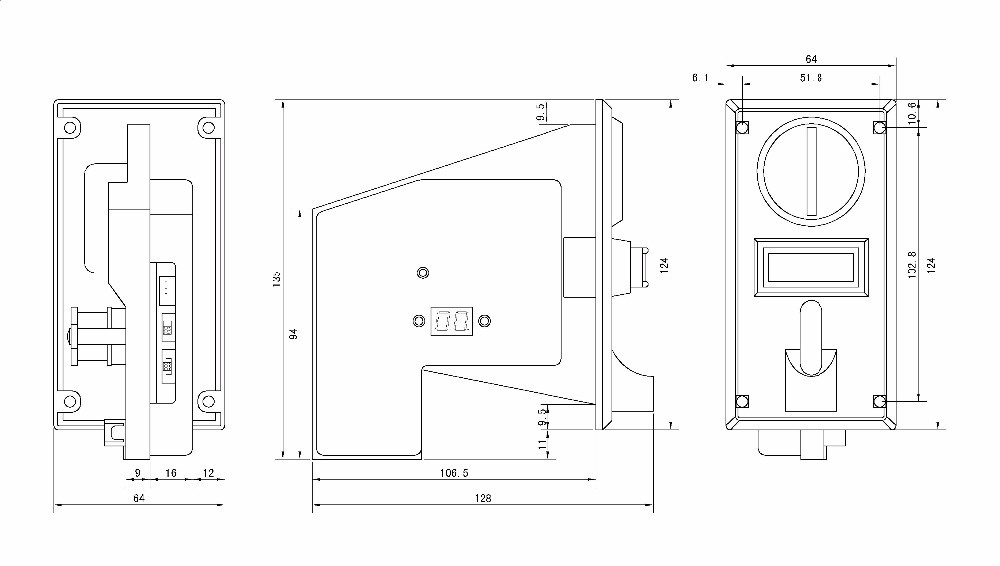

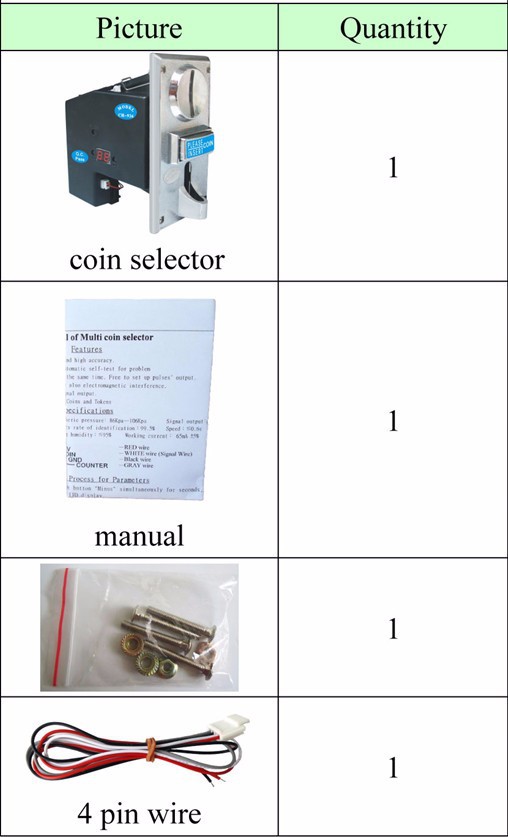

- Please note this auction is for MODEL JY-926 OR JY-926A
- For following coins, we can pre-program coins for you if order more than 10 pcs.
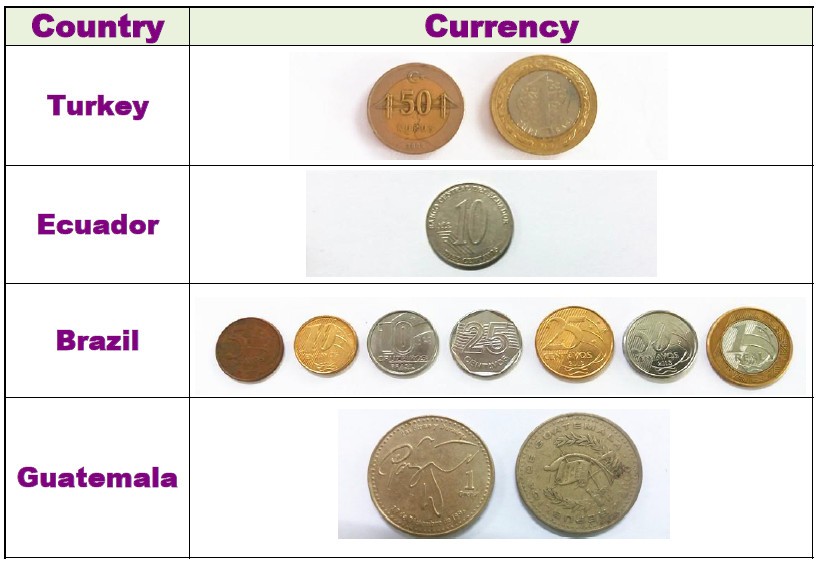
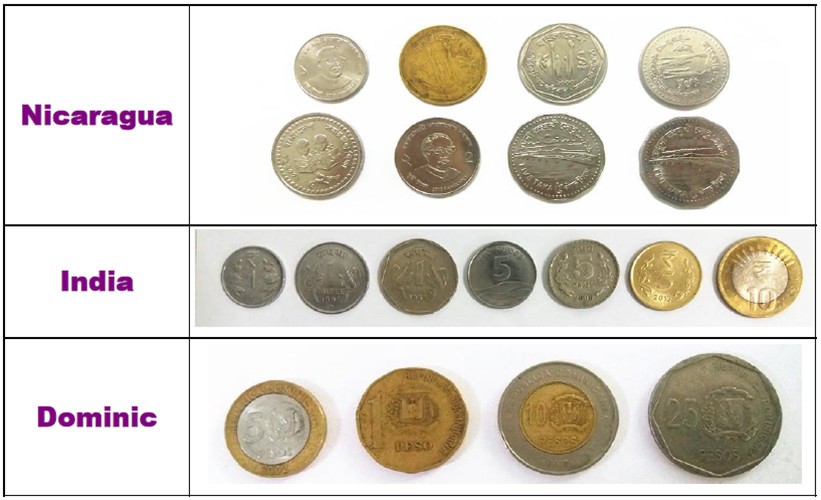


- Please check following TABLE for MODEL you will receive

- Other currancy, please feel free to contact us or we pick up to you based on country.
JY-18A USB Timer Board
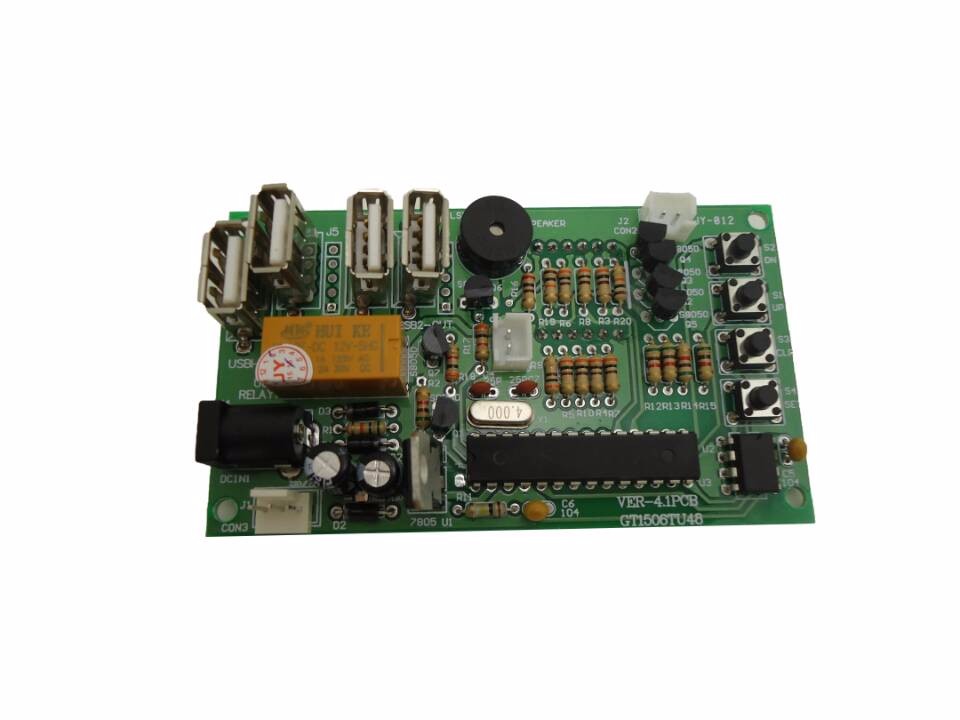


Setting
GIVEN TIME and VALUE: User can get extra free time when the amount reach the value you have set up during the working time.
---------------------------------------------------------------------------------------------------------------------
If the function of GIVEN TIME is not needed, please skip step 5-step 7 by press button S4.
- Please press button "S4", and then please use button "S1" and button "S2" to set up VALUE
- Please press button "S4", and then use button "S1" and "S2" to set up TIME for FIRST 2 NUMBER (00:--
- Please press button "S4", and then use button "S1" and "S2" to set up TIME for LAST 2 NUMBER (--:00
- Please press button "S4", and then use button "S1" and "S2" to set up VALUE OF GIVEN TIME
- Please press button "S4". Use button "S1" and "S2" to set up GIVEN TIME for FIRST 2 NUMBER (00:--
- Please press button "S4". Use button "S1" and "S2" to set up GIVEN TIME for LAST 2 NUMBER. (--:00
- Please press button "S4". Use button "S1" and "S2" to set up TIME for WARNING SOUND
Default is 30 seconds
Mode Setting
1. Please hold on button "S1" and "S2" to get into MODE SETTING.
2. Please use button "S1" and button "S2" to set up CODE for FIRST MODE.
3. Please press button "S4" after setting.
4. Please repeat step 2 and step 3 for setting rest mode.
Code Introduction
Operating Mode
01:01: Time counts down without pressing button
01:02: Time counts down by pressing button
TIME TYPE
02:03: MINUTE: SECOND
02:04: HOUR: MINUTE
-----------------------------------------------------------------------------------------------------------------
MEMORY MODE
03:05: Continue counting time after power off and on
03:06: Reset time and value after power off and on
-----------------------------------------------------------------------------------------------------------------
TIME for RESET AUTOMATICALLY
04:??: 1-30 minutes are adjustable.
Description: Time and value will be reset automatically if user does not choose any function after the
user inserts coins.
DEFAULT
Operating Mode: 01:01 Time Type: 02:03 Memory Mode: 03:06


- Sometimes we send the goods by DHL to some places. Sometimes, we send the goods by FedEx to some places. If you are insisted in the specific delivery way, please leaving message to note it.
- For Russia, please fill in complete name for post. If you want to use express, please contact us for TW EMS. It takes around 7 days to there with cheaper shipping charge.
- IT TAKES 2 MONTHS TO ARRIVE AT BRAZIL BY HK POST
| HK POST |
| Country | Estimated Delivery Time |
| United States | 10-20 working days |
| Australia/Canada/Germany | 14-20 working days |
| United kingdom/ Spain/Norway/Greece/France/Israel | 14-25working days |
| Brazil/Russia/Bolivia | 14-30 working days |
Please note that we may be not able to send items to Argentina
- Unit Type:
- set
- Package Weight:
- 0.500kg (1.10lb.)
- Package Size:
- 12cm x 7cm x 12cm (4.72in x 2.76in x 4.72in)