Keyboard
- Split keyset design helps to position wrists and forearms in a natural, relaxed position
- Cushioned palm rest provides support and promotes a neutral wrist position
- Domed keyboard design positions wrists at a natural, relaxed angle
- Separate number pad provides greater flexibility for workspace setup
- Natural Arc key layout mimics the curved shape of the finger tips
- Reverse tilt angles the keyboard to promote a straight neutral wrist position
Mouse
- The shape of the mouse is designed to maximize wrist comfort
- Thumb scoop helps to maintain the correct ergonomic hand and wrist position
- Windows button provides one-touch access to the Start screen
- Back button for faster navigation
- 4-way scroll wheel for navigating up, down, left and right
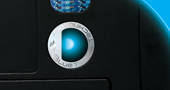
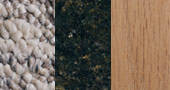
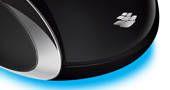
Exciting, exceptional accuracy
Use a mouse with BlueTrack Technology that outperforms laser and optical mice. The large, blue beam, combined with an image sensor and pixel geometry designed by Microsoft, generates a high-contrast picture of the surface that allows exceptional tracking accuracy.
Track on just about anything
Navigate your computer by using a BlueTrack Technology mouse on a picnic table, your living room floor, the armrest of a lobby chair, or even your pant leg. With BlueTrack Technology, you can use the mouse on almost any type of surface.
Stronger sensitivity
See that blue light coming from under the mouse? The BlueTrack Technology light beam is more than four times larger than the average laser beam used in other laser mice, so you can point, click, and scroll with precision, no matter where you are.
System Requirements
Computer/Operating System
Windows 8, Windows RT**, Windows 7, and Windows Vista; Mac OSX v10.4-10.x
USB Port
Proprietary 2.4 GHz
Hard Drive
Windows 150 MB
*BlueTrack Technology does not work on clear glass or mirrored surfaces.
**Advanced functionality not available with all devices. See compatibility information on the Microsoft website.


