
Xiaomi WIFI Repeater
Universal compatibility with Xiaomi and other routers
Plug&Use | Effortless Pairing | Small&Convenient
Place Xiaomi Wifi repeater WIFI dead spot area to improve WIFI speed and stability,up to 100% enhancement in
WIFI coverage,automatic WIFI signal selection between root router and Xiaomi WIFI repeater
One step installation,plug and use
Compatible with other routers in the market,best experience with Xiaomi routers
Two steps to pair with Xiaomi router.
1.Plug Xiaomi repeater into Xiaomi router USB 2.Plug repeater in any USB port afrer blue LED shows up.
Two steps to pair with Xiaomi Youth:
1.Place repeater near Xiaomi Youth router(with in 1m);2.Plug into any USB port as you wish after blue LED shows up.
Keep your firmware up to date with Xiaomi auto update function,on setting is required
APP CONTROL
1.Download 'MiHome' app from app store or Goole Play


2. Connect your main router and open MiHome app, put your Mi account and password


2. Click the "+" top right corner, then select Mi WiWi Repeater


3. Make sure your repeater is Yellow light flashing, and put your main router password.


4. Go to set Wi-Fi and choose xiaomi repeater signal and connect


5. Repeater will configure itself. and you can rename the repeater, but the SSID will not change, the repeater name is Your main router name +PLUS. If your main router name is XXXX, then your repeater name will be XXX_PLUS.
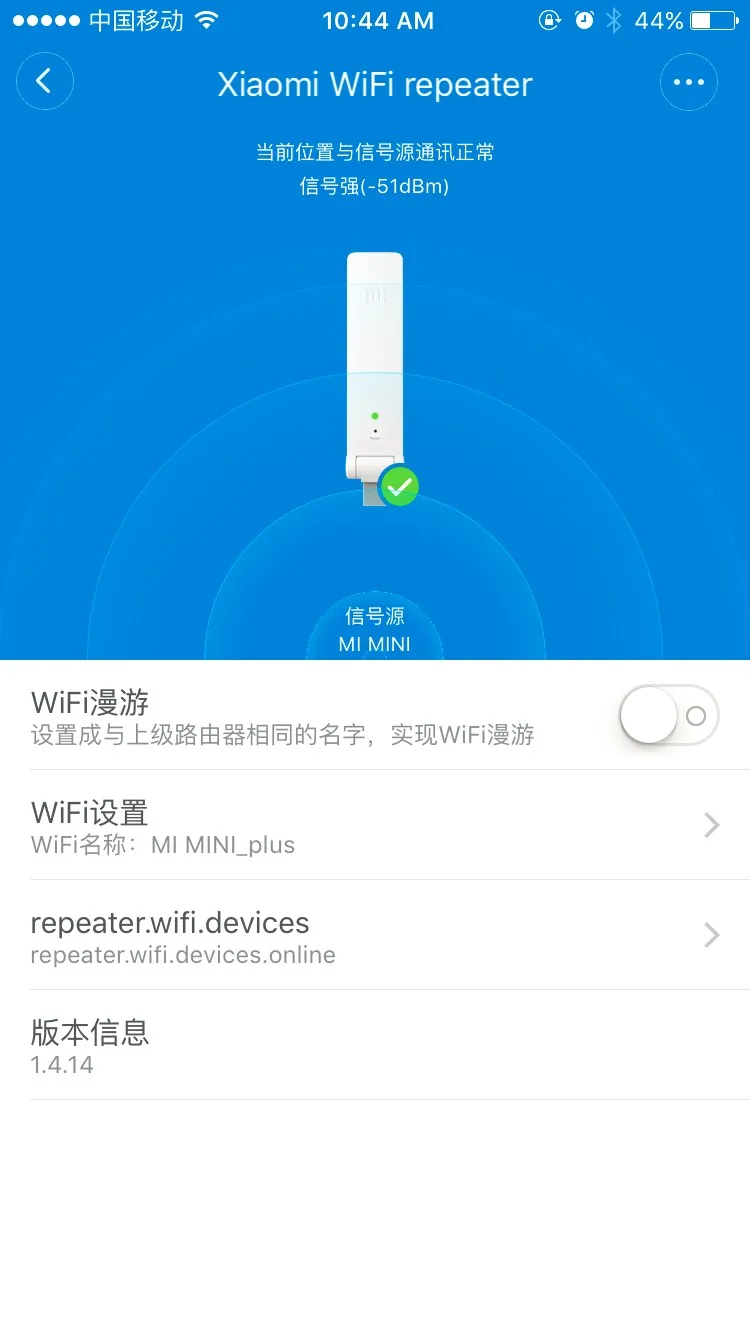

6. Some part of app is chinese, most part is English, then you can see the repeater in your MiHome app.


