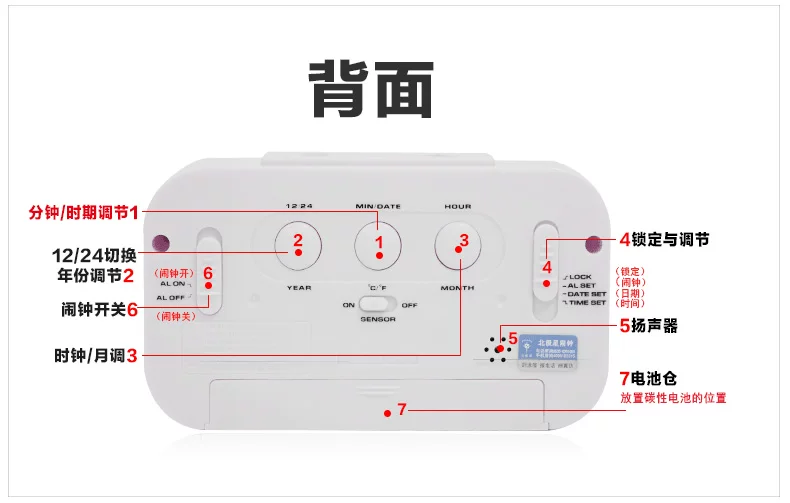
l.When the transfer I month button
2.Adjustable points I day I temperature knob
3.Snooze button I light I light control device
4.Adjustable years I hour conversion button
5.Function selection button
6.The alarm control button
? .Smart Lights switch
8.Battery cover
Insert the battery and starts the alarm clock
Open the battery cover (8)
According to the lower part of the battery slot indicates batt 7 the right into the three AAA
Take care not to mix old and new batteries
Time setting
Press the function button (5) to the time setting position
Adjustable button press transfer I month (1) required to the set time, special attention to the PM and AM time, when is set to PM
After a time, PM "will be displayed
According to the tone I daily button I temperature knob (2) to the desired setting minutes
Set will function selection button (5) is allocated to the locked position.
Alarm settings
Press the function button (5) to the alarm location
Adjustable button press transfer I month (1) required to the set time, special attention to the PM and AM time, when is set to PM
After a time, PM "will be displayed
According to the tone I daily button I temperature knob (2) to the desired setting minutes
Set will function selection button (5) is allocated to the locked position.
Set date I temperature conversion
Press the function button (5) to the time setting position
According to the transfer I conversion button (4) to theempty set year
Adjustable button press transfer I month (1) required toset the month
According to the tone I daily button I temperature knob (2) required to set the date
Set will function selection button (5) is allocated to the locked position.
According to the tone I day I temperature knob, temperature and degree of Chinese type conversion functions
12/24 hour display settings
Toggle function selection button (5) to the time settingposition
Press the transfer I conversion button (4), can be realized 12/24 hour display conversion
As to the 24 hour show, a small "24" mark will appear in the upper left corner
Set will function selection button (5) is allocated to the locked position.
The alarm switch state setting
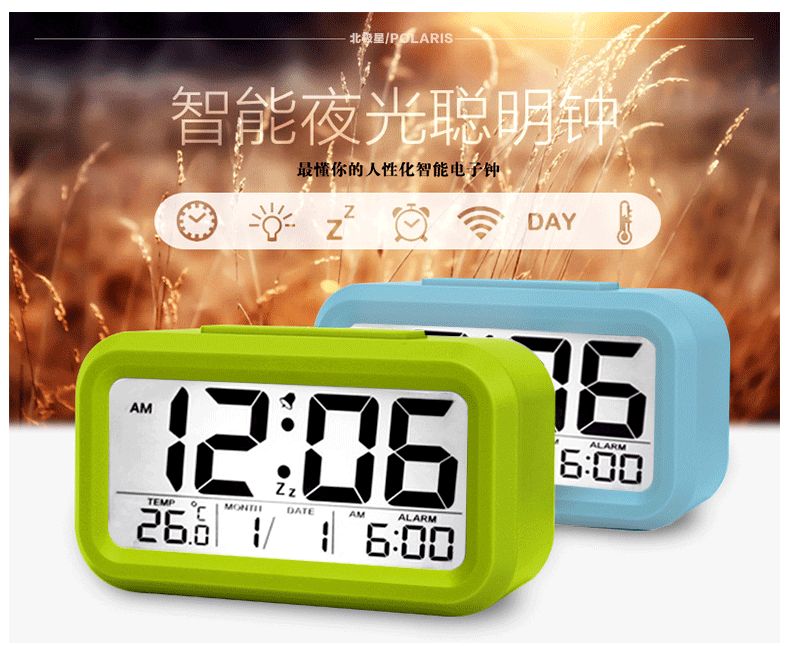
The alarm control stick (6) to the open position, an alarmsymbol will appear,
when reaching the alarm time pointalarm will, Lasts 60 seconds
The alarm control button (6) to the off position alarmsetting will cancel
Snooze and lighting function
When the alarm sound is ringing, press the sleep / Lighting button (3), the alarm sound will stop after
5 minutes again,
At the same time background exhibit of lanterns lit, Lighting button (3) background lights will be lit at any time according to snooze I
Light induction control function
The induction button (7) to the open position,
the alarmwill automatically according to the strength of environmental light to open background light
The light effect, if the externalenvironment of weak light, background light will open, otherwise will not open
Select the button pushing induction (7) to the off positionwill turn off this feature.
Maintenance and storage
When the alarm clock when not in use, please do notinstall the battery and the original packing box. A piece of cloth or paper towel to clean the alarm clockcan be soft,
do not use corrosive or cleaning agent hasthe chemical composition of the cleaning.
Keep the alarm clock to clean and dry, to avoid any problems