Studio : Bluesky Publisher : Bluesky Binding : Electronics Product Description
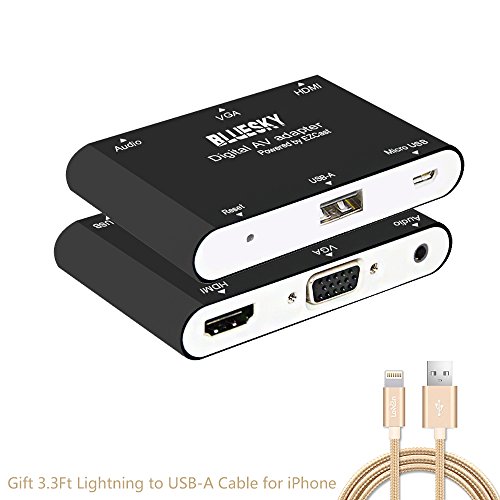
This digital AV adapter is based on EZCastAP, support multiple systems. You could convert the video from connect your mobile, tablet, laptop to a big monitor. Most importantly, it could update regularly to keep compatible with your latest operating system. Adapter Installation
Connect to TV, Projector, Monitor
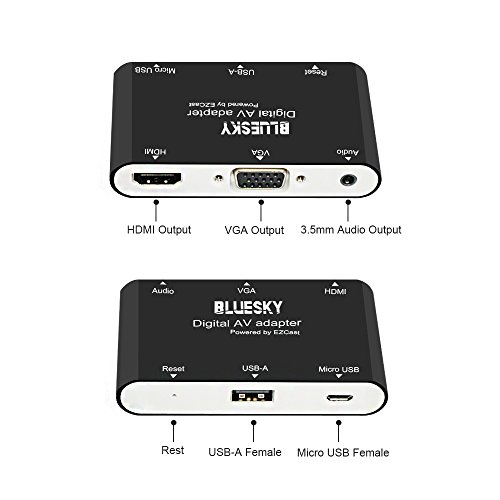
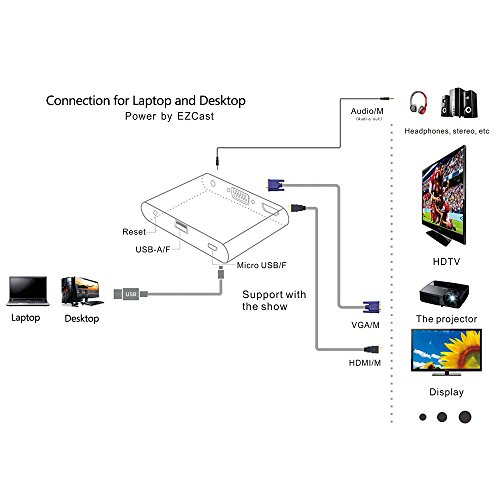
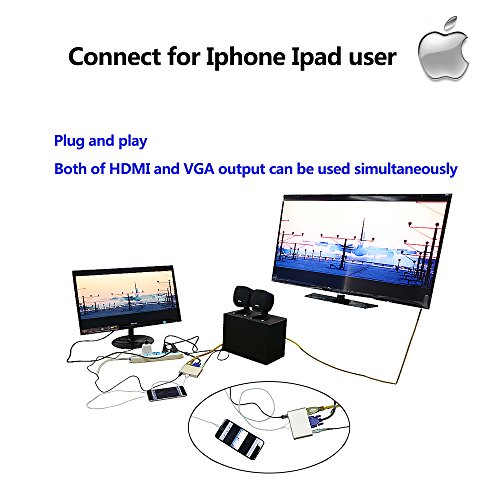
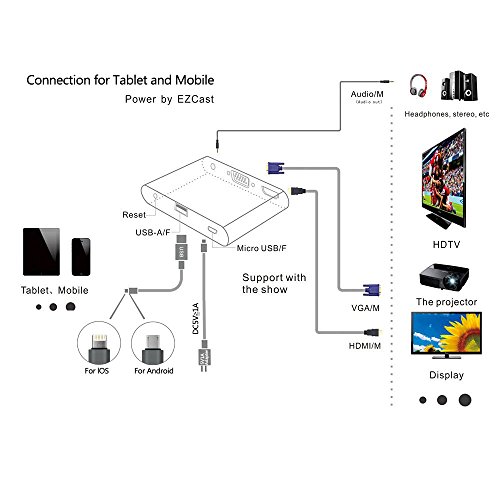
Connect the HDMI or VGA port to the corresponding interface of TV, projector, monitor, and choose the corresponding signal channel. It will support audio and video output at the same time.
Connect to computer, IOS, Android, Windows PC, MacBook:
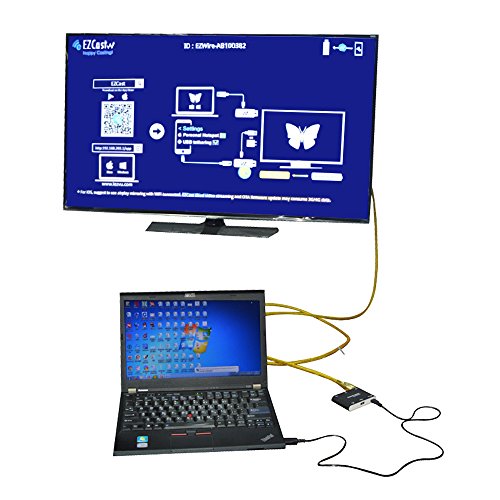
1) Connect to Desktop/Laptop: prepare a standard USB cable, then connect the USB-A port to your desktop or laptop, and connect the micro 5pin port to our digital AV adapter.
2) Connect to IOS/Android diveces: the standard USB cable will be used as a power adapter ,for iphone or ipad suggest to use the original lightning cable to connect your device to this AV adapter
Software installation
IOS and Android user:
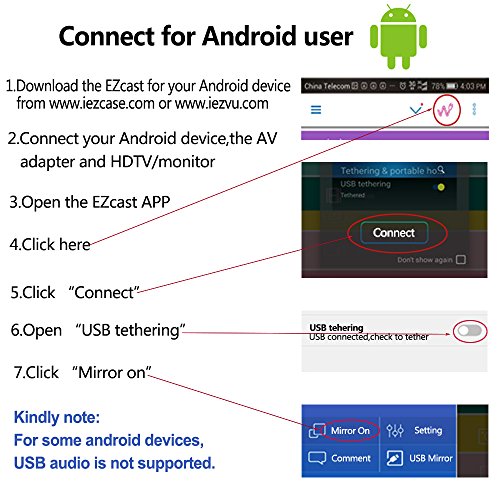
Please search for "EZcast" on App store or Google Paly,and install it.You could also scan the QR code on the digital adapter, install it.Support IOS 8 ,Android 5 and above systems.
Windows and Macbook user:
Please download the EZcast Via www.iezcast.com or www.iezvu.com support Windows7 ,Mac os 10.9 and above version.
Remark :Please read the user manual carefully to install this digital AV adapter to your devices.
0
|