ARDUINO ZERO Code: ABX00003
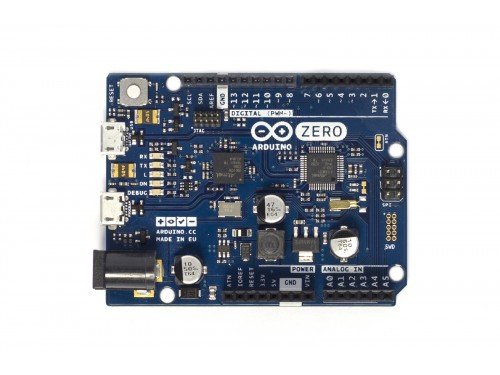
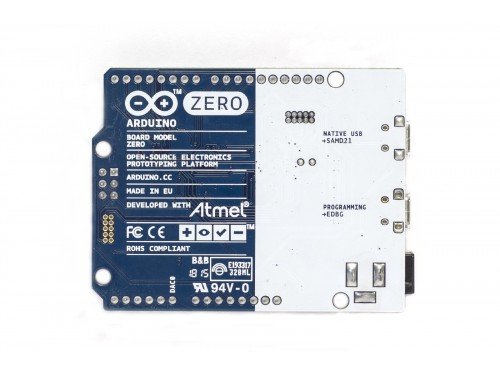
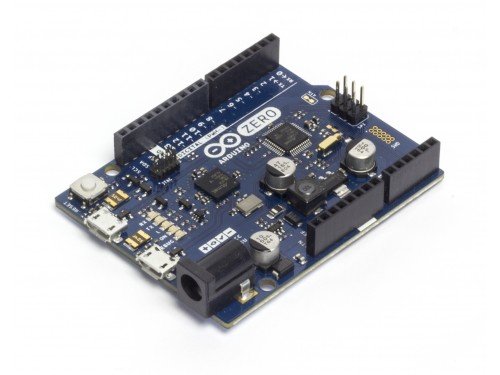
Product Description
Arduino Zero is a simple and powerful 32-bit extension of the platform established by the UNO. This board aims to provide a platform for innovative projects in smart IoT devices, wearable technology, high-tech automation, crazy robotics, and much more.This board is a simple and powerful 32-bit extension of the platform established by the UNO. Learn how to prepare your computer with all you need to start making your own projects. The Arduino Zero is programmed using the Arduino Software (IDE), our Integrated Development Environment common to all our boards and running both online and offline. For more information on how to get started with the Arduino Software visit the Getting Started page. Use your Zero on the Arduino Web IDE Use your Zero on the Arduino Desktop IDE Installing Drivers for the Zero Open your first sketch Select your board type and port Upload the program Differences from ATMEGA based boards Serial ports on the Zero ADC and PWM resolutions Use your Zero on the Arduino Web IDE All Arduino and Genuino boards, including this one, work out-of-the-box on the Arduino Web Editor, no need to install anything. The Arduino Web Editor is hosted online, therefore it will always be up-to-date with the latest features and support for all boards. Follow this simple guide to start coding on the browser and upload your sketches onto your board. Use your Zero on the Arduino Desktop IDE If you want to program your Zero while offline you need to install the Arduino Desktop IDE and add the Atmel SAMD Core to it. This simple procedure is done selecting Tools menu, then Boards and last Boards Manager, as documented in the Arduino Boards Manager page. No driver installation is necessary on OSX. Depending on the version of the OS you're running, you may get a dialog box asking you if you wish to open the "Network Preferences". Click the "Network Preferences..." button, then click "Apply". The Zero will show up as "Not Configured"