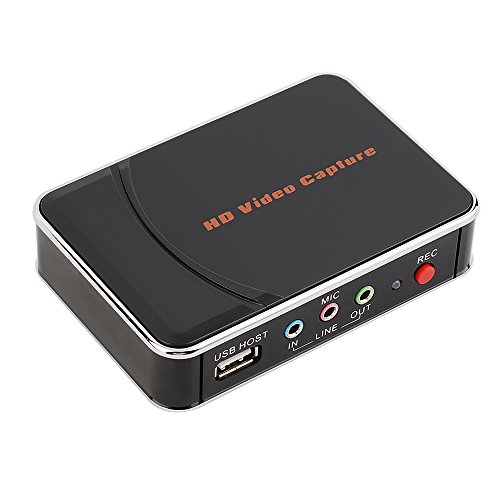
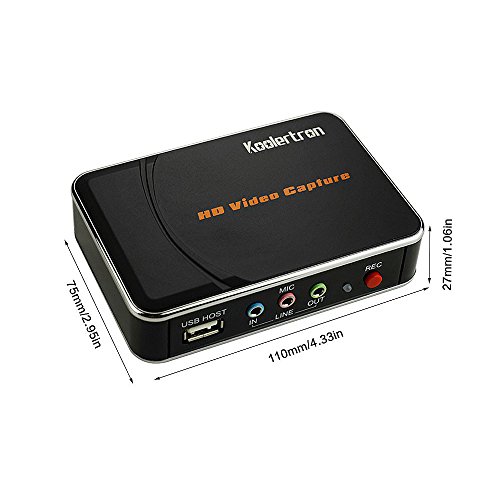
Game Capture HD Video Recording Capture Board 1080P HDMI YPBPR Recorder for Xbox 360&One/ PS3 PS4 - The HDMI Pass-through Function Guarantees Smooth HD Gaming Plug & Play
[Product Information]
- Record your game videos to post to social media & YouTube or to share with friends, on-board H.264 hardware encoder keeps file sizes small for easy transferring, editing and uploading later, a video editing software CD is enclosed with the game video capture.
- 1080P HD Quality Recording in A Click --- No PC requirement! Just connect a USB flash drive (support FAT32, 32GB Max.) to the video game capture and click record button! You can begin to record the action on the screen anytime, and press it again to stop. Universal design is compatible with all HDMI and YPbPr outputs, so with one recorder you can capture footage from Wii U , Wii, Xbox 360, Xbox One, PS4 game consoles, laptop, DVD player, Media player and more
- COMPATIBLE WITH ALL CONSOLES: No matter if you're gaming on a PS4, XBox One or other console - or even a PC or Mac, if you're into that for some reason - the HD video recorder box works exactly as well. Its function is based in audio/video input, either via HDMI or YPbPr, so you could use it with pretty much any console, or even a VHS, DVD or BR player.
- ADD COMMENTARY TO CUSTOMIZE -- You can connect a general 3.5mm microphone to the MIC input with the YPbPr IN; It is NOT available when you're connected via HDMI IN. Please Note: 1. It is a video signal recorder, not a media player box, can NOT export streaming media; 2. HDCP signal can NOT be recorded.
- NOTE: 1. Please format your USB flash drive as FAT32 first. 2. The MIC input is available ONLY when using YPbPr input. 3. Please make sure the output video signal from the game console is Progressive Mode (720P), not Interlace Mode (720i). 4. If using it with a laptop, please make sure the default Audio Playback Device on the laptop is "XXX28X", otherwise there is no sound with the recorded file.