• If there are two devices connected to the headset and both devices receive calls simultaneously, only the primary device's call can be answered.
• While you play multimedia files on one device, you can answer calls with the other device.
Answering a Call
- If you receive a call while wearing the headset, the headset will beep. To answer the call, press the Multifunction button.
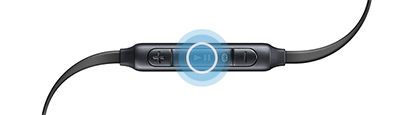
Rejecting a Call
- To reject a call, press and hold the Multifunction button.
Adjusting the Volume
- To adjust the volume, press the Volume (+/-) buttons.
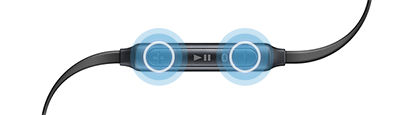
Turning Off the Microphone
- To mute your microphone, press and hold the Multifunction button. You will hear a sound when turning the microphone on/off.
Switching Sound Output
- To switch the sound output between the headset and the connected device, use the device's call features.
Ending a Call
- To end a call, press the Multifunction button.

