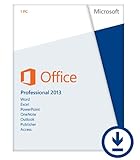
Office Professional 2013
All of Microsoft's applications for use on one PC.
Office Professional 2013 is designed to help you create and communicate faster with time saving features and a clean, modern look. Plus, you can save your documents in the cloud on SkyDrive and access them virtually anywhere.
What’s new in this release of Office?
The 2013 versions of familiar Office applications such as Word, Excel, and PowerPoint include new features that help you create, communicate and work efficiently from virtually anywhere. In addition to updating the traditional Office suites, Microsoft has developed brand new subscription versions of Office, specifically designed around the way customers use Office. Each new subscription offer will include the 2013 versions of the Office applications, for example Word, Excel and PowerPoint, plus cloud services such as Skype world minutes and online storage with SkyDrive.Subscribers will also receive future rights to version upgrades as well as per-use rights across multiple PCs or Macs and select mobile devices.1 Note: The Office applications you can use across PCs, Macs and other devices vary by platform.
1Visit www.office.com/information for a current list of devices. Internet connection required. Internet and mobile telephone usage charges may apply.
What is the difference between the Office 2013 suites and Office 365 plans?
Microsoft Office is still the name Microsoft uses for its familiar productivity software. Office suites have traditionally included applications such as Word, Excel, PowerPoint, and Outlook. All Office 2013 suites include the latest versions of the applications, for use on a single PC.
Microsoft uses the name “Office 365” for products that include cloud services, such as additional SkyDrive online storage, Skype minutes for home use, Lync web conferencing or Exchange Online hosted email for businesses. Cloud services are features that are enabled over the Internet. Most Office 365 plans also include the full-featured Office 2013 applications, which users can install across multiple computers and devices. All Office 365 products, such as Office 365 Home Premium, are paid for on a subscription basis, annually. Active subscribers will receive future rights to version upgrades as a benefit of their subscription. Entitlements vary by product.
What it includes:
- Word, Excel, PowerPoint, OneNote, Outlook, Access, and Publisher.
- Office on one PC for business use.
- One time purchase for the life of your PC; non-transferrable.
- 7 GB of online storage in SkyDrive.
- Free Office Web Apps1 for accessing, editing, and sharing documents.
- An improved user interface optimized for a keyboard, pen, or touchscreen.
How do I download Office?
Please note: This item requires a download directly from Microsoft. Below are instructions on what to expect when you purchase an Office download from Amazon.com:
- Once you have completed your software download purchase at Amazon.com, you must click the "Continue to Office.com" button to get your software. The "Continue to Office.com" button can be found in your confirmation email, Your Games and Software Library, and on the Thank You page once you've completed your purchase.
- You will be directed to a custom Microsoft Office site to register or sign-in with a Microsoft account.
- Select your preferred country and language.
- From your "My Account" page with Microsoft, select the item that you want to install.
- Click the "Install" button to begin your download.
What's new with Office?
Complete Tasks
- Experience Office at its best on Windows 8 devices, with an improved user interface optimized for touch, pen, and keyboard.
- An improved look and feel reduces distractions for a better reading experience.
- The new Start screen gives you a selection of recent documents and templates to get going quickly.
Simple Communication
- Get all the email, scheduling, and task tools in Outlook.
- See your Outlook schedule, an appointment, or details about a contact without changing screens.
- Create presentations with widescreen themes in PowerPoint.
- Use OneNote to capture and share notes, pictures, web pages, voice memos, and more.
Microsoft Office Applications
- Build a database fast to organize data, accessible anywhere online with Access.
- Make your own marketing materials using tools in Publisher.
- Recommended Charts helps you visualize data in Excel.
- Add pictures, videos, or online media to your Word documents with a simple drag and drop.