Item Descriptions:
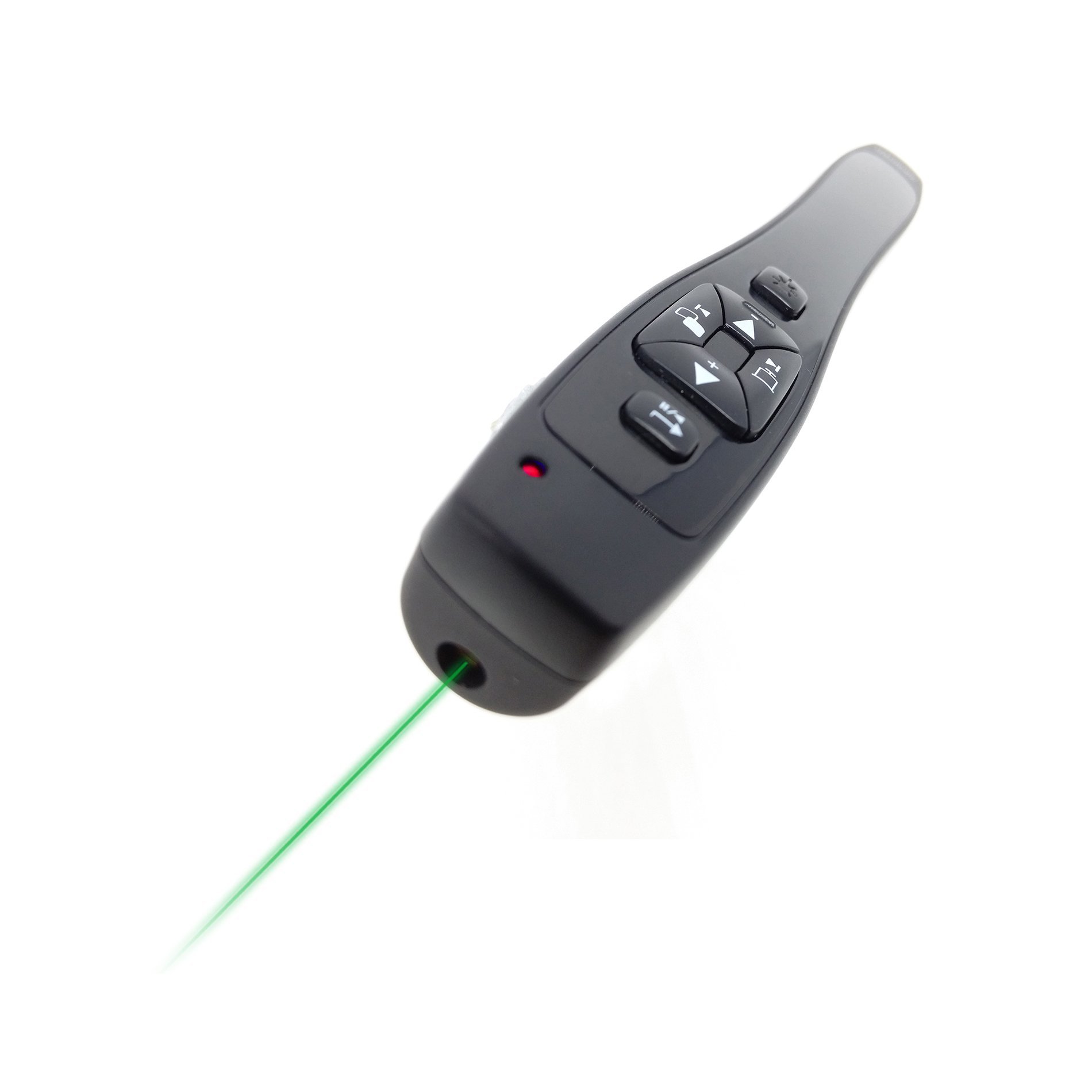
Green laser
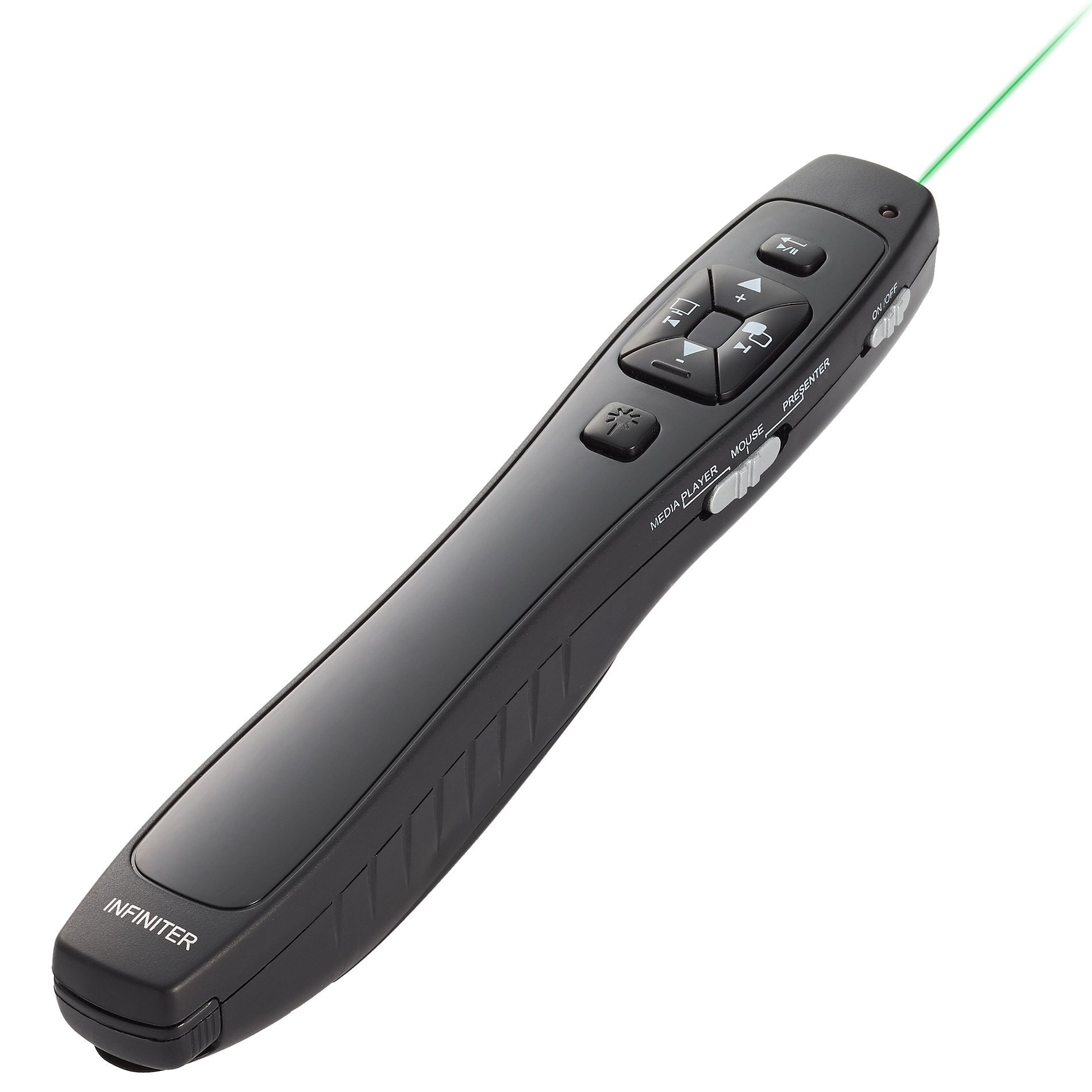
Wireless mouse player with wireless mouse player
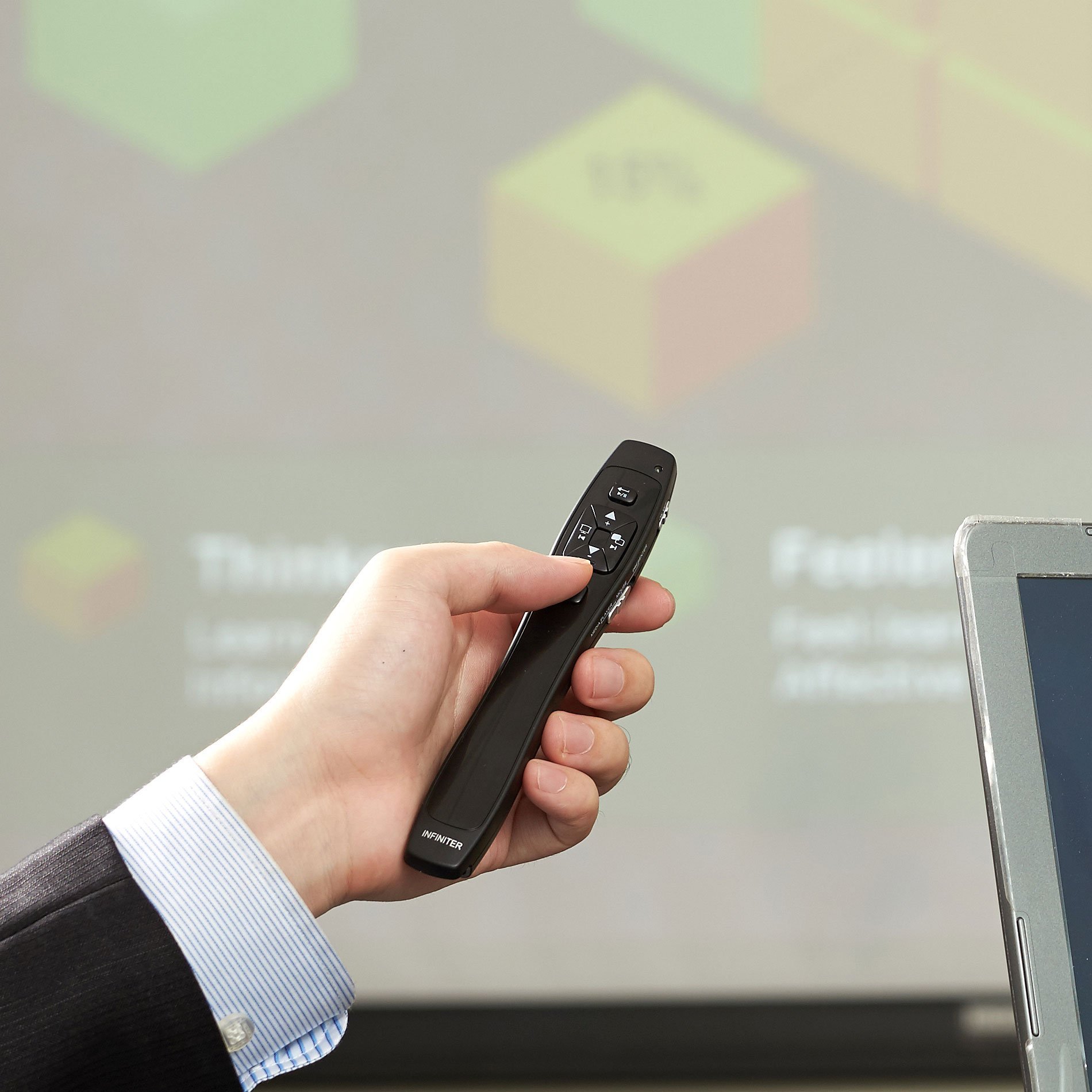
The INFINITER LR - 8G Wireless Remote Presenter gives a stylish impression in the conference room.
It is not only fits comfortably in the hand but also functional design.
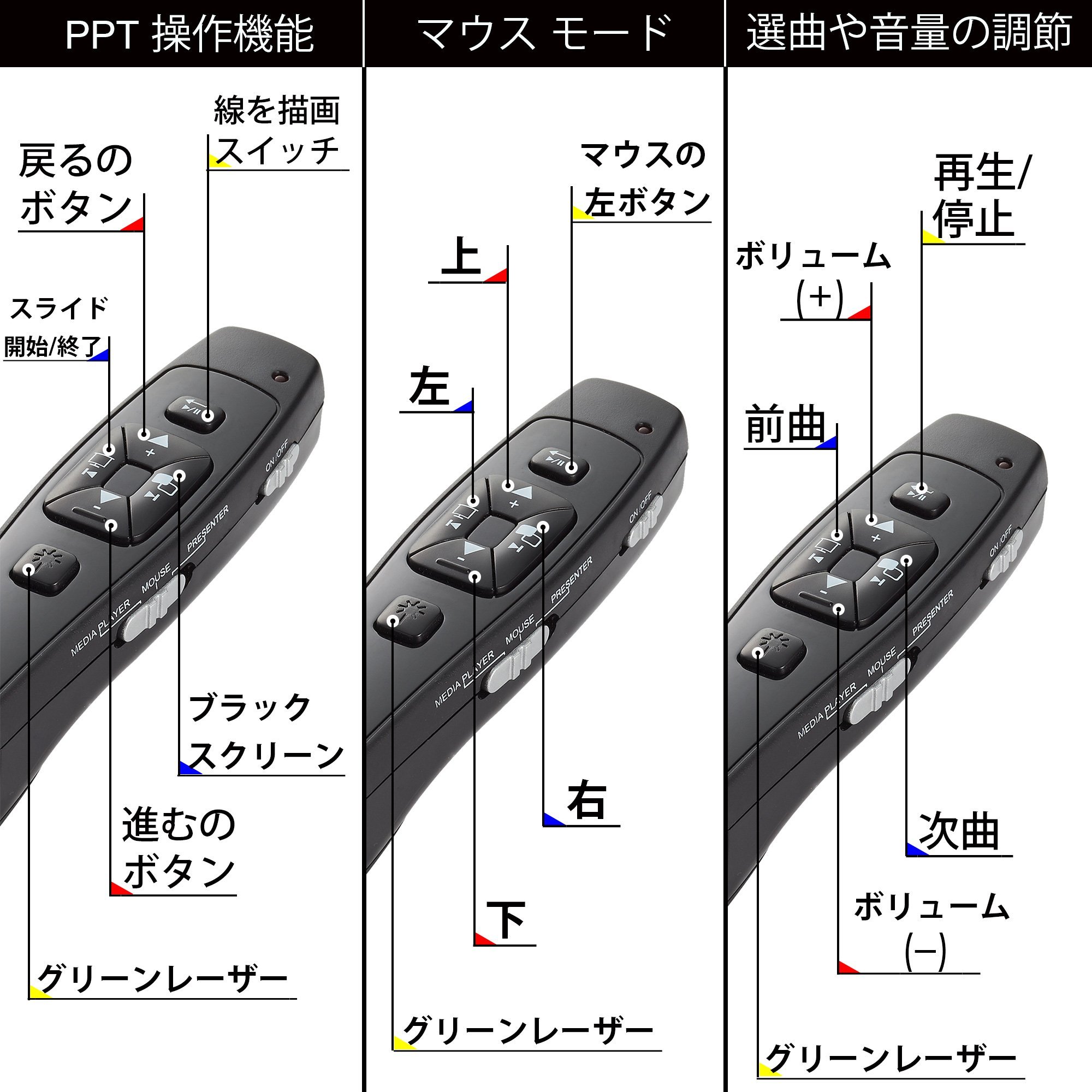
In addition to controlling the ESC, page up, page down function on the PowerPoint screen, it has a wireless mouse function that can move the cursor at will.
Another excellent function for switching to the Media Player function is to combine the function of controlling the player's system and adjusting the volume on the PC.
In addition, the unique pen function helps to draw vertical lines or horizontal lines in emphasizing the important points of the presentation.
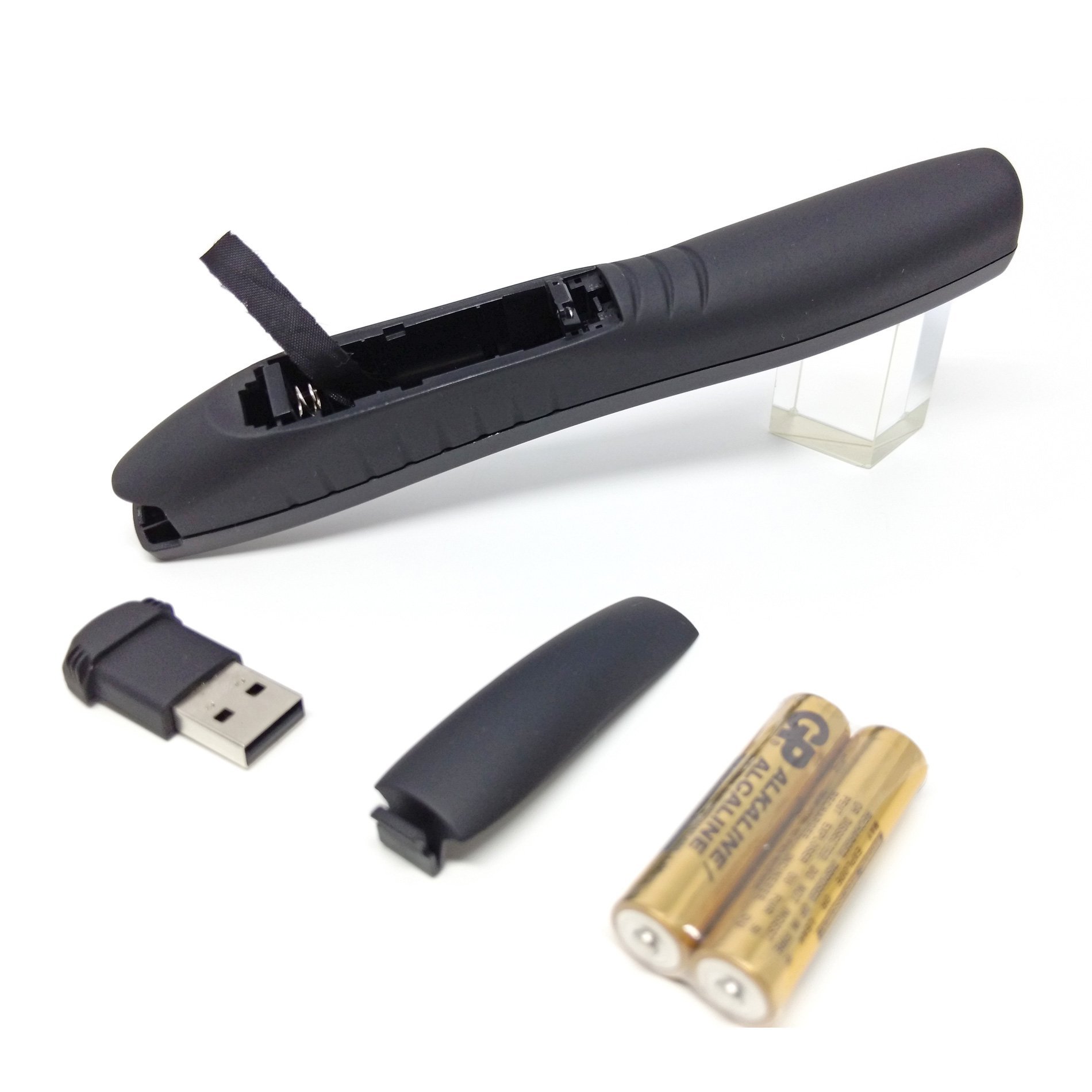
The receiver is installed in the body of the presenter and it is possible to connect easily without using driver software to your PC.
The LR - 8G uses two AAA batteries, and the continuous operation time is 4 hours.
It can be used at a distance of 30 M with a built-in 2.4 G RF remote controller that can also be used for conference rooms.
This convenient multifunctional single product is sure to make your presentation better.
With Japanese instructions.
I will explain how to use LR - 8G with about 2 minutes of video (video to be introduced in English):
https://images-na.ssl-images-amazon.com/images/I/D1AEGCUVv8S.mp4
Simplified switching between mouse, presenter, and Microsoft PowerPoint features.
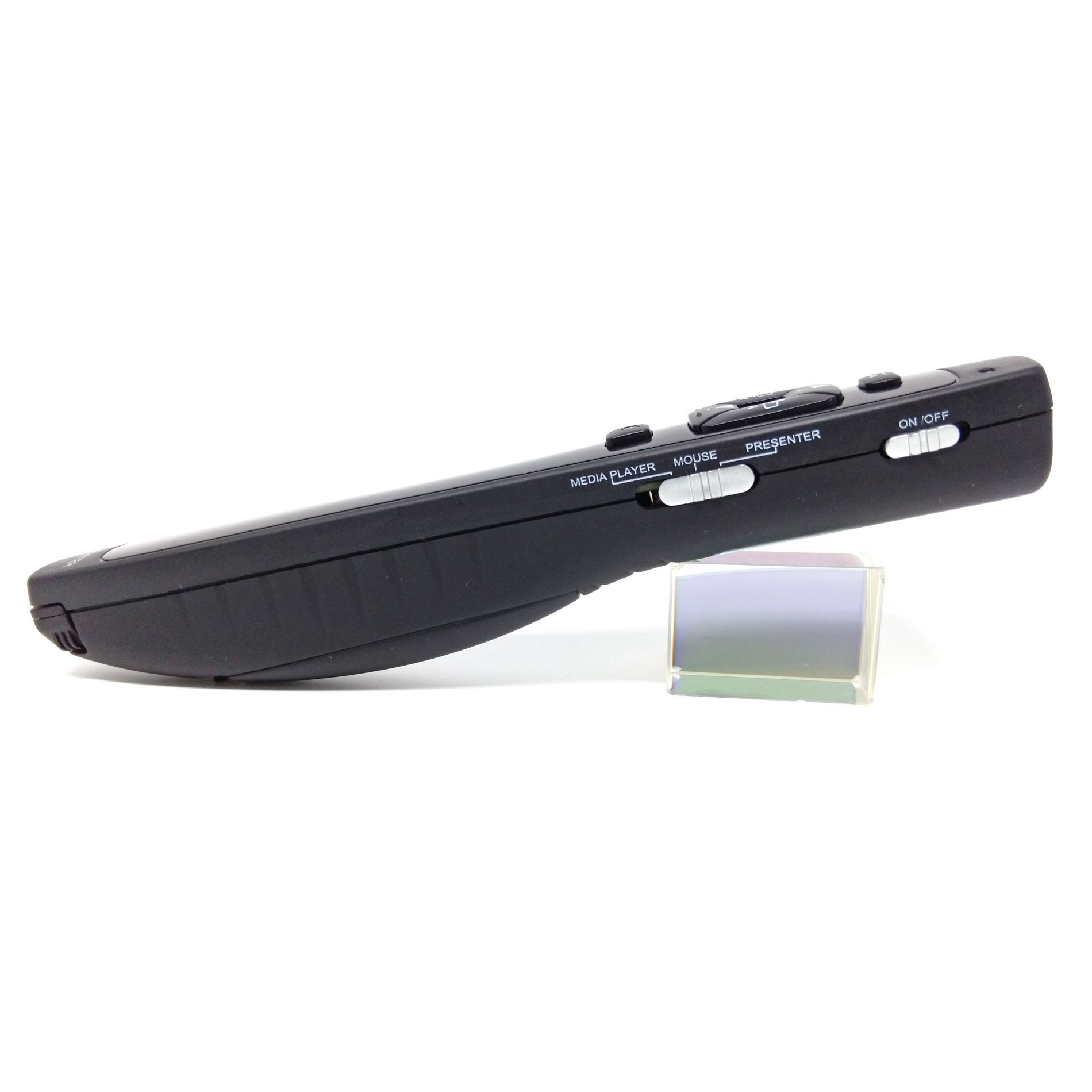
You can switch between presenter function and mouse function just by sliding the switch.
The location of the switch is in a place that you can easily understand by touching and not only allows you to move the cursor freely by sliding the switch to the mouse function, it can also be used not only for up / down / right / left,
You can move the cursor to the upper right / upper left / lower right / lower left.
There is also a left key and input key function also included!
Since you can not move fast through the four buttons to move the position of the mouse, it can not be compared with a smooth experience equivalent to a normal mouse.
This product was designed just to meet the demand for using the mouse during the briefing.
If the presenter who has the mouse's normal function wishes, we recommend our other presenters with gyroscope mouse:
INFINITER Wireless mouse that can be used in the air, a professional gyro wireless mouse (LR - 12 GR PRO) with presentation remote and green laser pointer function
https://www.amazon.co.jp/dp/B01IHGF 91 I
When switching to the presenter function, all function keys required for Microsoft PowerPoint, such as black screen / return, Esc key / F 5 key, screen up such as screen up, page down, etc. are included.
Let's stylishly present with these useful function keys and gather the attention of the audience!
Let's control the entertainment by making use of the player function.
Do not you think that you can adjust the volume of your media player system or PC? You can operate the media player simply by sliding the switch to the position of the media!
Press the up arrow button to increase the volume, and down arrow to lower the volume.
Press the right or left button to play or play the previous file.
Operation is very easy, just playing music or video by pushing a hot key or stopping.
Now you are ready.
Enjoy entertainment!
【The warranty period of this product is one year.
As for purchased items, we will provide 1 year manufacturer's warranty after purchase, so we will exchange free of charge for new items if there is a defect in the item by any chance.
Please contact us from the purchase history of Amazon.
I am doing my best to solve your problem as soon as possible.
Installing software and drivers No need for additional nano USB receiver Plug and play function
Pull out the directly removable USB receiver, plug it into the PC's USB port and wait for a few seconds.
It is not necessary to install additional software for the presenter function.
Just plug in the USB receiver and you are ready.
Just remove the USB receiver after a successful presentation.
In general, you can easily remove USB receiver by pulling outward upward at angle of 45 degrees from the main body.
Presentation is possible with freedom of movement using the 2.4 G RF remote controller.
If you do not like the behavior restricted by wire Let's fascinate the audience with a unique presentation with this 2.4G RF remote control.
The transmission distance is 30 meters and it is recommended for presentation in the large conference room.
Use the unique pen function to write lines to emphasize important points.
Writing a line is a useful function for the audience to concentrate on important points.
With this pen function you can draw vertical or horizontal lines and you will be able to impress the audience without interrupting the presentation.
If you wish to preserve the line written during the presentation after the presentation, you can select the save destination.
This function controls the function of writing lines built in Microsoft PowerPoint.
It is recommended that you practice the operation before formal briefing because the procedure to write the built-in line of PowerPoint is complicated.
Since this product can not move at high speed by controlling the movement direction of the line using 4 buttons, just compare with the stylus's smooth writing experience to satisfy the demand to write a line during the briefing
I can not do that.
(At the moment "Writing line function" can not be used on Mac.)
AAA
It is driven by two batteries (included) and it works for up to 4 hours.
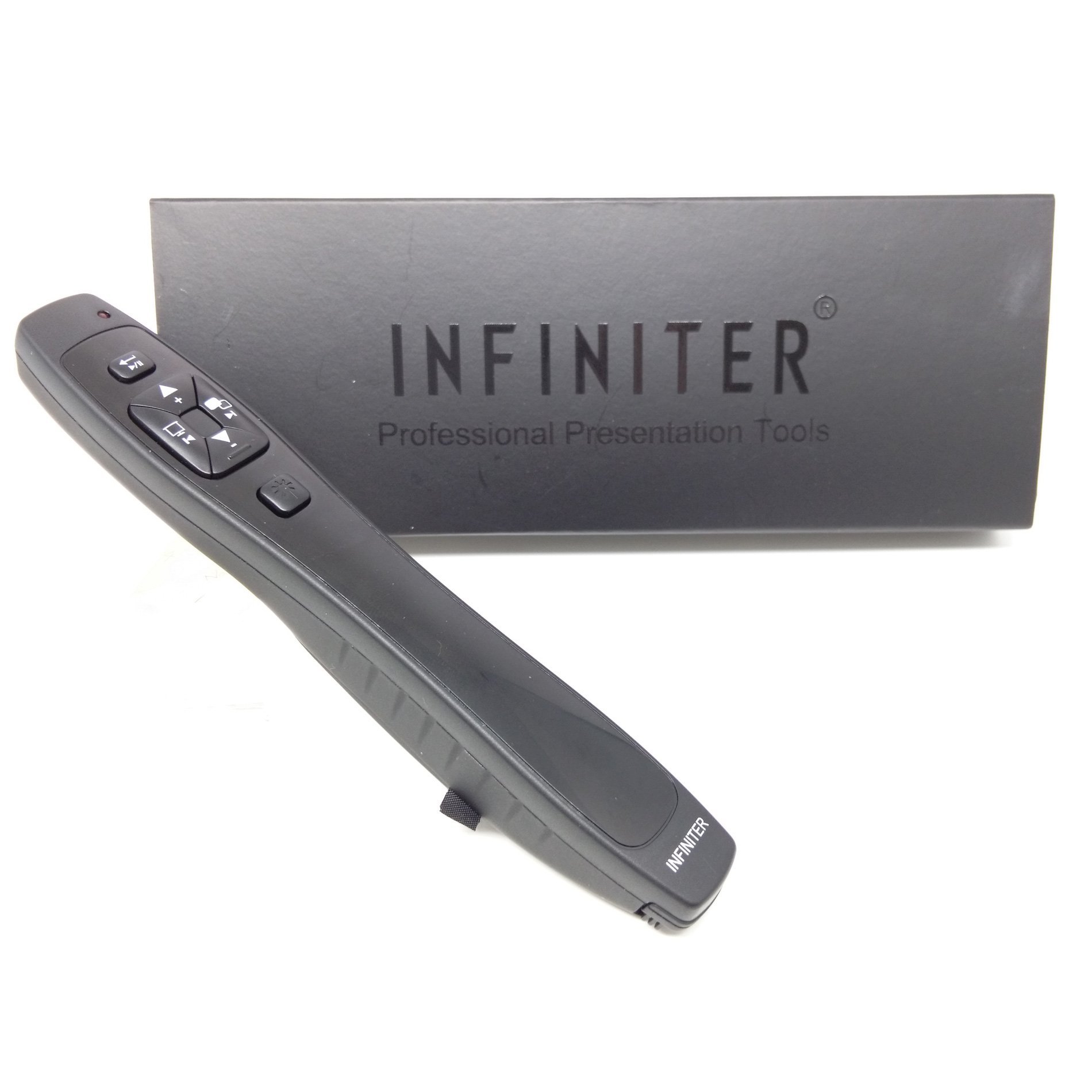
This gift box design makes INFINITER LR - 8G on and off greatly.
Using an inexpensive AAA battery instead of an expensive battery leads to savings and eliminates the need to take the trouble to go to specialty shops to buy a special coin cell battery.
Since the operation demand time with two AAA batteries of the green laser version is 4 hours, it is not necessary to frequently perform troublesome battery replacement, which saves time and money.
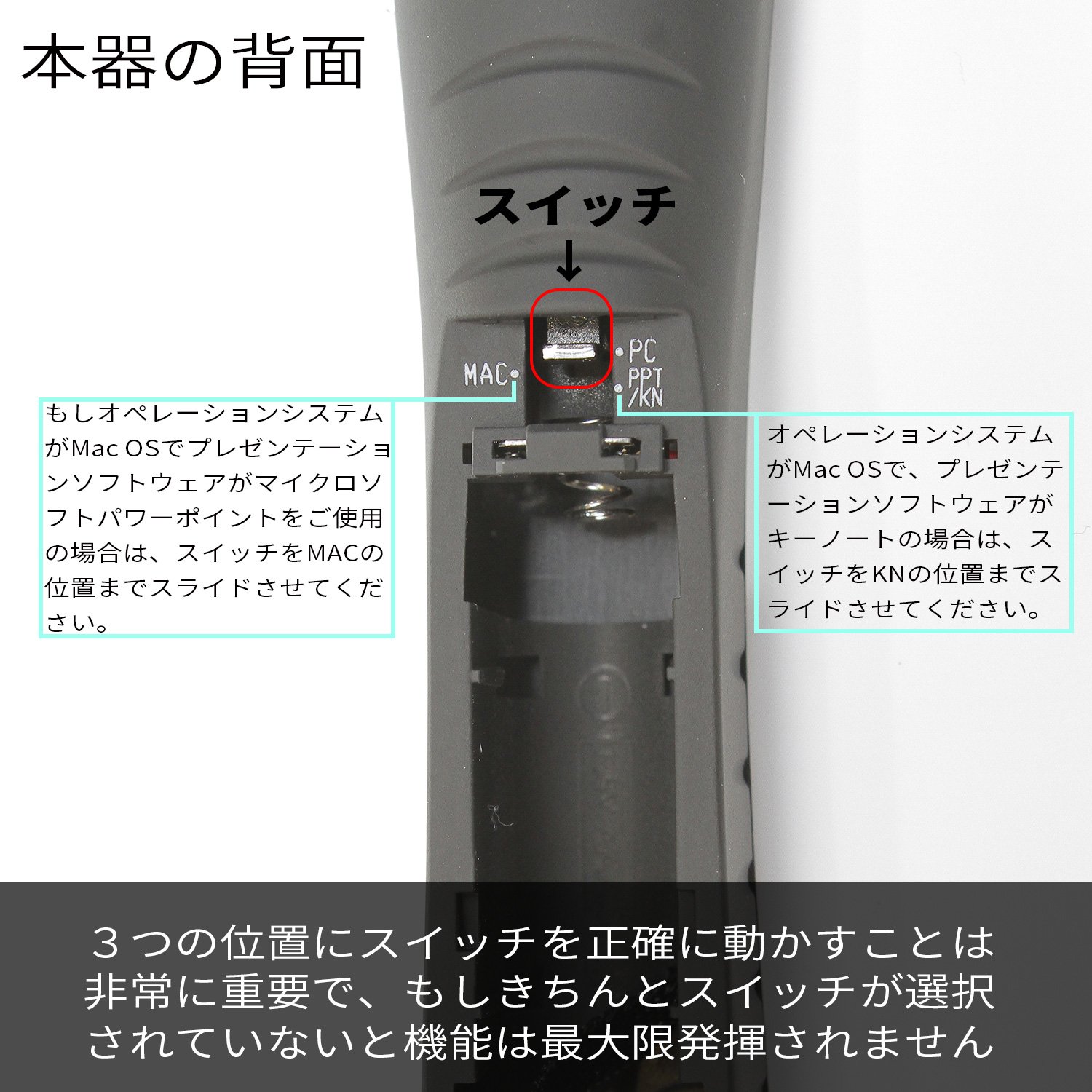
It is made in Taiwan with high quality, design manufacturing together, it works with Mac OS and Windows.
Operation is checked on OS (Operating System) on Windows 10, Windows 8, Windows 7, Vista, XP, Android 4.2, Mac OS X 10.0 or later models.
PowerPoint and Keynote correspondence.
(Currently the "Play / ESC" and "Screen • Blank / Back" features are not available on Mac.
Safety-friendly bright green laser
The pointer allows you to follow your presentation point smoothly.
Are you worried that a dangerous laser pointer may hurt the eyes of an audience?
If the INFINITER brand laser product conforming to the requirement of JQA that the output of commercial laser pointer is 1 mW or less, such worry is useless.
In addition, by using high-end optics for products, the quality of the legal laser pointer market has become a high class quality.
A green laser pointer wide venue that is about 7 times easier to see than red.
Built-in high-performance auto power circuit (APC) stabilizes the power output to the utmost and demonstrates extremely reliable performance, it is not affected by room temperature.
Features:
- Please enter model number Confirm this is compatible:
- The multifunctional design of green laser pointer, presenter, wireless mouse and player control function is easy to use for pen type.
- Green laser is said to be about 7 times easier to see than standard red laser.
- Unique and practical hot key function: page up / down, play / ESC, screen • blank / back, Power Point pen function.
- It is necessary for professional presentation.
- 【Warranty deadline is one year】 Those warranty-restricted products subject to our warranty, we will exchange for defects and new items purchased within the past year from the point of failure at no charge.
- We will enable wireless remote control up to 30M in the room.
- Plug and play 2.4 GHz wireless receiver does not require additional software download and driver installation.
- Built-in USB receiver is easy to pack and easy to hold.
- PowerPoint compatible.
- Operated on Windows, the OS was supported by Windows 10, Windows 8, Windows 7,, Vista, XP and later models.
- At present (2017) Mac can not be used.
- Pen function: Draw lines to emphasize important areas.
- It is driven by 2 AAA batteries (included), and operates for up to 4 hours.
- Made in Taiwan, it is the best quality selection!
- Dimension: 15.8 x 2.8 x 2.4 cm.
- The body is lightweight (63 g including batteries) compact body and long-time use is comfortable.
Product information:
Shipping Weight: 108 g
Package Dimensions: 2.79 x 7.29 x 18.80 cm
Customer reviews from Japan:

 The product that arrived first was a defective item, but a substitute item was sent and an explanation of the correspondence by sentence also arrived.
Suddenly the beam ceased to come out, it immediately happened that it can be used normally if the battery is reset again. Clearly, putting it in the bag, the battery was easy to come off, I thought whether a poor contact condition would occur, and I used rubber bands inside the lid of the battery case, but this also has no effect. It seems that contact failure has occurred. I will try to contact you for returns and exchanges. Addition 1) I have contacted Quarton Inc., 10 days passed, but I have not heard from you. Add 2) A substitute item arrived 2 days after drawing the above addition 1. For the moment there seems to be no problem. In addition, I will write it later. Addition 3) The replacement product seems to have no problem. An explanation of the correspondence by sentence also arrived. It took a little time to say that it was from Taiwan, but it is reasonably priced. In case of failure, I think that it can be said that you can buy this if you deal with this correspondence.
It is quite good
I received it now, so I tried using it immediately. The pointer is clearly visible clearly, and the operation of PPT and mouse can be done neatly. There was an opinion that the sound of the button was noisy, but I was not at all worried. I do not know without durability, I will not use it, but making is never bad. Only one point, the slide 'forward' is ▼ -, 'back' ▲ + + notation is opposite from the general feeling. Only this is anxious. Usability is going to be compared with KOKUYO's products that I've been using regularly since actually using it on the site from now on, but I think that at least at the moment it is the best COSPA.
Cospa is outstanding
I bought it because it was the cheapest green laser presenter. I think that it is very good that the laser can not be blurred so it can be pointed because the main body is long and slender. Also, it's light so it does not seem to be tiring even if you have it for a long time. When arriving it was in the case like the first picture photo. As for the strength of the laser, it was continuously outputted with a certain strength from the time when the button was pushed, and it was also clearly reflected on the TV at hand. About continuous use time etc. I would like to update it as it is used. As an anxious point, it is the sound of the front button (2nd photo) button. When doing a slide feed etc. at hand, a bubble wrap sounds and sounds quite well in the room. People listening to the presentation may not be bothered, but for the presenter it may be pretty bothersome. Sound can be reduced to some extent by how to hold it and how it is pressed. Another thing is that ON / OFF switch turns ON pretty easy. Although it is in the ON state on the third piece of photograph, the slide switch only moves to the center. Because of this it easily turns ON when carrying it in a bag etc etc. It seems that it is necessary to take care when pulling it out by pulling the battery etc. Function switching buttons such as mouse do not seem to slip by itself because the switch slides firmly and stops. Also, although I do not plan to use the mouse function on my own, as I tried it with Mac OS, cursor movement was unstable and it was quite slow, so you need to be careful when using it. Although there is explanation that it can also use about the pointer function in PowerPoint, it was not able to be used properly in the presentation function of the main body. It is better to point by laser as well.
Presentation of workshops
Because it is troublesome to rent each session, I decided to purchase. I was looking for it because I thought green would be better if possible. Since I always used something of Kokuyo, there are also impressions that hands are thin and hard to hold, compared to it, but we can also use powerpo smoothly, as a pointer as well. There is nothing to say if it will last long. Although the case is uniform, since it is a feeling that a sponge is contained in the paper's leaf, it is carried around in a narrow pencil case
Green laser pointer at this price.
Looking for a green laser pointer with high visibility, I reached this. [Good points] - You can also move the slides to page off, of course! - It is slender and easy to hold. · The key arrangement is good. Personally, I like the button which moves to the next page and the button which gives the pointer are close (It can operate by just bending the thumb a little.) [Regrettable point] · The click sound of the button is large. A more quiet sound is perfect. · There is also a mouse function, but the moving speed of the mouse pointer is too slow. I wanted speed adjustment function. On the whole it was a product of considerable satisfaction in the part of COSPA.
Good commodity for price
Besides the pointer, I think that it is affordable with various functions. It is also helpful to plug the USB receiver into the main unit. Just the power switch is loose, in many cases it rubs in the bag and it got turned on unexpectedly.
Green laser is recommended
Purchased green considering the ease of use and good appearance when used. Since the case is attached, you can keep it in your bag anytime. It's about 7000 yen cheap, because you can easily appeal "possible businessman" simply by taking out your own my laser pointer at the meeting and presenting at the destination.
Purchase in an emergency
Because it was necessary immediately I did not hesitate purchase lol I thought I could use the worst one time, but ... I was betrayed expectation with a good meaningful meaning I had the battery well, ▽ `*) But, from the sense of Japanese people think that the function of sending slide is the opposite ... in English it is" next "so I interpret it as downwards I use it lol
SHIPPING METHOD
Delivered directly from Japan by Japan Post. It will take 3 to 5 business days to prepare the order for shipping. We guarantee careful packing and safe shipping.Please note that in some cases additional import or VAT charges may incur and have to be borne by the client.
1. Japanpost registered mail
Shipment by Japanpost Registered Mail (Standard). Trackable any time with tracking number. Insurance is not available. Delivery time usually is between 1-3 weeks from the date of dispatch. Some items are not eligible for Standard Shipping.
2. Qxpress Standard
Shipment by Qxpress standard service. Trackable at any time with tracking number. Registered and insured up to a value of item price and shipping fees.Delivery time is usually between 5-10 business days from the date of dispatch.
3. EMS
Shipment by Expedited Mail Service. Trackable at any time with tracking number. Registered and insured up to a value of $200 and usually delivered in 2-6 business day from the date of dispatch.

| Japanpost registered mail | Qexpress | EMS | |
|---|---|---|---|
| Shipping Method | Japanpost Registered Mail (Standard) | Standard Qexpress | EMS (Expedited Mail Service) |
| Trackable | Yes | Yes | Yes |
| Insured | N/A | Yes (Up to item price and shipping fees) | Yes (Up to $200.00) |
| Asia | 1-3 weeks | 5-10 days | 2-5 days |
| Oceania; North America; Central America and the Middle East | 2-4 weeks | 6-14 days | 2-6 days |
| Europe | 2-4 weeks | 6-16 days | 3-8 days |
| South America and Africa | 2-4 weeks | 10-18 days | 4-8 days |
NOTICE:
- For overseas delivery, please be aware that damage to the outer box can be seen.
- If you would like to avoid as much damage as possible, please choose the EMS shipping method.
"According to Qoo10 guide line,overseas shipping fees will be charged to you extra if you choose Qxpress standard shipping.We recommend you to compare the total price of your purchase with EMS."
