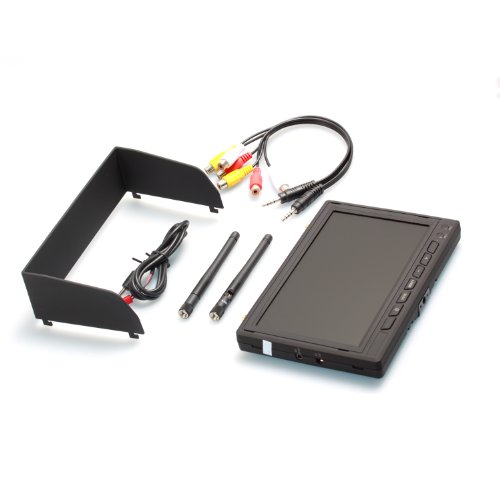
- Binding : Camera
- Brand : AUTO-VOX
- Department : unisex-adult
- Feature : Screw the antennas and then power the LCD screen. Power LED is on and RX1 and RX2 are flashing alternately. RF1 is to RX1 and RF2 is to RX2, better signal first.(See Figure1). RF1 and RF2 must be in the same Channel. / Plug AV cable to RF1 AVOUT and connect the other end to the Monitor, then you can see the signals from RF1. So does the RF2 AVOUT. RF1 and RF2 must be in different channels to avoid signal interference. (see Figure2) / Plug AV cable into TrackerLink and the other to Monitor. The monitor will be same as LCD with the diversity function. / Plug AV cable into AV IN(Figure1),LCD will display the external AV signals automatically. / Buttons (See Figure1). * POWER: LCD power on/off button. * V1/V2: Selection for AV1 and AV2. * MENU: Set up Brightness ,Contrast , Color, Language, Image Rotation, Options-zoom 16:9/4:3, Auto turn off (5s/10s/OFF), Reset
- Label : AUTO-VOX
- Manufacturer : AUTO-VOX
- ManufacturerPartsWarrantyDescription : Parts
- MPN : FTV-Monitor
- PackageQuantity : 1
- PartNumber : FTV-Monitor
- ProductGroup : Photography
- ProductTypeName : SURVEILANCE_SYSTEMS
- Publisher : AUTO-VOX
- Studio : AUTO-VOX
- Title : AUTO-VOX Wireless 5.8GHz 32CH FPV 7" TFT LCD Diversity Input Dual Receiver Monitor With Original Package