Studio : Kingpeony Publisher : Kingpeony Binding : Electronics Product Description
??From Kingpeony,?? Leading Smart Device Brand. Advanced, Stylish, Secure user experience
Each product has to undergo a rigorous quality inspection, the real spirit of artisans.
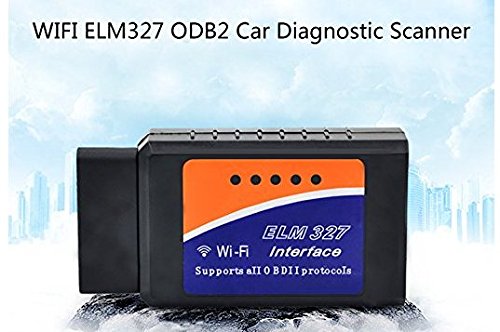
?WIFI ELM327 Wireless OBD2 Auto Scanner Adapter Scan Tool ?
Easy Steps to Setup:
?1) Download the proper App for your device: Torque Pro or DashCommand (IOS), DashCommand (Android)
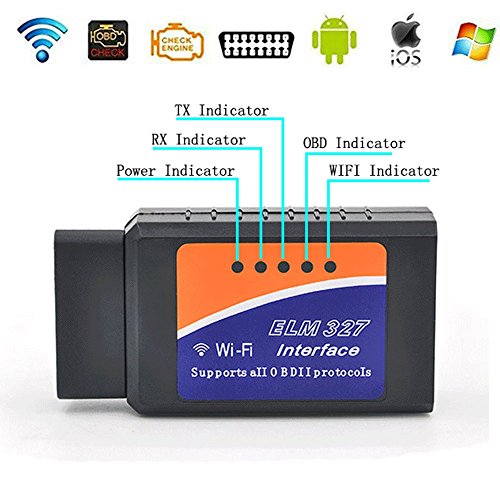
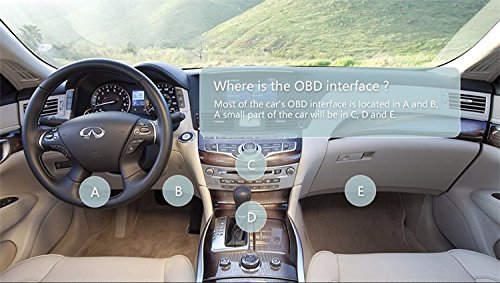
?2) Connect the OBD2 Scanner to the car OBD interface. The scanner power light will flash and then standby. (Please turn on your car when connecting, otherwise, the App will not connect successfully. )
?3) Connect your device to the WIFI network of the OBD2 scanner.
?4) Launch the APP and configure it with scanner.
Read Out Parameters from Your Vehicle:
?Vehicle Speed, RPM, Fuel Consumption, Engine Coolant Temp, Fuel Pressure, Calculated Engine Load, Throttle Position
Intake Manifold Pressure, Air Intake Temp, Timing Advance, Mass Air Flow, Fuel Level, Barometric, Pressure, EVAP System Vapor Pressure, Fuel Trim
Multiple Protocols Support:
?It use AT commands to communicate with a host device (PC, notebook, iPhone, iPod touch, iPad and so on).
Recommend APP
OBD2 Scanner is compatible with many software packages that can be found at Google-Play Store:
?OBD Car Doctor
?Torque Lite/Pro
?DashCommand
?Piston
?Carista OBD
?OBD Fusion
Wifi OBD2 Technical Specifications :
Power Consumption: 0.75 Watts (With Power Switch) Range: 50 ft (Line of sight)
Antenna: Internal
Wifi Standard: 802.11a/b/g
Operating temperature: -15 to 100 Deg Celsius
Plastic: Automotive Grade
Package:
1 x ELM327 WiFi Wireless OBD2 Interface
1 x Software CD
0
|