Product Description
★★★★★Note: Please contact us before you ask for a RETURN or give a REVIEW for the headset, we provide warranty service, and take care of all quality-related issues with a REPLACEMENT or REFUND. ※ The Headset is Compatible with the following Systems and Devices 1. Support the 3.-bit and 64-bit Win7 / Win8 / Win8.1 / Win10/XP
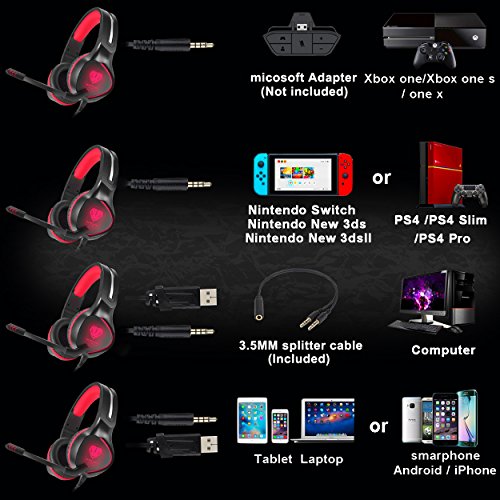
2. Support PlayStation 4, New Xbox One, PC, Nintendo 3DS, Laptop, PSP, Tablet, iPad, Computer, Mobile Phone.
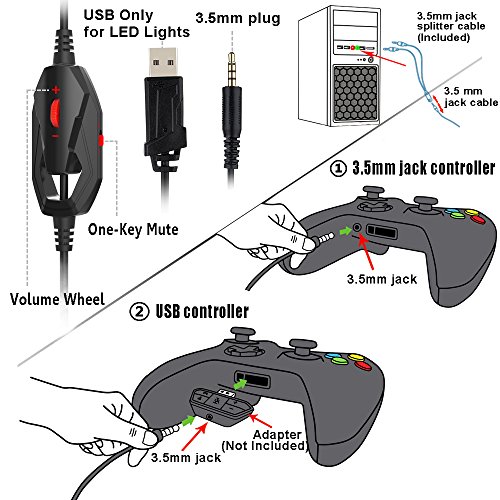
※ How to Connect to A Controller ? 1. Plug 3.5 mm cable into directly the Controller which has a 3.5 mm Audio port.
★★★★★ Note:
An extra Microsoft Adapter (Not Included) is needed when connect with the Controller which without 3.5 mm Audio port.
※ How to Connect to PC ? When using the headset on computer, you need to use Y Splitter Audio Cable.
1 is for the microphone and 1 is for audio.
Please make sure both Headset Microphone Switch and Computer Microphone Switch are turned on.
Please find the "speaker" icon in the computer taskbar, and double-click to enter the volume control for settings.
And enter into the "Voice" for setting on the "Control Panel"
※ USB cable USB interface for power supply for the LED Light.
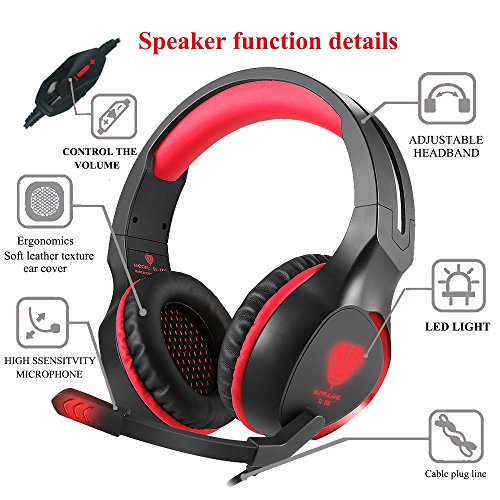
※ Mute Key & Volume Control Button Before you adjust the volume, make sure the Mute key is turned off.
No Sound ? & Can't Talk? 1. Make sure the Headset Microphone Switch is turned on, then adjust the volume.
2. ★★★★★ Volume setting in the game.
Feature
★★★★★ 3.5mm Audio Cable - Compatible With Xbox One X, Xbox One S, New Xbox One, PC, Nintendo 3DS, Laptop, PSP, Tablet, iPad, Mac, Mobile Phone, PS4, PS4 Pro and PS 4 Slim. ▲▲▲▲▲Plug in directly any compatible Controller which has a 3.5mm stereo headset jack. ★★★★★ PLEASE NOTE: A Microsoft Adapter is needed (NOT INCLUDED) when connect with a Controller which hasn't a 3.5 mm stereo jack.
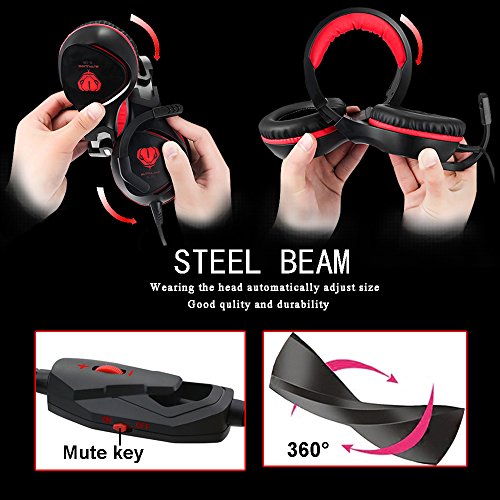
Simply Plug and Play- Users can gear up with no setup necessary. The mic does slide in and out of the left side earphone which is new and unique. Convenient In-line Controls, Convenient in- line controls place Master Volume and Mic Mute right at your fingertips. The retractable headband design with synthetic leather-wrapped ear-cushions, skin friendly leather material for a longer period of wearing.
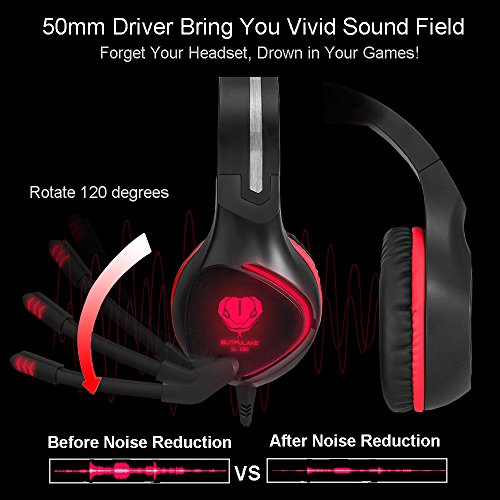
Noise reduction technology- The omnidirectional noise reduction technology ensures that microphone picks up your voice clearly in-game or online chat. Enjoy the shocking game, no one can affect your excitement.
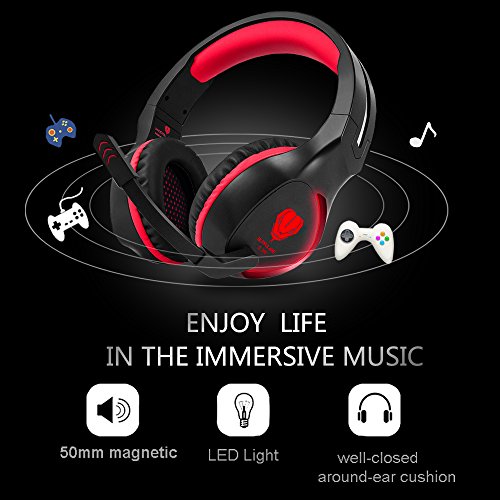
Built-in industry- leading high precision 50mm magnetic neodymium driver pursues a more immersive experience. Pay more attention to the sound field and positioning (such as shooting, guns and games on the need to locate the game), while the amount of low frequency and intensity has increased, and meet the user experience for the game sound.
★★★★★ Note Please contact us before you ask for a RETURN for the headset, we provide warranty service, and take care of all quality-related issues with a REPLACEMENT or REFUND.
Brand : Jicjocy
EAN : 0712492414042
Package Dimensions(LxWxH) : 22x21x10cm ; 517 g