Item Descriptions:
color:
·black
IIMCO supports your activities
- Main function overview -
【Pedometer】
In case
Calculation of step count count calorie target step count setting, achievement rate display
As you always know how long you are walking, you can quickly see if you are walking the number of steps you need on the day.
* At the time of initial setting, there are cases where the pedometer does not respond, but when you start the heart rate monitor, it starts counting automatically.
We will measure the number of steps in about 5 seconds after we start walking.
This is not a malfunction due to the specification for not counting fine movement.
【Sleep Management】
Sleep state recorded at three stages of sleep introduction, non-REM sleep, REM sleep
Display what kind of sleeping state you are in daily, weekly, monthly
I will support daily sleep.
※ It is measurement after 18:00 every day.
We do not measure such as nap.
【Heart Rate Monitor -】
Calculation of heart rate during exercise, real-time monitoring
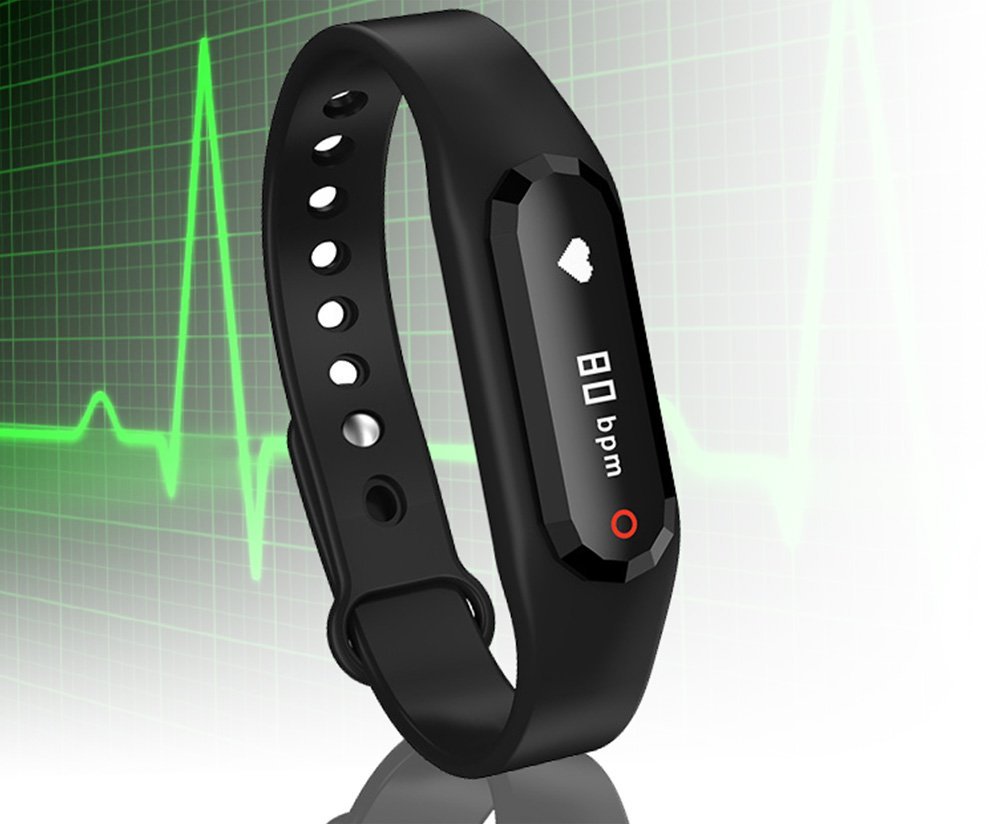
You can display your heart rate simply by wrapping it around your wrist with a heart rate monitor with a light sensor.
※ Accuracy varies depending on degree of adhesion to the skin.
It is an entry model you use with walking, jogging etc.
【battery】
30 days standby available
※ Estimated when used on a daily basis
It can be used for about 2 days using Heart Rate Monitor several times a day with one charge.
※ Please charge before the battery runs out to improve battery life.
- Required environment -
Bluetooth 4.0 or later
iPhone iOS 7.0 - 9.2
Android 4.3 or higher
You can use the wristband even when there is no Bluetooth connection with the smartphone
It is necessary for synchronization of watch etc and software update.
- Easy-to-understand interface that can be operated intuitively -
【Pod Body】
Easy display by O-LED display
Simple operation by setting one button
Time display → pedometer → movement distance → heart rate monitor → return to the clock display
※ Starting the heart rate meter with long push of the ring panel in the state of heart rate display
【Special application】
To download special application, read QR code, downloading and installation is completed by easy operation.
The dedicated application IMCO is also an application made for usability and it is possible to control by intuitive operation.
【Bluetooth connection】
Keep connecting up to about 10M with your terminal.
(Depending on radio wave condition)
Even if the connection is lost, you can reconnect automatically.
※ When reconnecting manually Delete terminal registration once → Please register again after pairing.
【NEW application release】
We have released the NEW application!
To download a new application, use the QR code in the Japanese manual or
It can be downloaded from the Apple Store / GooglePlay.
The search keyword is "imco".
It is easy to use interface in Japanese application.
Please try using it.
【please note】
The QR code of the Quick Start Guide is a former old application.
Please do not download it.
- Optical sensor adopting wristband integrated heart rate monitor -
Product planning function Ichushi function!
【Waiting for such things!
- Commitment in charge -】
Although I used a chest type heart rate monitor up to now it was troublesome to wear or forgot to put on
Anyway, it took a bit of effort and eventually ceased to be used.
I was born from the voice of the person.
[Anyway easy to understand]
Roll the wristband around your wrist and press the start button to display your heart rate as soon as possible.
【Necessity of heart rate monitor function】
I want to continue walking, jogging and running everyday but I get stuck if I walk a little, I run short of breath just running for 10 minutes.
This is because you do not know your heart rate.
If you use this wristband, you will soon know how much your heartbeat is
You will be able to make judgments such as running more slowly and running faster.
By maintaining a heart rate slightly below the heart rate that you feel a little tight
It makes it easier and easier to continue aerobic exercise more easily.
【I recommend it to this person】
Just pedometer, sleep management alone is unsatisfactory!
I also want to walk and run!
But I want to keep it comfortable!
We will deliver to you who wish to continue aerobic exercise comfortably.
Achieve extra added functions and IP65 waterproofness
[Additional Functions]
We will also inform you by vibrating notifications from applications such as mail, LINE, Twitter etc as well as telephone.
You can also inform you by vibrating alerts of excessive sitting attention.
【Waterproof & Super lightweight】
Because it is resistant to moisture such as rain and sweat it will be any all-weather wearable device.
I adopted a 1-pin type wristband which is easy to attach to the arm as much as possible based on the voice that the similar wrist band is hard to wear.
Moreover, it finished to ultra-light type of 14 g how it can be worn without discomfort.
※ Because the waterproof function is a test result, there is no guarantee of malfunction due to water wetness.
- Sub function overview - ISO version
【Call】
Vibration notification of incoming calls
【SMS】
Notify by incoming e-mail by vibrating (Some carrier e-mails etc. may not be notified.)
【More App remind】
We will notify you about the application.
【Safety】
Notice by vibrating when the wristband and IMCO are about to disconnect (prevention of misplacement)
【Sedentary reminder】
Notify by vibration when sitting too far.
【Alarm】
You can ring a vibration at any time.
You can set up to three.
【Find Band】
Ring vibrations of the wristband arbitrarily.
【Shake while selfie】
IMCO has a camera function.
You can turn off the shutter by waving the wristband.
※please note※
Because it is not completely waterproof, you can not take a shower or take a bath while wearing this.
Please remove the pod body or remove the wristband so that we can.
[About the manual]
Please read the Japanese manual with QR code and download it.
If separately required, we will distribute it by e-mail after purchase if you can contact us.
【About pedometer】
It is a type that counts with arm swing.
In order to exclude fine movement from the number of steps, measurement starts after about 5 seconds elapse since walking out.
Therefore, it is measured less than the actual number of steps.
※ Once you start the heart rate monitor for the first time, the pedometer will also start counting.
We will count the number of steps automatically after the second time.
【About Sleep Monitor】
The sleep meter measures sleep after 18:00 every day.
Sleep does not occur measured due to sleep time.
※ Read fine motion of the human body There are cases where some errors may appear to manage the sleep state.
【About heart rate monitor】
Read the blood flow of the wrist with a light sensor and count it as a pulse rate.
Therefore, there may be a difference in actual pulse rate due to sweat and moisture.
There is a possibility that the time difference may occur in the measurement result in the interval training etc. where the heart rate fluctuates greatly.
Please use such as walking or light jogging.
--------------------------------------------------------------------
--------------------------------------------------------------------
--------------------------------------------------------
【Technical Support】
Q. I can not reconnect the IMCO application and smartphone's Bluetooth.
A.
When you set up incoming calls, SMS incoming calls, and camera settings, the smartphone and the IMCO wristband will start Bluetooth connection separately from the IMCO application.
This is because the notification function such as IMCO application and incoming call functions with different Bluetooth connection.
It is an image that has two Bluetooth connections.
Therefore, in order to connect the IMCO application Bluetooth again, you need to cancel the Bluetooth connection once responsible for incoming notification.
If the Bluetooth connection between the IMCO application and the smartphone is broken with the notification function of the phone, SMS, applications, etc turned ON, please reconnect with the following procedure.
【Bluetooth reconnection method after setting notification function such as incoming phone call】
Touch [Settings] → [Bluetooth] → IMCO Wristband information (MH 08) Select "Unregister this device" (You can now cancel the notification setting connection)
→ Go to the IMCO application 【Devices】 Swipe down in the middle → → 【IMCO】 Tap the part indicated as Disconnect → 【Connection complete】
[When a display such as Timeout appears]
Even if the wristband is recognized on the IMCO application, it may be displayed as TimeOut depending on the radio wave condition and connection is not possible.
In that case please try again or try again after a while.
If you can not connect using the above method, please turn off / on the Bluetooth setting of the smartphone main unit once and repeat the above procedure.
It may be a technical problem of smartphones such as memory, so we recommend that you reboot the smartphone main unit and make a connection.
Q. I do not know how to set up application notification etc. of the Android version
A. Please try the following setting method.
Main page Upper left 【Gear Mark】 → 【Push Message】 → 【Add more push】 → Add any application.
You can notify the application by this.
* When you register multiple SMS and mail etc, notification will come to the wristband each time so please be careful of duplicate application registration.
Q. I do not know the part by operation
A. Please contact the seller if the bracelet does not work by any chance due to the difference between each model and setting environment.
The problem can be solved through engineer's technical support.
Features:
- Please enter model number Confirm this is compatible:
- HEART RATE MONITOR FUNCTION WITH OPTICAL SENSOR MOVEMENT IN WORKING, JOGGING AND RUNNING WITH HEART RATE MAKER!
- With this wristband you can measure your heart rate at any time.
- Moreover, it weighs only 14 g and is super lightweight!
- You can wear without worrying about weight.
- During exercise you can monitor heart rate without having a smartphone.
- After going home, you can operate data storage in conjunction with smartphones.
- And finished in a model that can be used intuitively with simple operation!
- Function overview: pedometer movement distance measurement calorie consumption calorie calculation heart rate monitor 5 days continuous use possible 30 days wait possible heart rate monitor continuous use about 20 hours dedicated application IMCO compliant (This product is a terminal dedicated to the IMCO application.
- It does not correspond, pedometer of the wristband body, heart rate monitor function will be up.)
- Other functions: Incoming call notification mail Mail notification Notification of incoming calls such as LINE (Some carrier mails may not be notified) Sitting often Caution Alert list band search function Japanese manual Downloadable from QR code attached to the main unit
- is.
- Heart rate monitor function: It is a heart rate monitor adoption model assuming walking, running from the product planning stage.
- Long-term activities will be possible by exercising while monitoring heart rate.
- We strongly support aerobic exercise such as diet · daily walking for health, jogging etc.
- Unique sleep tracking function: We record the usual sleep in three categories 【Sleep Introduction / Shallow Sleep State / Deep Sleep State】.
- How long did you sleep properly today?
- We will quantify the question that is!
- * The Internet environment is necessary for operation to the application.
- Supported OS 【iOS】 iOS 7.0 - 9.2 【Android】 4.3 or higher compatible
Product information:
Shipping Weight: 86 g
Package Dimensions: 3.20 x 9.40 x 9.60 cm
SHIPPING METHOD
Delivered directly from Japan by Japan Post. It will take 3 to 5 business days to prepare the order for shipping. We guarantee careful packing and safe shipping.Please note that in some cases additional import or VAT charges may incur and have to be borne by the client.
1. Japanpost registered mail
Shipment by Japanpost Registered Mail (Standard). Trackable any time with tracking number. Insurance is not available. Delivery time usually is between 1-3 weeks from the date of dispatch. Some items are not eligible for Standard Shipping.
2. Qxpress Standard
Shipment by Qxpress standard service. Trackable at any time with tracking number. Registered and insured up to a value of item price and shipping fees.Delivery time is usually between 5-10 business days from the date of dispatch.
3. EMS
Shipment by Expedited Mail Service. Trackable at any time with tracking number. Registered and insured up to a value of $200 and usually delivered in 2-6 business day from the date of dispatch.

| Japanpost registered mail | Qexpress | EMS | |
|---|---|---|---|
| Shipping Method | Japanpost Registered Mail (Standard) | Standard Qexpress | EMS (Expedited Mail Service) |
| Trackable | Yes | Yes | Yes |
| Insured | N/A | Yes (Up to item price and shipping fees) | Yes (Up to $200.00) |
| Asia | 1-3 weeks | 5-10 days | 2-5 days |
| Oceania; North America; Central America and the Middle East | 2-4 weeks | 6-14 days | 2-6 days |
| Europe | 2-4 weeks | 6-16 days | 3-8 days |
| South America and Africa | 2-4 weeks | 10-18 days | 4-8 days |
NOTICE:
- For overseas delivery, please be aware that damage to the outer box can be seen.
- If you would like to avoid as much damage as possible, please choose the EMS shipping method.
"According to Qoo10 guide line,overseas shipping fees will be charged to you extra if you choose Qxpress standard shipping.We recommend you to compare the total price of your purchase with EMS."
